
4G draagbare hotspot 150
Alle vragen
4G draagbare hotspot 150
Wat betekenen de verschillende statussen van de simkaart in de webinterface?

Waarschuwing: Controleer, voordat u verbinding maakt met de webinterface, of uw simkaart correct is geplaatst en of de pincode is uitgeschakeld of dat
is ingevoerd.
1Status van de simkaart
Je kunt de status van je simkaart bekijken op het scherm van de 4G PORTABLE HOTSPOT 150:
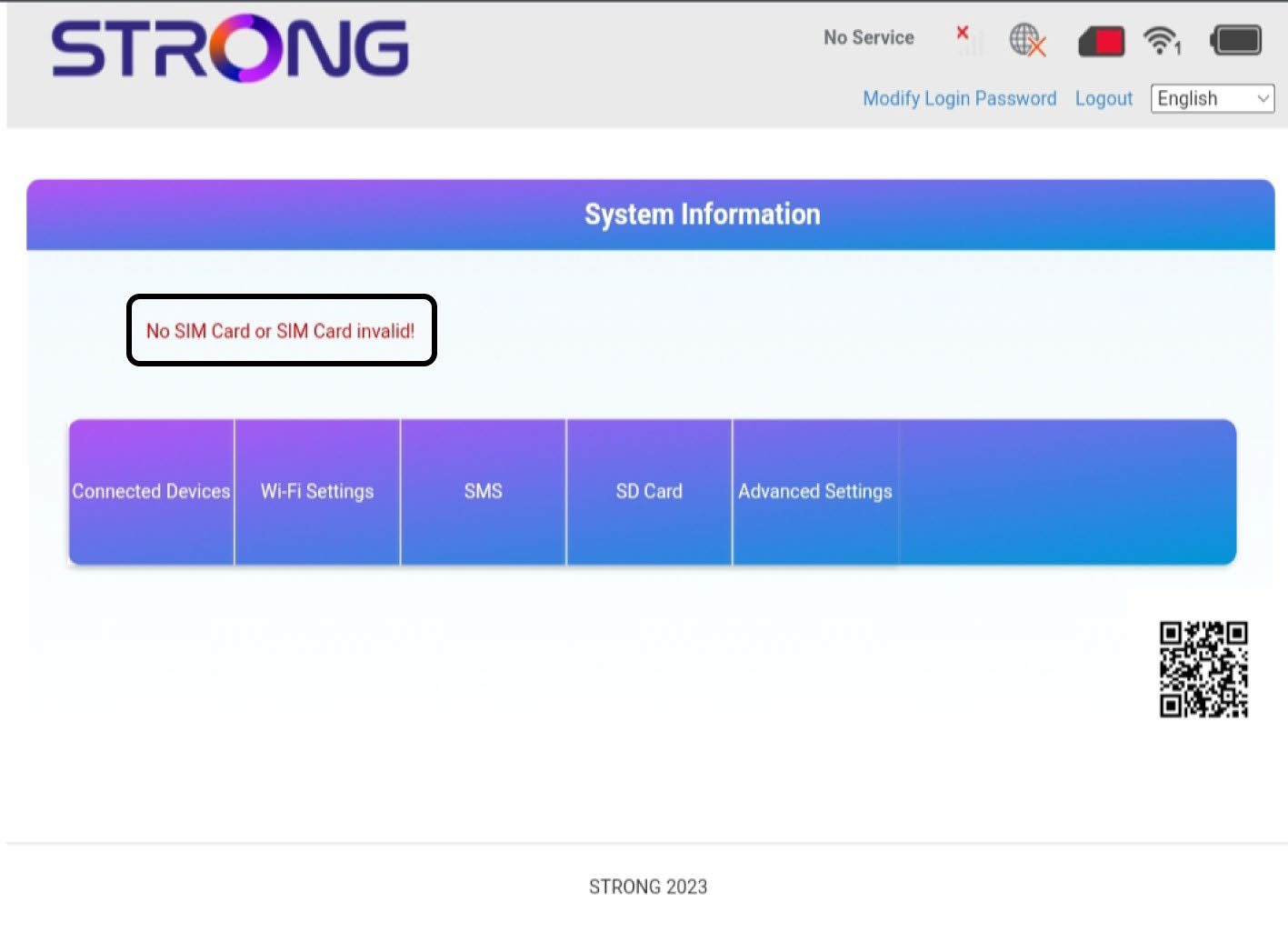
Zodra u in de webinterface bent, zult u zien dat er verschillende statussen kunnen worden weergegeven naast de statusregel van de simkaart:
Geen simkaart of ongeldige simkaart: De simkaart is geplaatst en wordt herkend, maar werkt niet vanwege de pincode.  De simkaart is niet correct geplaatst in deapparaat, of er zit geen simkaart in de sleuf.
2Status: Normaal
Normaal: De simkaart is correct in het apparaat geplaatst en ontgrendeld. U ziet de startpagina van de webinterface.

Waarschuwing:
• Als de simkaart met een pincode is vergrendeld, moet u verbinding maken met de webinterface om de pincode in te voeren en de simkaart te ontgrendelen.
• Als de simkaart niet wordt herkend, controleer dan of de gouden kant niet zichtbaar is wanneer de simkaart in de sleuf is geplaatst.
• Als de simkaart niet goed is geplaatst, plaats deze dan opnieuw in de sleuf en controleer of de simkaart stevig in de adapter zit.