CPL 600 Duo Wi-Fi FR V2
Alle vragen
CPL 600 Duo Wi-Fi FR V2
Waarom ondervind ik storingen bij mijn 2,4 GHz-wifi, en hoe kan het helpen om het kanaal te wijzigen naar 1, 6 of 11?
Waarom ondervind ik storingen bij mijn 2,4 GHz-wifi, en hoe kan het helpen om het kanaal te wijzigen naar 1, 6 of 11?
Om storing tot een minimum te beperken, raden we aan uw wifi-kanaal in te stellen op 1, 6 of 11. Deze kanalen liggen ver genoeg uit elkaar om overlapping te voorkomen, waardoor de kans op storing door andere netwerken en apparaten in de buurt kleiner wordt. Door een van deze kanalen te kiezen, kunt u de stabiliteit en prestaties van uw wifi-verbinding verbeteren.
Om het kanaal te wijzigen, opent u de instellingen van uw Powerline wifi-apparaat via de webinterface. Ga naar het gedeelte ‘WLAN-instellingen > Basisinstellingen’ en kies kanaal 1, 6 of 11.
1. Maak verbindingmet het wifi-netwerk
Voer hiervoor de SSID en het wachtwoord van de router in op je apparaat.

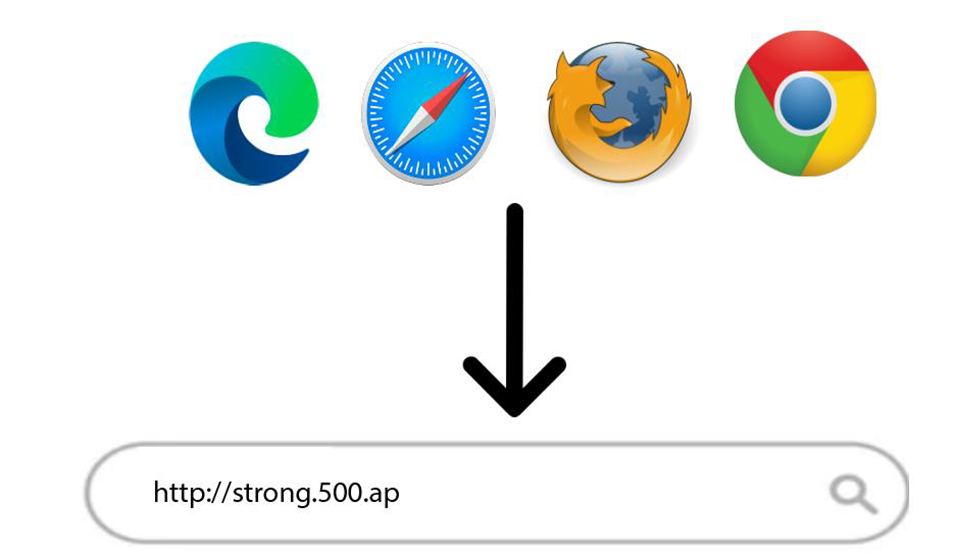
2. Voerhet IP-adres van de webinterface in
Voer vervolgens het volgende IP-adres in je browser in: http://strong.500.ap
3. Inlogpagina
Zodra je naar het IP-adres bent gegaan, klik je erop en moet je de gebruikersnaam (admin) invoeren. Klik vervolgens op ‘Inloggen’.
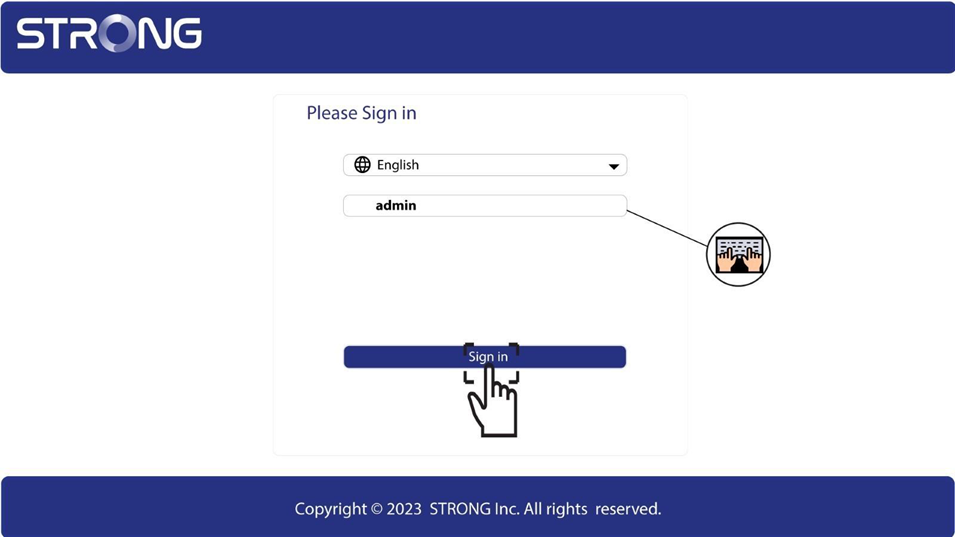
4. WLAN-instellingen
Klik op ‘WLAN-instellingen’ en vervolgens op ‘Basisinstellingen’.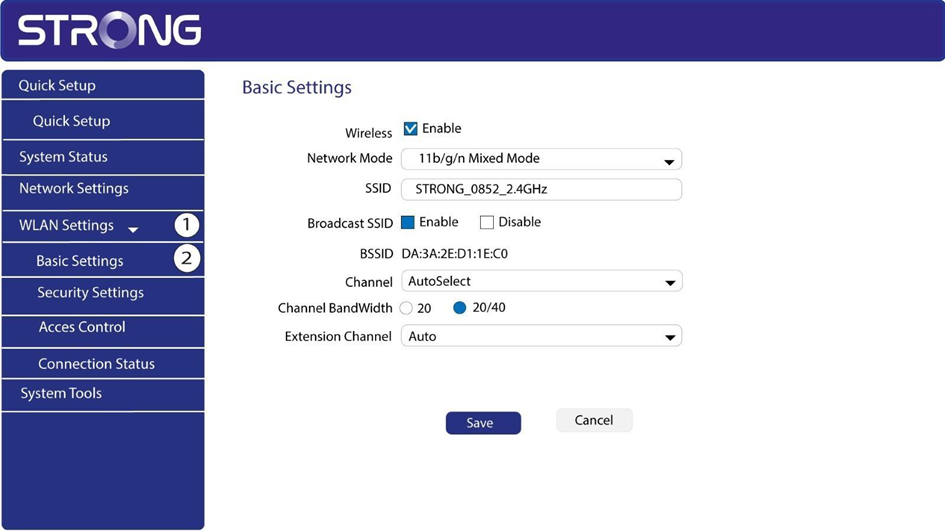
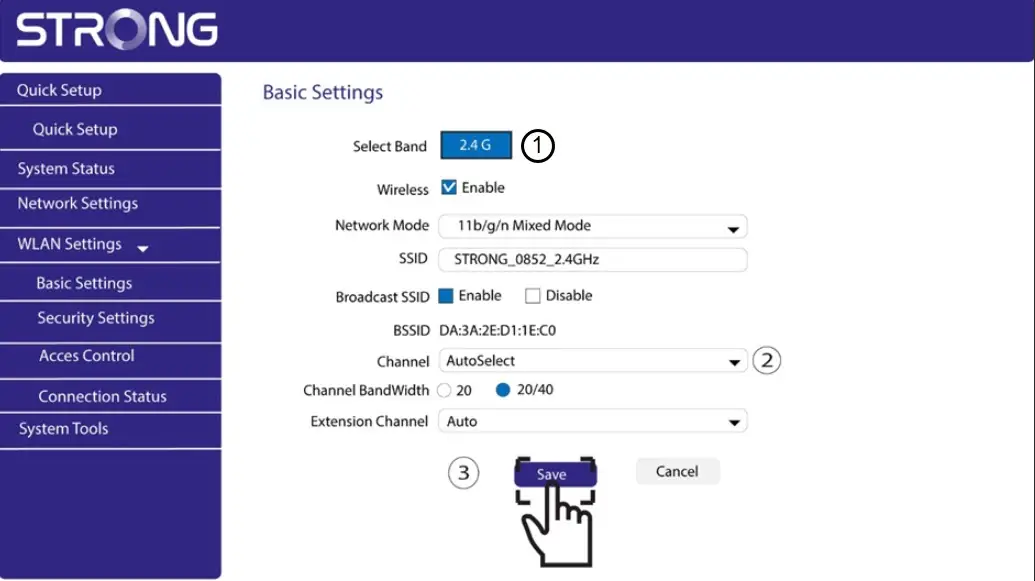
5. Selecteerde netwerkband
Selecteer de netwerkband 2,4 GHz. Kies vervolgens het kanaal uit de vervolgkeuzelijst (1, 6 of 11) en klik op ‘Opslaan’.