ATRIA Wi-Fi 6 Mesh System 3000 (2-pakning)
Alle spørsmål
ATRIA Wi-Fi 6 Mesh System 3000 (2-pakning)
Kan jeg konfigurere et gjestenettverk for mitt Mesh nettverk? (Tilfelle 1: Nettgrensesnitt)
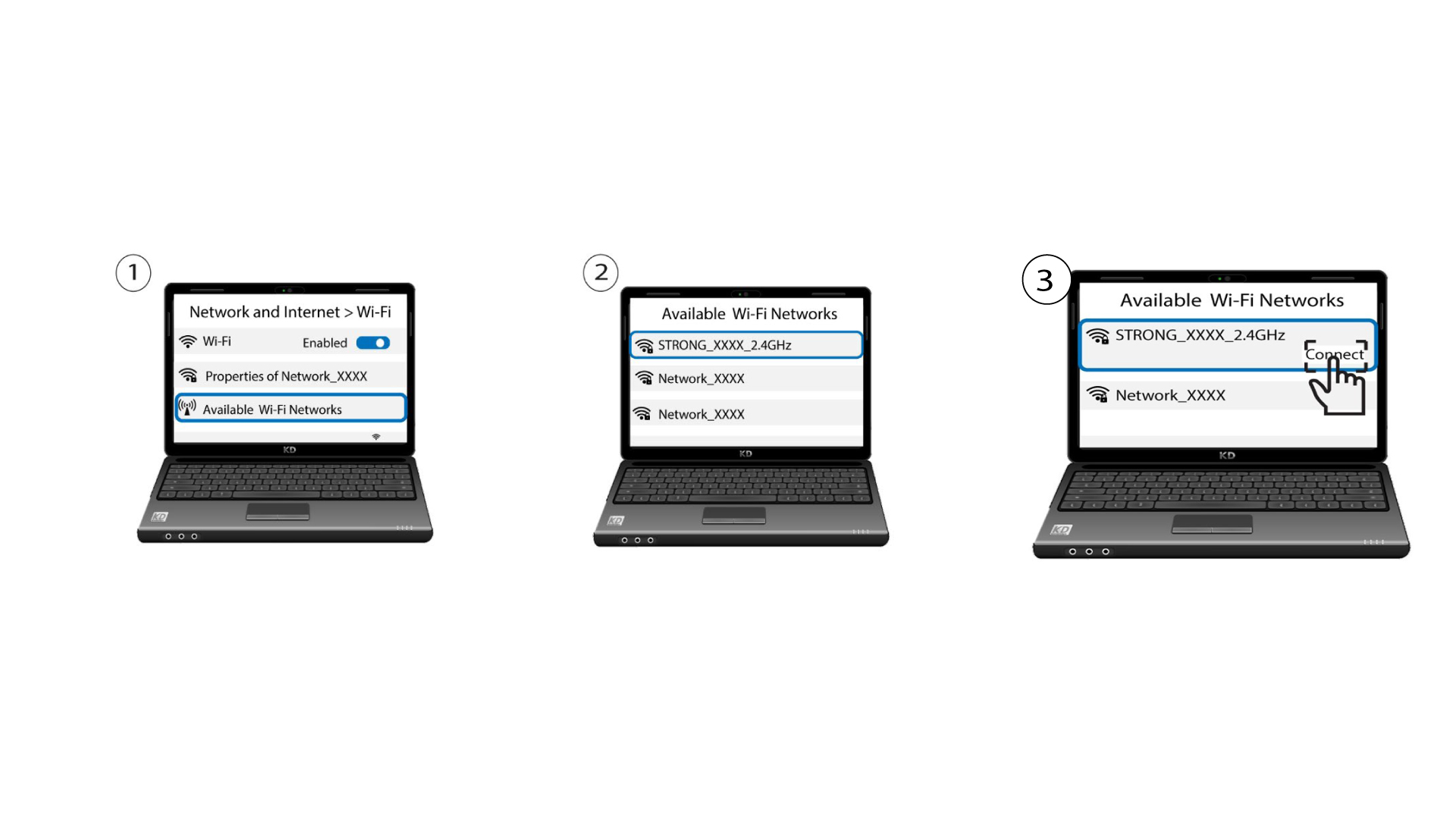
For å få tilgang til nettgrensesnittet må du være koblet til Wi-Fi-nettverket på enheten din etter at du har koblet RJ45-kabelen til WLAN-porten på enheten og internettboksen.
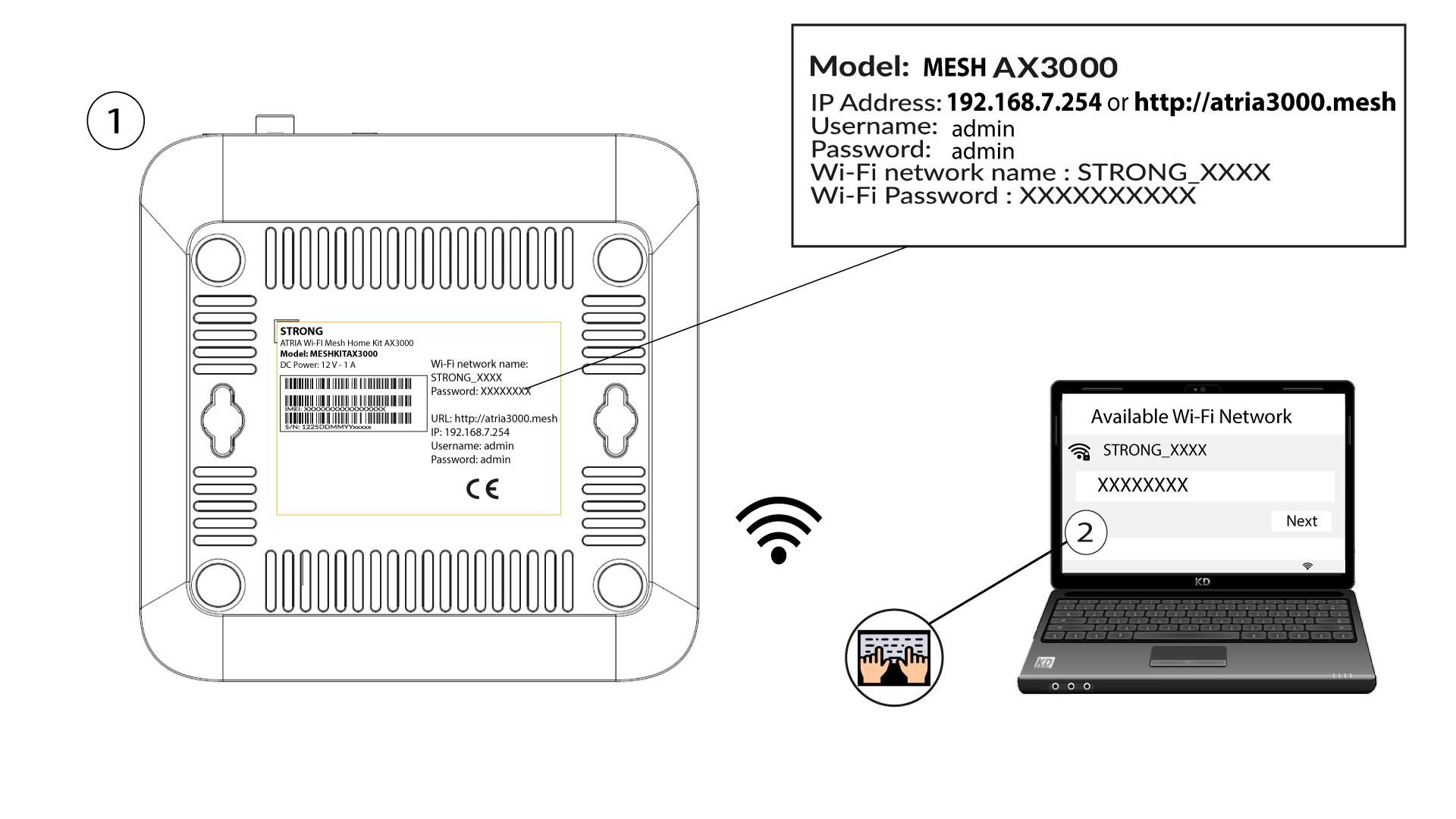
1 Koble til enhetens Wi-Fi
For å gjøre dette, skriv inn SSID-en (Wi-Fi-nettverksnavnet) og Wi-Fi-passordet til ruteren på enheten din:
2 Bla til IP-adressen for webgrensesnittet
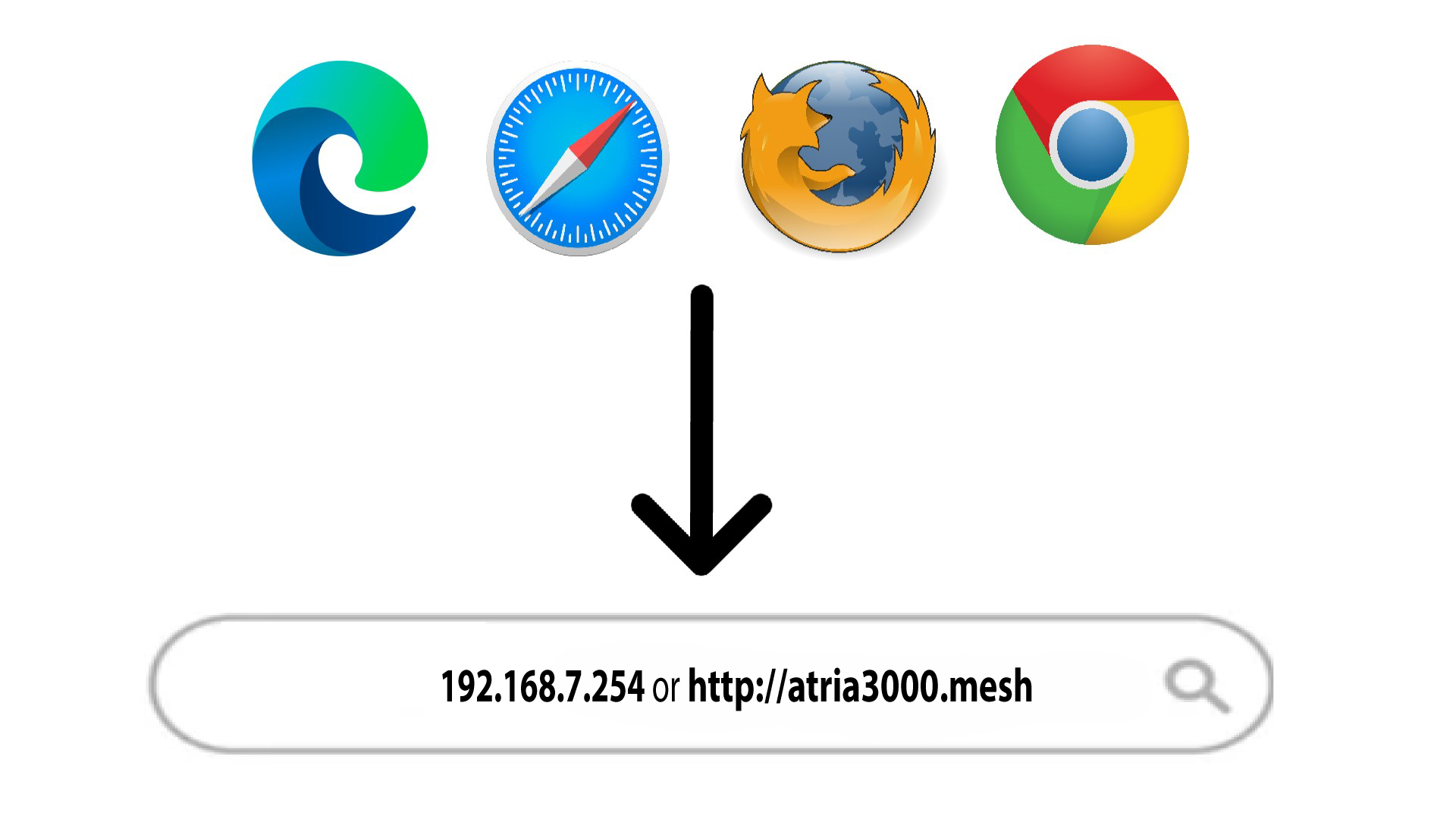
Skriv deretter inn følgende IP-adresse i nettleseren din: 192.168.7.254 eller skriv inn følgende adresse: http: mesh
3 Skriv inn påloggingsinformasjonen din
Du må oppgi brukernavn (admin) og passord (admin) (vær oppmerksom på at etter den første tilkoblingen oppretter du ditt personlige administratorpassord, noe som betyr at passordet som er skrevet på produktetiketten ikke lenger vil fungere). Klikk deretter på Logg inn .

4 WLAN 2.4G og 5G
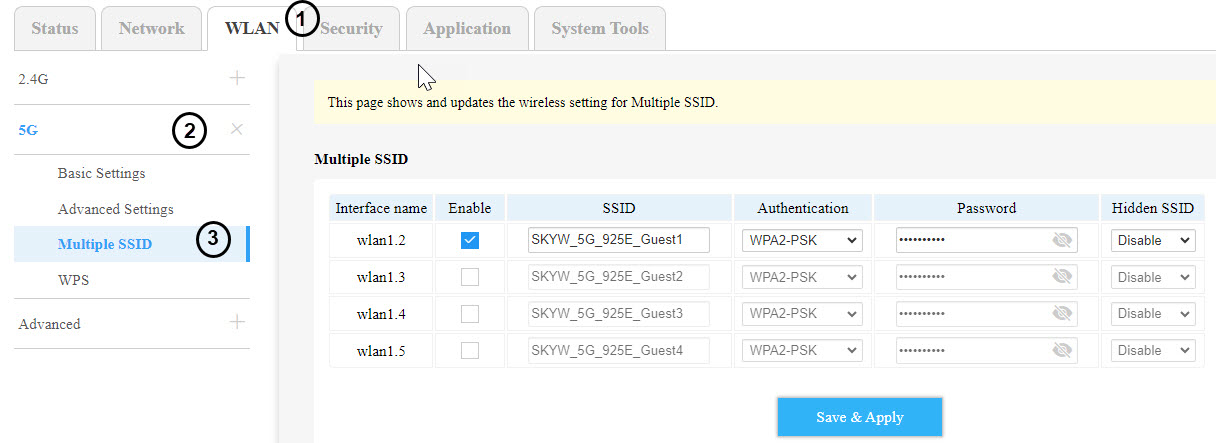
Klikk deretter på WLAN i den øverste linjen, gå til 2.4G- eller 5G- delen, avhengig av hvilken nettverkstype du er på, og klikk deretter på Flere SSID-er .
5 Oppsett av flere SSID-er
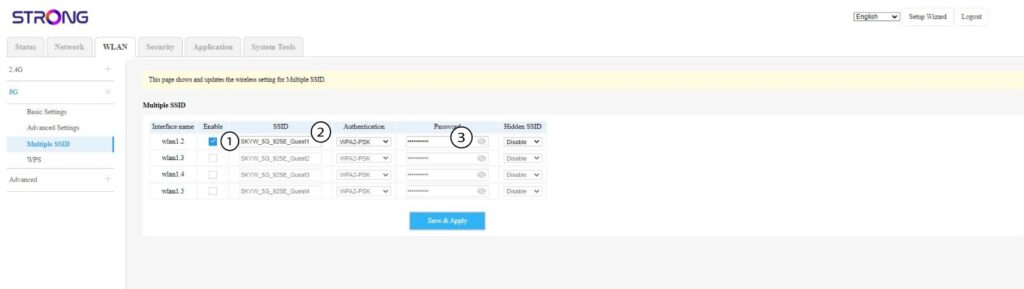
Klikk nå på Aktiver for det nye gjeste-Wi-Fi-et du vil legge til i nettverket. Du kan endre SSID-en (Wi-Fi-nettverksnavnet) og sette opp et unikt passord . Du kan også velge autentiseringstype og skjule SSID-en hvis du vil.
6 Lagre endringene
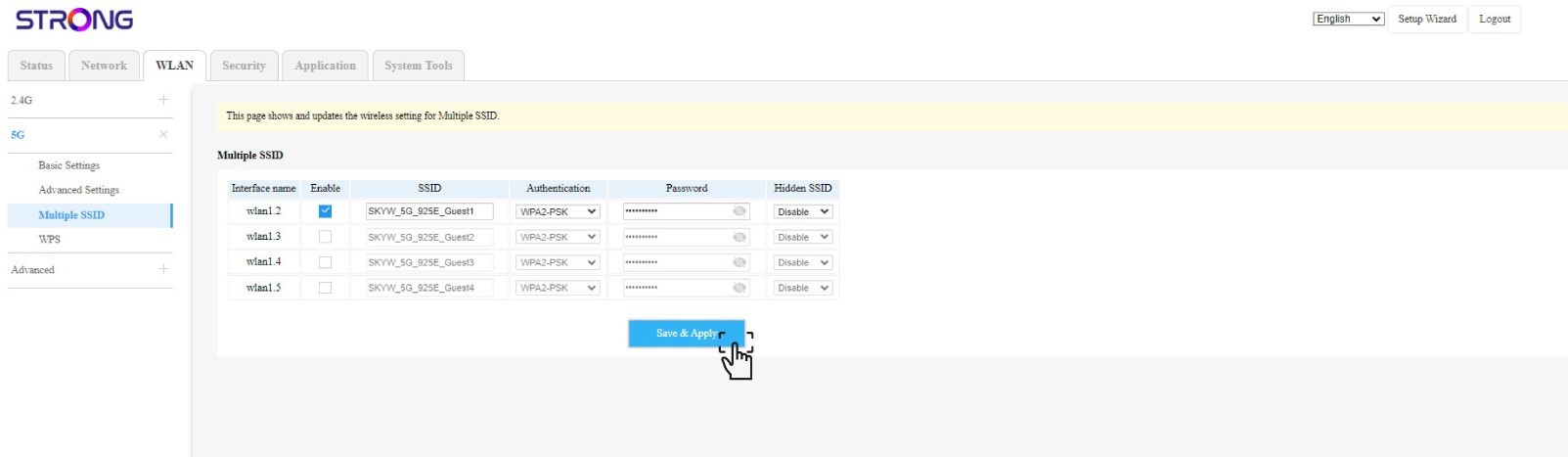
Klikk på Lagre og bruk.
7 Sjekk det nye Wi-Fi-nettverket
Det nye gjestenettverket er nå synlig i Wi-Fi-nettverkslisten på enhetene dine.