Ingen gjenstander funnet.
LEAP -S1
Ingen gjenstander funnet.
Alle spørsmål
Ingen gjenstander funnet.
LEAP -S1
Ingen gjenstander funnet.
Hvordan kan jeg legge til eller fjerne et program fra startskjermen?
1 Tilfelle 1: Legge til en app
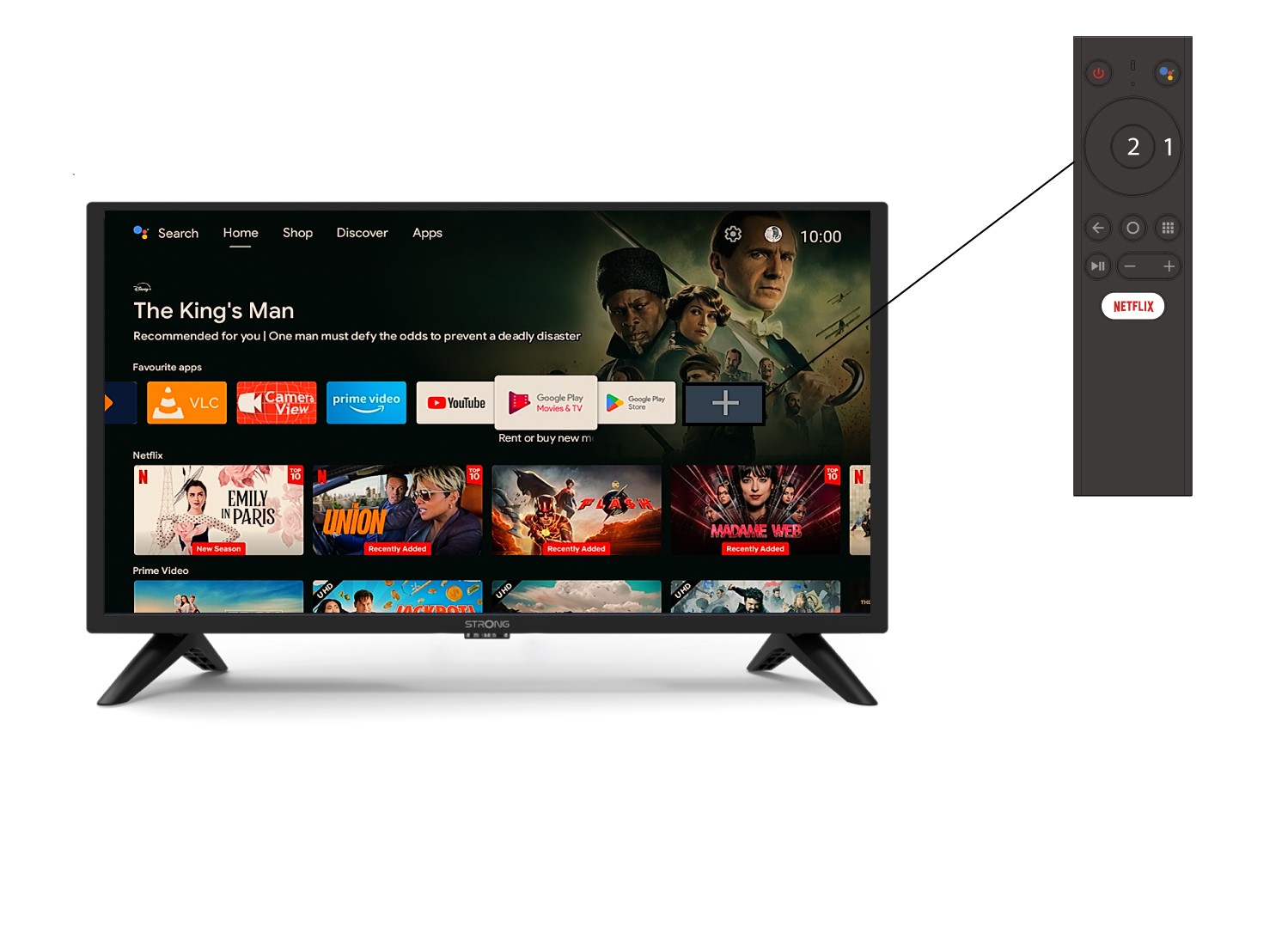
For å legge til en applikasjon på startskjermen, gå til + -ikonet som ligger på slutten av listen over applikasjoner som allerede er på startsiden, og trykk på «OK».
2 Appliste
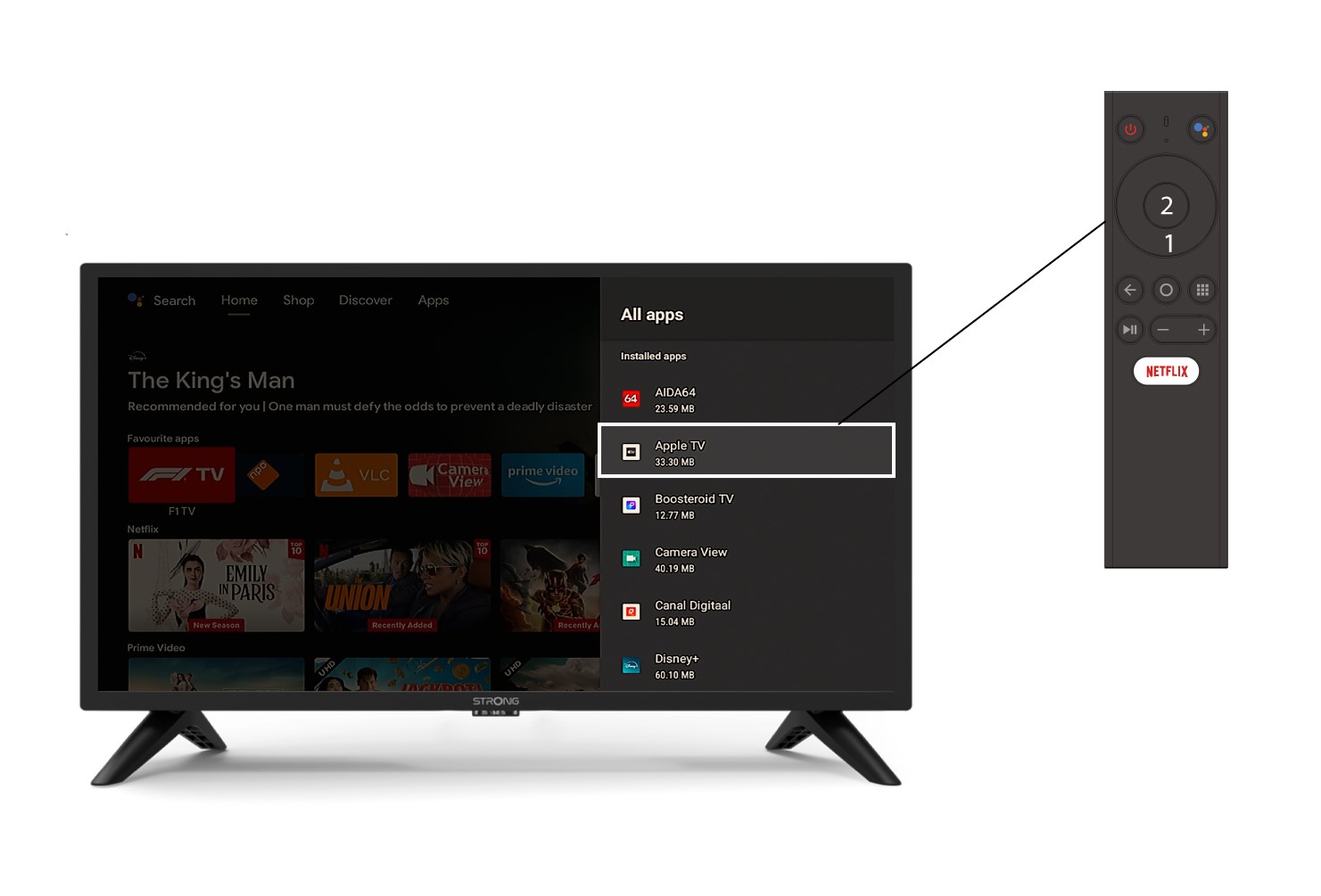
Deretter åpnes listen over applikasjoner, velg applikasjonen du ønsker og trykk på OK -knappen på fjernkontrollen.
3 Tilfelle 2: Fjerne en app
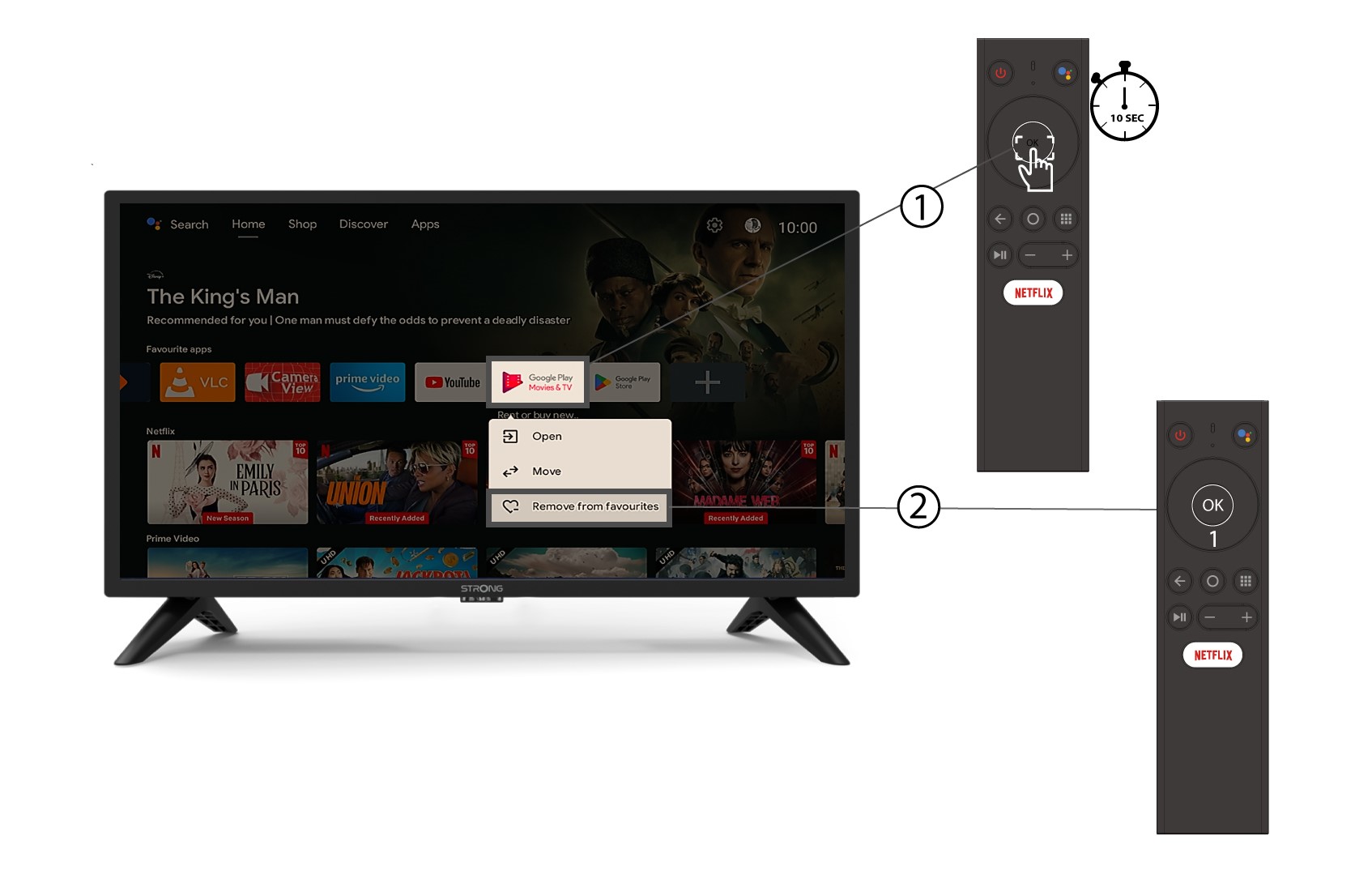
For å fjerne en applikasjon fra startskjermen, gå til applikasjonen du vil fjerne i listen over applikasjoner som allerede er på startsiden, trykk lenge på «OK»-knappen. Et vindu vises, velg «Fjern fra favoritter».