Ingen gjenstander funnet.
LEAP -S1
Ingen gjenstander funnet.
Alle spørsmål
Ingen gjenstander funnet.
LEAP -S1
Ingen gjenstander funnet.
Hvordan tilbakestiller jeg LEAP S1 til fabrikkinnstillingene?

Advarsel: Når du tilbakestiller enheten til fabrikkinnstillingene, slettes alle apper og tilpassede innstillinger. Du må installere alle apper på nytt fra bunnen av .
1 Slå på enheten
Slå på TV-en og LEAP S1-en.
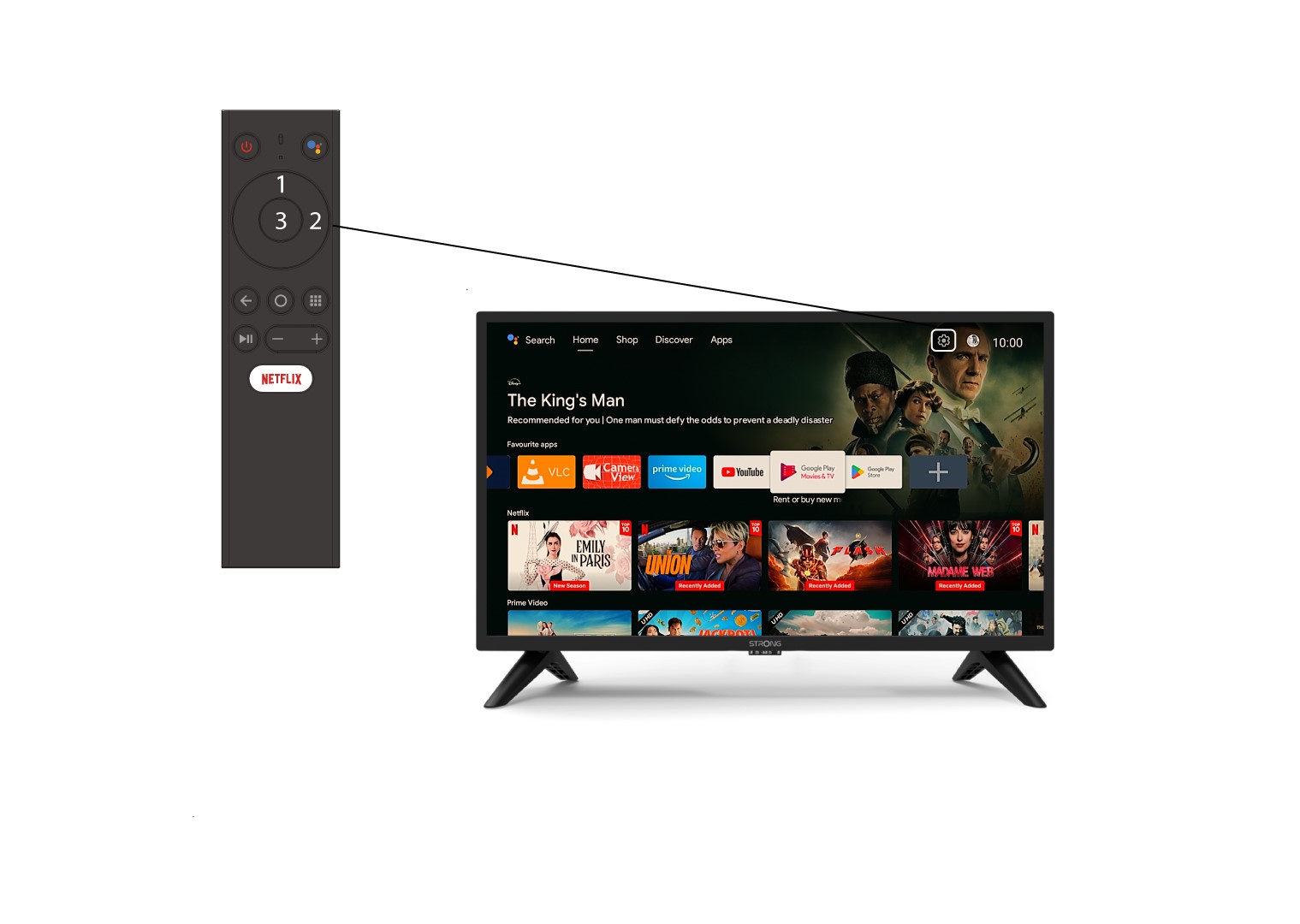
2 Bla til Innstillinger-menyen
Finn tannhjulikonet (Innstillingsmenyen) øverst til høyre på skjermen og velg det ved hjelp av pilene på datamaskinen. Trykk deretter på OK-knappen på fjernkontrollen for å åpne Innstillingsmenyen.
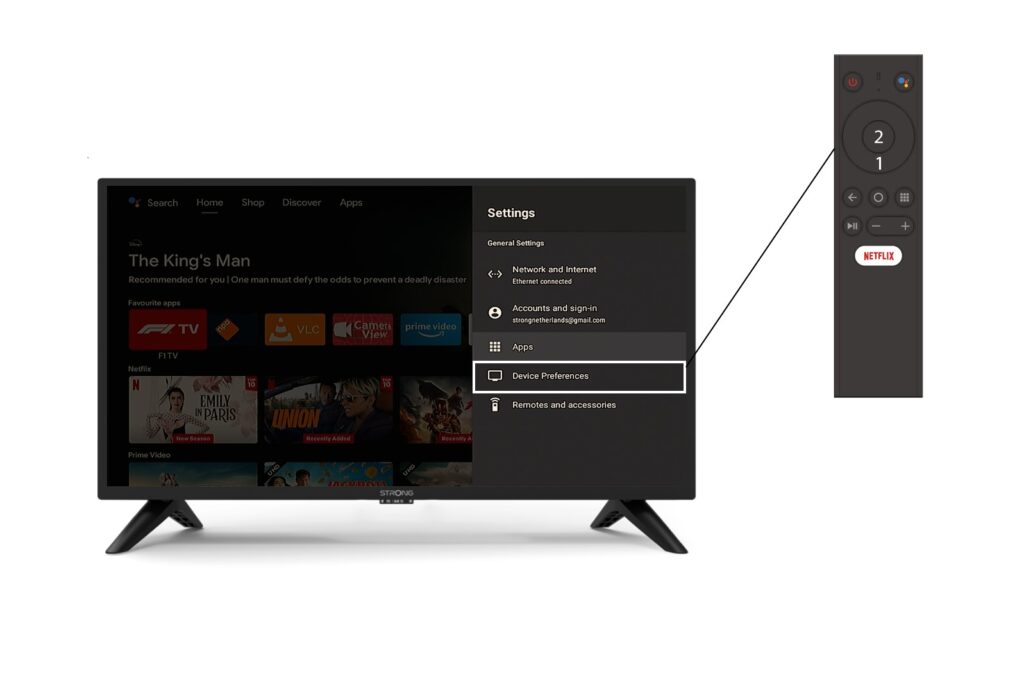
3 Enhetsinnstillinger
Velg Enhetsinnstillinger i Innstillinger-menyen og trykk på OK-knappen på fjernkontrollen.
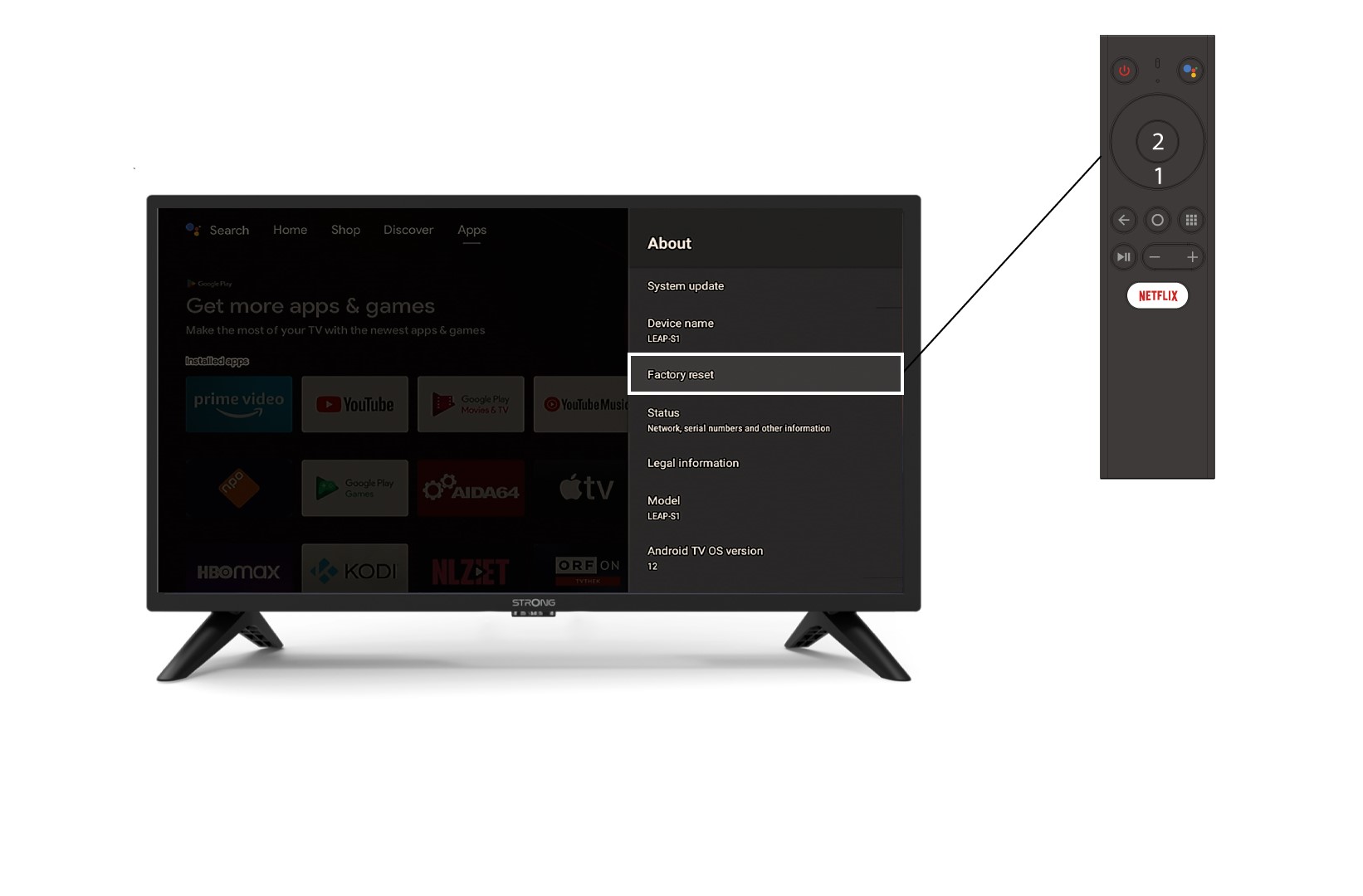
4 Om
I Om- menyen velger du Fabrikkinnstillinger .