4G+ AIRSPOT 520 Mobil Wi-Fi med berøringsskjerm
Ingen gjenstander funnet.
Ingen gjenstander funnet.
Alle spørsmål
4G+ AIRSPOT 520 Mobil Wi-Fi med berøringsskjerm
Ingen gjenstander funnet.
Ingen gjenstander funnet.
Hvordan endrer jeg SSID (Wi-Fi-nettverksnavn) og Wi-Fi-passord? (Mi-Fi-skjerm)
Du kan redigere Wi-Fi-nettverksinformasjonen fra skjermen på Mi-Fi-en din.
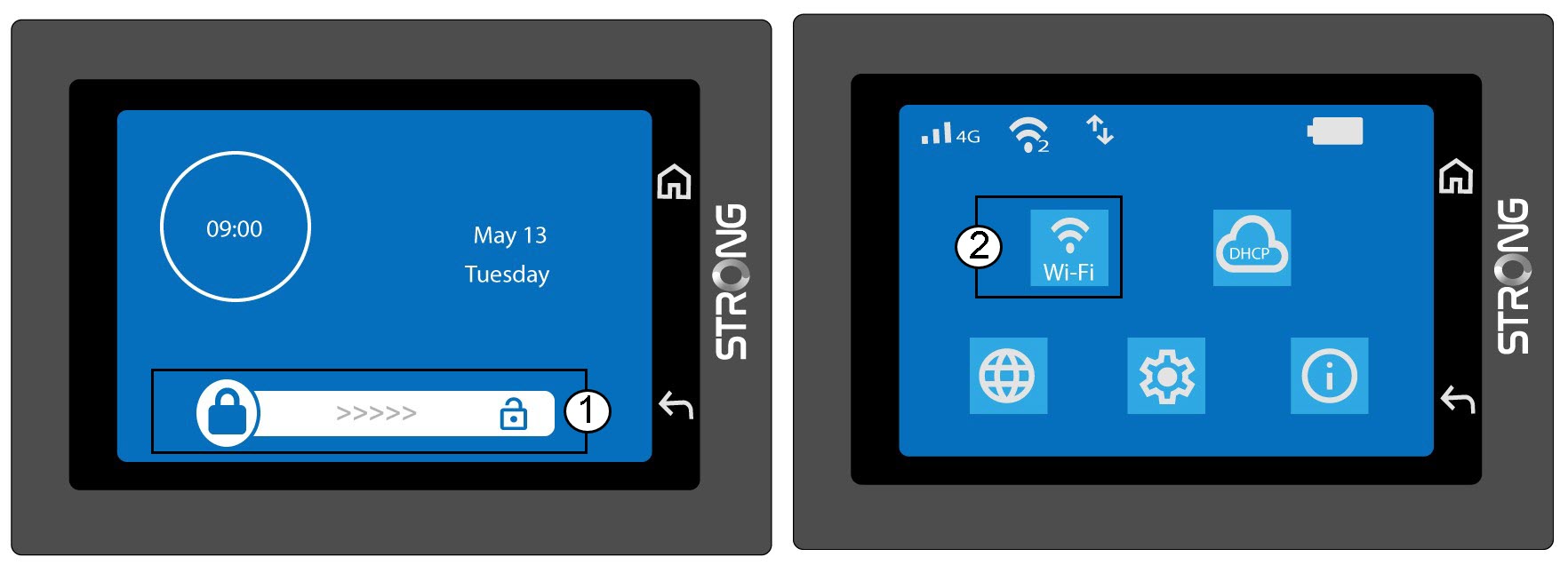
1 Gå til Wi-Fi-innstillingene
Lås opp skjermen og klikk på Wi-Fi-kortet.
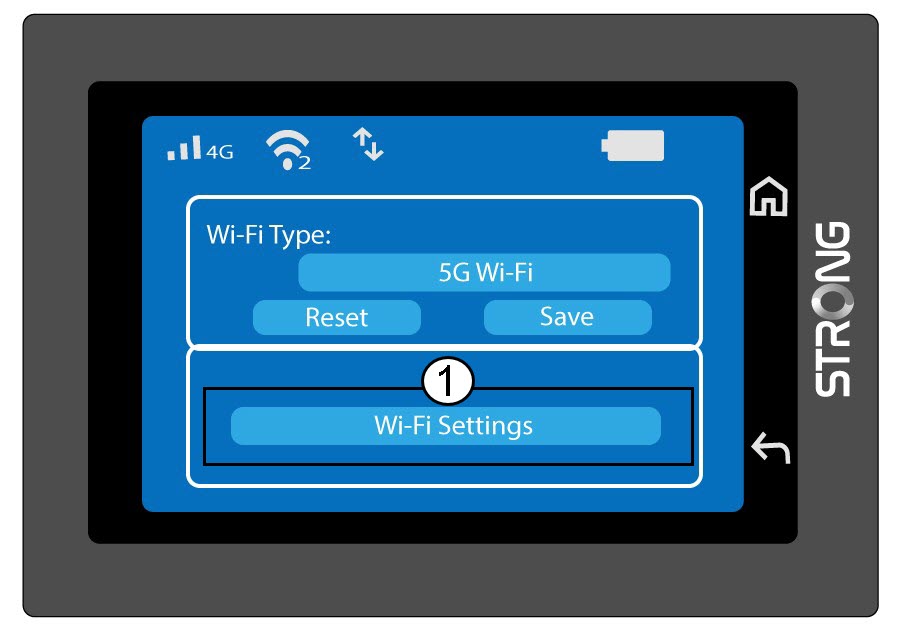
2 Åpne Wi-Fi-konfigurasjon
Klikk på Wi-Fi-innstillinger.
3 Endre nettverksnavnet (SSID)
Klikk på pennikonet ved siden av Wi-Fi-nettverksnavnet, skriv inn det nye navnet og trykk (V) for å bekrefte.
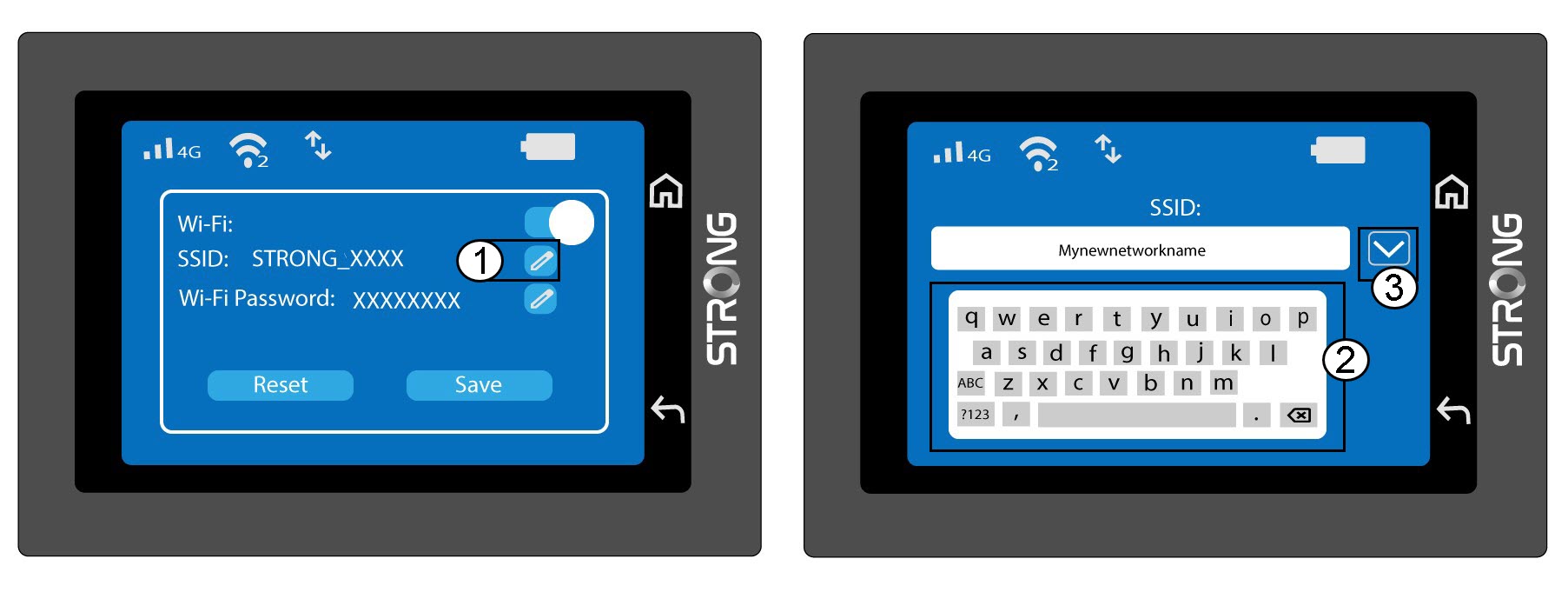
4 Endre Wi-Fi-passordet
Klikk på pennikonet ved siden av Wi-Fi-passordet, skriv inn det nye passordet og trykk (V) for å bekrefte.
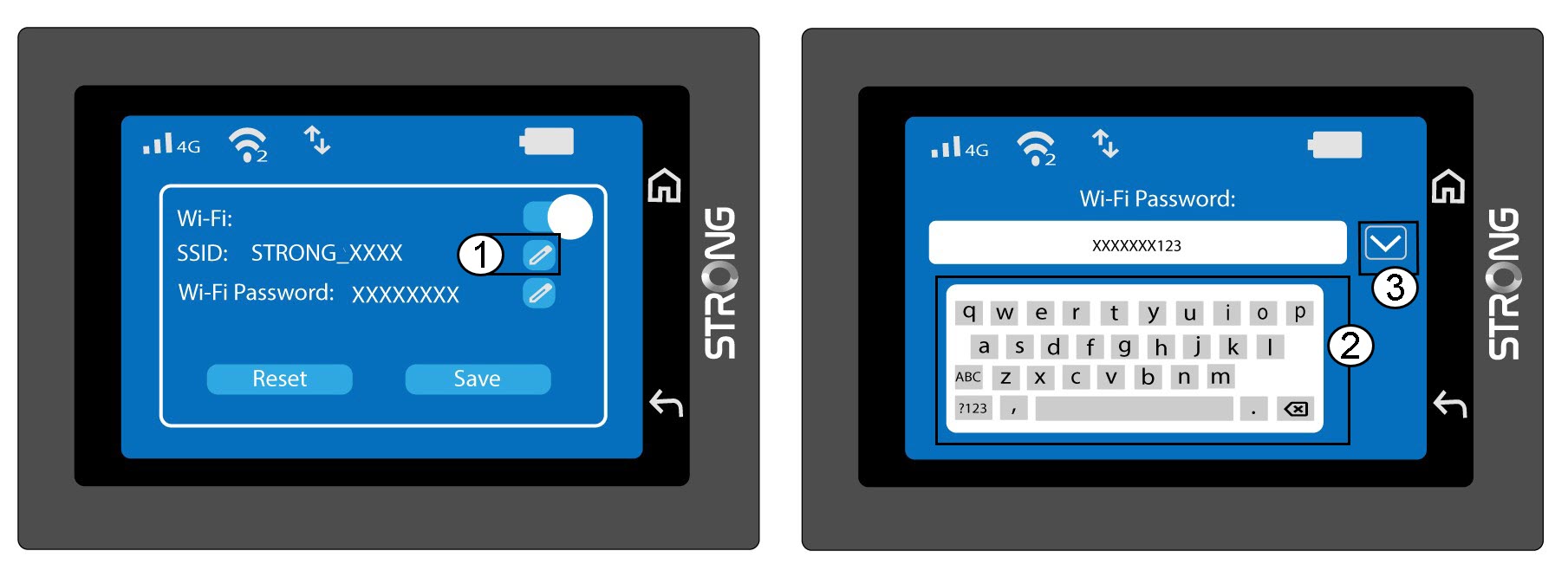
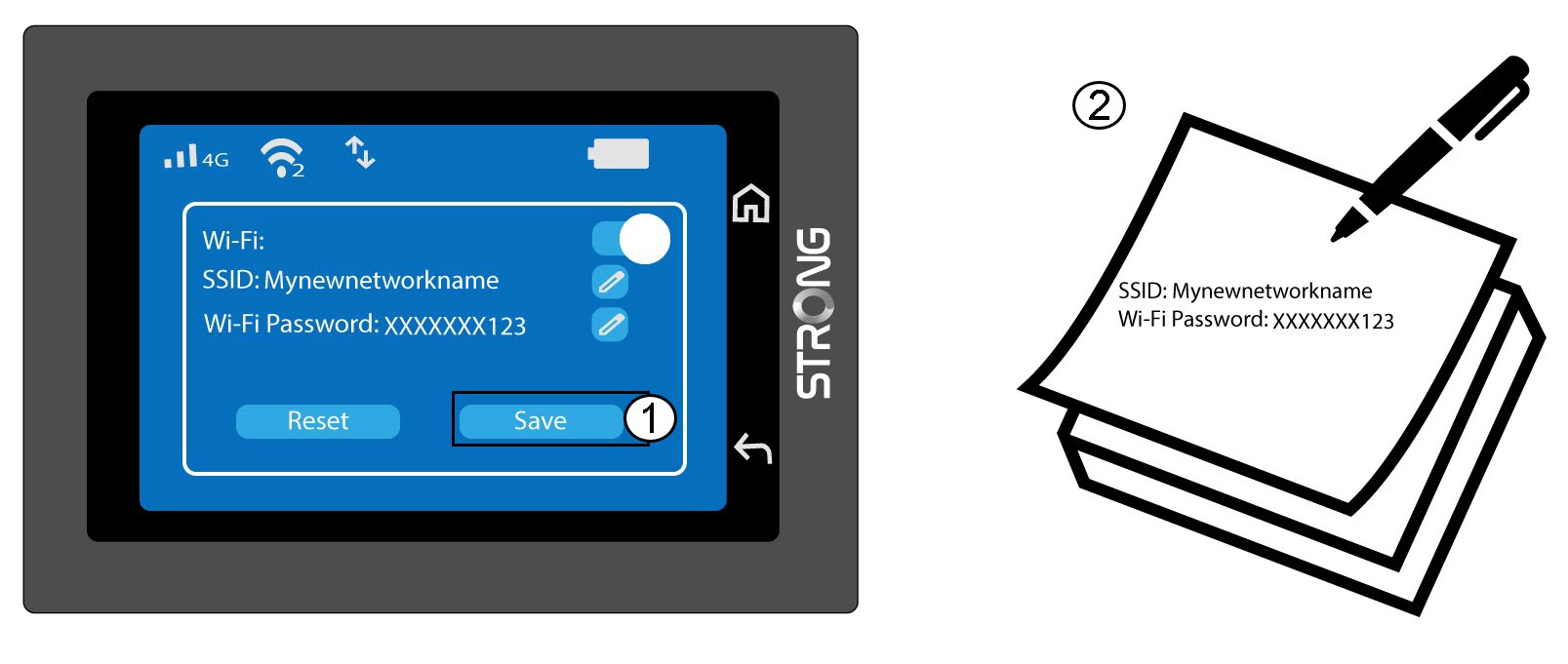
5 Lagre endringene dine
Klikk på Lagre og skriv ned det nye nettverksnavnet og passordet for senere referanse.