
ATRIA Mesh add-on 1200 UK
Ingen gjenstander funnet.
Ingen gjenstander funnet.
Alle spørsmål
ATRIA Mesh add-on 1200 UK
Ingen gjenstander funnet.
Ingen gjenstander funnet.
Hvordan konfigurerer jeg Wi-Fi-en min mesh nettverk (Tilfelle 1: WPS-knapp)
For å konfigurere din Mesh nettverk, se QIG som følger med i esken til produktet.
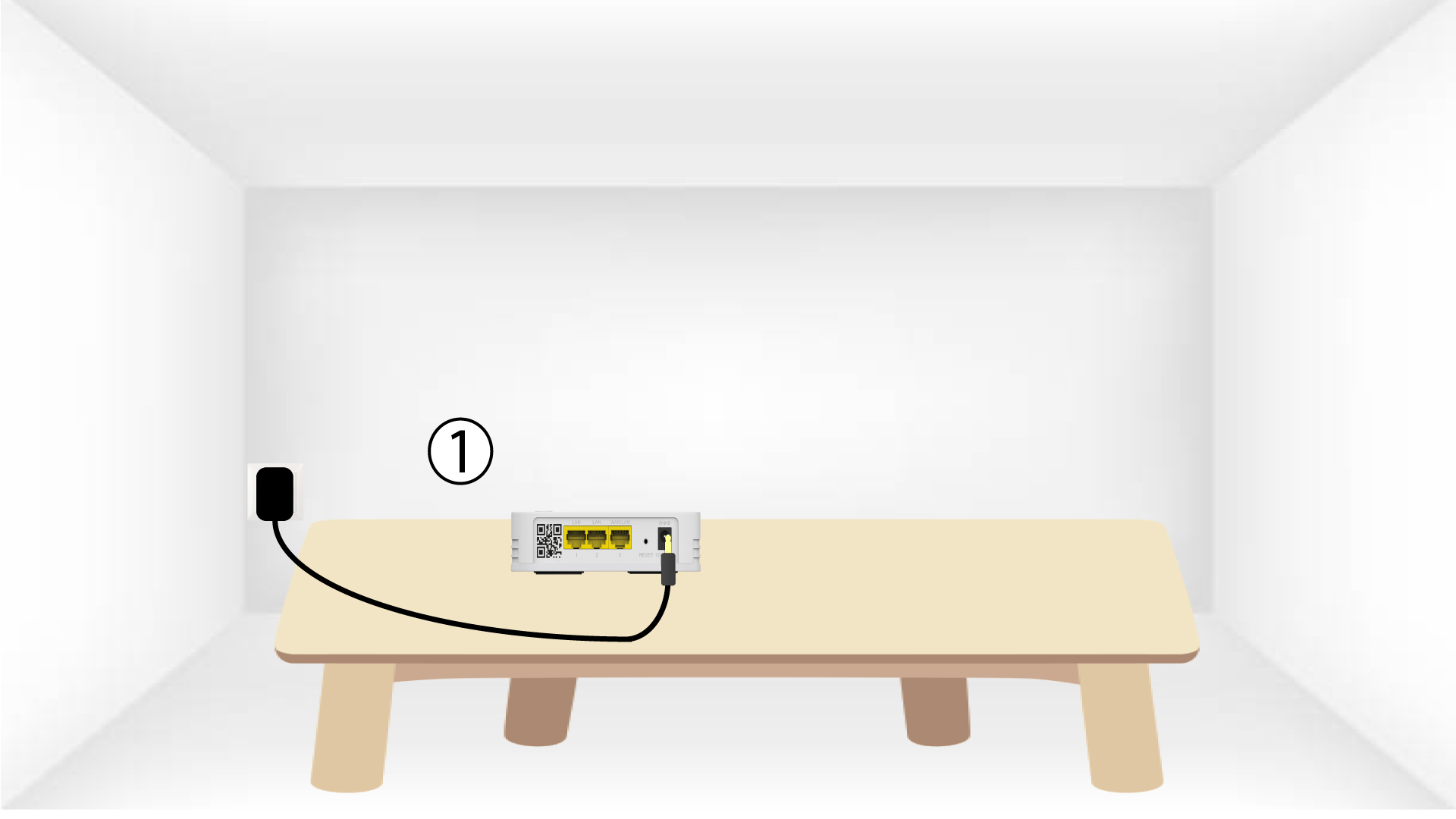
1 Koble til enheten
Du må koble til mesh enheten for å slå den på (det er ingen av/på-knapp på enheten) og koble den til
modemet ditt ved hjelp av en RJ45-kabel.

2 Vent under konfigurasjonen
Deretter må du vente noen minutter til enheten har konfigurert seg selv.
3 Koble til den andre enheten
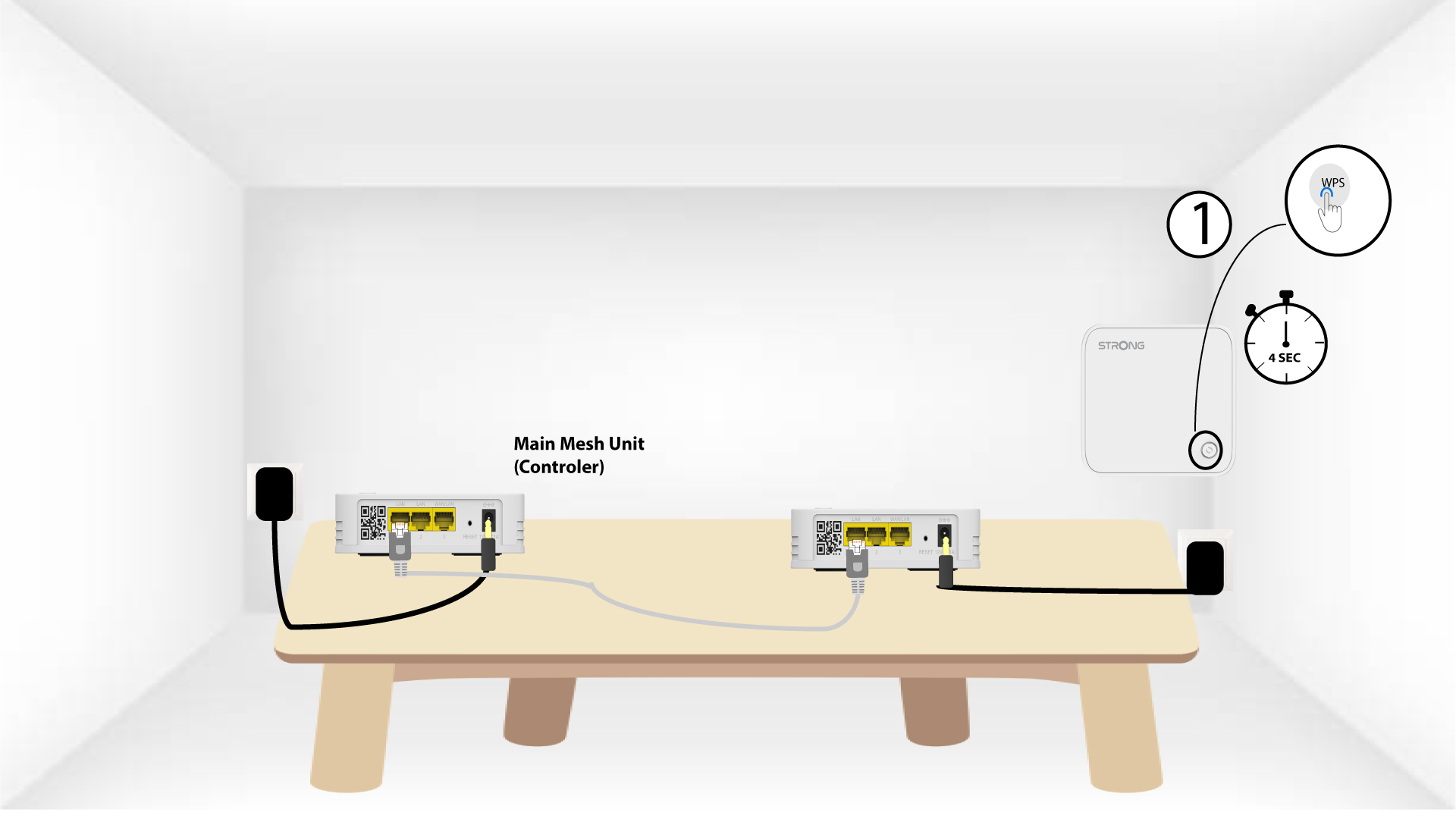
Du må koble til den andre mesh enhet.
4 Aktiver WPS på hovedenheten mesh
Trykk på WPS-knappen i minst 4 sekunder på Mesh enhet som er koblet til modemet/ruteren din.
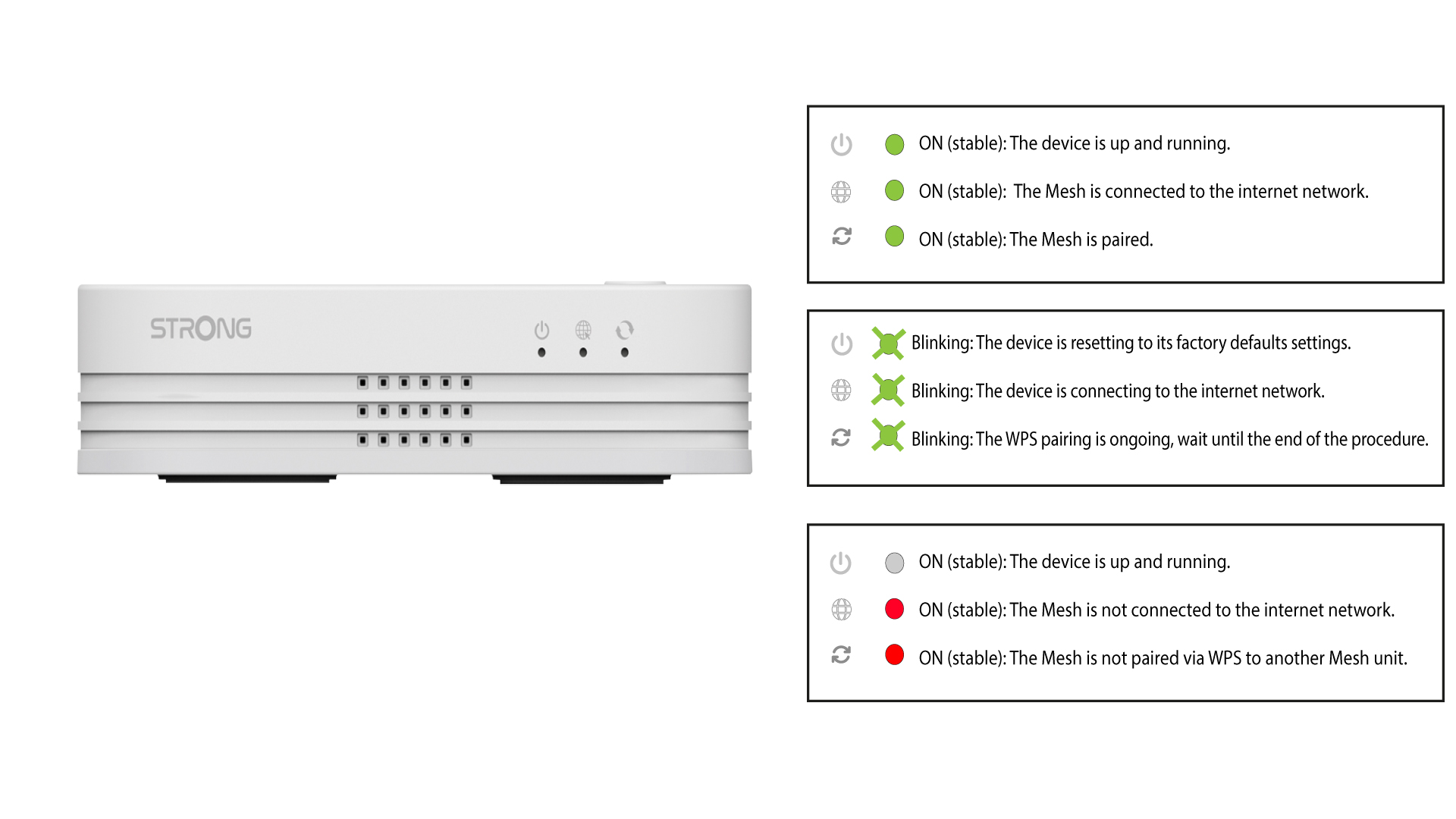
LED-lampen vil blinke grønt etter at WPS er aktivert.
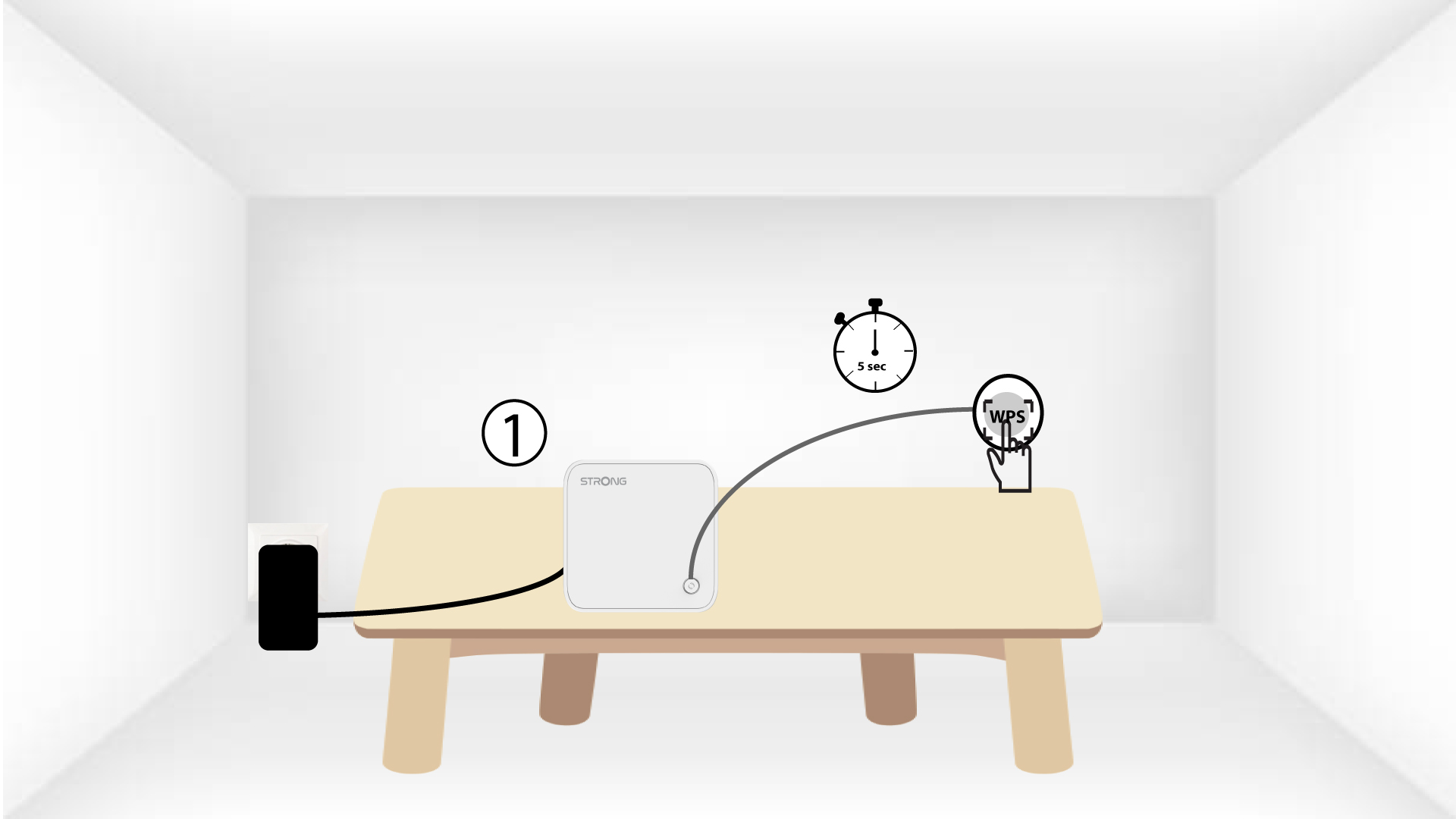
5 Aktiver WPS på den andre mesh
Trykk på WPS-knappen i minst 4 sekunder på den andre Mesh enhet.
6 enheter pares
Lorem ipsum dolor sit amet, consectetur adipisicing elit. Culpa enim esse excepturi nemo nesciunt officia officiis optio.