LEAP S3 | 4K Google TV Dolby Vision
Alle spørsmål
LEAP S3 | 4K Google TV Dolby Vision
Hvordan konfigurerer jeg voluminnstillingene på LEAP S3 på nytt når volumnivået er for lavt?
Hvis volumnivået på LEAP S3 er for lavt, kan du følge prosedyren nedenfor for å tilbakestille parametrene til LEAP S3.
Under installasjonen av LEAP S3 kan du konfigurere volumkontrollen slik at den håndteres av HDMI-CEC. Når dette alternativet er aktivert, kan LEAP S3-fjernkontrollen brukes til å justere volumnivået på TV-en.
Du kan aktivere eller deaktivere denne funksjonen i skjerm- og lydinnstillingene på TV-en. Standardvolumnivået på LEAP S3 er satt til et visst nivå, og det kan være for lavt. Hvis volumet er for lavt, er det bedre å deaktivere dette alternativet.
Hvordan kan du aktivere eller deaktivere denne funksjonen?
1 Trykk på Innstillinger-knappen
I dette tilfellet trykker du på Innstillinger -knappen på Google-fjernkontrollen og deretter på OK

2 Innstillinger
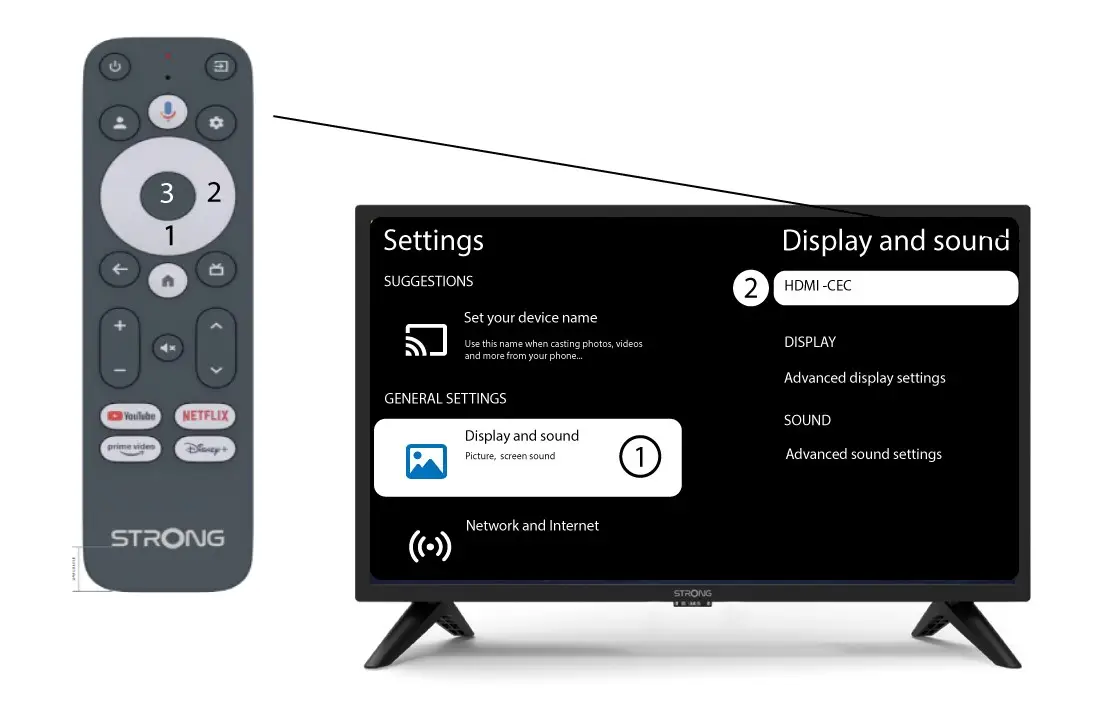
På innstillingssiden som vises på skjermen, velg «Skjerm og lyd» . Trykk deretter på høyre navigasjonsknapp og velg « HDMI-CEC ».
3 Volumkontroll
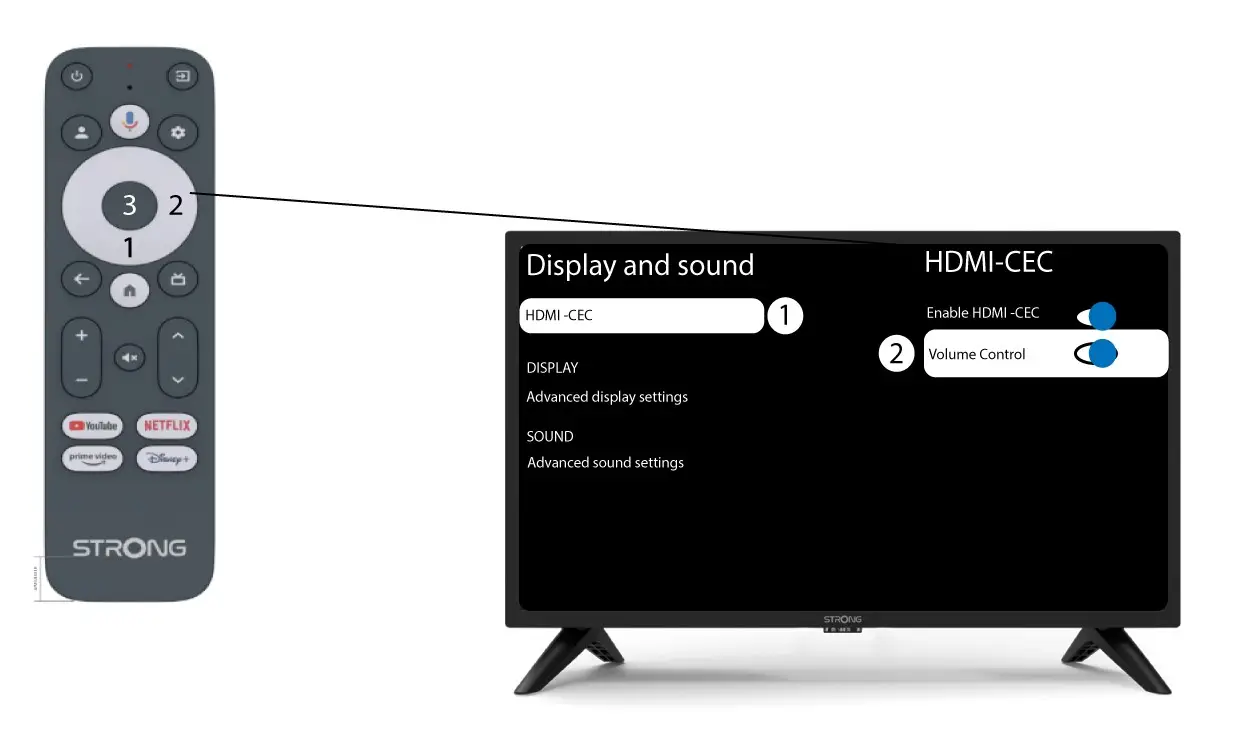
Velg «Volumkontroll» og trykk på OK -knappen for å switch AV denne funksjonen
4 Gå tilbake til hjemmesiden
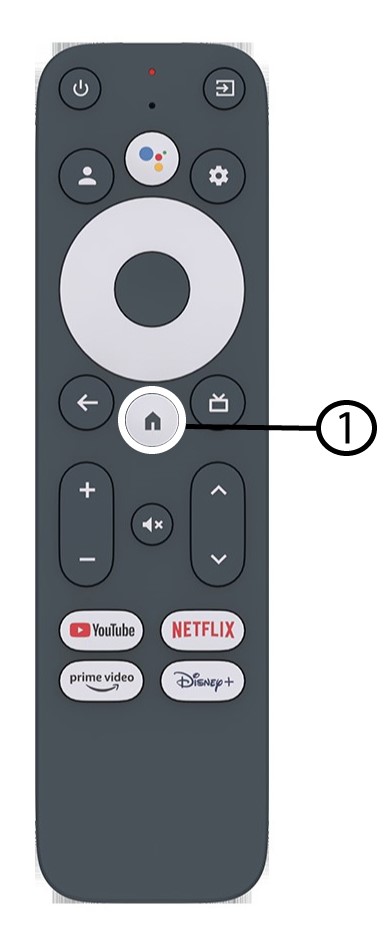
Trykk på HJEM -knappen for å gå tilbake til startskjermen.
Volumjusteringen kan nå gjøres igjen med LEAP-S3 fjernkontroll.