
ATRIA Wi-Fi 5 Mesh System 2100 UK ( add-on )
Alle spørsmål
Hvordan bør jeg organisere min Mesh Nettverk for å optimalisere Wi-Fi-nettverket mitt?
For å optimalisere dekningen din bør du installere mesh på stedet der du har dekningsproblemer for å dekke et så bredt område som mulig i hjemmet ditt.
Sørg for at mesh Enhetene er ikke plassert i et rom med en bærende vegg, siden veggen er tykkere, kan Wi-Fi-signalet ha problemer med å komme gjennom.
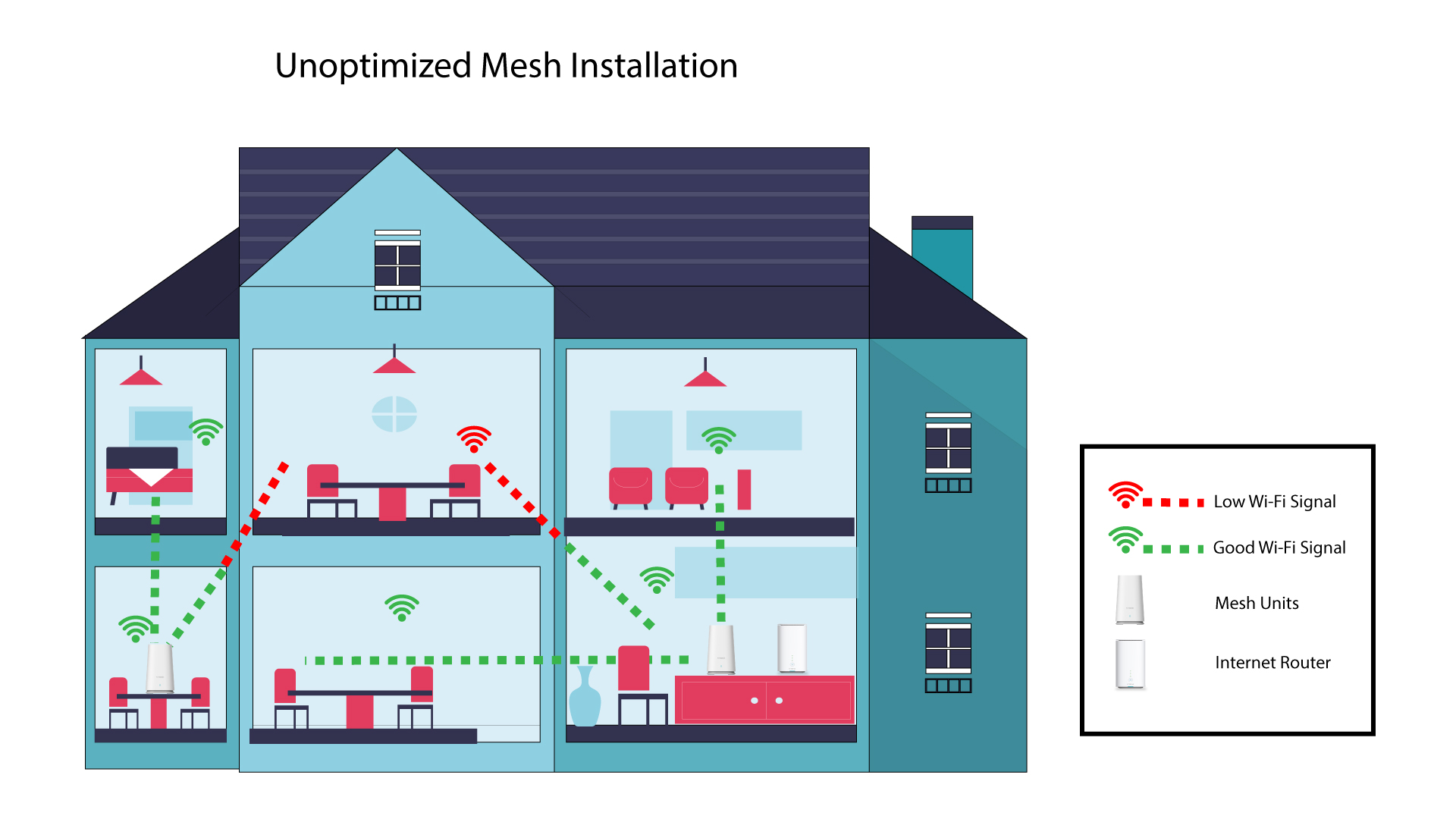
1 Uoptimalisert Mesh Installasjon
Følgende skjema viser Wi-Fi-dekning inne i et hus der mesh Nodene er ikke plassert i riktig område av huset for å ha tilstrekkelig dekning.
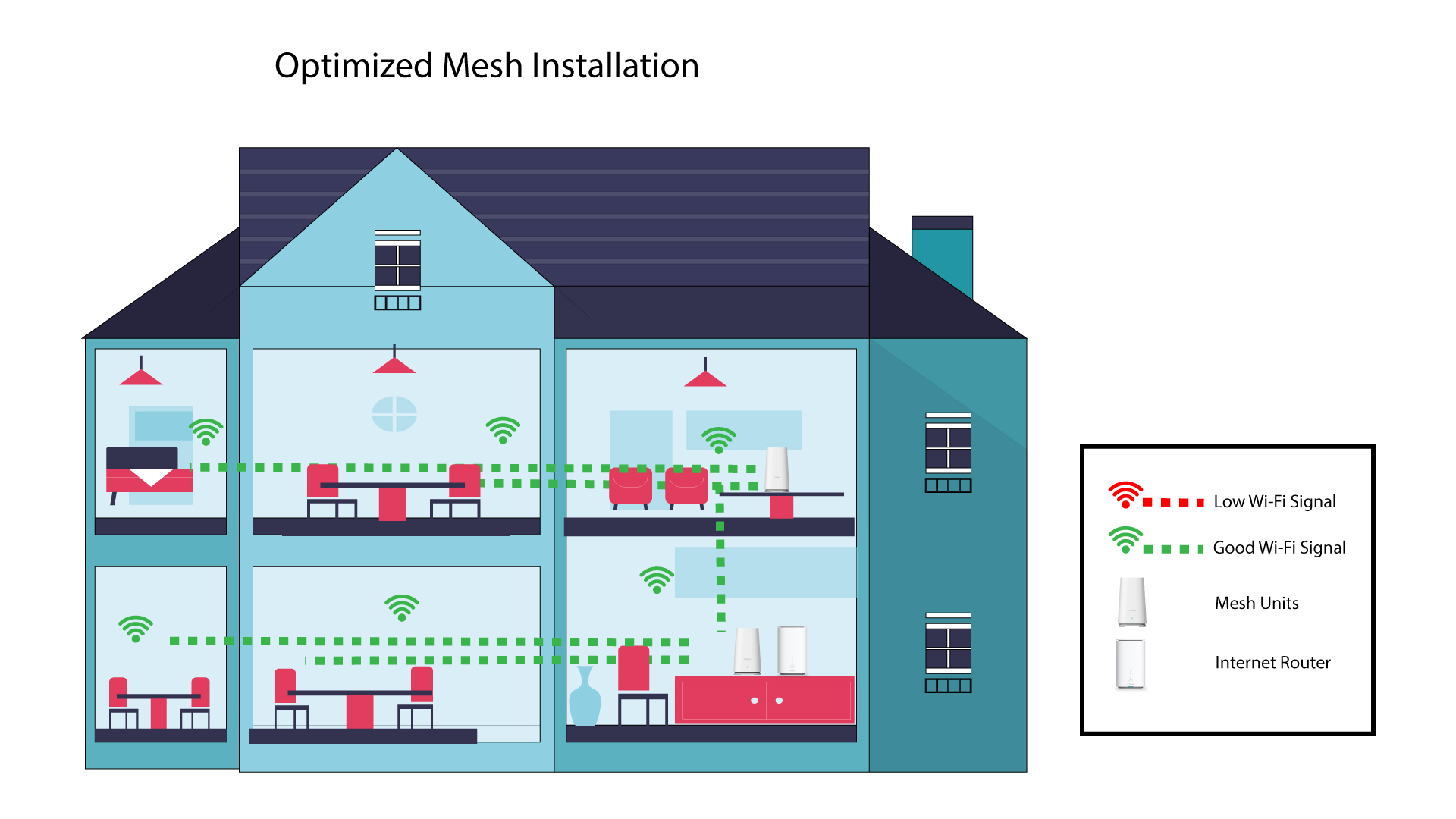
2 Optimalisert Mesh Installasjon
Følgende skjema viser Wi-Fi-dekning inne i et hus der mesh Nodene er plassert i riktig område av huset for å ha tilstrekkelig dekning.
1 Atrier Mesh App
Download the application for smartphone "ATRIA MESH" on the App Store or the Google Play Store.

2 Tilkobling til Wi-Fi
Koble til Wi-Fi-nettverket ditt mesh enhet.
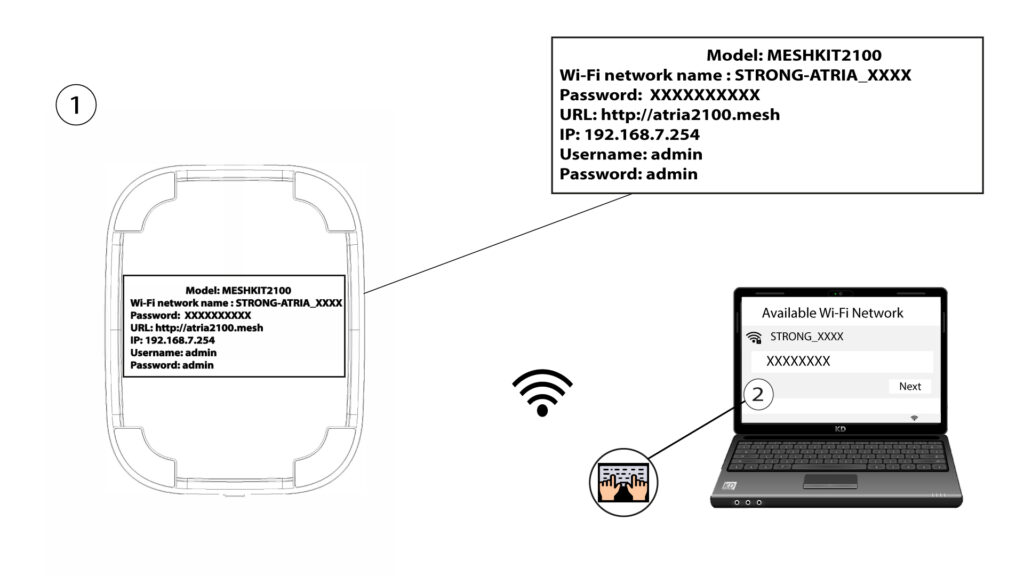
3 legitimasjonsbevis
Deretter må du være koblet til Wi-Fi-en til Mesh med smarttelefonen din, og logg deretter inn på appen med påloggingsinformasjonen din, som skal være « admin » og « admin » hvis du ikke har endret den.

4 Mitt nettverk
Klikk på Mitt nettverk .

5 Navnet på Mesh
Du vil se navnet på mesh enheter du har konfigurert på nettverket ditt.
Klikk på navnet til mesh enheten for å få tilgang til informasjonen.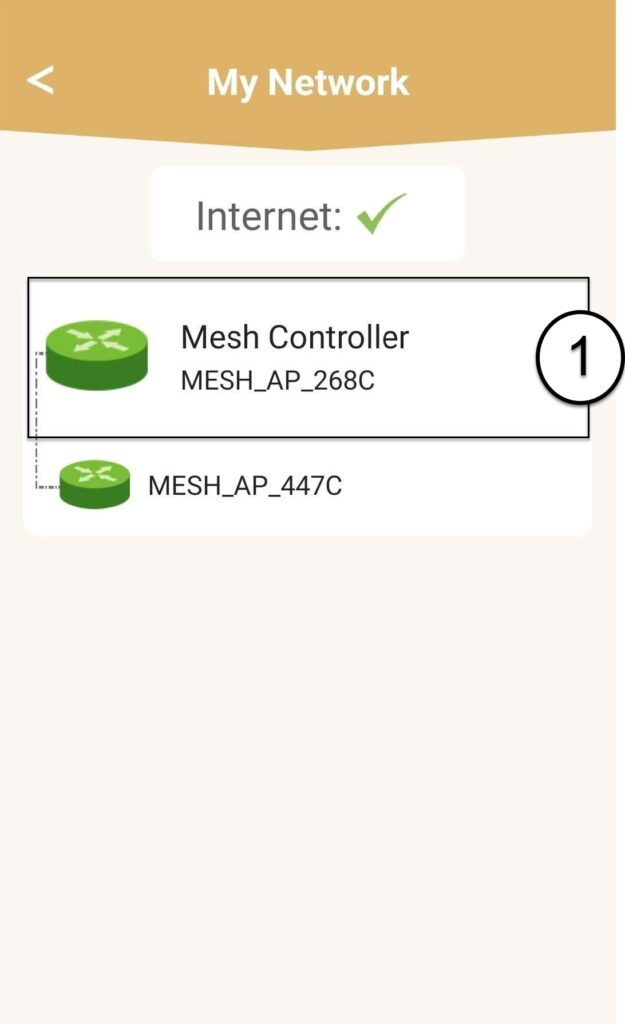
6 Navn
Klikk på navnefeltet.
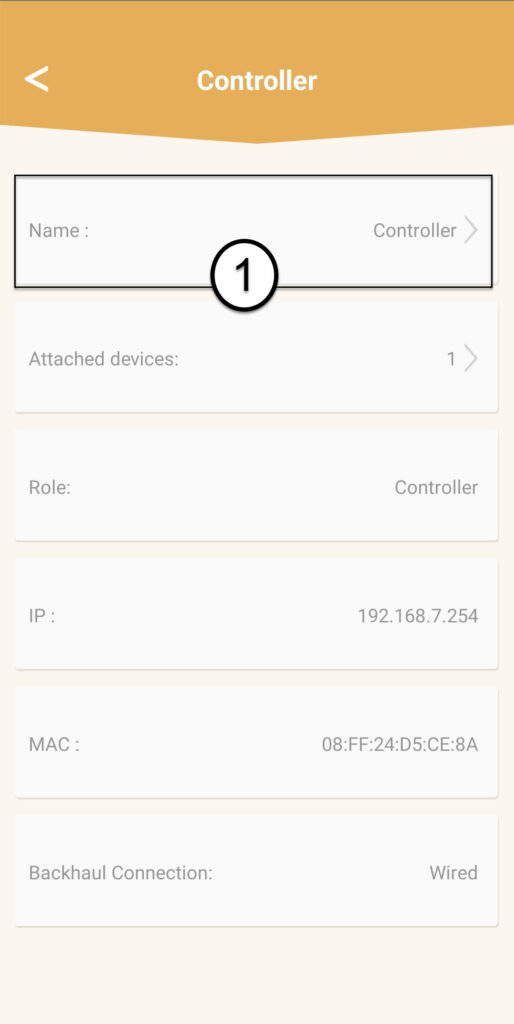
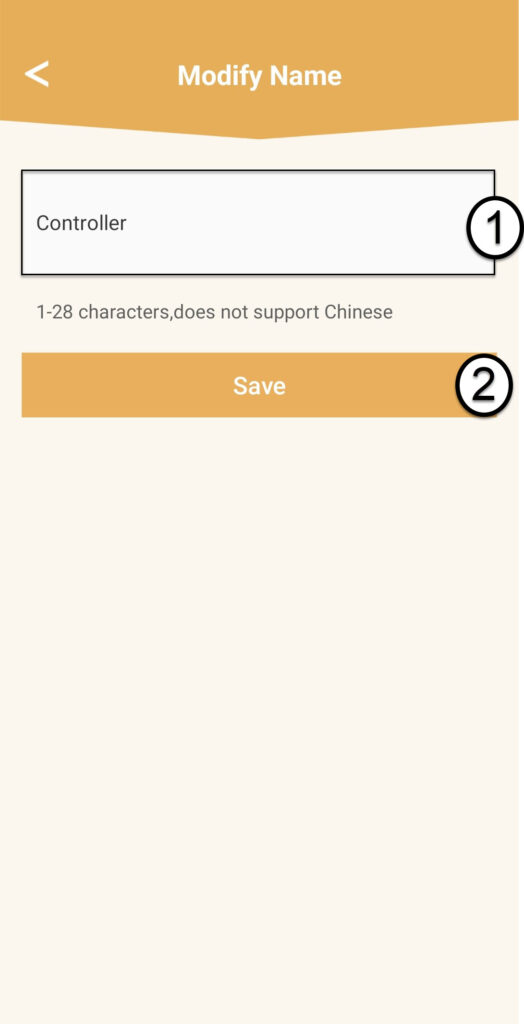
7 Endre kontrollernavn
Skriv inn et nytt navn og klikk på Lagre :
- De mesh Kontrolleren skal navngis slik: MeshAX3000-Main- Navnpårommet
- De mesh agenter bør navngis slik: MeshAX3000-Navnpårommet

Advarsel : Hvis mesh Hvis enheten vises i grått, betyr det at den ikke gir nok dekning, og at du bør justere plasseringen for å optimalisere mesh nettverk.