
Atria Mesh extender trio 1200 UK
Alle spørsmål
Atria Mesh extender trio 1200 UK
Slik endrer du administratorpassordet (nettgrensesnitt)
1 Koble til Wi-Fi-nettverket ditt mesh
For å gjøre dette, skriv inn SSID-en (Wi-Fi-nettverksnavnet) og Wi-Fi-passordet til ruteren på enheten din:

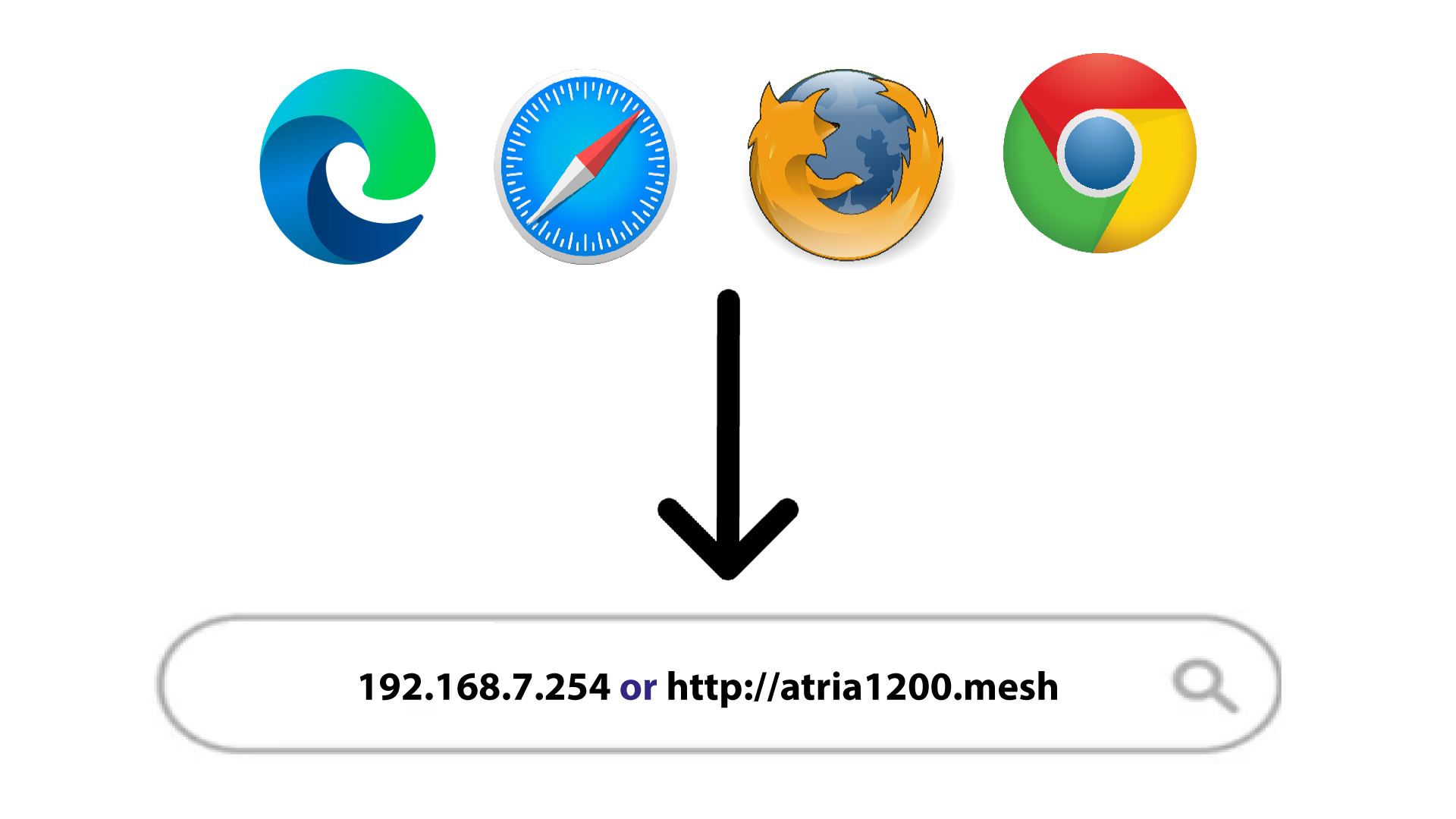
2 Bla til IP-adressen
Skriv deretter inn følgende IP-adresse i nettleseren din: 192.168.7.254 eller skriv inn følgende adresse: http: mesh
3 Skriv inn påloggingsinformasjonen din
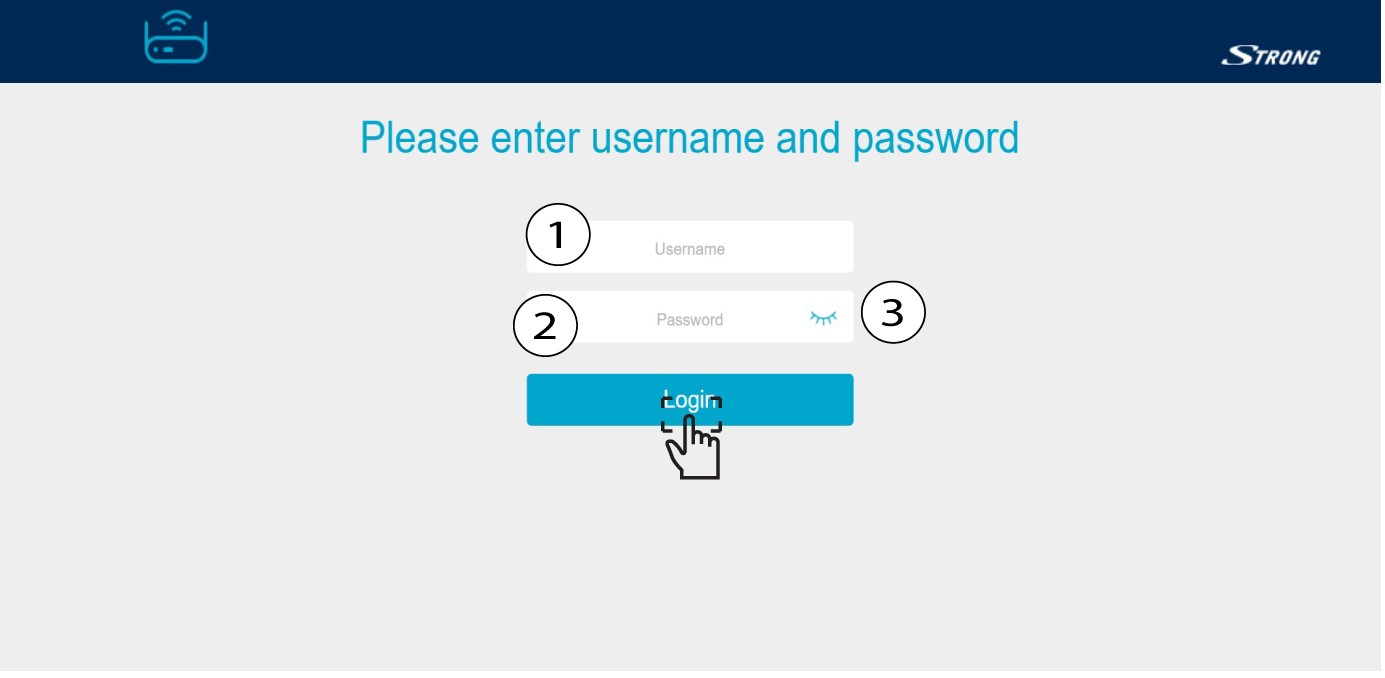
Du må oppgi brukernavn (admin) og passord (admin). Klikk deretter på Logg inn .
4 Systeminnstillinger
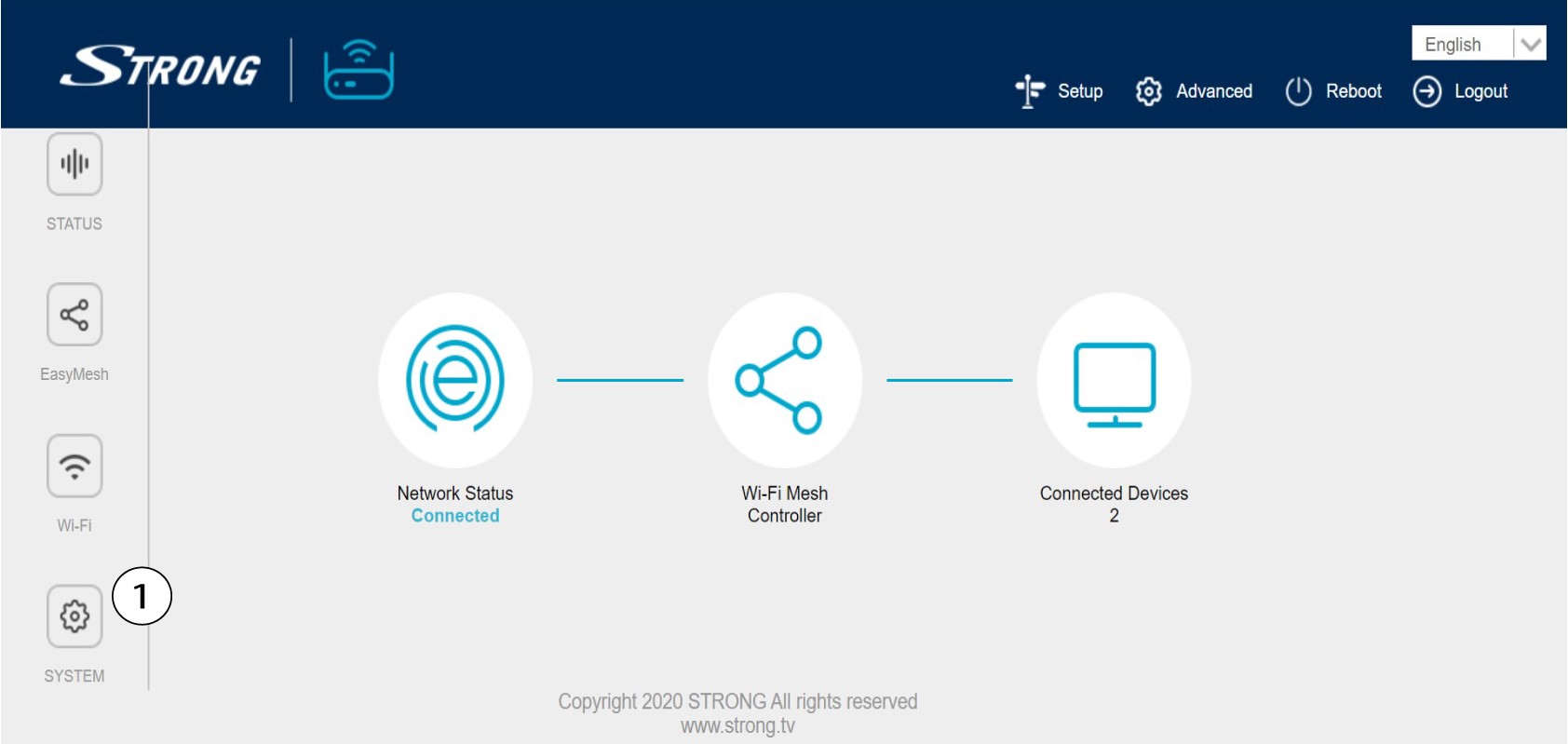
Du er nå på hovedsiden til webgrensesnittet. Du må kanskje endre administratorpassordet til webgrensesnittet etter din første tilkobling. For å gjøre dette, se følgende instruksjoner. For å gjøre det, klikk på System i venstre felt.
5 Rediger administratorpassordet
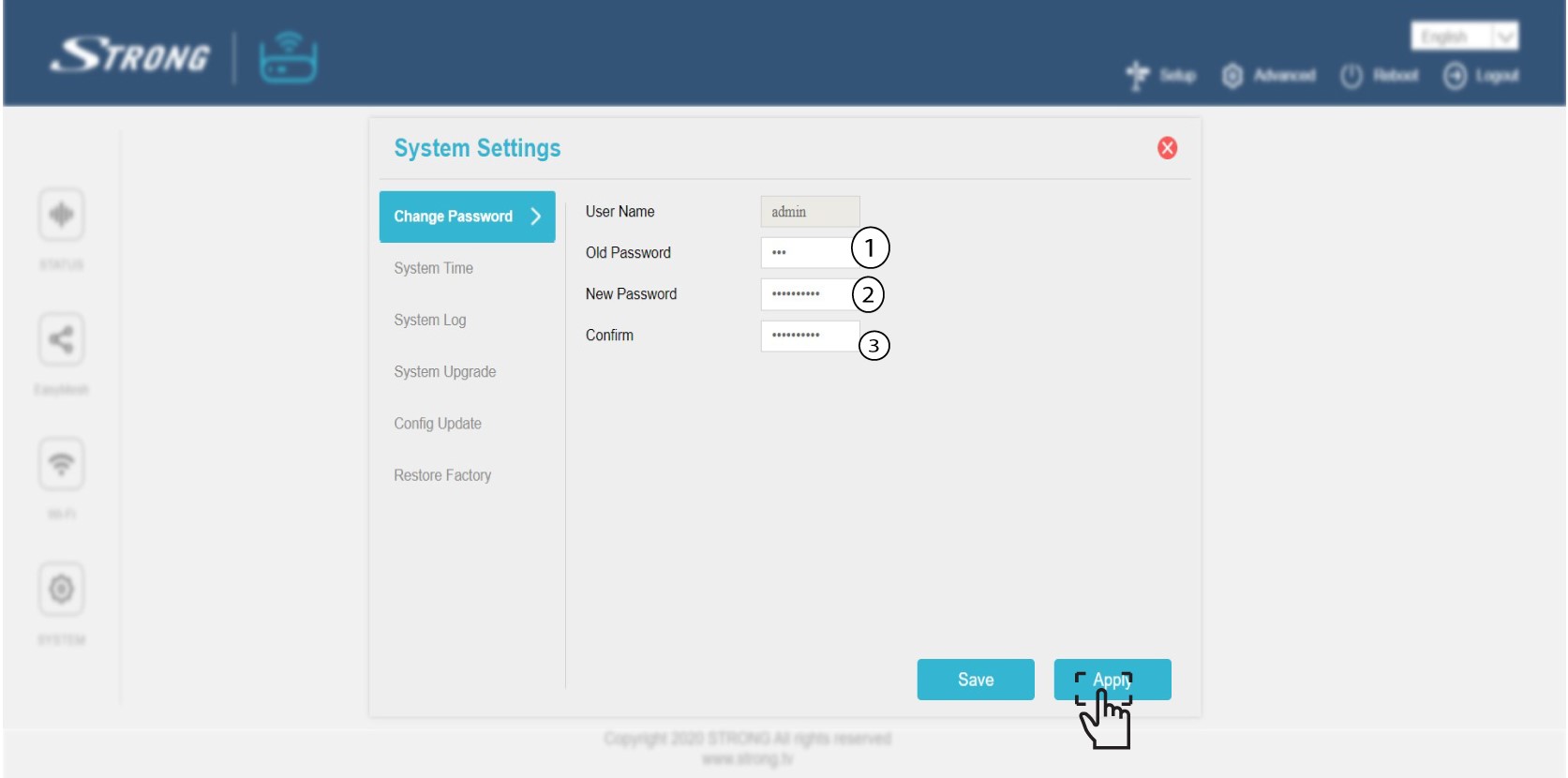
Skriv inn følgende informasjon før du klikker på Bekreft :
o Gammelt passord: Skriv inn det gamle administratorpassordet
o Nytt passord: Skriv inn et nytt passord.
o Bekreft passord: Skriv inn samme passord som i forrige trinn.
Advarsel: Vær oppmerksom på at du må skrive inn et passord på mellom 8 og 32 tegn som inneholder store bokstaver, små bokstaver, tall og minst ett spesialtegn (@, $, !, %, *, ?, &)
6 Skriv ned det nye passordet
Skriv ned det nye passordet på et ark og teip det under mesh .
