
ATRIA Wi-Fi 5 Mesh System 2100 UK (3-pakning)
Ingen gjenstander funnet.
Ingen gjenstander funnet.
Alle spørsmål
Ingen gjenstander funnet.
Ingen gjenstander funnet.
Jeg har glemt Wi-Fi-passordet til min Mesh nettverk, hvordan finner jeg det?
1 Standardlegitimasjon
Standard Wi-Fi-passordet finnes under enheten din. Hvis du allerede har endret det, må du kanskje gjenopprette det. Mesh 2100 til standard fabrikkinnstillinger.
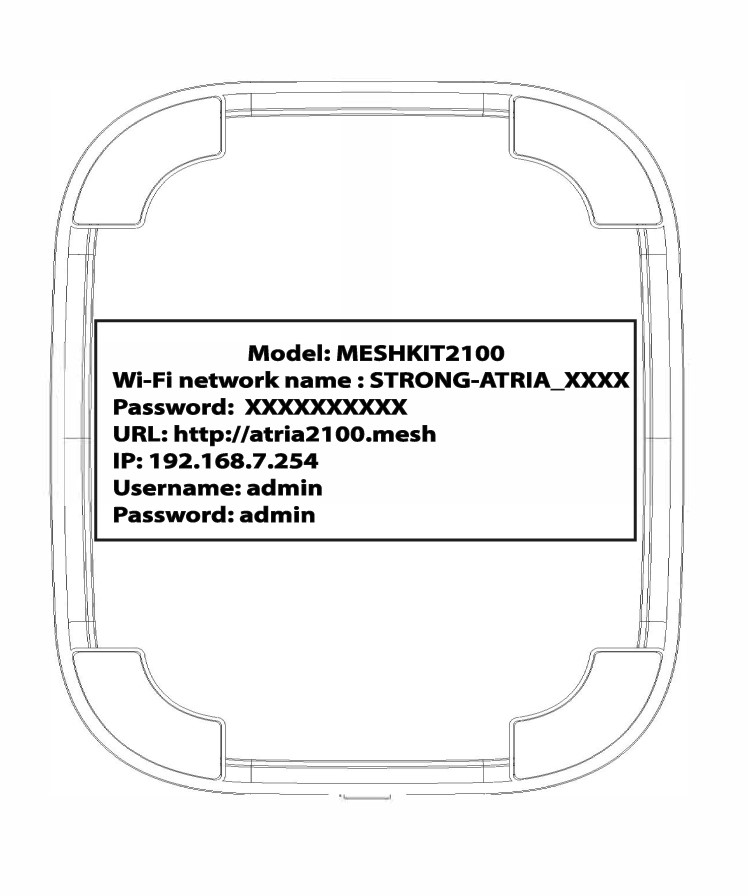
TILFELLES 1: Vise Wi-Fi-nettverksinformasjon i nettgrensesnittet
For å koble til webgrensesnittet, se denne prosedyren: Hvordan får jeg tilgang til webgrensesnittet?
1 WLAN
Klikk på WLAN og WLAN 2.4G . Klikk deretter på øyeikonet ved siden av PSK- feltet.

2 Skriv ned den nye informasjonen
Skriv ned passordet på et ark.
TILFELLES 2: Vise Wi-Fi-nettverksinformasjon i appen
For å koble til nettgrensesnittet, se denne prosedyren: Hvordan bruker jeg Atria Mesh appen?
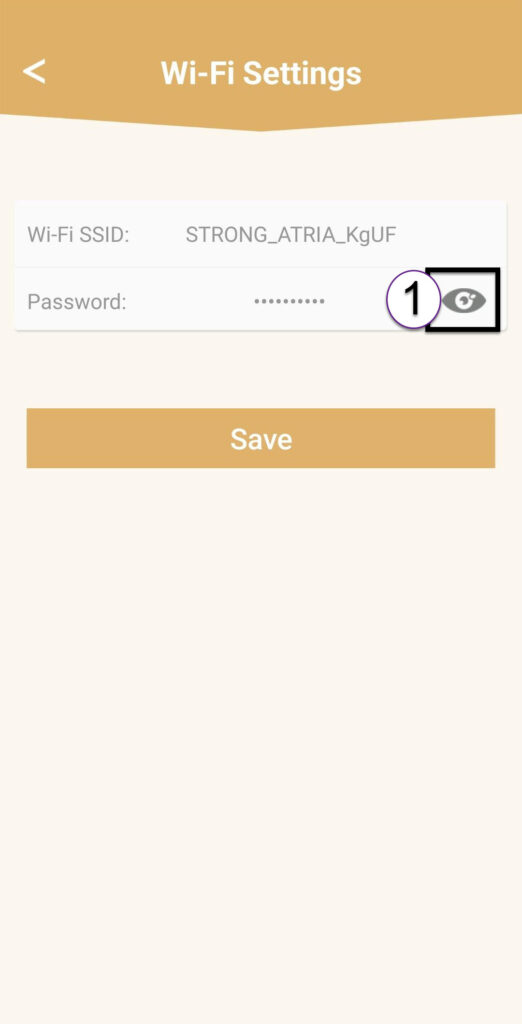
1 Wi-Fi-innstillinger
Klikk deretter på Wi-Fi-innstillinger .

2 Passord
Klikk på øyeikonet for å vise passordet.
3 Skriv ned den nye informasjonen
Skriv ned passordet på et ark.