
Mesh ATRIA Wi-Fi 6 Mesh 3000 UK zestaw 2 szt.)
Wszystkie pytania
Mesh ATRIA Wi-Fi 6 Mesh 3000 UK zestaw 2 szt.)
Jak mogę uzyskać dostęp do interfejsu użytkownika różnych urządzeń z serii „ Mesh ”?
Aby uzyskać dostęp do interfejsu użytkownika różnych urządzeń typu „ mesh ”, należy najpierw:
1. Połącz sięz siecią Wi-Fi tego urządzenia
W tym celu wprowadź w swoim urządzeniu identyfikator SSID (nazwę sieci Wi-Fi) oraz hasło do sieci Wi-Fi routera:
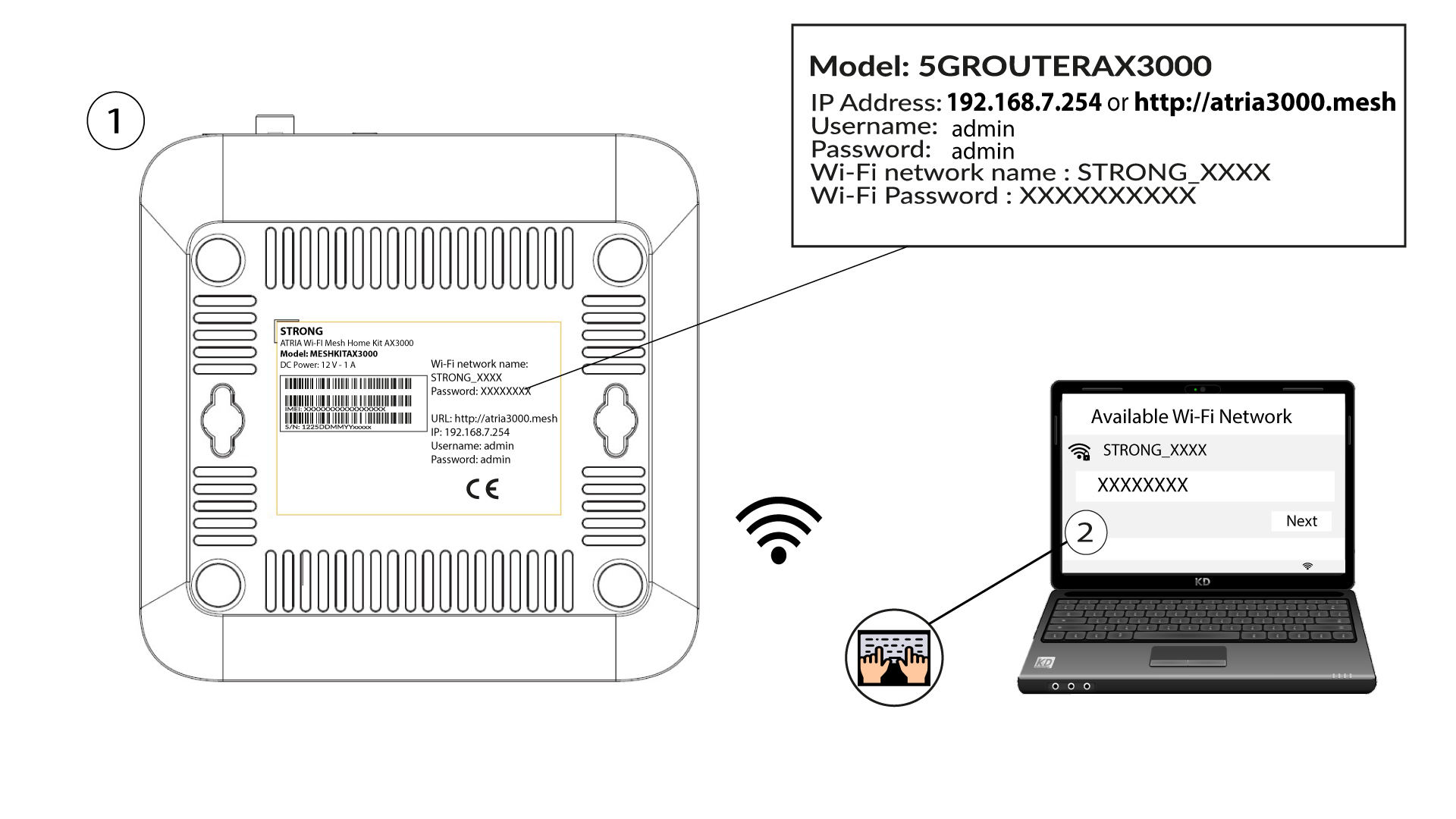
2. Przejdźdo adresu IP interfejsu użytkownika (Web UI)
Następnie wpisz w przeglądarce następujący adres IP: 192.168.7.254 lub wpisz następujący adres: http://atria3000.mesh
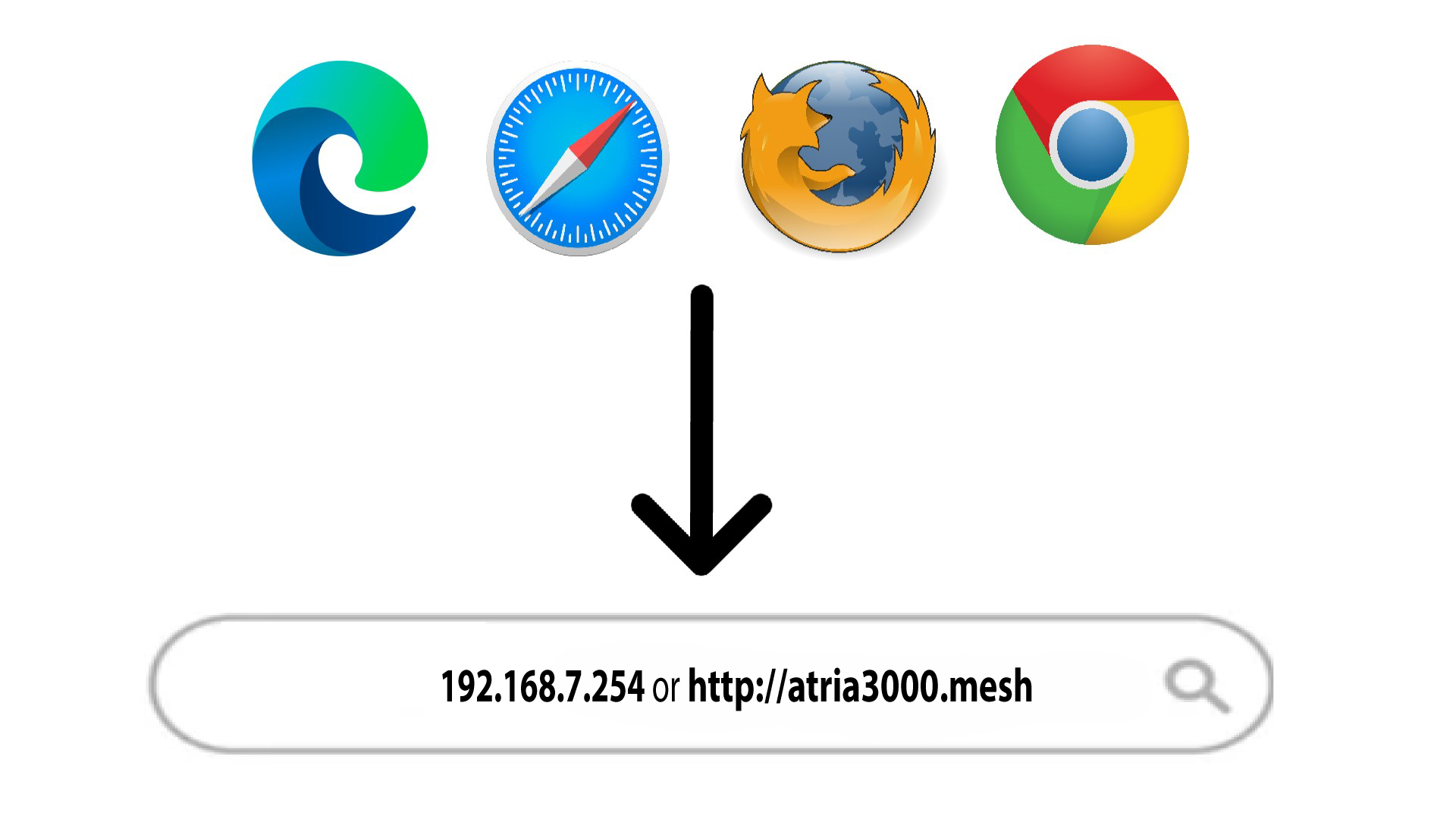
3. Wprowadźswoje dane logowania
Należy wprowadzić nazwę użytkownika (admin) i hasło (admin) (należy pamiętać, że po pierwszym zalogowaniu się użytkownik utworzy swoje osobiste hasło administratora, co oznacza, że hasło podane na etykiecie produktu przestanie działać). Następnie należy kliknąć przycisk „Zaloguj się”.

Informacje o 4LAN
Kliknij „Status” i „Informacje o sieci LAN”. Następnie w informacjach o podłączonych urządzeniach znajdź adres IP dodatkowych urządzeń typu „ mesh ”, które noszą nazwy „Agent xxxx”.
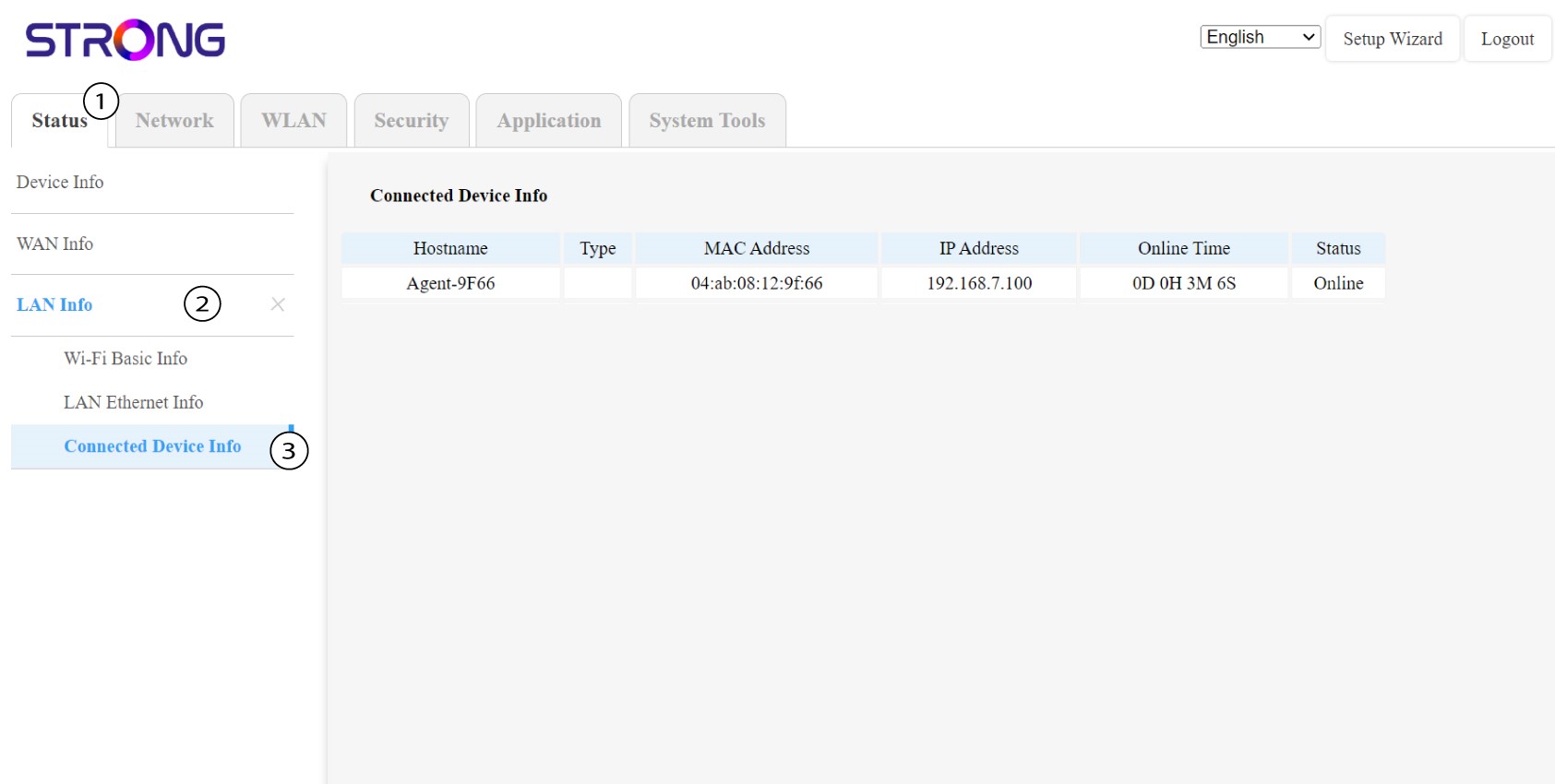
5. Zapisz te informacje
Zapisz adres IP każdego urządzenia z serii Mesh .
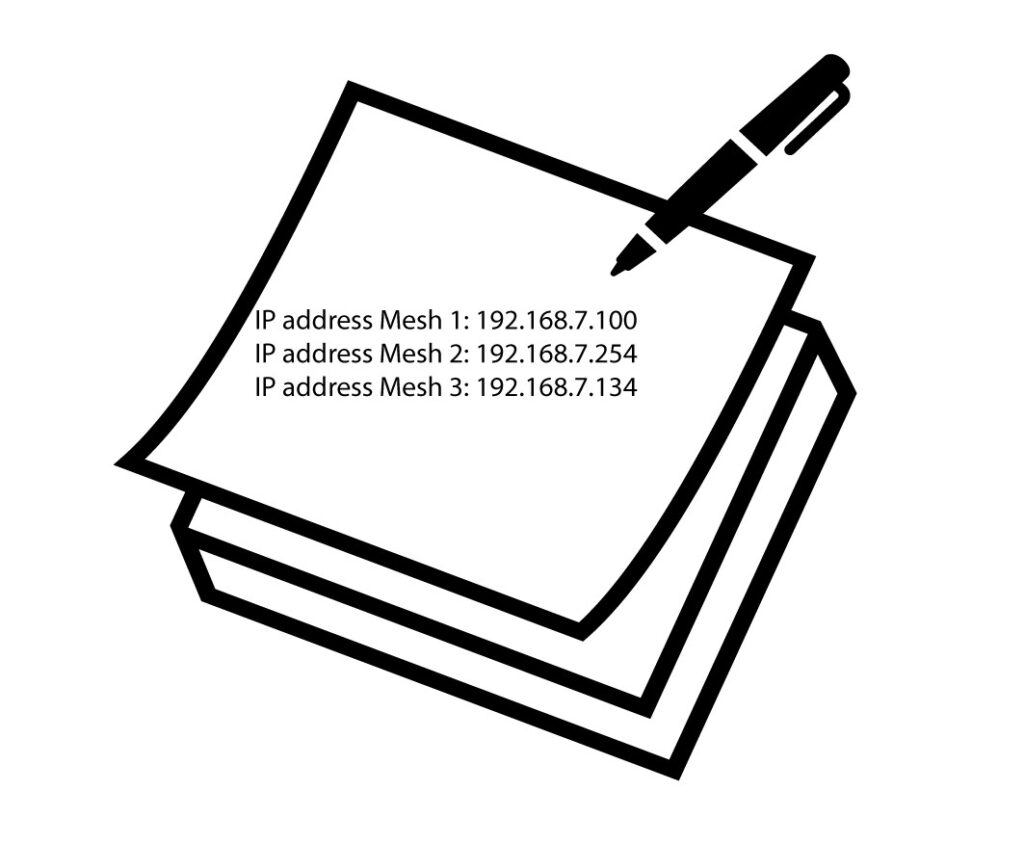
6.Adresy IP urządzeń Mesh u w sieci szkieletowej
Wpisz w przeglądarce adres IP urządzenia mesh .
7. Wprowadźswoje dane uwierzytelniające
Następnie wprowadź dane logowania (admin/admin).
Wskazówka: prosimy o zmianę nazw poszczególnych jednostek typu „ mesh ” zgodnie z poniższym formatem:
ATRIA MESH STRONA GŁÓWNA – NAZWA POMIESZCZENIA
ATRIA MESH – POKÓJ