Mesh ATRIA Wi-Fi 5 Mesh 2100 (pakiet 2 sztuk)
Nie znaleziono żadnych elementów.
Nie znaleziono żadnych elementów.
Wszystkie pytania
Mesh ATRIA Wi-Fi 5 Mesh 2100 (pakiet 2 sztuk)
Nie znaleziono żadnych elementów.
Nie znaleziono żadnych elementów.
Jak mogę dodać nowe urządzenia Mesh do istniejącej sieci, którą właśnie skonfigurowałem?
Dodanie nowych urządzeń mesh do istniejącej sieci Mesh jest bardzo proste.
1Przypadek1: Przycisk WPS
W tym celu naciśnij i przytrzymaj przez 5 sekund przycisk WPS na urządzeniu Mesh , które jest podłączone do routera/modemu
za pomocą złącza RJ45.
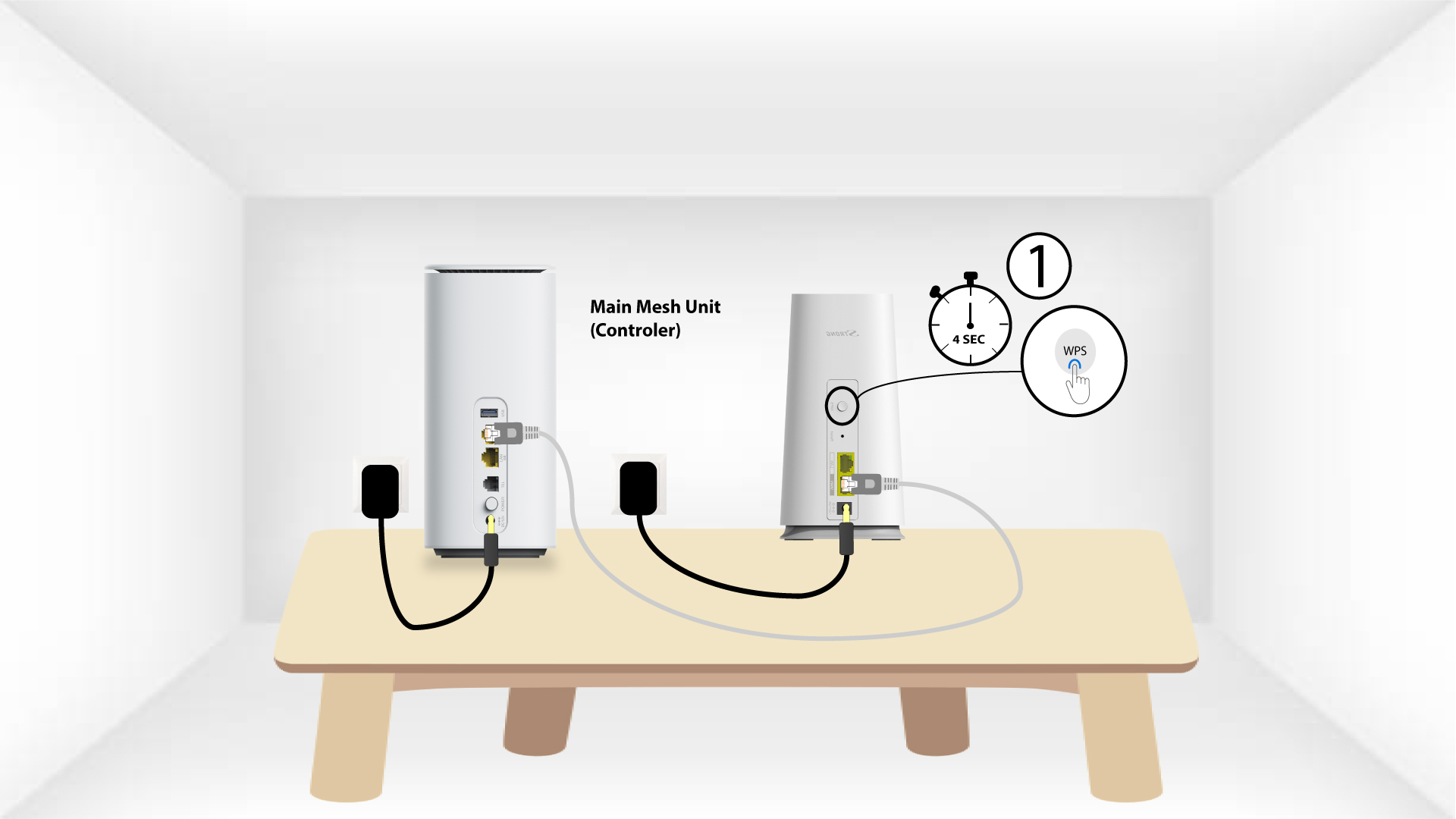
2WPSdrugiego urządzenia
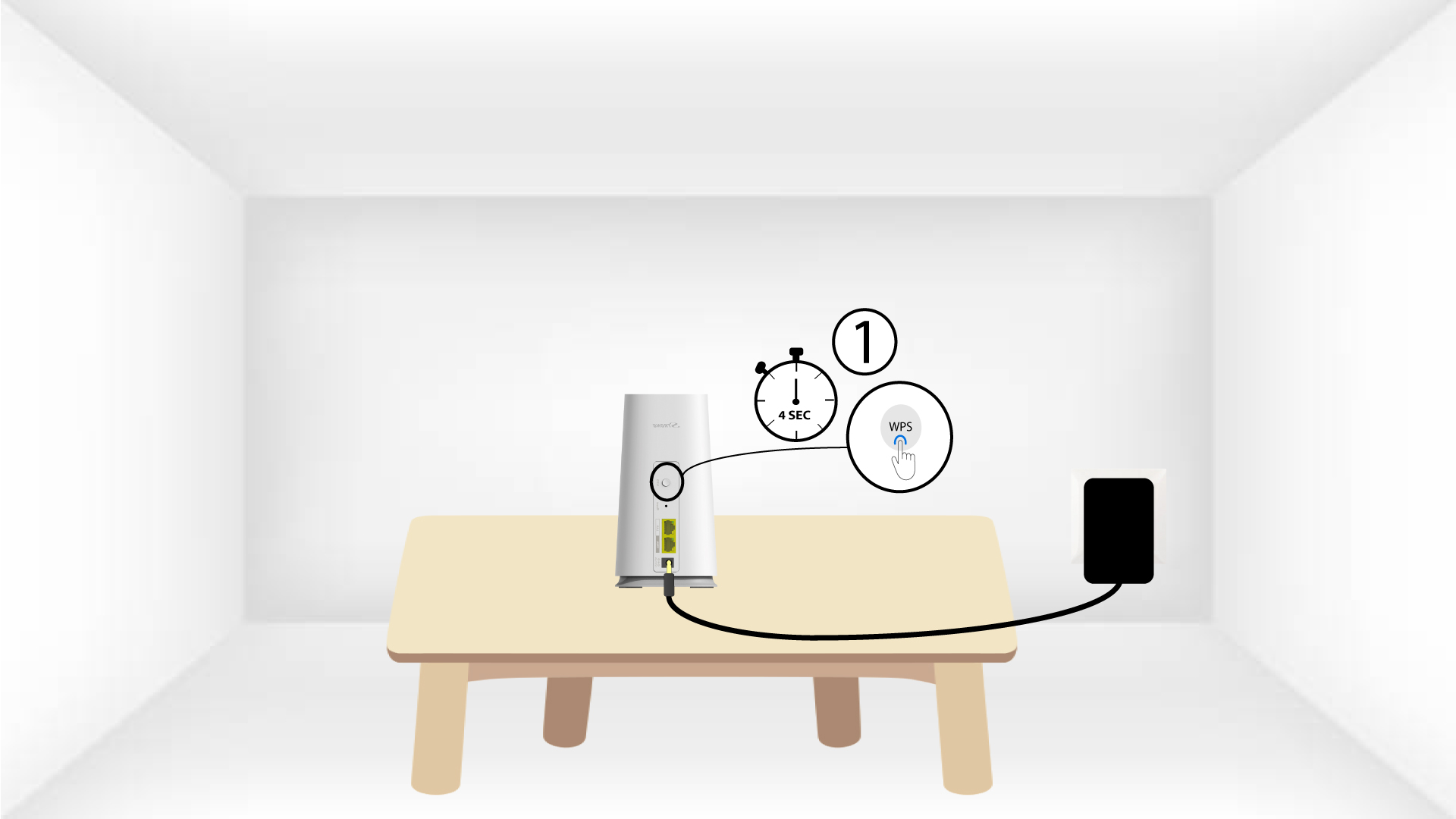
Następnie naciśnij przycisk WPS na nowym urządzeniu i przytrzymaj go przez 5 sekund.
1Przypadek2: Aplikacja Atria „ Mesh ”
Możesz również dodać węzeł „ Mesh ” za pomocą aplikacji Atria „ Mesh ”.
W tym celu połącz się z siecią Wi-Fi urządzenia Mesh , które jest podłączone do Twojego routera/modemu.

2Atria– aplikacja „ Mesh ”
Następnie pobierz aplikację Atria „ Mesh ”.

3. Dane uwierzytelniające
Wprowadź nazwę użytkownika i hasło (admin/admin), aby się zalogować.

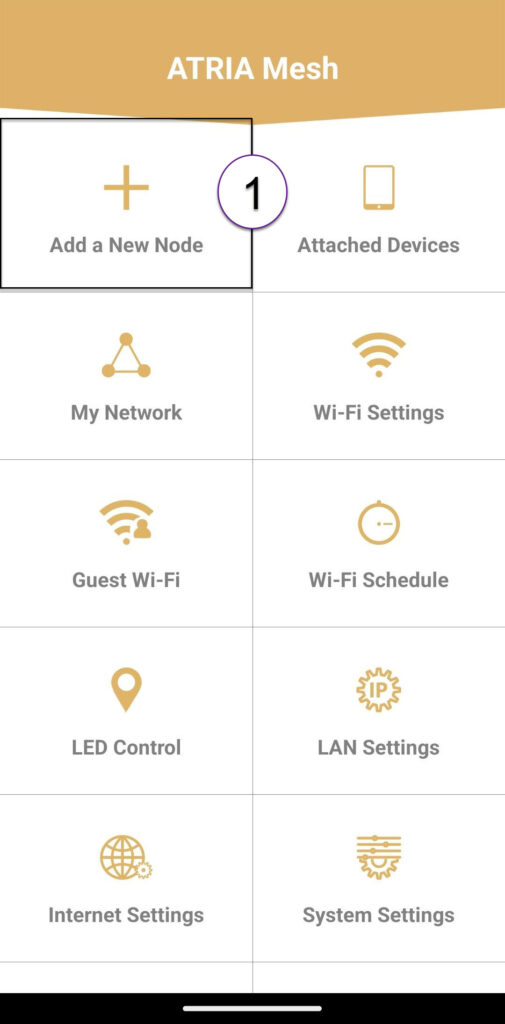
4Dodajnowy Mesh
Kliknij opcję „Dodaj nowy węzeł Mesh ”.
Kod QR 5
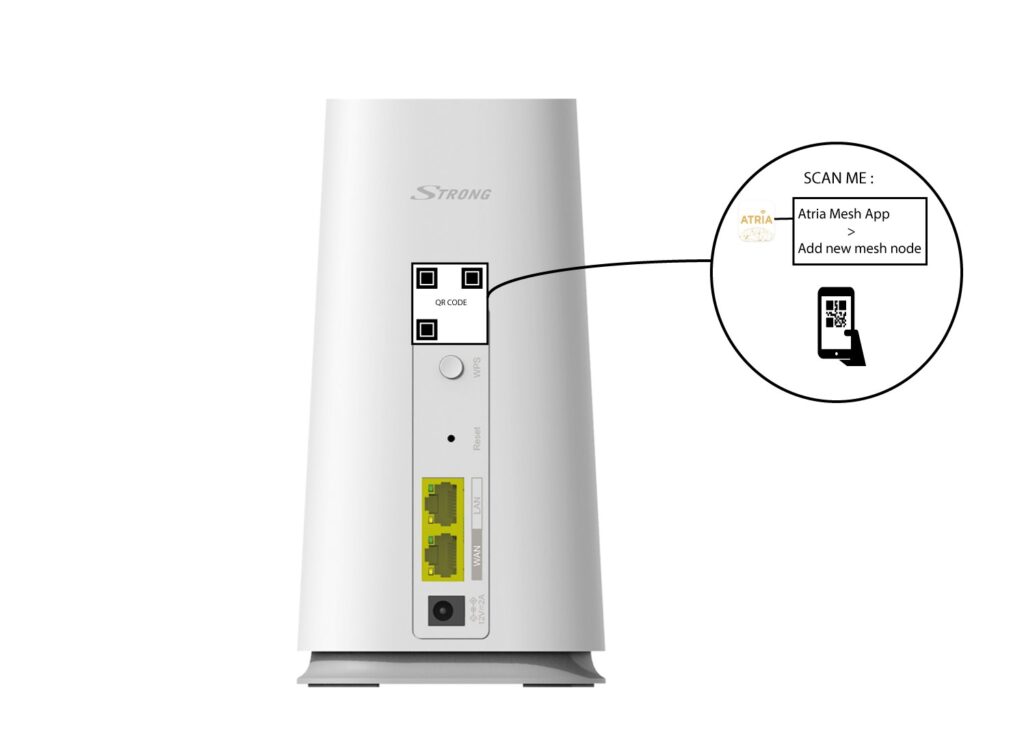
Zeskanuj kod QR znajdujący się na tylnej stronie karty „ mesh ”, którą chcesz dodać.