
Mesh ATRIA Wi-Fi 5 Mesh 2100 (pakiet 2 sztuk)
Wszystkie pytania
Mesh ATRIA Wi-Fi 5 Mesh 2100 (pakiet 2 sztuk)
Jak powinienem skonfigurować sieć „ Mesh ”, aby zoptymalizować działanie mojej sieci Wi-Fi?
Aby zoptymalizować zasięg, należy zainstalować urządzenie „ mesh ” w miejscu, w którym występują problemy z zasięgiem, tak aby objąć jak największy obszar w domu.
Należy upewnić się, że urządzenia mesh nie znajdują się w pomieszczeniu, w którym znajduje się ściana nośna, ponieważ im grubsza jest ściana, tym większe mogą być trudności z przeniknięciem przez nią sygnału Wi-Fi.
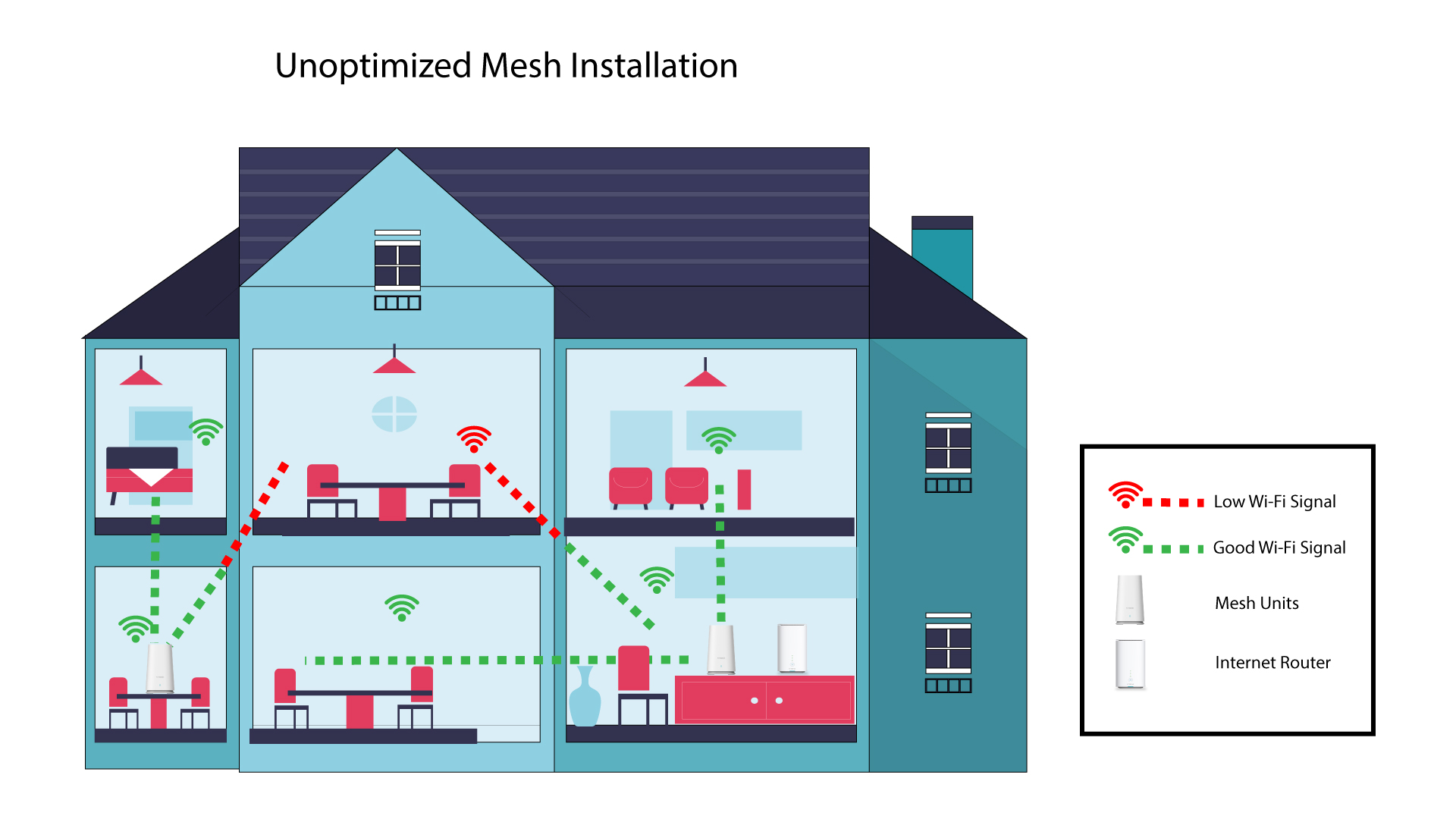
1. Nieoptymalizowanainstalacja systemu Mesh
Poniższy schemat przedstawia zasięg sieci Wi-Fi wewnątrz domu, w którym węzły sieci „ mesh ” nie są rozmieszczone w odpowiednich miejscach, co uniemożliwia zapewnienie odpowiedniego zasięgu.
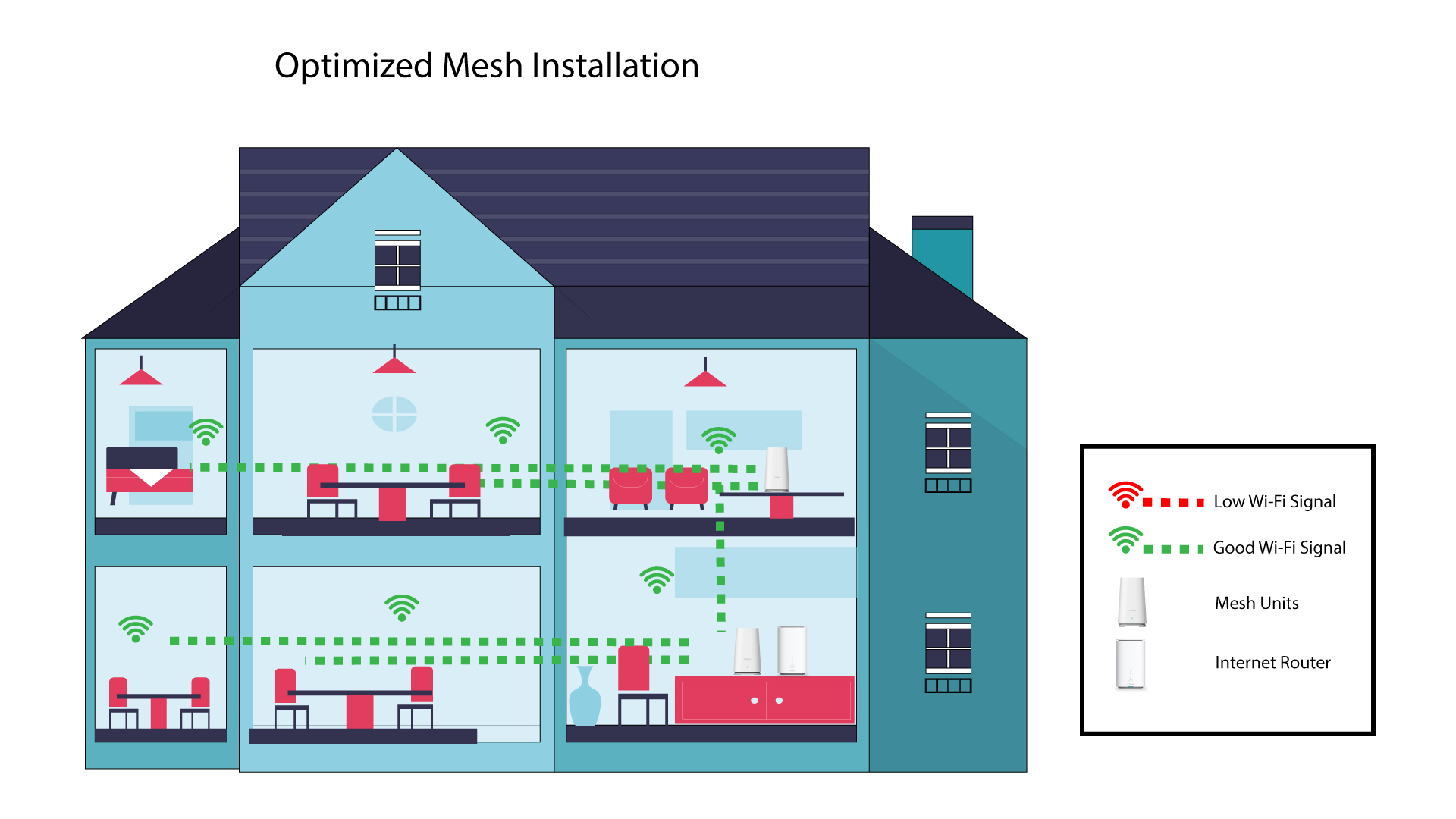
2. Zoptymalizowanainstalacja pakietu „ Mesh ”
Poniższy schemat przedstawia zasięg sieci Wi-Fi wewnątrz domu, w którym węzły mesh są rozmieszczone w odpowiedniej części budynku, aby zapewnić właściwy zasięg.
1Atria– aplikacja „ Mesh ”
Pobierz aplikację na smartfony„ATRIA MESH ” ze sklepu App Store lub Google Play.

2. Łączenie sięz siecią Wi-Fi
Połącz się z siecią Wi-Fi urządzenia mesh .
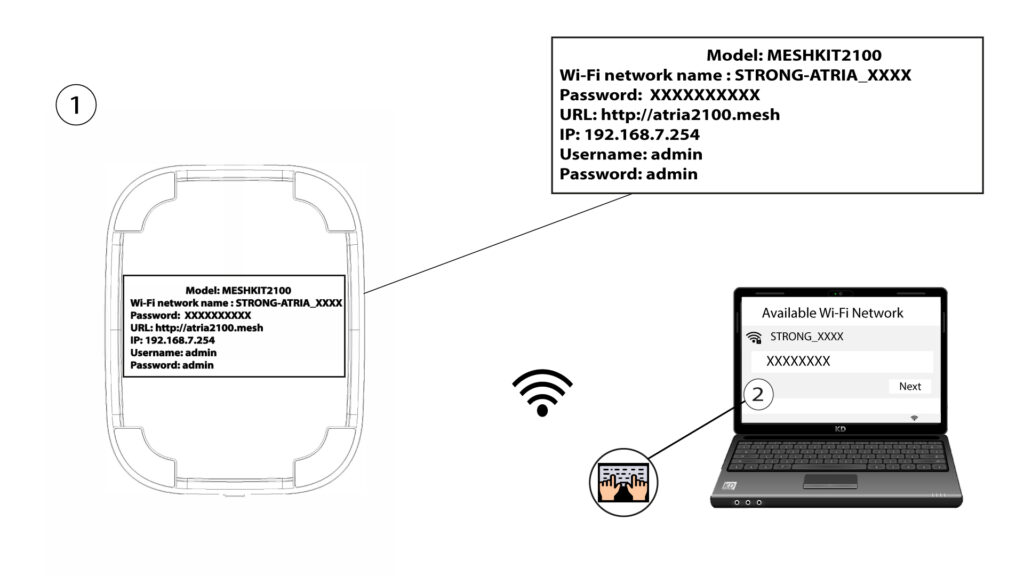
3. Dane uwierzytelniające
Następnie musisz połączyć swój smartfon z siecią Wi-Fi urządzenia „ Mesh ”, a potem zalogować się do aplikacji przy użyciu danych logowania, które powinny brzmieć„admin” i„admin”, o ile ich nie zmieniłeś.

4 Mojasieć
Kliknij opcję „Moja sieć”.

5 Nazwa Mesh
Zobaczysz nazwy urządzeń z serii „ mesh ”, które skonfigurowałeś w swojej sieci.
Kliknij nazwę jednostki „ mesh ”, aby uzyskać dostęp do informacji na jej temat.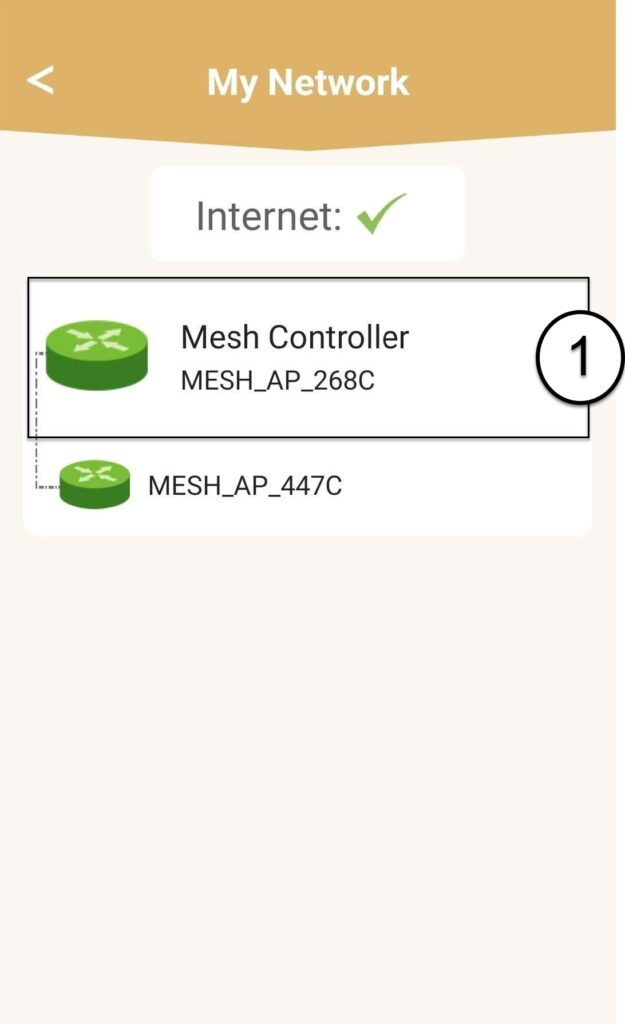
6Nazwa
Kliknij pole nazwy.
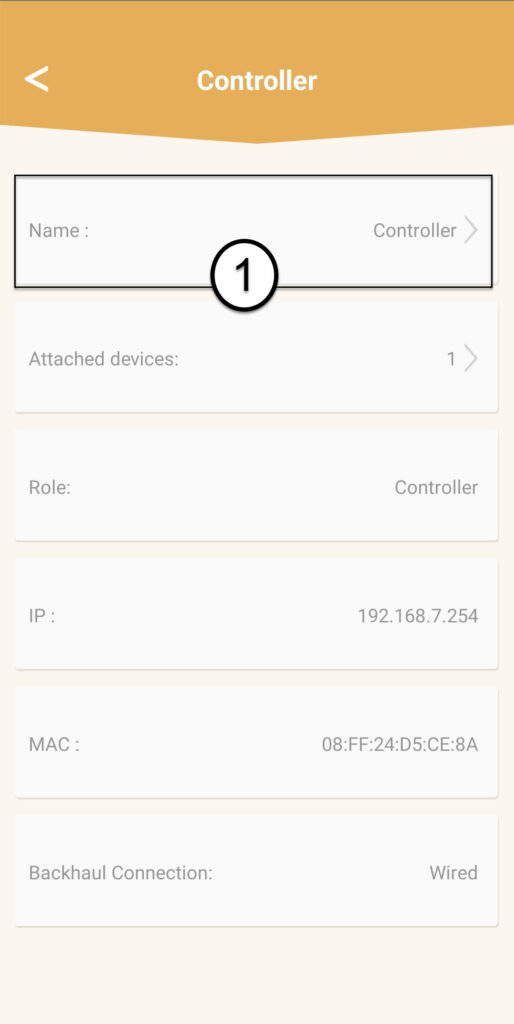
7. Zmieńnazwę kontrolera
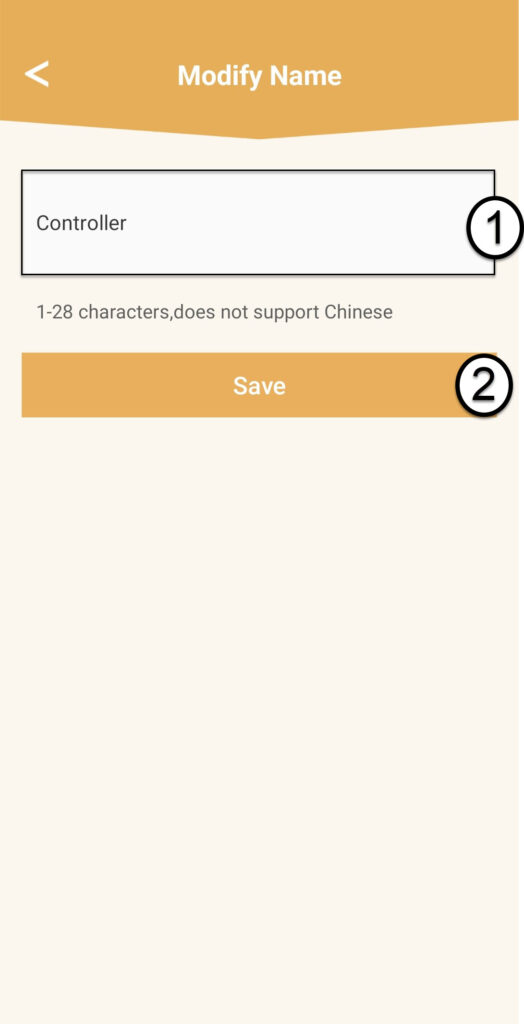
Wpisz nową nazwę i kliknij „Zapisz”:
- Kontroler sieci typu „ mesh ” powinien nosić następującą nazwę: MeshAX3000-Main-Nazwapomieszczenia
- Nazwy agentów sieci „ mesh ” powinny mieć następujący format: MeshAX3000-Nazwapomieszczenia

Ostrzeżenie: Jeśli urządzenie mesh jest wyświetlane na szaro, oznacza to, że nie zapewnia ono wystarczającego zasięgu i należy zmienić jego położenie, aby zoptymalizować działanie sieci mesh .