
Powerline 1000 Duo Wi-Fi FR V2
Wszystkie pytania
Powerline 1000 Duo Wi-Fi FR V2
Jak zmienić nazwę SSID i hasło sieci Wi-Fi routera Powerline 1000?
1. Połącz sięz siecią Wi-Fi „ powerline ”
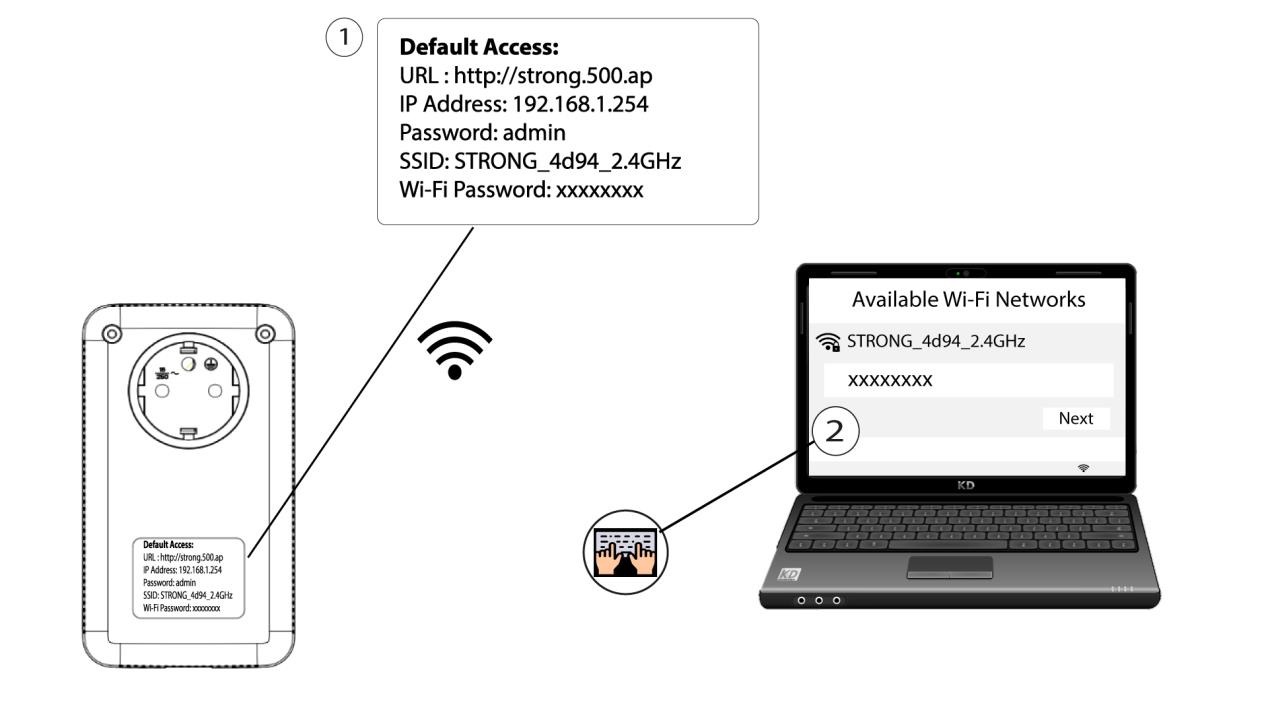
Połącz się z siecią Wi-Fi urządzenia „ Powerline 1000”.
2. Przejdźdo adresu IP interfejsu użytkownika (Web UI)
Aby uzyskać dostęp do interfejsu użytkownika, należy wpisać adres URL: http://strong.500.ap w pasku adresu przeglądarki internetowej.

3. Wprowadźdane uwierzytelniające
Następnie wpisz hasło: admin

4. Szybkakonfiguracja
Przejdź do menu, wybierz opcję „Szybka konfiguracja”, a następnie kliknij „Punkt dostępowy (AP) ” i kliknij „DALEJ”.

5. Wprowadźnowe dane sieciowe
Edytuj identyfikator SSID i hasło. Podczas definiowania nowego hasła unikaj używania wielkiej litery „I” i małej litery „l”, ponieważ łatwo je pomylić. Zalecamy również utworzenie hasła składającego się z naprzemiennych wielkich i małych liter oraz cyfr. Po zakończeniu edycji kliknij przycisk „DALEJ”, aby zapisać zmiany.

6. Zapisznowe dane sieciowe
Proszę zapisać nowy identyfikator SSID i hasło na kartce, a następnie ponownie połączyć wszystkie urządzenia z siecią Wi-Fi „ powerline 1000”, korzystając z nowych ustawień.
