
kit Mesh ATRIA Mesh kit | MESHKIT1200
Nie znaleziono żadnych elementów.
Nie znaleziono żadnych elementów.
Wszystkie pytania
kit Mesh ATRIA Mesh kit | MESHKIT1200
Nie znaleziono żadnych elementów.
Nie znaleziono żadnych elementów.
Jak zmienić identyfikator SSID (nazwę sieci Wi-Fi) oraz hasło do mojej sieci Wi-Fi mesh ? (PRZYPADEK 1: Interfejs użytkownika)
1. Dostępdo interfejsu użytkownika sieci Web
Aby połączyć się z interfejsem użytkownika Web UI, zapoznaj się z poniższą instrukcją: Jak uzyskać dostęp do interfejsu użytkownika Web UI?
2. Ustawienia Wi-Fi
Kliknij opcję „Wi-Fi” na pasku po lewej stronie.
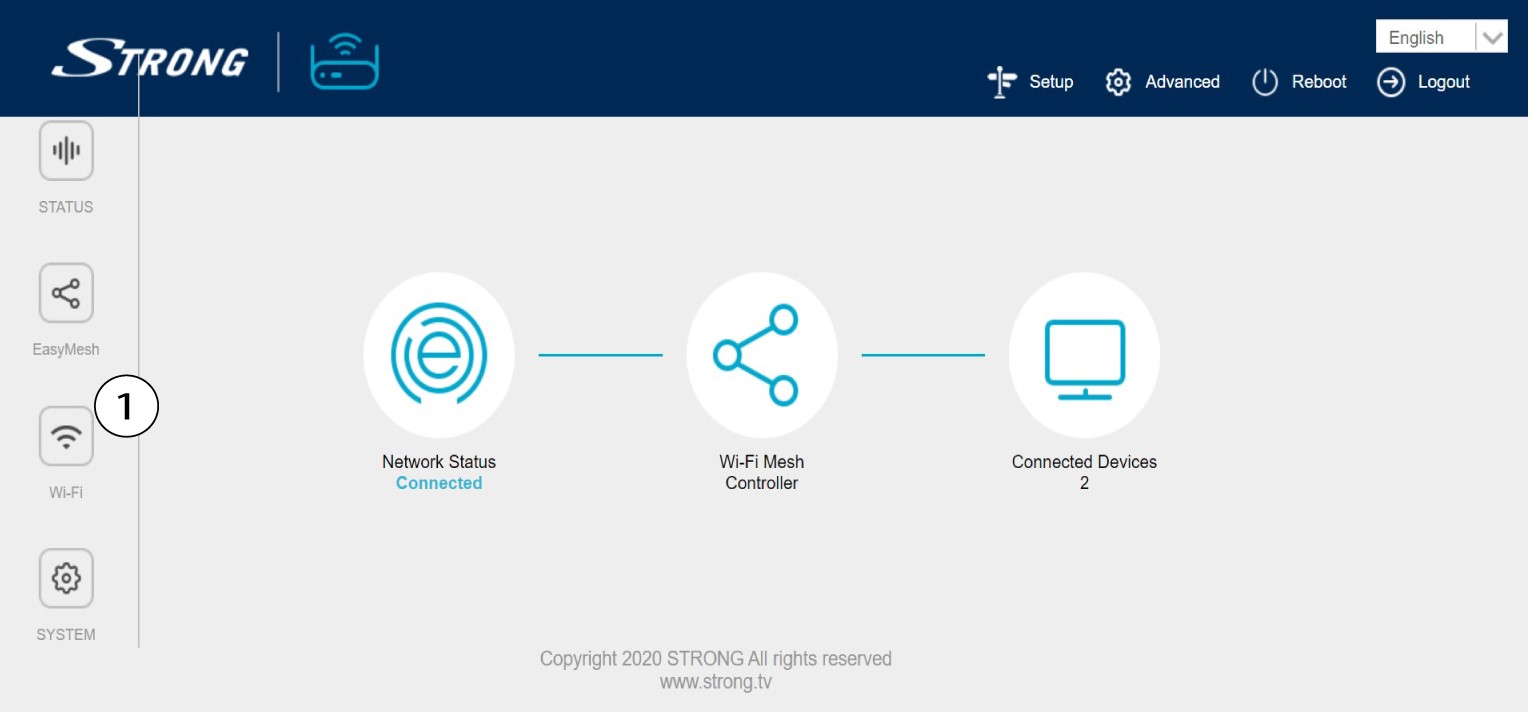
3. Zmianainformacji o sieci Wi-Fi
Kliknij opcję „5 G WLAN ” lub „2.4 G WLAN”. Następnie wprowadź poniższe informacje, a potem kliknij „Zastosuj”:
o SSID: Wprowadź nową nazwę sieci
o Klucz Wi-Fi: Wprowadź nowe hasło. (zaznacz pole wyboru, aby potwierdzić, że wpisałeś właściwe hasło
, które chciałeś ustawić)
Należy pamiętać, że hasło musi składać się z 8 do 32 znaków i zawierać wielkie i małe litery, cyfry oraz co najmniej jeden znak specjalny (@, $, !, %, *, ?, &).

4. Zapisznowe dane sieciowe
Zapisz nowe dane sieciowe na kartce papieru.
