Nie znaleziono żadnych elementów.
LEAP AIR | Telewizor 4K z systemem Google TV i obsługą HDR10+
Nie znaleziono żadnych elementów.
Wszystkie pytania
Nie znaleziono żadnych elementów.
LEAP AIR | Telewizor 4K z systemem Google TV i obsługą HDR10+
Nie znaleziono żadnych elementów.
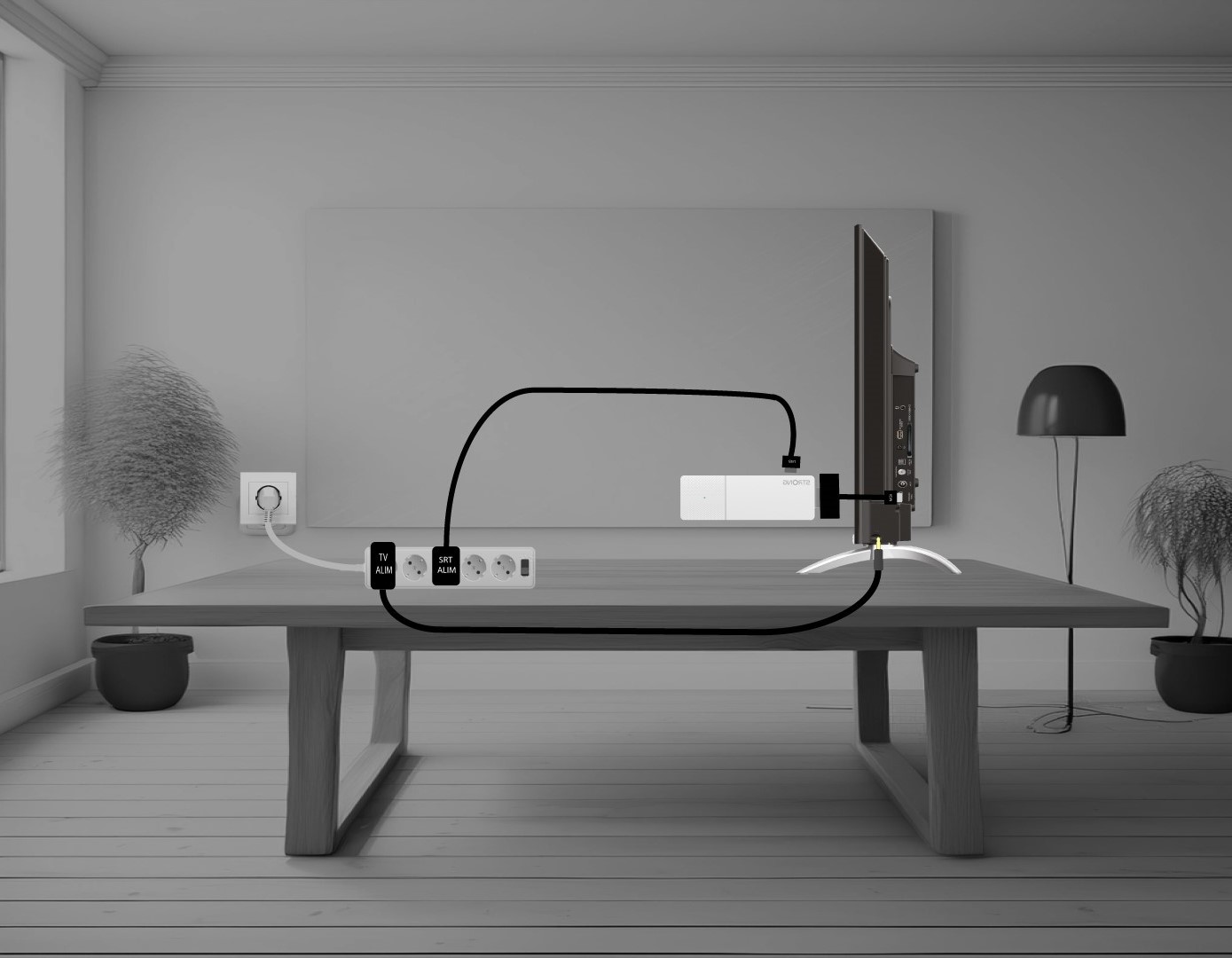
Jak podłączyć urządzenie LEAP AIR do telewizora?
Połącz adapter HDMI „ stick ” z kablem HDMI i podłącz go do portu HDMI telewizora (1). Następnie podłącz kabel USB do urządzenia LEAP AIR i podłącz je do zasilania (2), a także podłącz telewizor do zasilania (3).