
4G+ AIRHOME 710 z odłączanymi antenami 4G+
Wszystkie pytania
4G+ AIRHOME 710 z odłączanymi antenami 4G+
Jak wyłączyć Wi-Fi?
Twój router jest dwupasmowy, więc w razie potrzeby możesz wyłączyć jedną z sieci Wi-Fi lub obie sieci Wi-Fi.
1. Połącz sięz siecią Wi-Fi swojego routera
Aby wyłączyć Wi-Fi, należy połączyć się z interfejsem użytkownika. W tym celu należy wprowadzić w urządzeniu identyfikator SSID (nazwę sieci Wi-Fi) oraz hasło do sieci Wi-Fi routera.

2. Wprowadźadres IP interfejsu użytkownika (Web UI)
Następnie wpisz w przeglądarce następujący adres IP: 192.168.188.1.

3. Znajdźswoje dane logowania do interfejsu użytkownika (Web UI)
Aby sprawdzić swoją nazwę użytkownika i hasło, należy zapoznać się z etykietą produktu umieszczoną z tyłu urządzenia.

4. Wprowadźswoje dane logowania
Należy wprowadzić nazwę użytkownika i hasło. Następnie należy kliknąć przycisk „Zaloguj się”. Więcej informacji na temat logowania można znaleźć winstrukcji logowania.

5. Ustawienia Wi-Fi
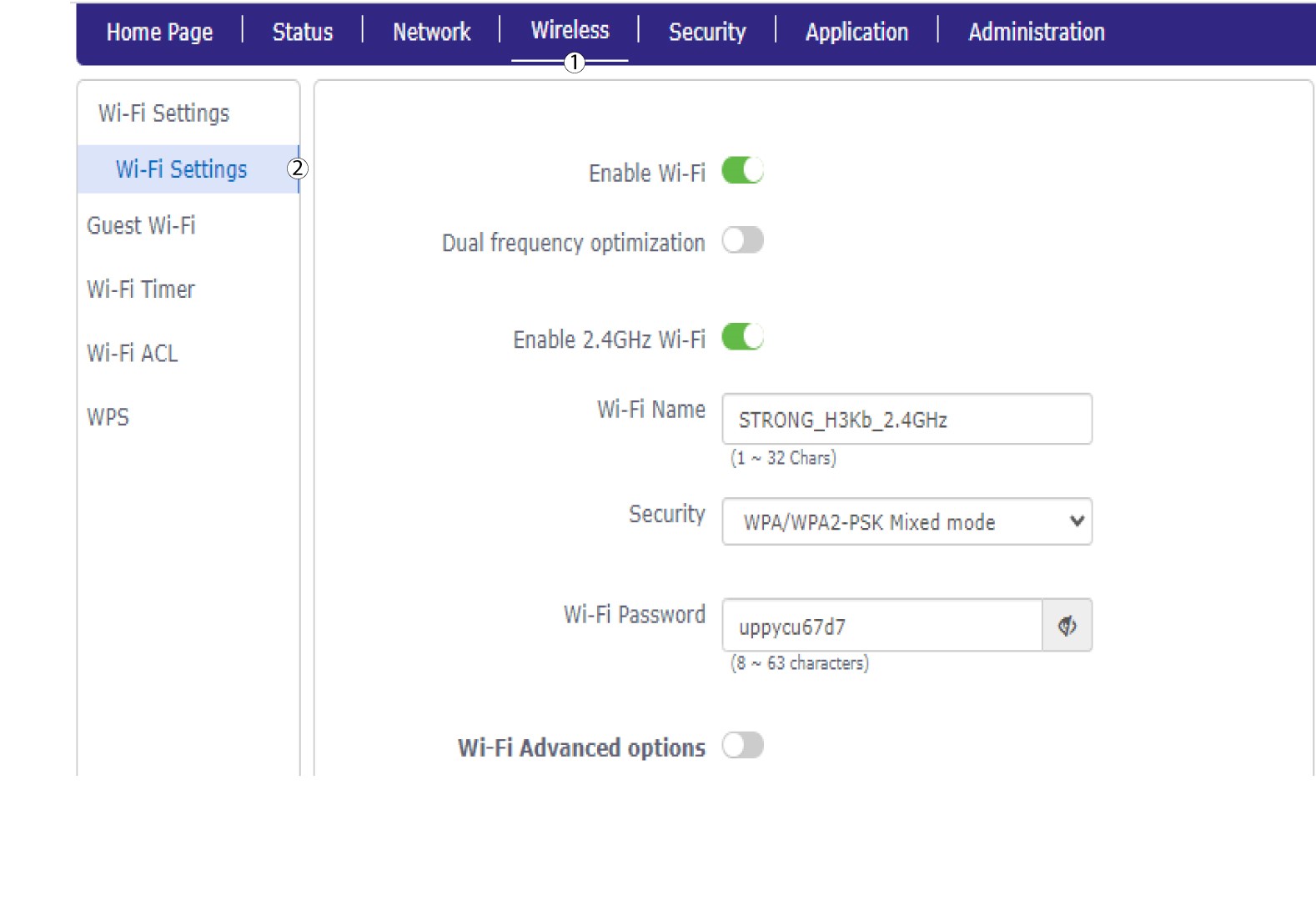
Kliknij opcję „Sieć bezprzewodowa ” i wybierz „Ustawienia Wi-Fi”.
6. WyłączWi-Fi
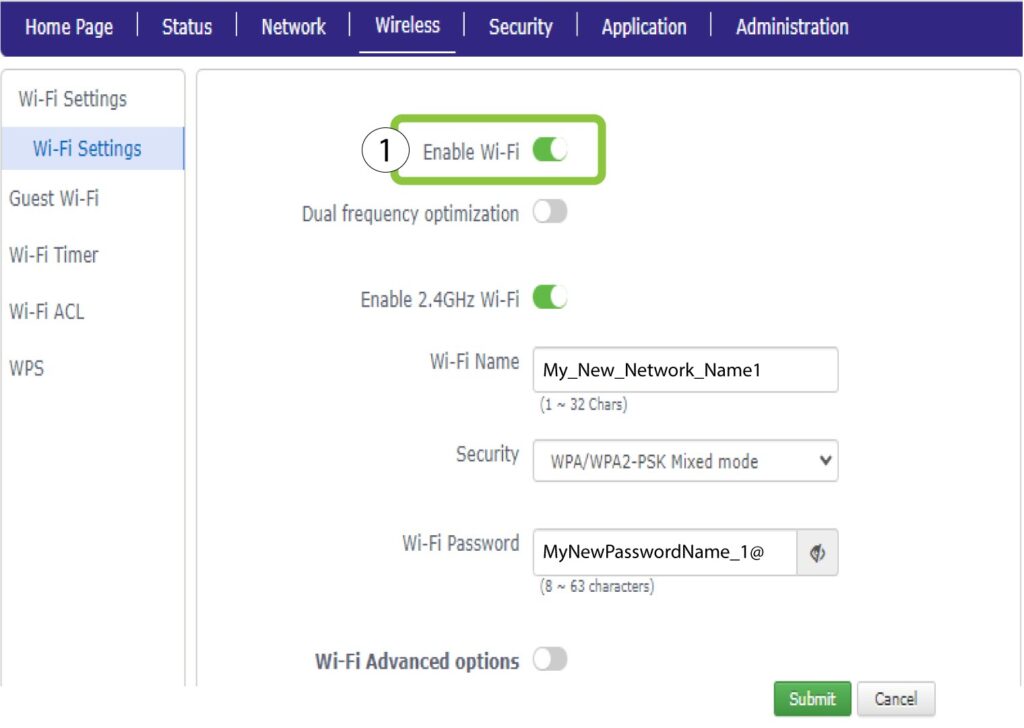
Następnie kliknij przełącznik „Włącz Wi-Fi ”, aby wyłączyć obie sieci.
7Zapiszzmiany
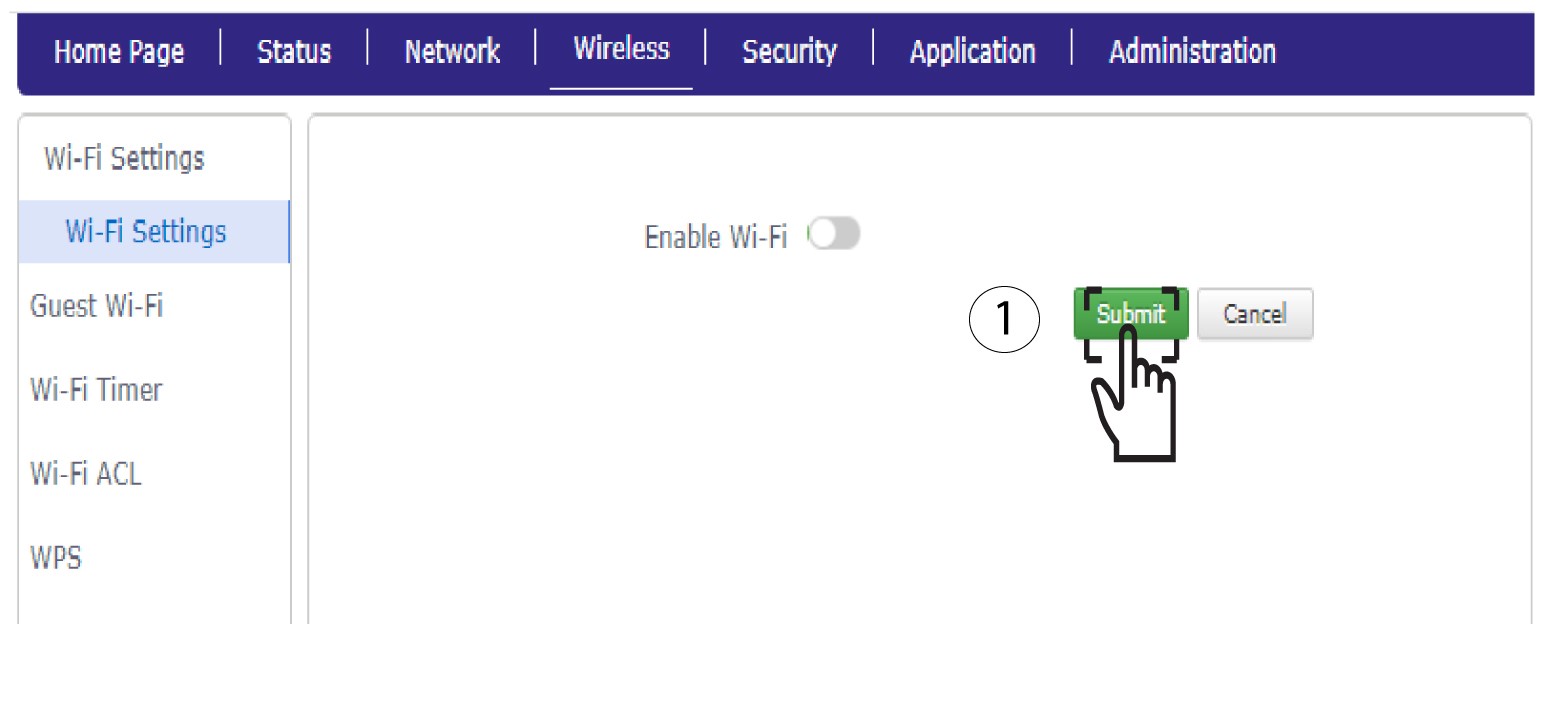
Następnie kliknij przycisk „Prześlij”.
Jeśli chcesz wyłączyć tylko jedną z sieci Wi-Fi, postępuj zgodnie z poniższymi instrukcjami: