Mobilne Wi-Fi 4G AIRSPOT 220 z wyświetlaczem
Wszystkie pytania
Mobilne Wi-Fi 4G AIRSPOT 220 z wyświetlaczem
Jak przywrócić ustawienia fabryczne routera?
Czasami może się zdarzyć, że urządzenie nie działa prawidłowo i nie masz dostępu do Internetu. W takim przypadku zalecamy przywrócenie ustawień fabrycznych urządzenia, a następnie, w razie potrzeby, ponowną aktualizację jego oprogramowania.
Możesz to zrobić na dwa sposoby: zresetować urządzenie, naciskając przycisk resetowania lub wykonując tę czynność w interfejsie użytkownika.
PRZYPADEK 1: Przycisk resetowania.
W tym celu należy zdjąć pokrywę z tyłu routera i nacisnąć przycisk RESET za pomocą spinacza biurowego, przytrzymując go przez 2 sekundy.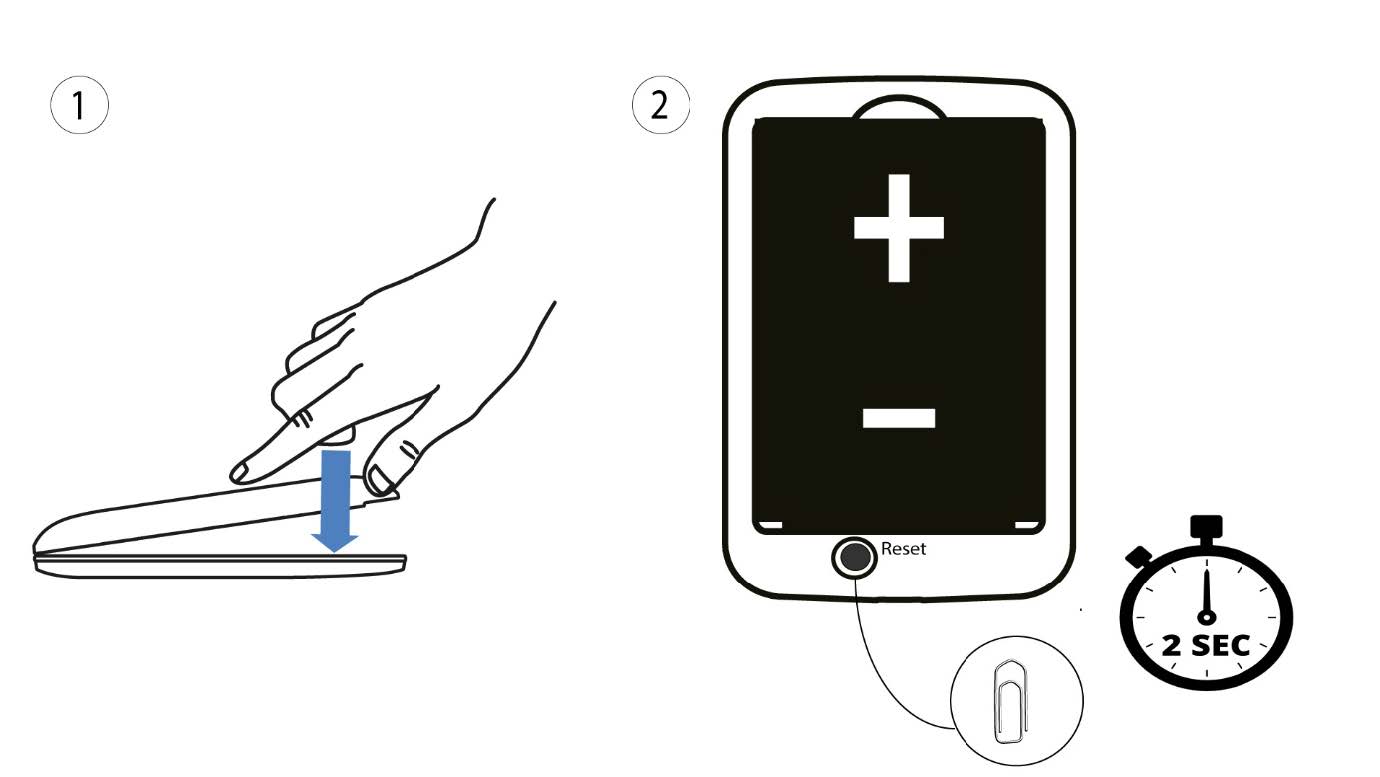
1Przypadek2: reset w interfejsie użytkownika strony internetowej
1. Należy połączyć się z siecią Wi-Fi na swoim urządzeniu.

2. Przejdźdo adresu IP interfejsu użytkownika (Web UI)
Następnie wpisz w przeglądarce następujący adres IP: 192.168.188.1.

3Zalogujsię
Należy wprowadzić hasło.

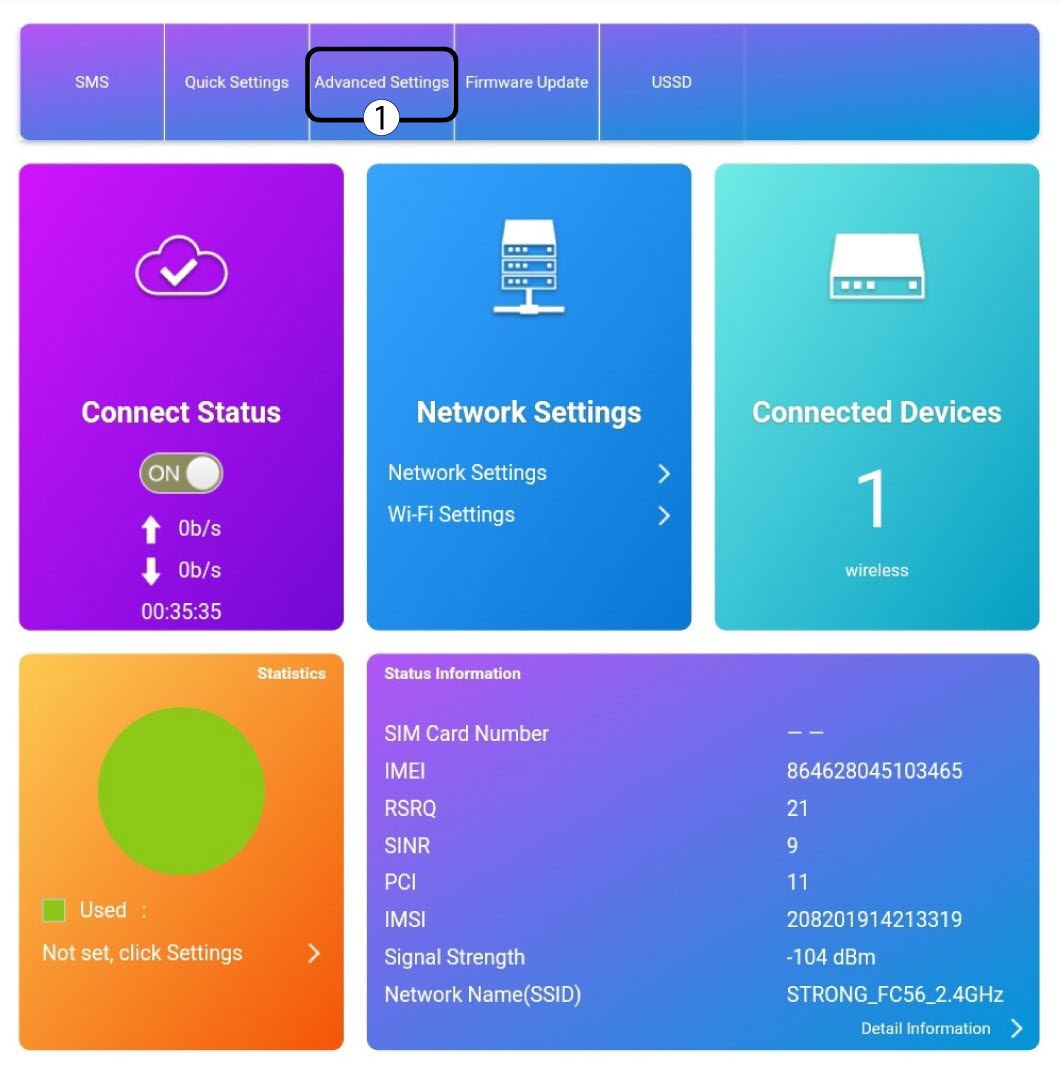
4. Ustawienia
Następnie kliknij opcję „Ustawienia zaawansowane”.
5. Przywróćustawienia fabryczne
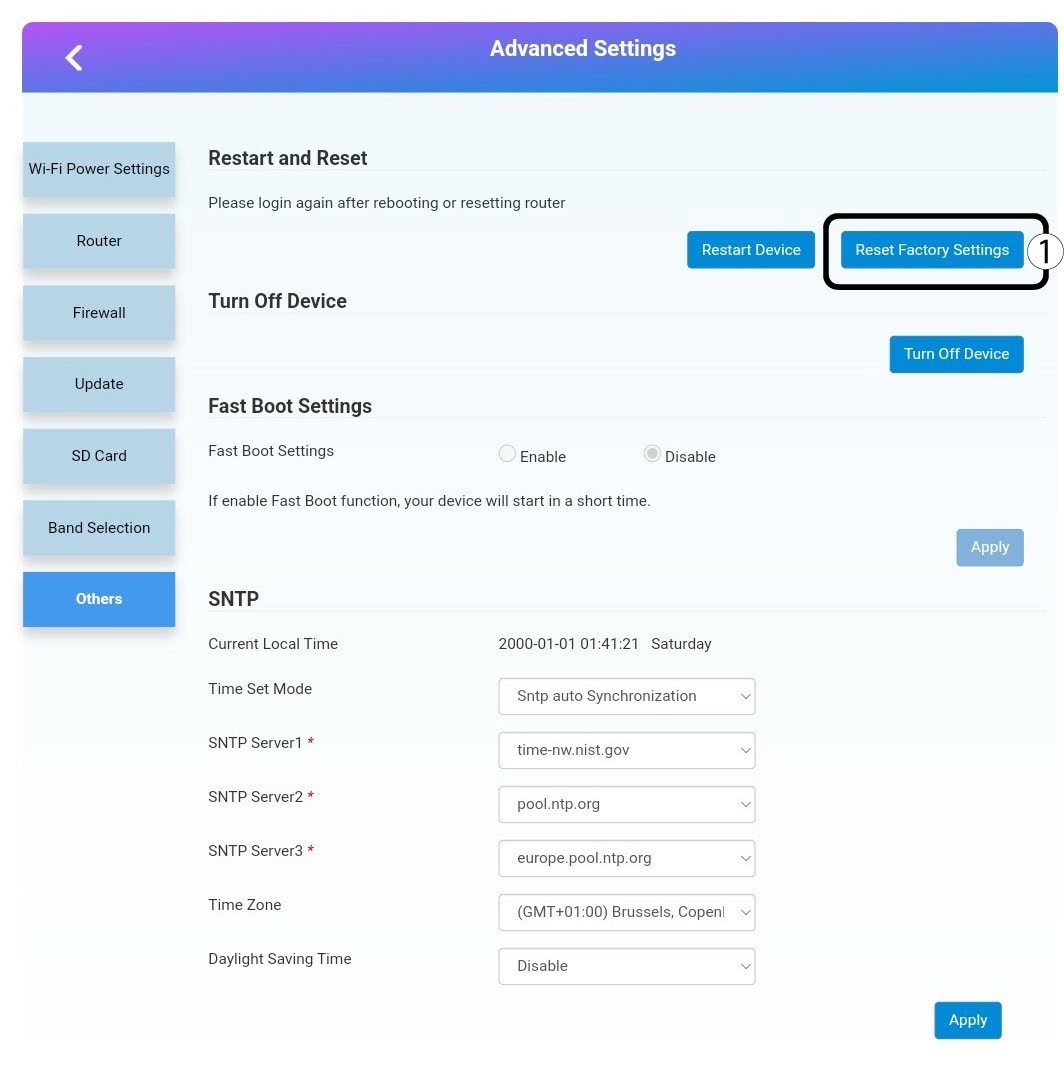
Kliknij opcję „Inne”. W sekcji „Ponowne uruchomienie i resetowanie ” kliknij opcję „Przywróć ustawienia fabryczne”.
6. Potwierdzenie
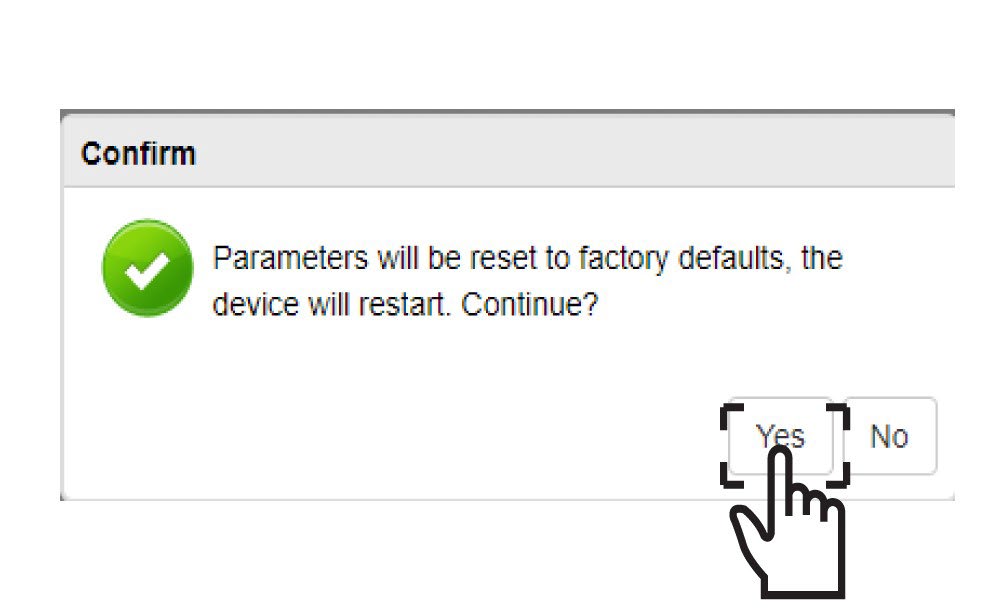
Kliknij„TAK” w wyskakującym okienku.