Mobilne Wi-Fi 4G+ AIRSPOT 520 z ekranem dotykowym
Nie znaleziono żadnych elementów.
Nie znaleziono żadnych elementów.
Wszystkie pytania
Mobilne Wi-Fi 4G+ AIRSPOT 520 z ekranem dotykowym
Nie znaleziono żadnych elementów.
Nie znaleziono żadnych elementów.
Jak przywrócić ustawienia fabryczne routera? (Ekran Mi-Fi)
Z poziomu ekranu możesz przywrócić ustawienia fabryczne urządzenia.
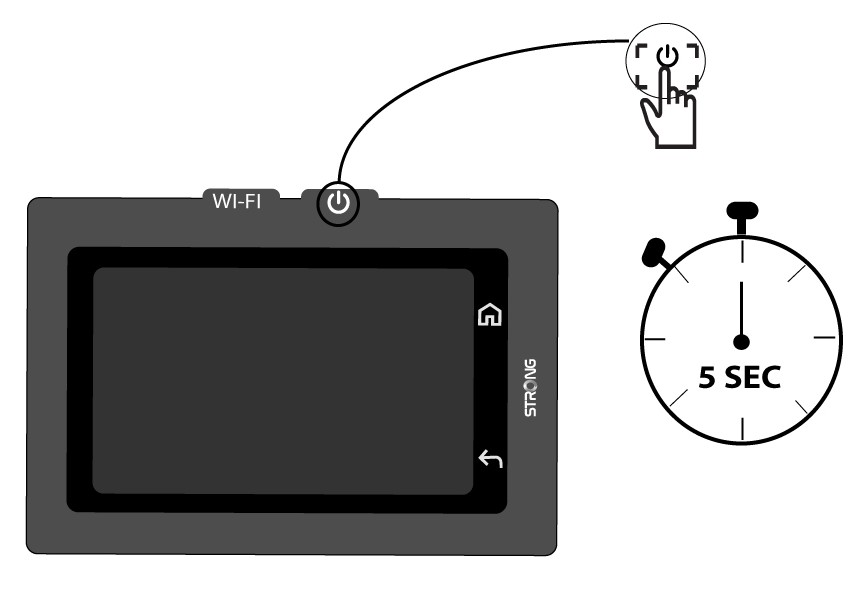
1.Włącz urządzenie
Włącz urządzenie, naciskając przycisk zasilania i przytrzymując go przez 5 sekund.
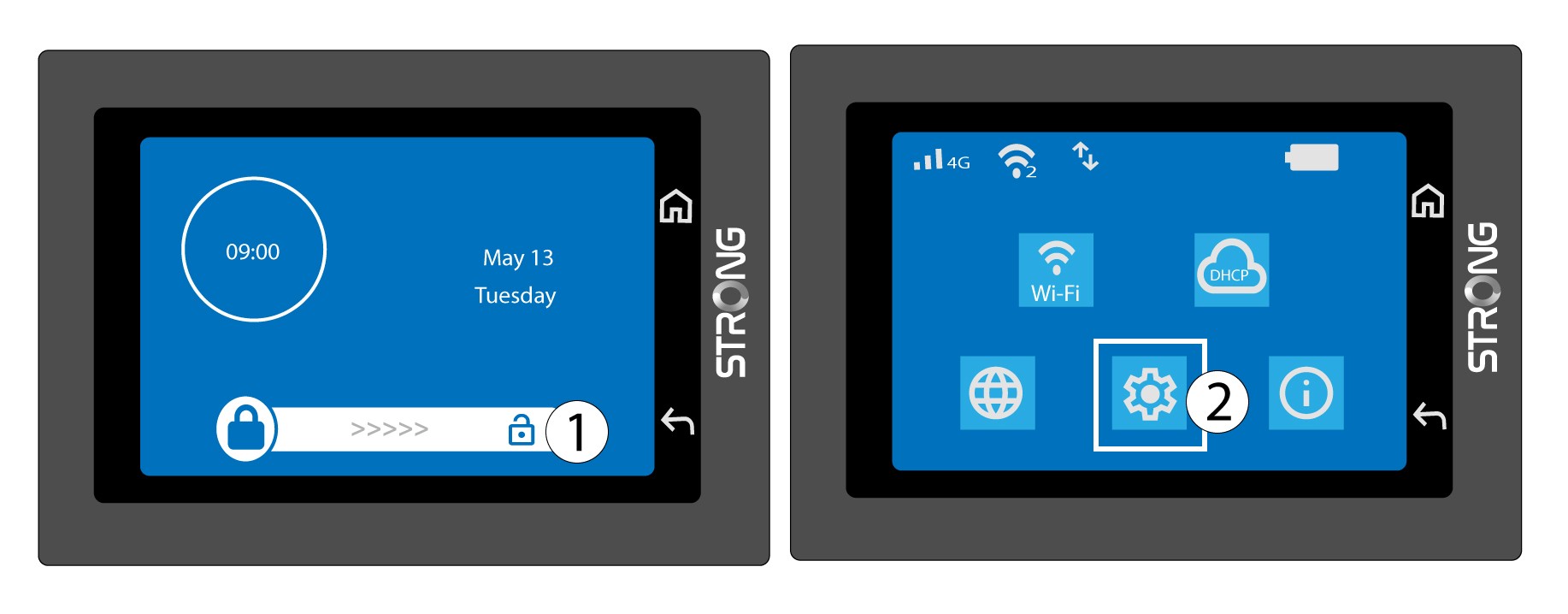
2. Przejdźdo menu systemowego
Następnie odblokuj ekran i naciśnij ikonę systemu.
3. Wybierzopcję przywracania
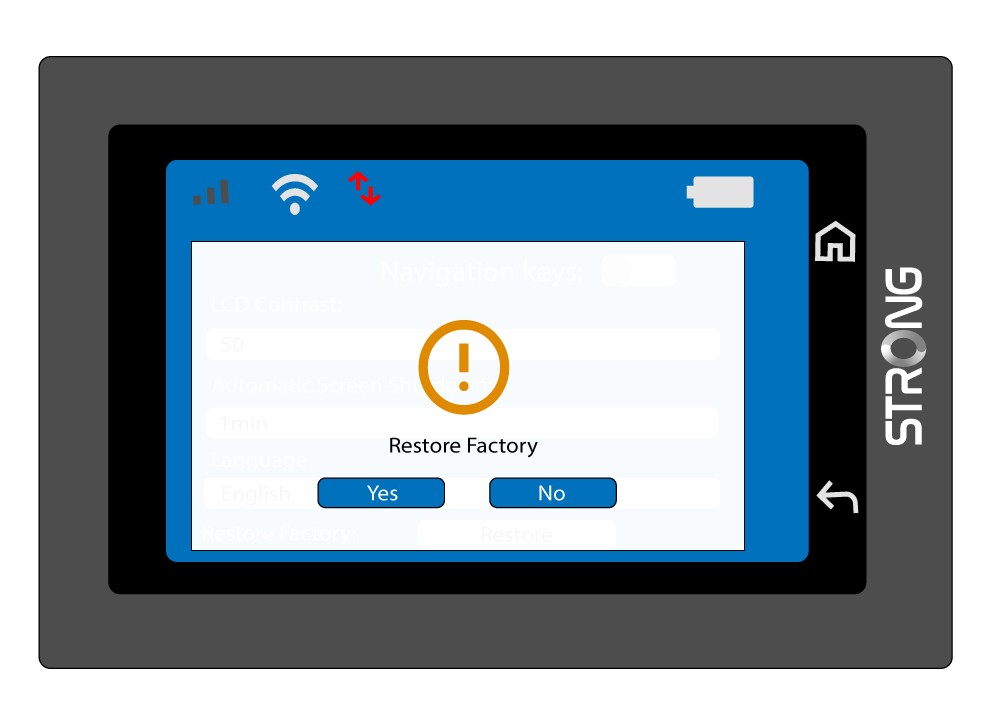
Przewiń menu w dół i naciśnij przycisk „Przywróć”.

4. Potwierdźprzywrócenie ustawień fabrycznych
Naciśnij „Tak”.