Nie znaleziono żadnych elementów.
LEAP 41 | Telewizor Google TV 4K z HDR10+
Nie znaleziono żadnych elementów.
Wszystkie pytania
Nie znaleziono żadnych elementów.
LEAP 41 | Telewizor Google TV 4K z HDR10+
Nie znaleziono żadnych elementów.
Jak przywrócić ustawienia fabryczne urządzenia?
1.Włącz telewizor i amplituner
Włącz telewizor i odbiornik.
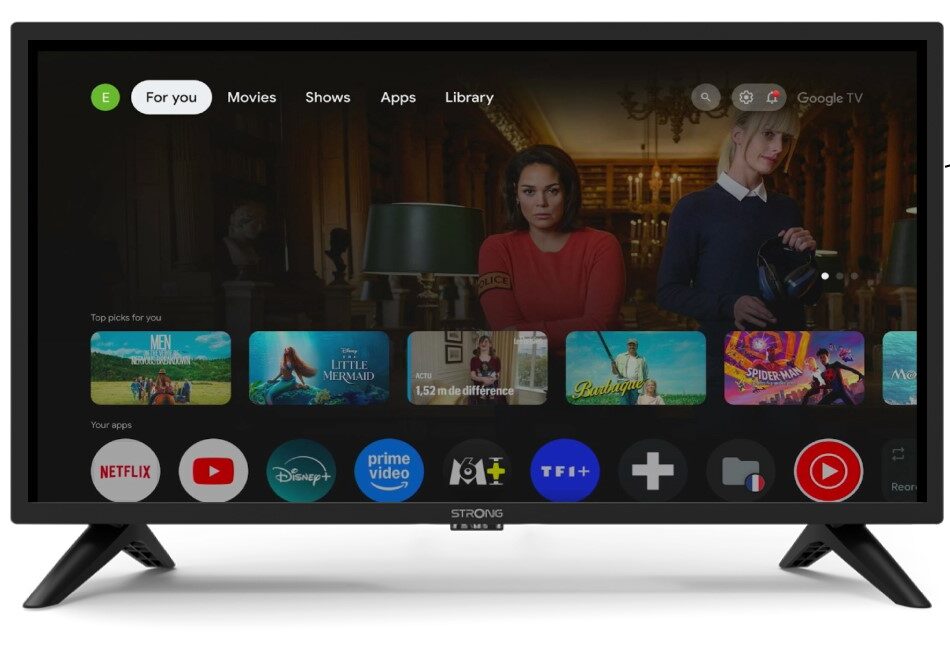
2. Ustawienia
Naciśnij ikonę koła zębatego na pilocie.
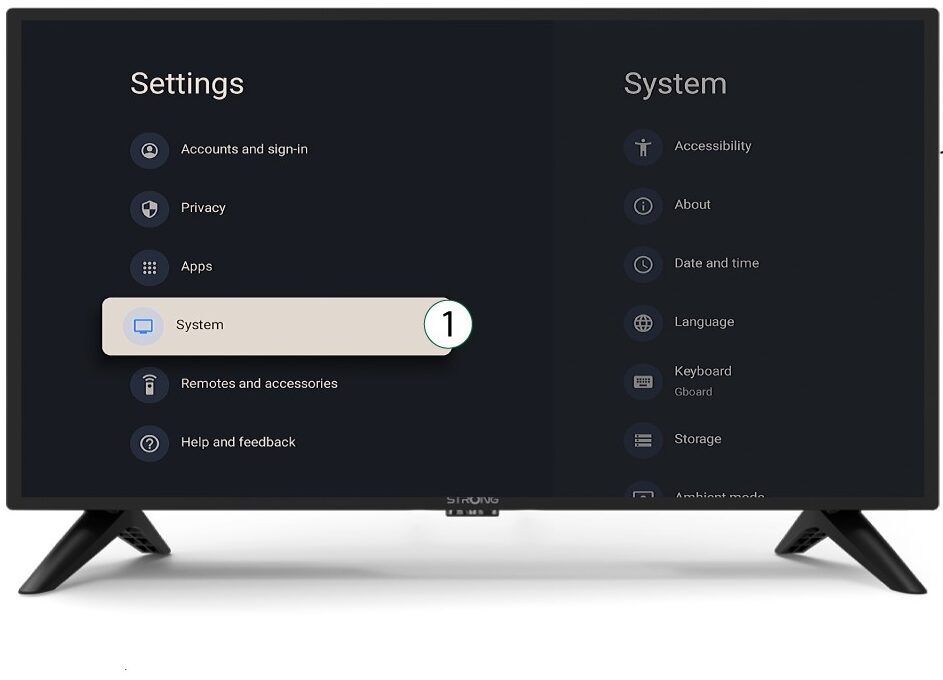
3System
W menu „Ustawienia” wybierz opcję „System” i naciśnij przycisk OK.
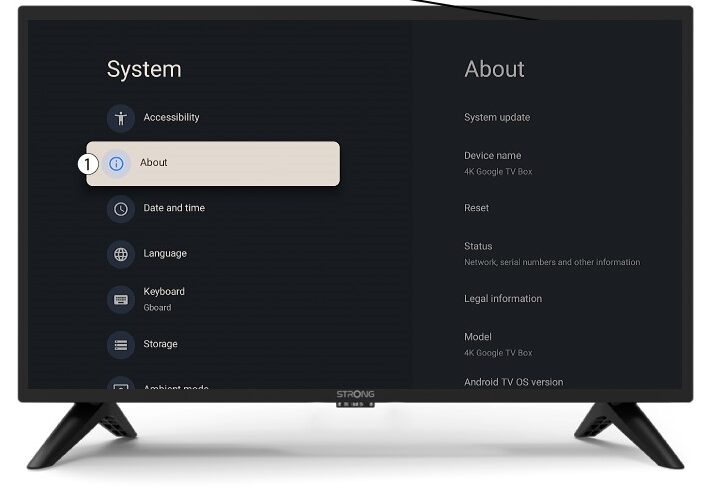
4O nas
Wybierz opcję „O programie” w menu systemowym i naciśnij przycisk OK.
5Resetuj
Wybierz opcję „Resetuj”.
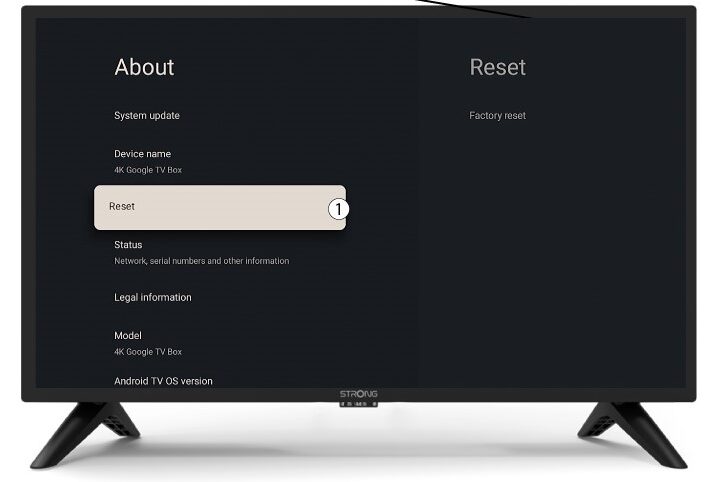
6. Przywrócenie ustawień fabrycznych
Wybierz opcję „Przywróć ustawienia fabryczne ” i naciśnij OK.
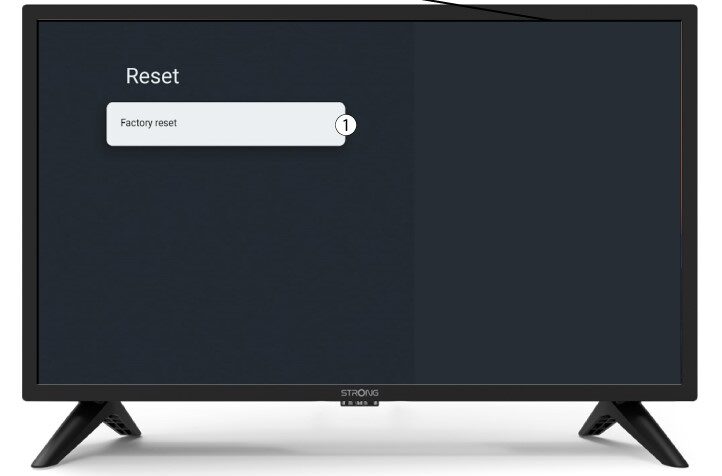
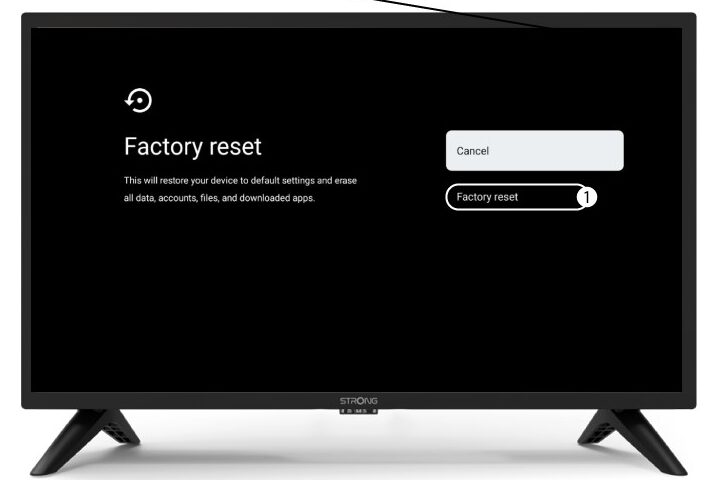
7. Potwierdźreset
Na stronie „Przywrócenie ustawień fabrycznych” wybierz opcję „Przywrócenie ustawień fabrycznych”.