Nie znaleziono żadnych elementów.
LEAP 41 | Telewizor Google TV 4K z HDR10+
Nie znaleziono żadnych elementów.
Wszystkie pytania
Nie znaleziono żadnych elementów.
LEAP 41 | Telewizor Google TV 4K z HDR10+
Nie znaleziono żadnych elementów.
Jak zaktualizować pilota?

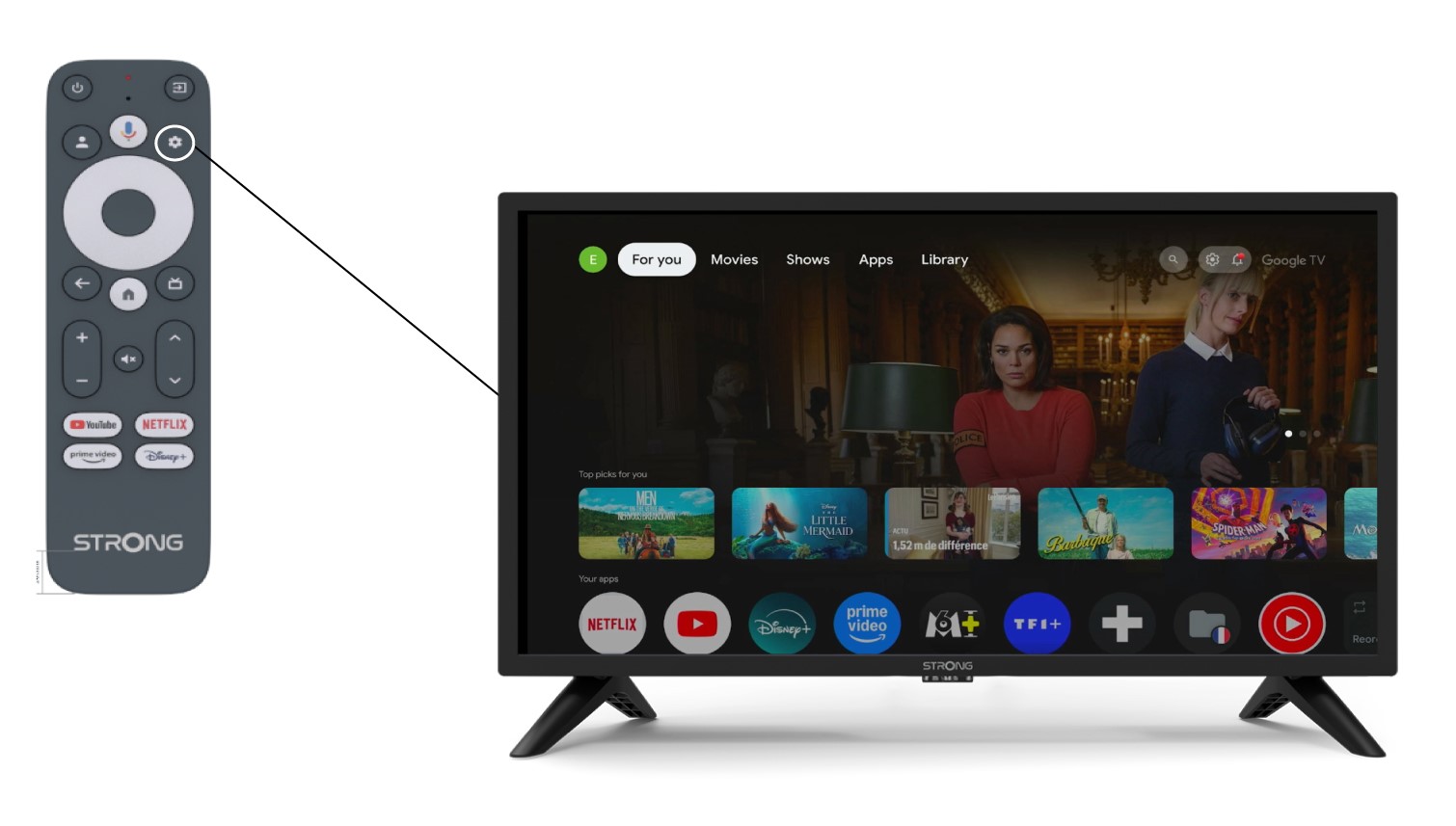
Ostrzeżenie: Po skonfigurowaniu urządzenia w lewej części ekranu telewizora, w sekcji ustawień, może pojawić się komunikat z zaleceniem zaktualizowania pilota.
1. Ustawienia
Na stronie „Ustawienia” wybierz opcję „Pilot i akcesoria”.
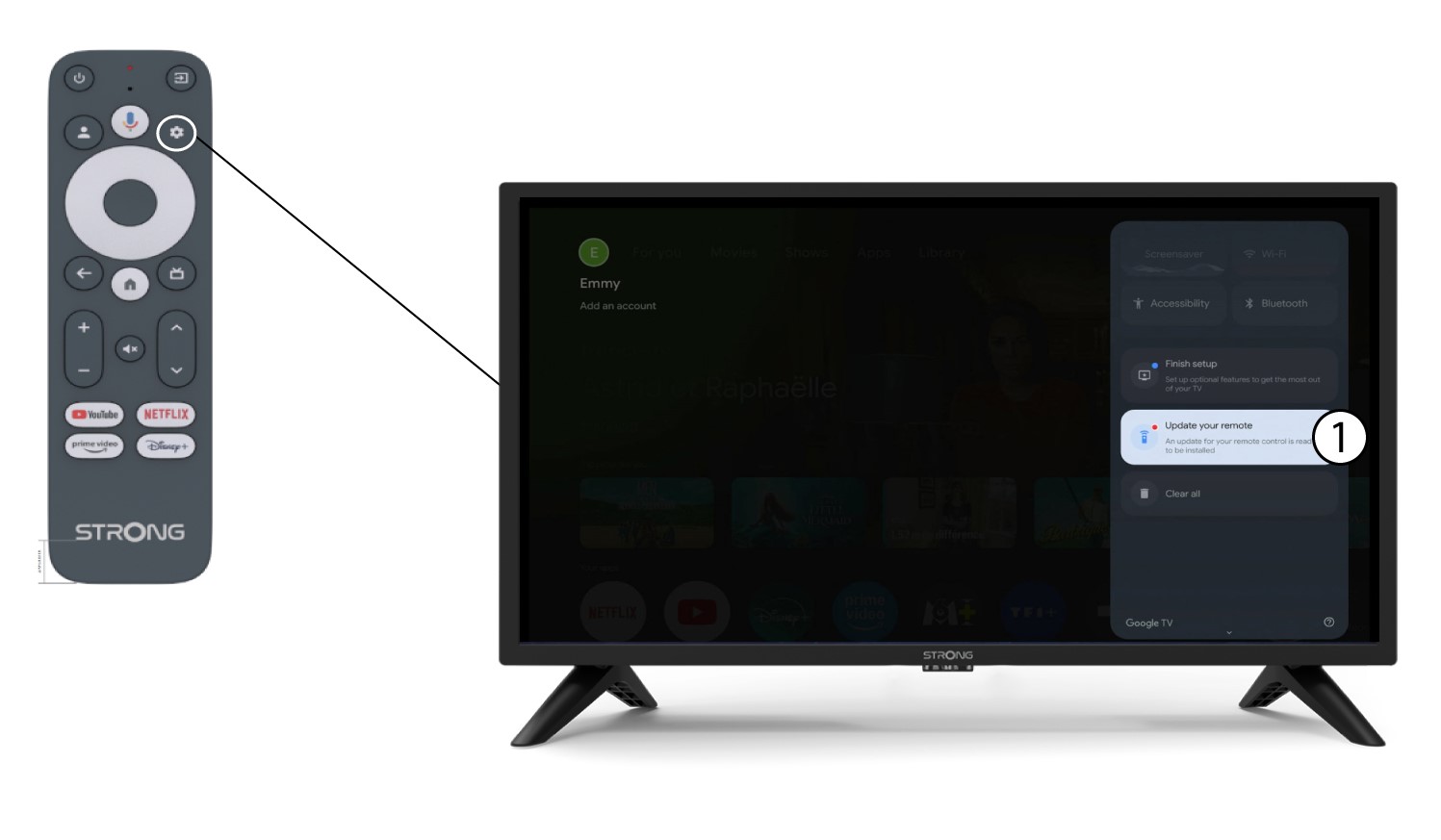
2. Zaktualizujpilota
W menu wybierz opcję „Zaktualizuj pilota”.
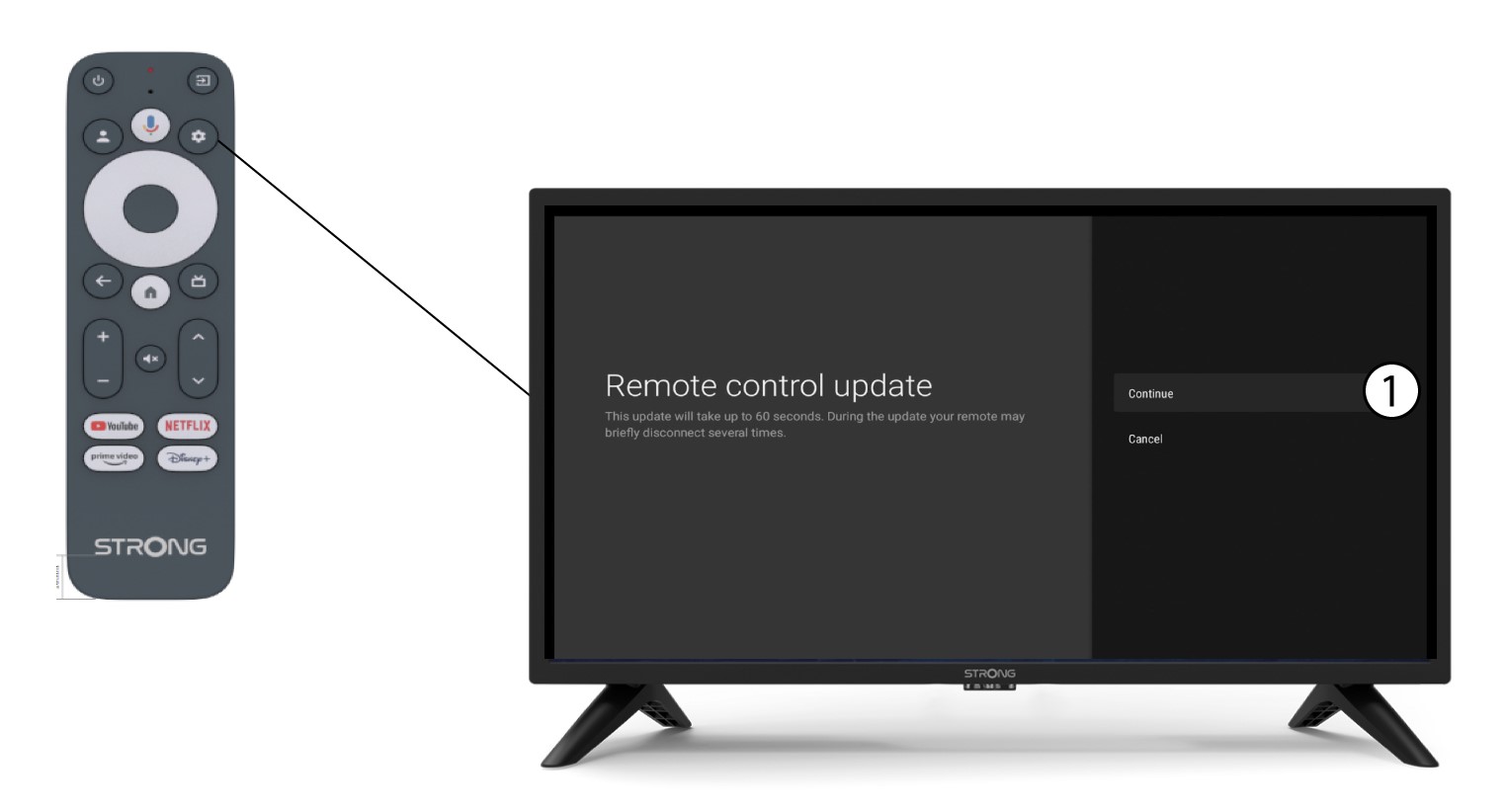
3. Potwierdźaktualizację
Kliknij „Kontynuuj”.
Poczekaj, aż aktualizacja się zakończy.