Nie znaleziono żadnych elementów.
4K GOOGLE TV BOX S3+ | DOLBY VISION ATMOS
Nie znaleziono żadnych elementów.
Wszystkie pytania
Nie znaleziono żadnych elementów.
4K GOOGLE TV BOX S3+ | DOLBY VISION ATMOS
Nie znaleziono żadnych elementów.
Jak przywrócić ustawienia fabryczne urządzenia LEAP S3?

Ostrzeżenie: Po przywróceniu ustawień fabrycznych urządzenia wszystkie aplikacje i ustawienia użytkownika zostaną usunięte. Konieczne będzie ponowne zainstalowanie wszystkich aplikacji od początku.
1.Włącz urządzenie
Włącz telewizor i urządzenie LEAP S3.
2. Przejdźdo menu „Ustawienia”
Naciśnij ikonę koła zębatego (przycisk „Ustawienia”) na pilocie. Następnie naciśnij przycisk OK na pilocie, aby otworzyć menu ustawień.

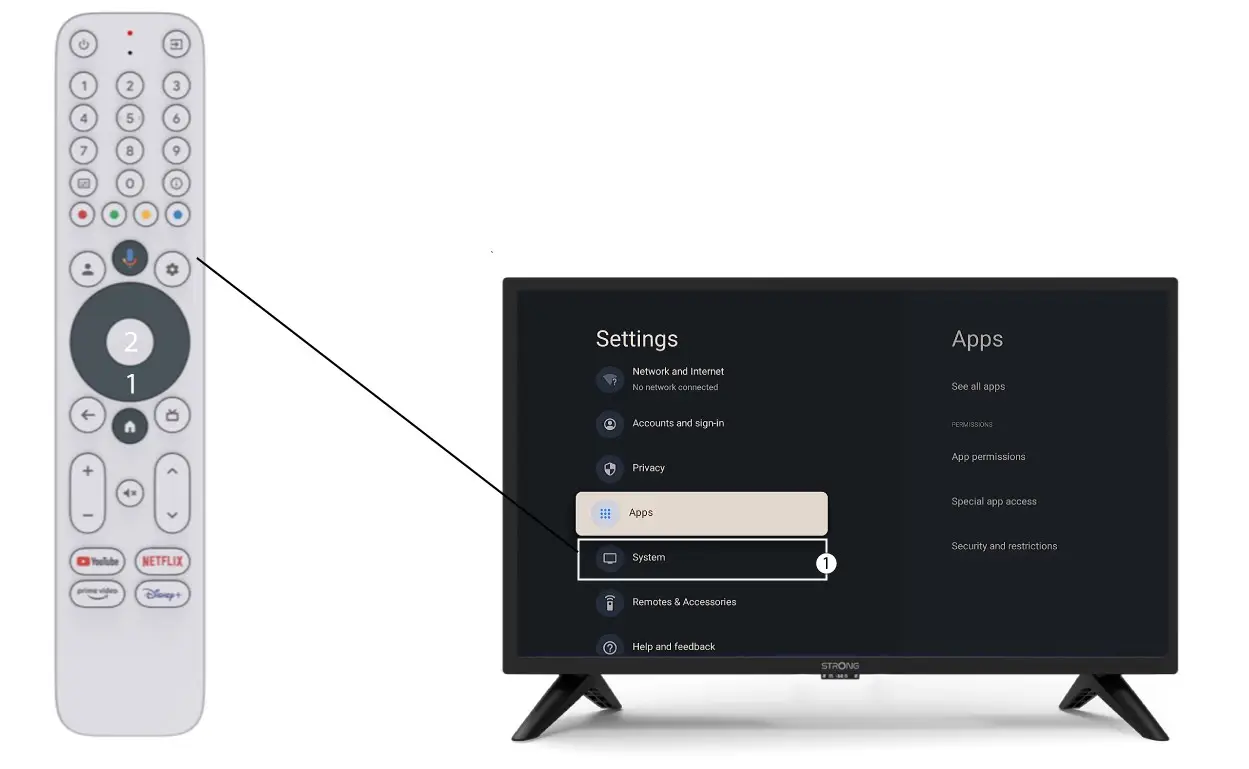
3. Ustawienia systemu
W menu „Ustawienia” wybierz opcję „System” i naciśnij przycisk OK.
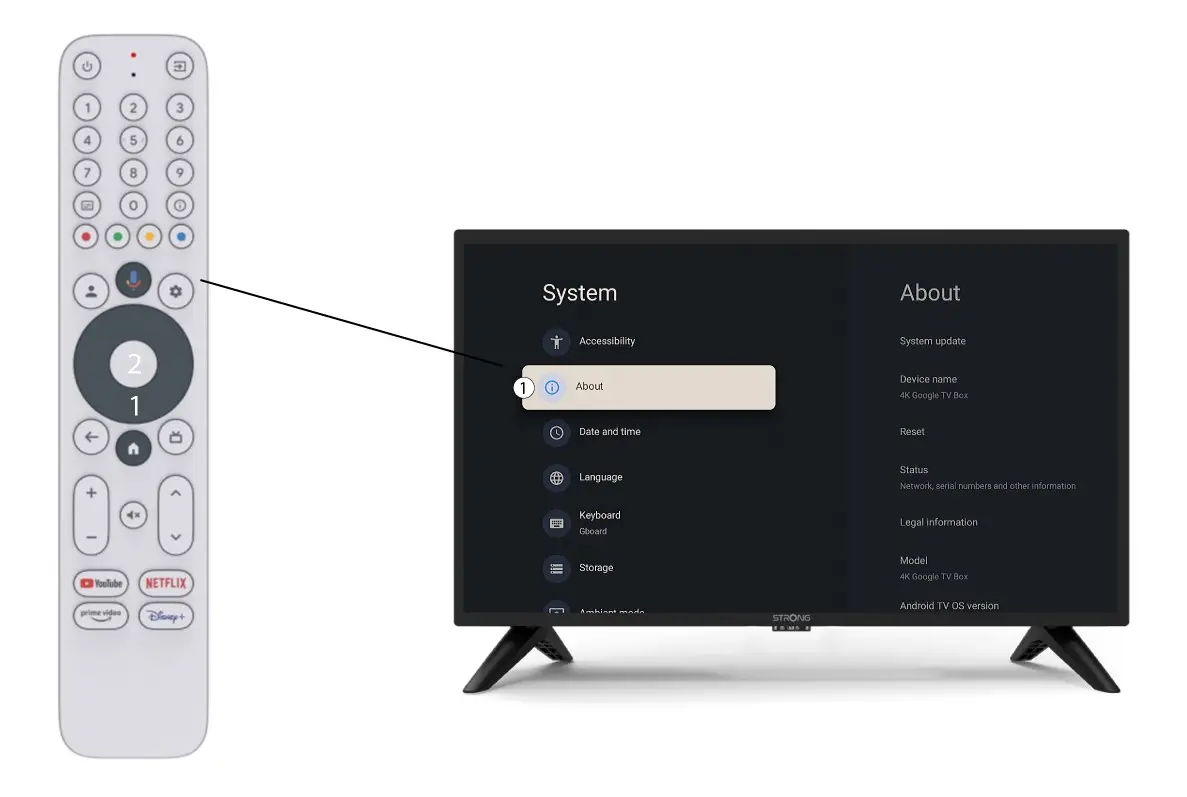
4O nas
Wybierz opcję „O programie” w menu „Ustawienia systemowe” i naciśnij przycisk OK na pilocie.
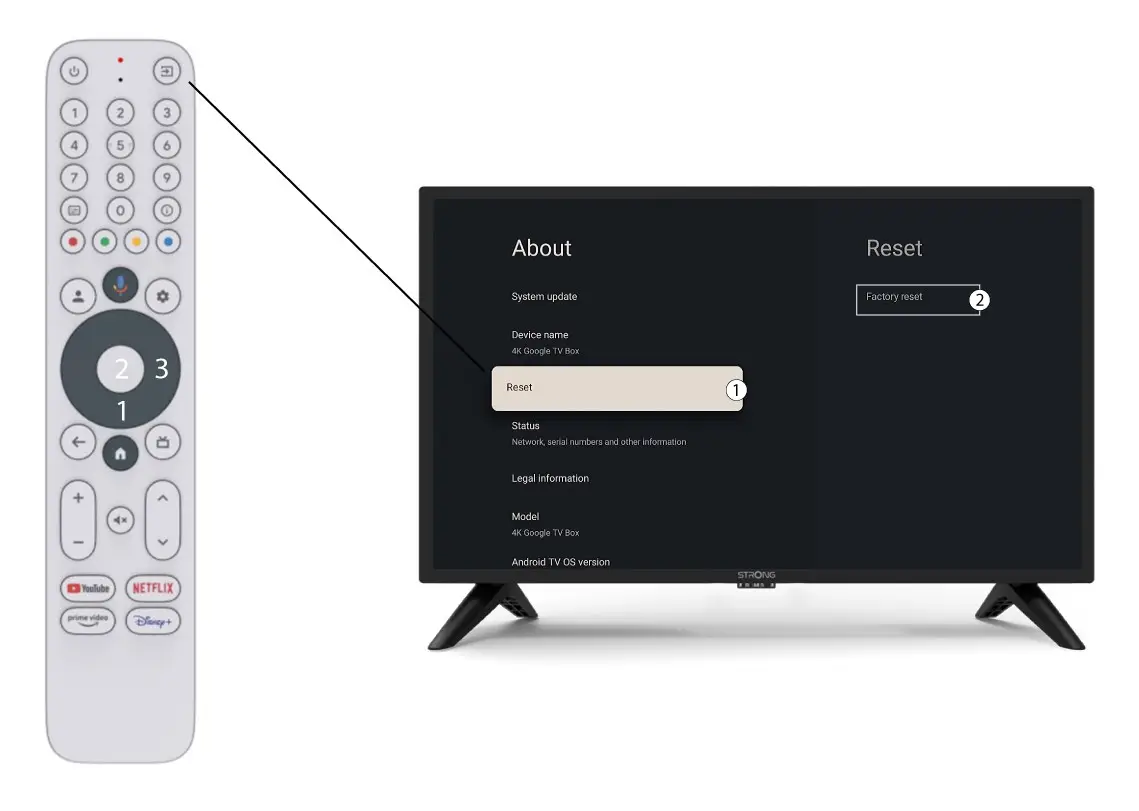
5. Przywrócenie ustawień fabrycznych
Wybierz opcję „Resetuj”, a następnie „Przywróć ustawienia fabryczne ” i naciśnij przycisk „OK”.