4K GOOGLE TV BOX S3+ | DOLBY VISION ATMOS
Wszystkie pytania
4K GOOGLE TV BOX S3+ | DOLBY VISION ATMOS
Podłączyłem klawiaturę AZERTY przez USB, ale jest ona rozpoznawana jako klawiatura QWERTY. Dlaczego?
Podłączyłem klawiaturę AZERTY przez USB, ale jest ona rozpoznawana jako klawiatura QWERTY. Dlaczego?

Ostrzeżenie: Należy pamiętać, że listę obsługiwanych układów klawiatury dla klawiatur zewnętrznych określa firma Google. W związku z tym Twój układ klawiatury może nie być obsługiwany. W takim przypadku zalecamy skontaktowanie się z producentem klawiatury w celu sprawdzenia, czy dostępna jest aplikacja, która zapewniłaby kompatybilność Twojej klawiatury.
1.Włącz urządzenie
Włącz telewizor i urządzenie LEAP S3.
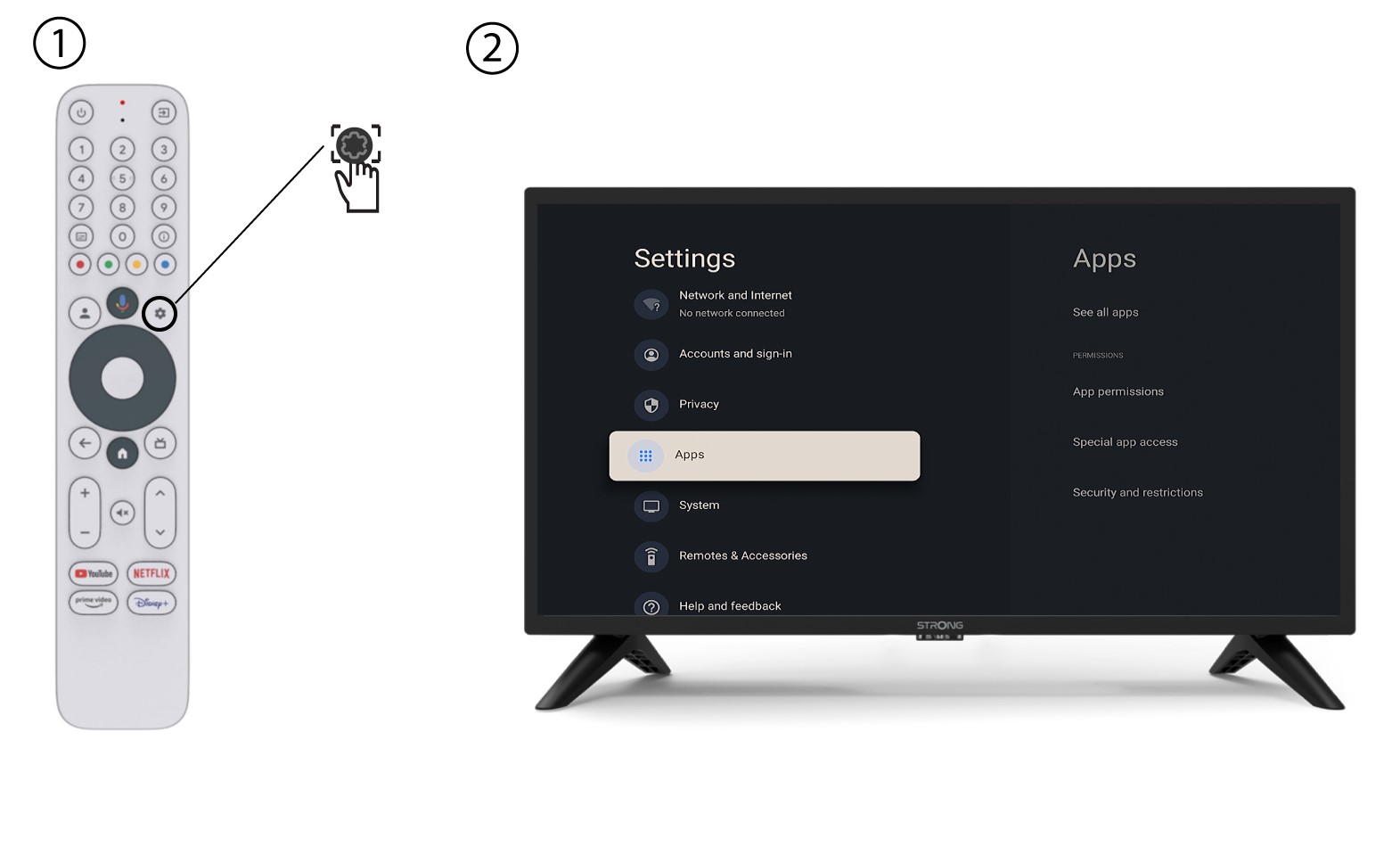
2. Menu ustawień
Naciśnij przycisk „Ustawienia” na pilocie (ikona koła zębatego). Na ekranie telewizora wyświetli się menu „Ustawienia”.
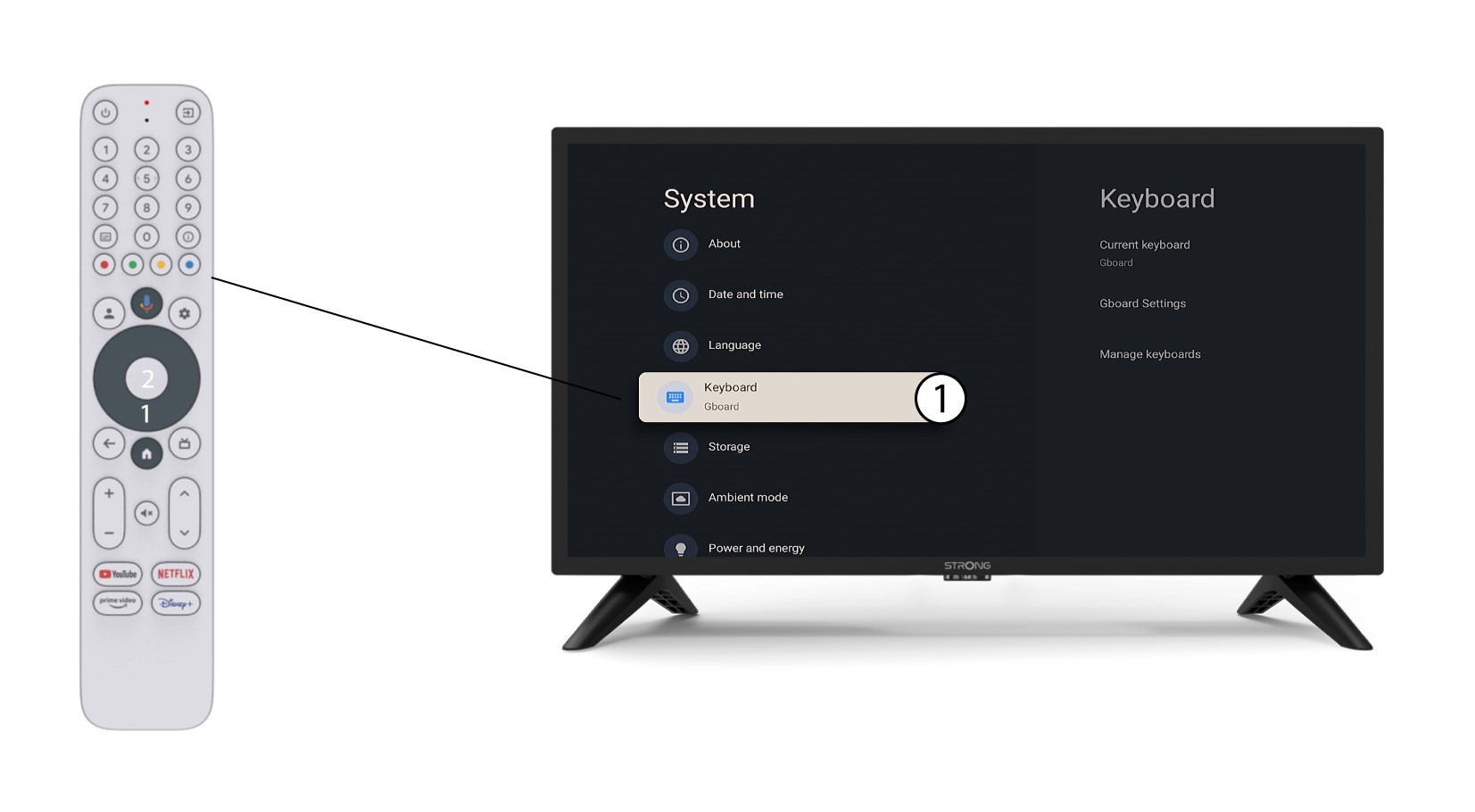
3. Ustawienia klawiatury
Wybierz opcję „Klawiatura”w menu „Ustawienia” i naciśnij przycisk „OK” na pilocie.
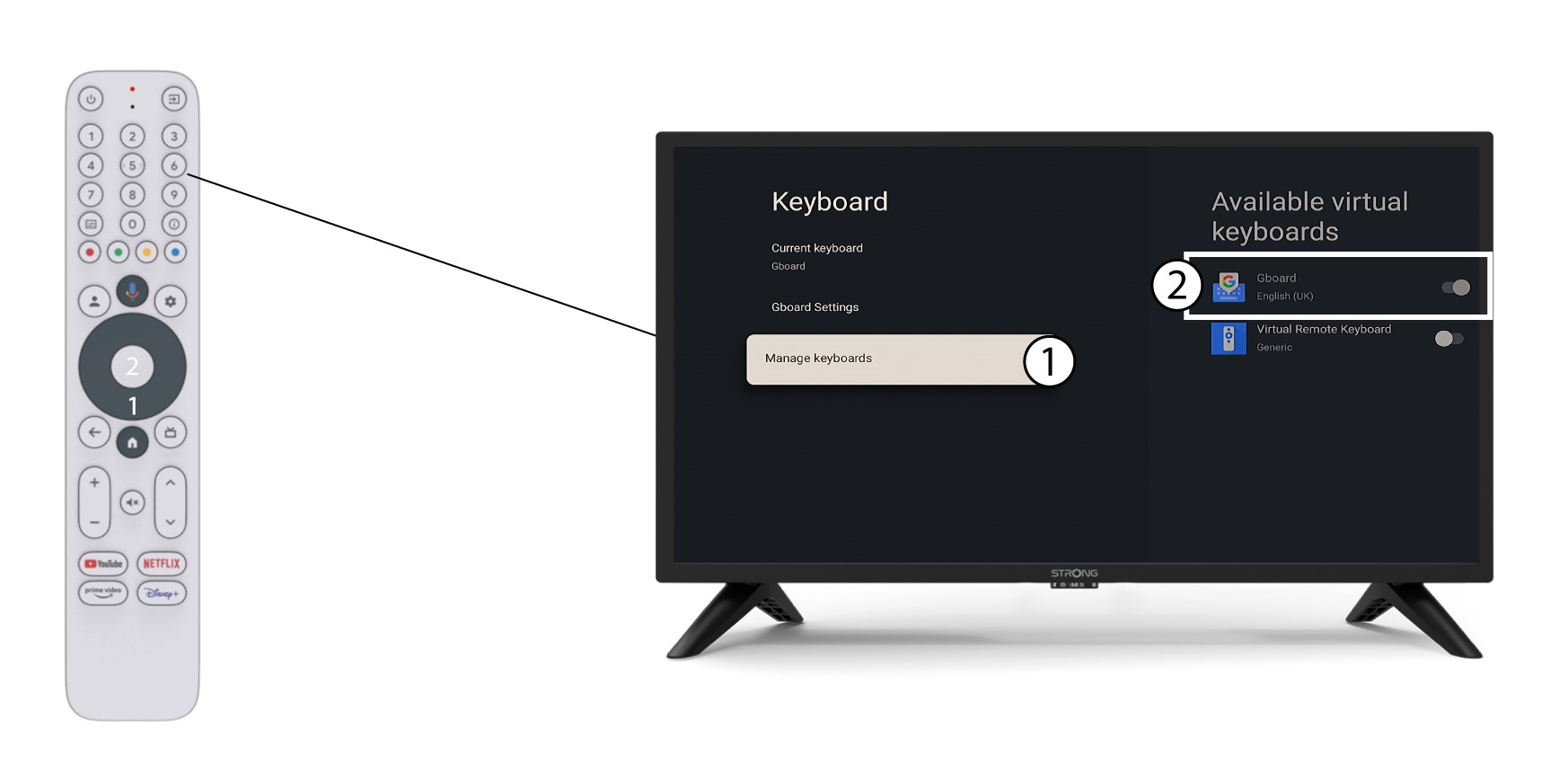
4Manage– klawiatura
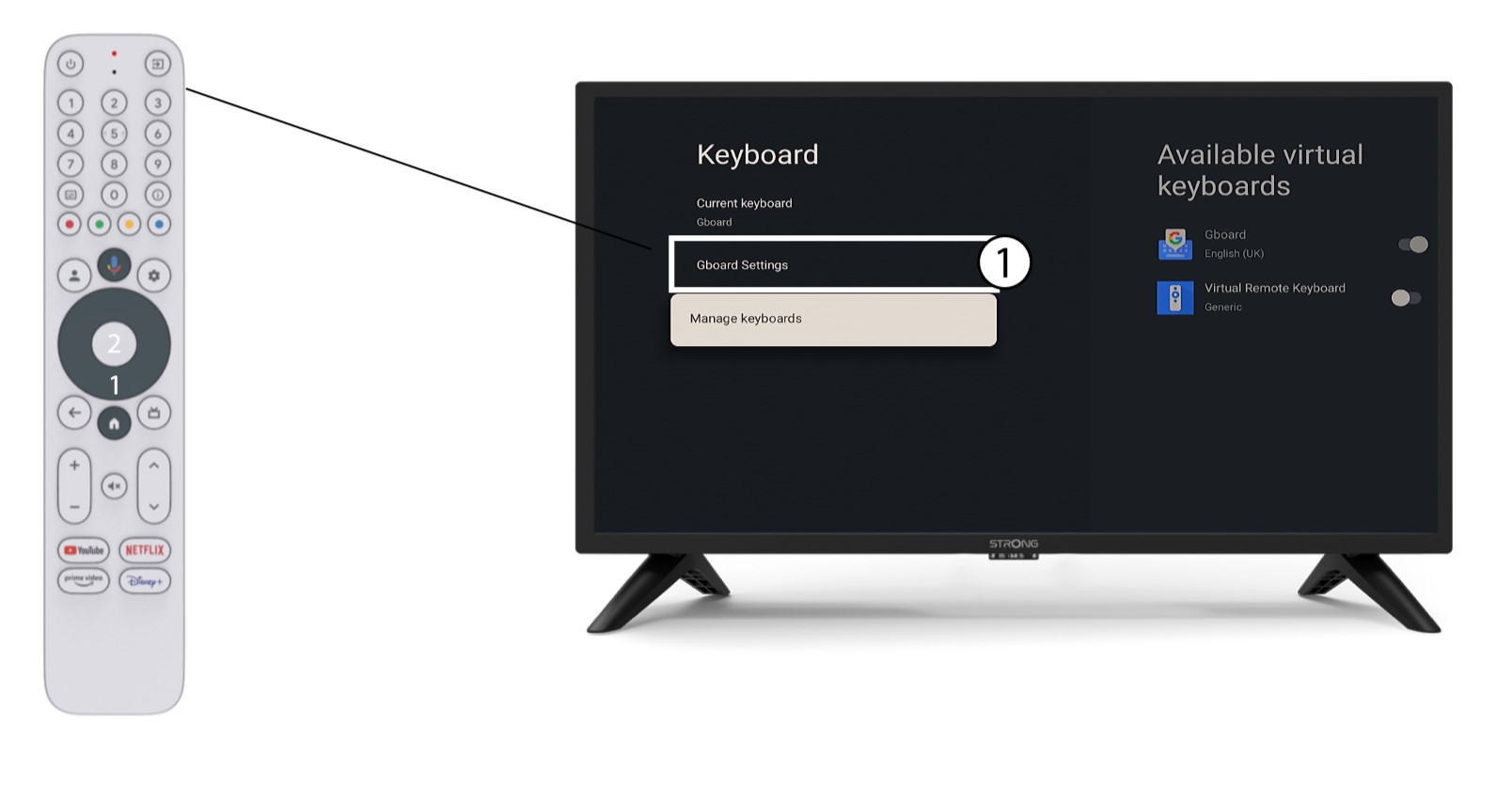
Kliknij opcję „Zarządzaj klawiaturą”. Następnie kliknij przycisk przełączający, aby ją wyłączyć.
Ustawienia 5Gboard
Kliknij „Ustawienia Gboard”, wybierz język i naciśnij „OK”.
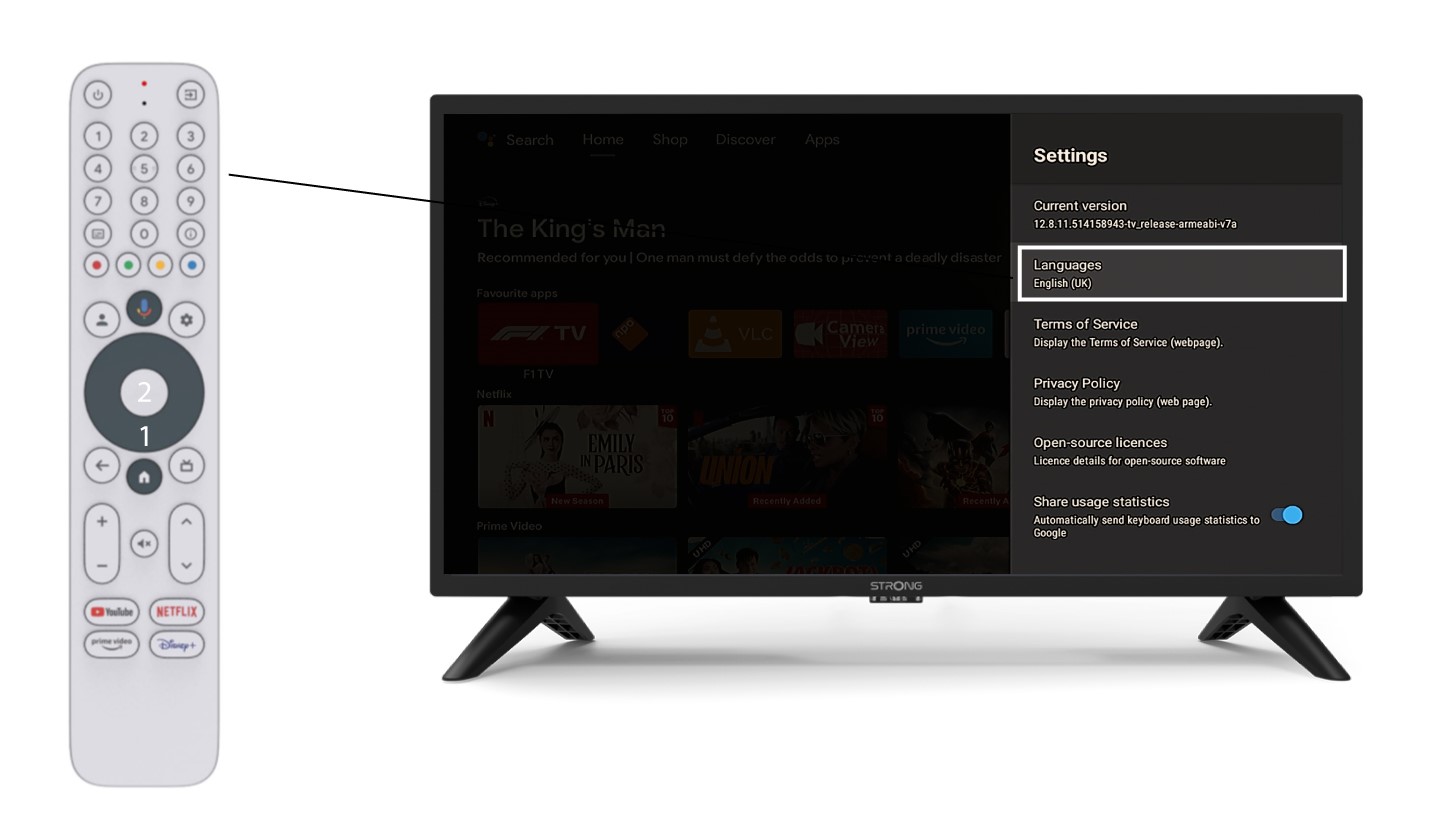
6. Ustawienia językowe
Kliknij opcję „Języki” w sekcji „Ustawienia” i wybierz odpowiednią opcję