
Powerline 1000 Duo Wi-Fi FR V2
Todas as perguntas
Powerline 1000 Duo Wi-Fi FR V2
Posso desativar a função Wi-Fi do módulo Wi-Fi para que funcione como um simples « Powerline »?
Sim, é possível desativar o Wi-Fi. Para tal, siga os passos abaixo.
1. Ligue-seà rede Wi-Fi « powerline »
Ligue-se à rede Wi-Fi do Powerline.
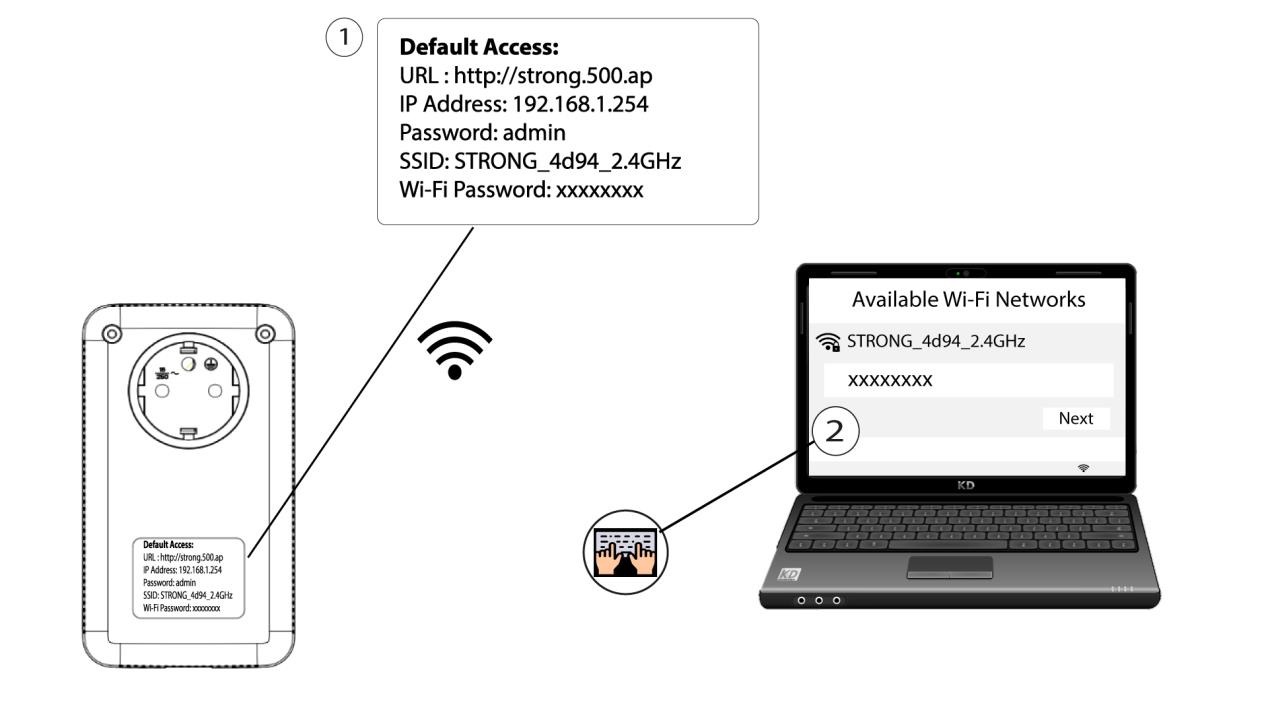
2. Acedaao endereço IP da interface de utilizador web
Ligue-se à interface de utilizador do módulo Wi-Fi Powerline através de Wi-Fi ou digitando http://strong.500.ap na barra de endereços do seu navegador de Internet; a interface deverá aparecer.

3Introduzaas credenciais
Quando estiver na página inicial, introduza a palavra-passe: admin

4. Configurações de WLAN
Clique em «Definições de WLAN » e, em seguida, selecione «Definições básicas».

5. Desativaro Wi-Fi
Desmarque a caixa de seleção «Ativar» na linha «Sem fios», de acordo com as suas necessidades, e clique em «Guardar».


Tenha em atenção que, para reativar o Wi-Fi através da interface de utilizador do módulo, terá de estabelecer ligação através de um cabo RJ45. A outra solução para reativar o Wi-Fi consiste em reiniciar o Wi-Fi « Powerline » utilizando um clipe de papel até os LEDs começarem a piscar. Todos os dispositivos que estavam ligados à rede Wi-Fi « powerline » serão automaticamente desligados.