Nenhum item encontrado.
4K GOOGLE TV BOX S3+ | DOLBY VISION ATMOS
Nenhum item encontrado.
Todas as perguntas
Nenhum item encontrado.
4K GOOGLE TV BOX S3+ | DOLBY VISION ATMOS
Nenhum item encontrado.
Como posso adicionar ou reorganizar uma aplicação no ecrã inicial?
1Caso1: Adicionar uma aplicação
Para adicionar uma aplicação ao ecrã inicial, aceda ao botão «Adicionar aplicações», localizado no final da lista de aplicações já presentes no ecrã inicial, e prima «OK».
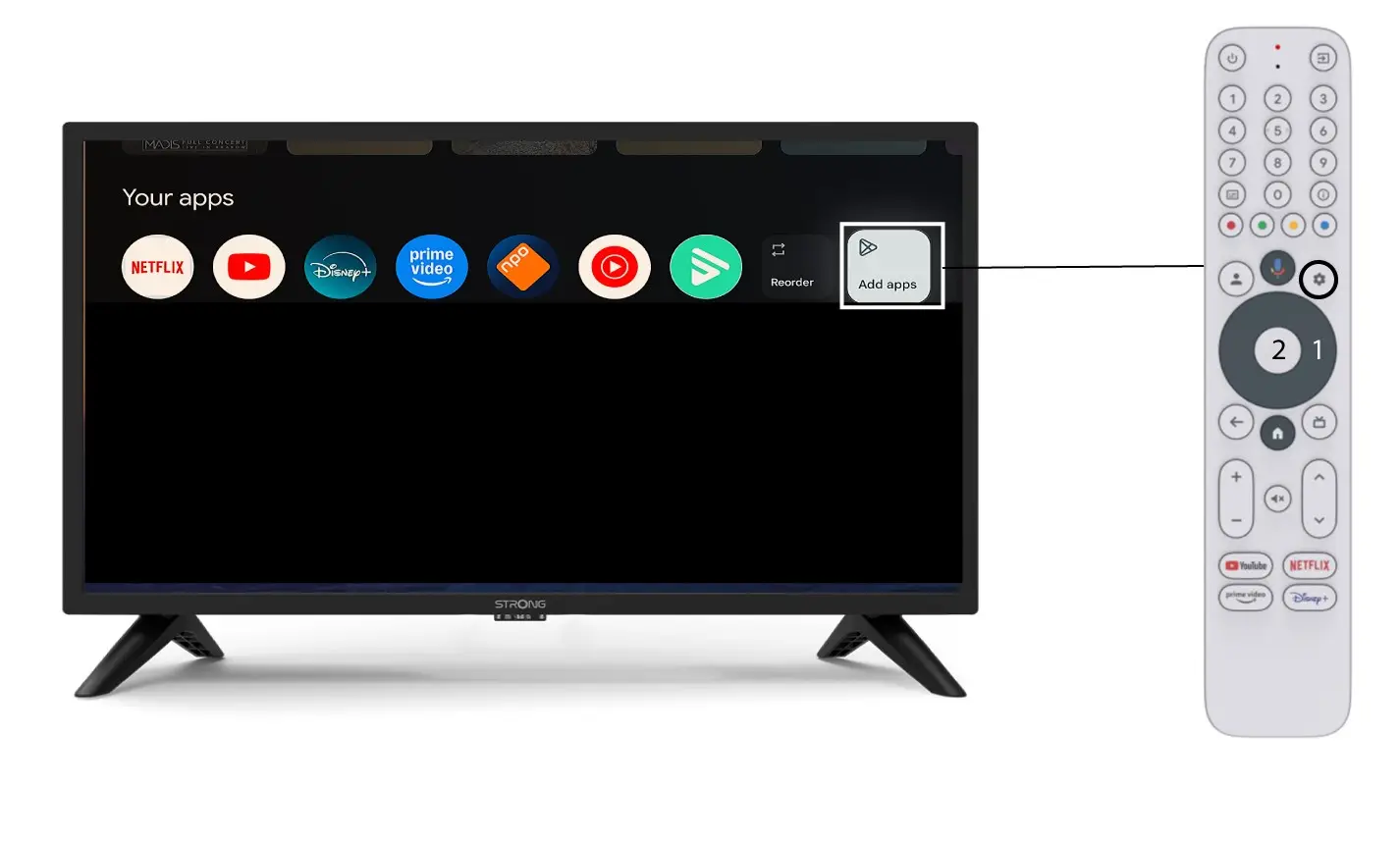
2. Lista de aplicações
Em seguida, abre-se a lista de aplicações; selecione a aplicação que desejar e prima o botão OK do seu comando.
Tenha em atenção que não é possível remover aplicações dos favoritos. Terá de desinstalar a aplicação se quiser que ela desapareça desta página.

3Caso2: Reorganização de aplicações
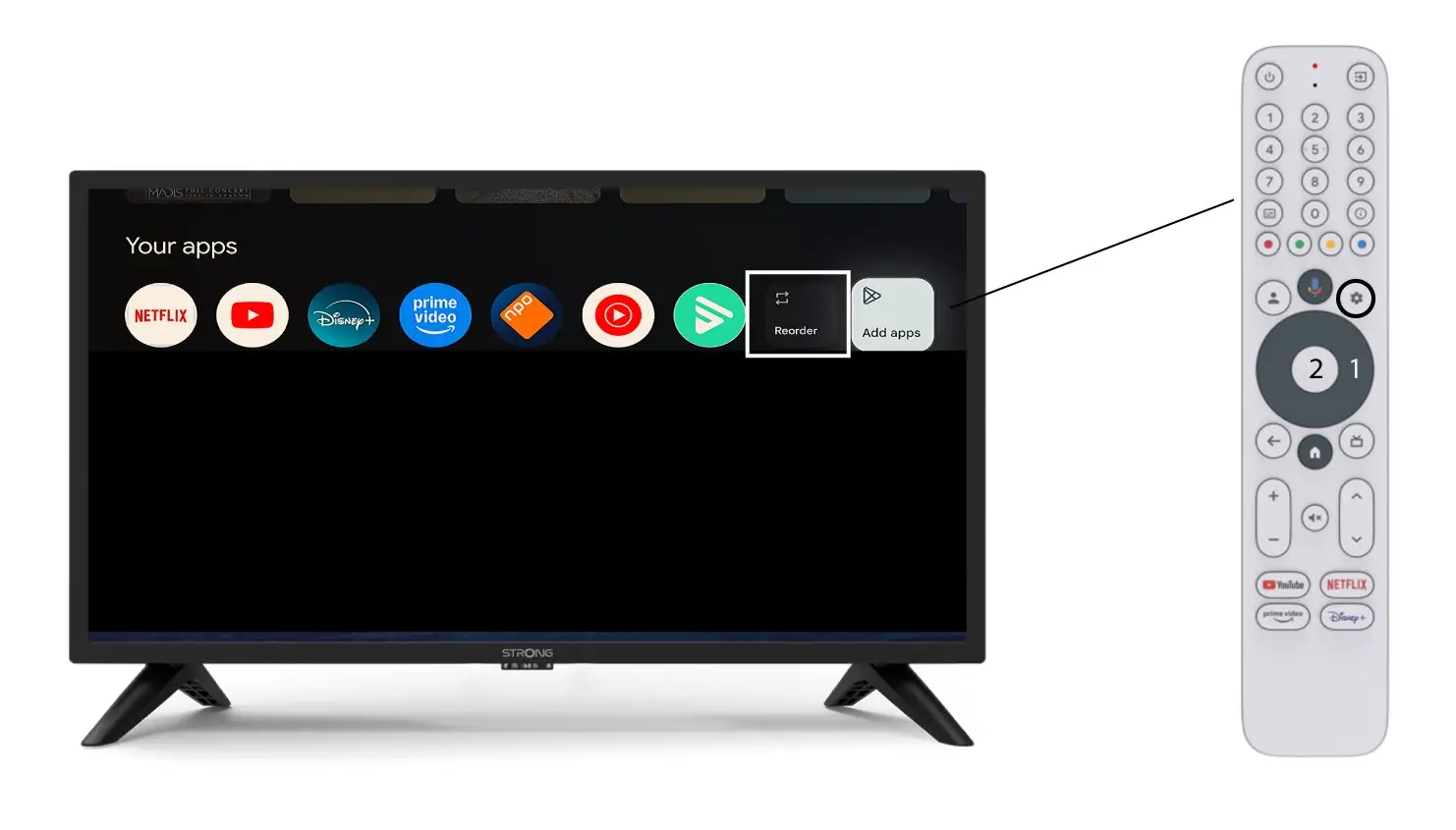
Para alterar a ordem das aplicações apresentadas na página inicial, clique em «Reordenar».