
Wi-Fi 4G+ AIRSPOT 510
Nenhum item encontrado.
Nenhum item encontrado.
Todas as perguntas
Wi-Fi 4G+ AIRSPOT 510
Nenhum item encontrado.
Nenhum item encontrado.
Como é que altero a palavra-passe de administrador?
1. Acederà interface de utilizador web
Para aceder à interface de utilizador web, consulte «Como posso aceder à interface de utilizador web?».
2Acedaàs definições de palavra-passe
Na secção «Gestão », clique em «Definições do sistema » e em «Alterar palavra-passe».
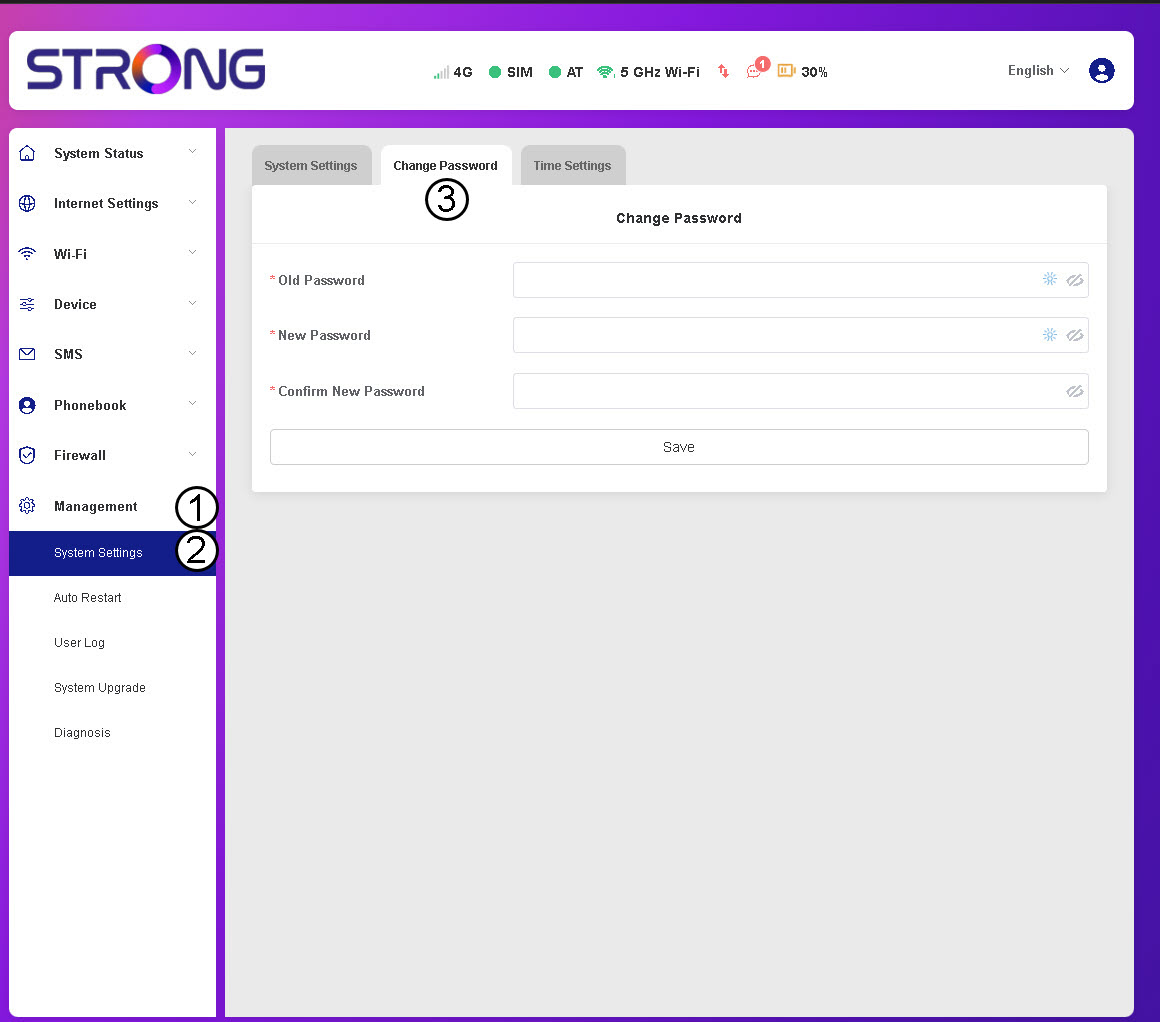
3. Introduziros dados da palavra-passe
Em seguida, introduza as seguintes informações antes de clicar em «Guardar»:
- Palavra-passe antiga: Introduza a sua palavra-passe atual.
- Nova palavra-passe: Introduza uma palavra-passe com, pelo menos, 8 caracteres e que inclua uma combinação de letras maiúsculas, minúsculas, números e caracteres especiais. Apenas são permitidos os seguintes caracteres especiais: @$%*&.
- Confirmar nova palavra-passe: Introduza a mesma palavra-passe que no campo anterior.


AVISO: Se se esqueceu da sua palavra-passe atual, terá de repositar o dispositivo para as predefinições de fábrica.