LEAP 41 | Google TV 4K com HDR10+
Todas as perguntas
LEAP 41 | Google TV 4K com HDR10+
Como posso reconfigurar as definições de volume do meu SRT 41 quando o nível de volume está demasiado baixo?
Dicas: Se o nível de volume do seu SRT 41 estiver demasiado baixo, pode seguir o procedimento abaixo para reiniciar os parâmetros do seu SRT 41. Durante a instalação do seu SRT 41, pode configurar o controlo de volume para ser gerido pelo HDMI-CEC. Quando esta opção está ativada, o comando do seu SRT 41 pode ser utilizado para ajustar o nível de volume da sua televisão. Pode ativar ou desativar esta funcionalidade nas definições de ecrã e som da sua televisão. O nível de volume predefinido do seu SRT 41 está configurado para um determinado valor, que pode ser demasiado baixo. Se o volume for
demasiado baixo, é melhor desativar esta opção. Como pode ativar ou desativar esta funcionalidade?
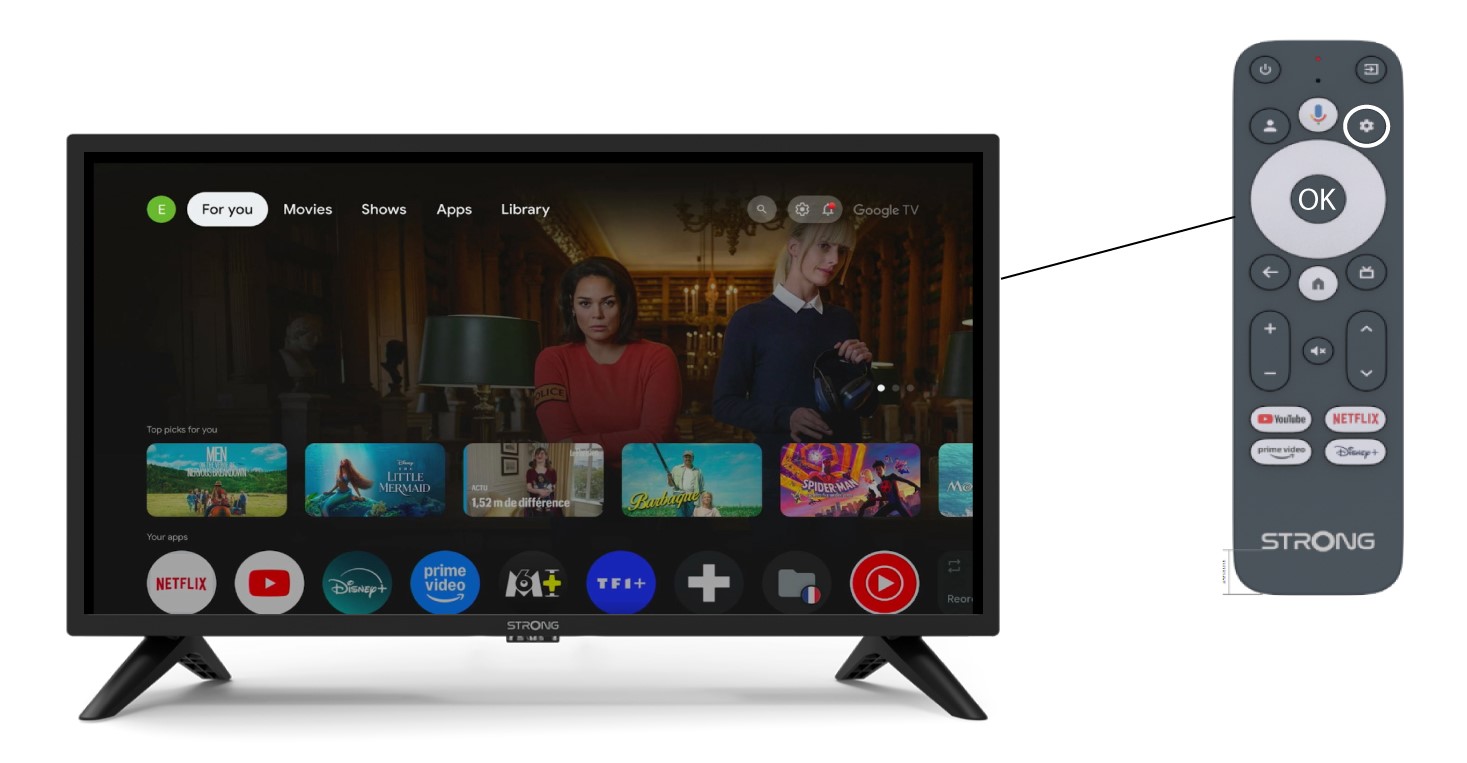
1Definições
Neste caso, prima o botão «Definições» no seu comando Google e prima «OK».
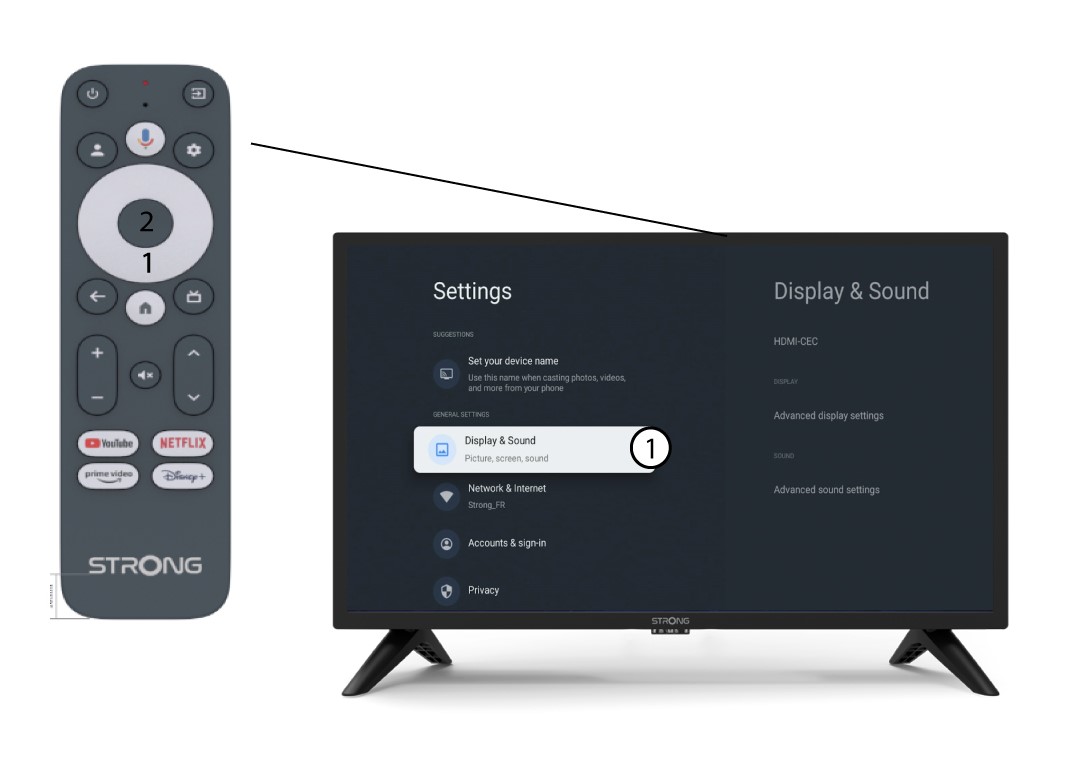
2. Ecrãe som
Na página «Definições» que aparece no ecrã, selecione «Ecrã e som».
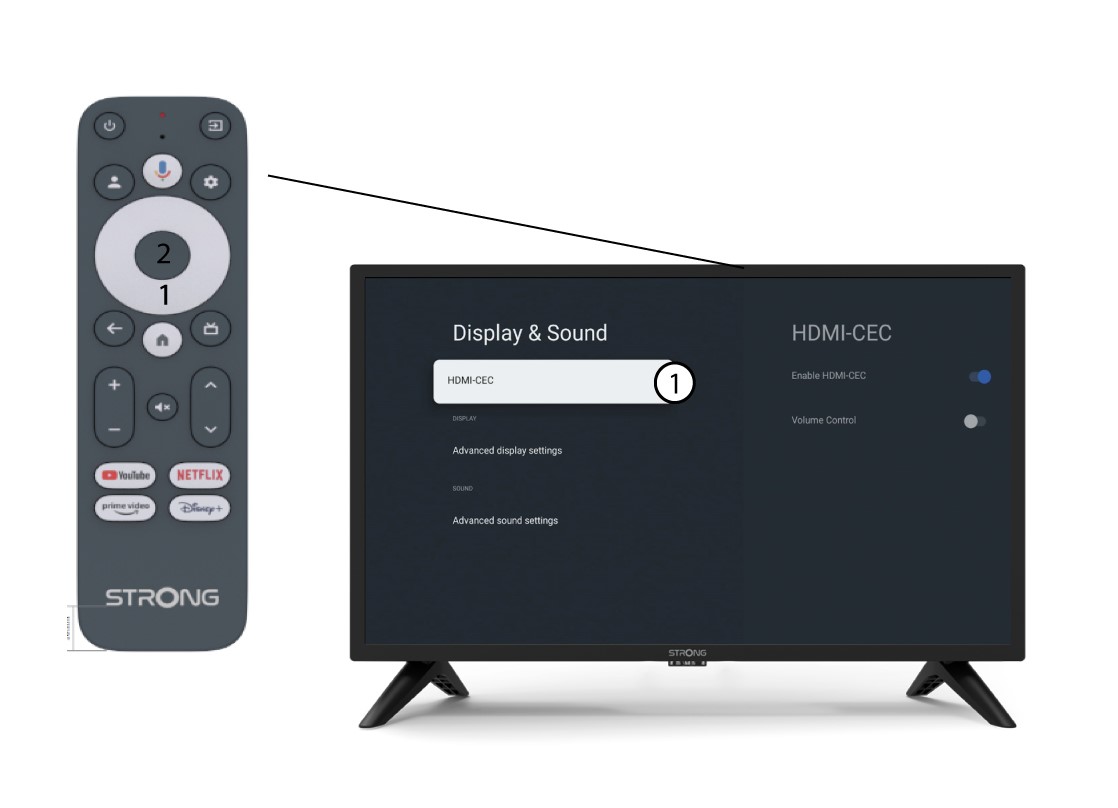
3 HDMICEC
Em seguida, prima o botão de navegação direito e selecione «HDMI-CEC».
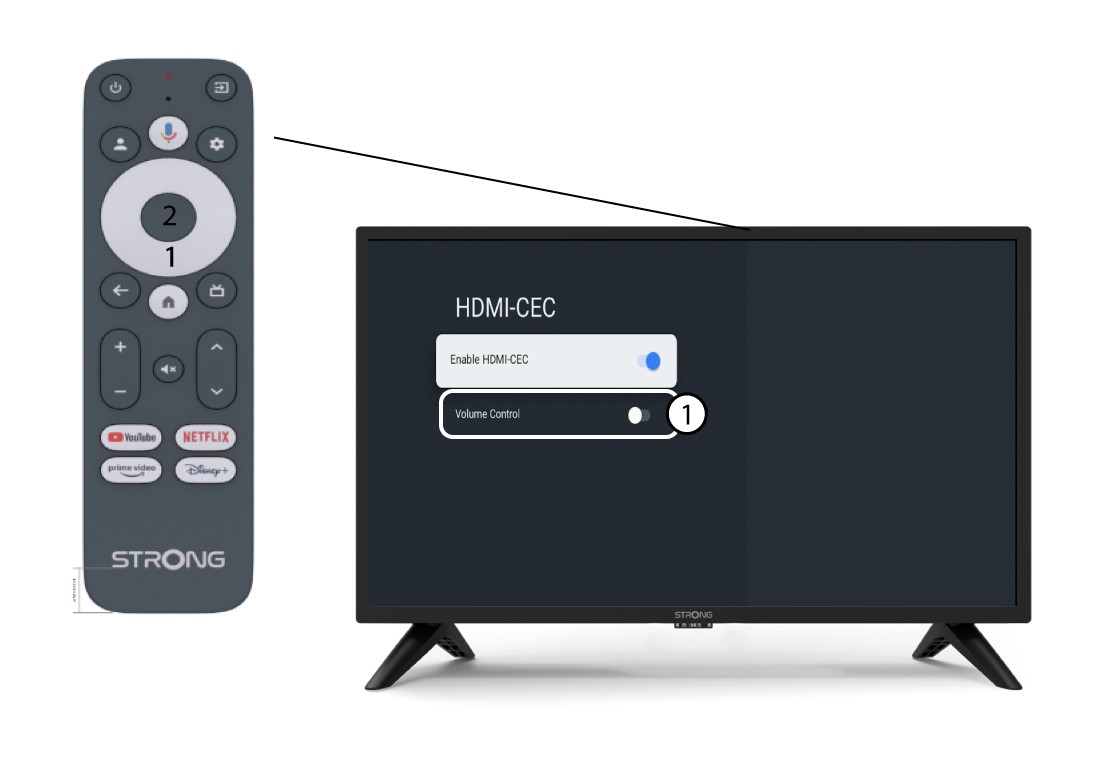
4. Controlo de volume
Selecione«Controlo de volume» e prima o botão OK para des switch ar esta funcionalidade.
5 Ecrã inicial
Prima o botão HOME para voltar ao ecrã inicial.
O ajuste do volume já pode voltar a ser feito com o comando à distância do SRT 41.