
Wi-Fi 4G+ AIRSPOT 520 com ecrã tátil
Nenhum item encontrado.
Nenhum item encontrado.
Todas as perguntas
Wi-Fi 4G+ AIRSPOT 520 com ecrã tátil
Nenhum item encontrado.
Nenhum item encontrado.
Como posso repor o meu router para as definições de fábrica? (Botão de reinicialização)
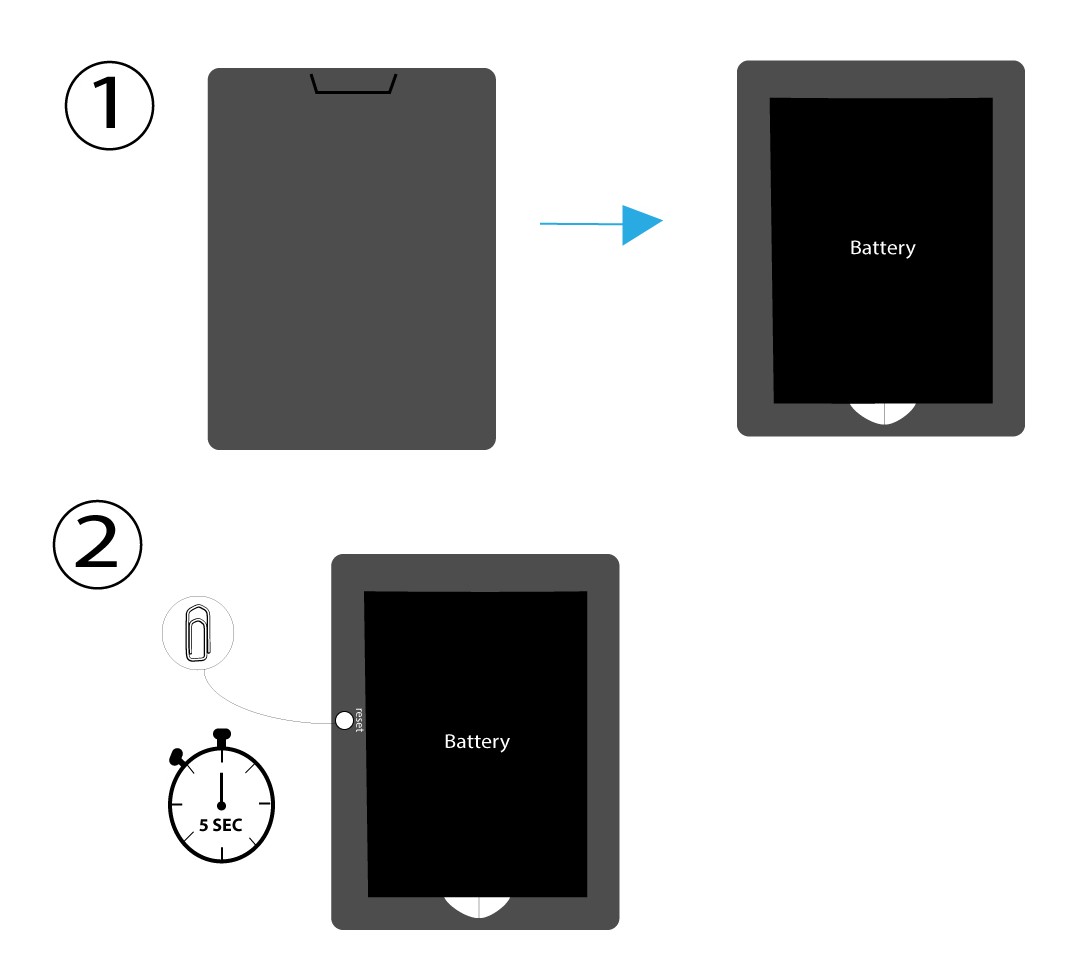
CASO 1: Botão de reinicialização
Para tal, retire a tampa na parte traseira do router e pressione o botão RESET durante 5 segundos com um clipe de papel.
CASO 2: Reposição das configurações de fábrica na interface de utilizador web
1. Reposição às predefinições de fábricana interface de utilizador web
Siga os passos aqui indicados para se ligar à interface de utilizador web: Como posso aceder à interface de utilizador web?
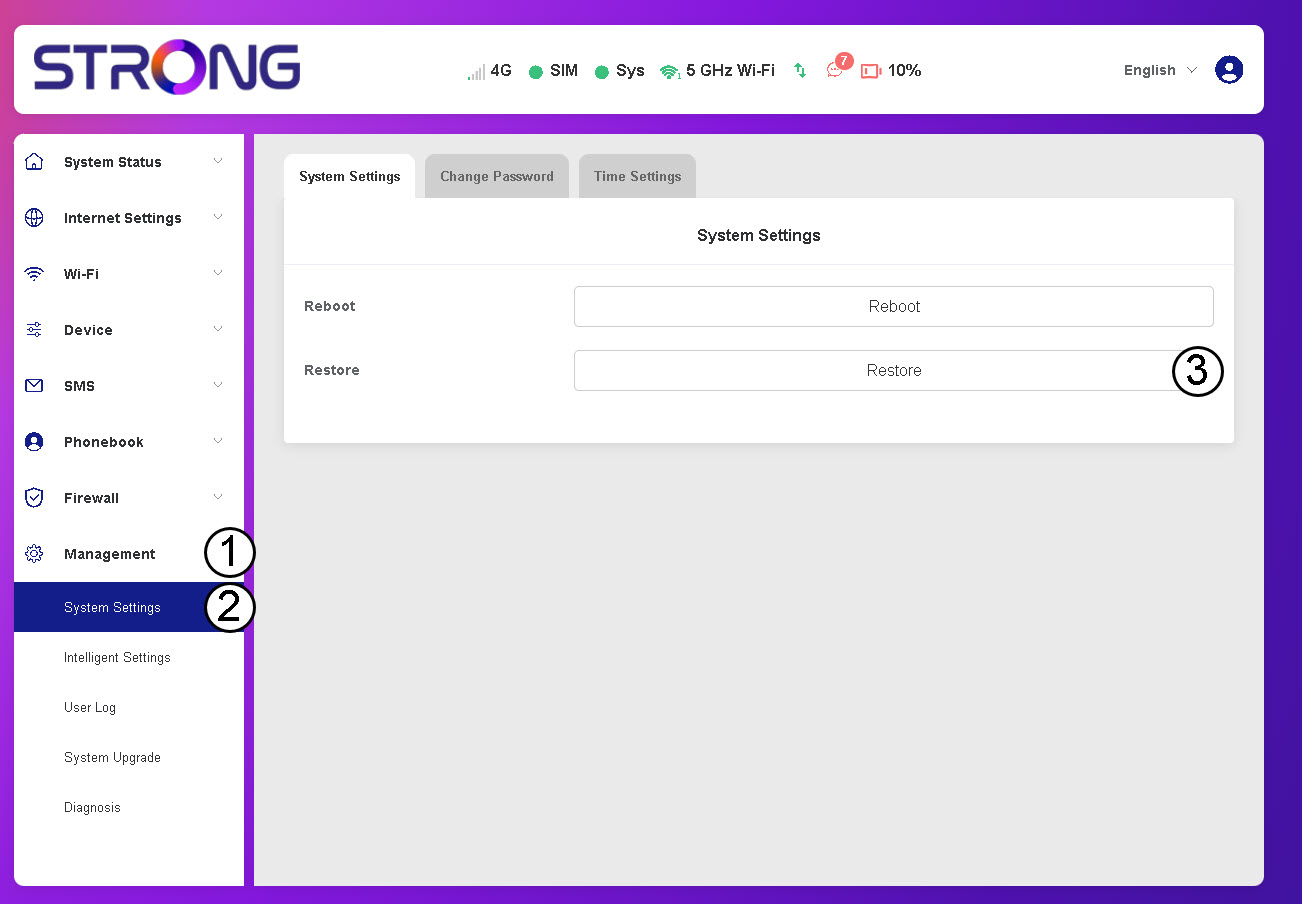
2. Acedaà opção «Restaurar»
Clique em «Gestão», «Definições do sistema » e«Restaurar».
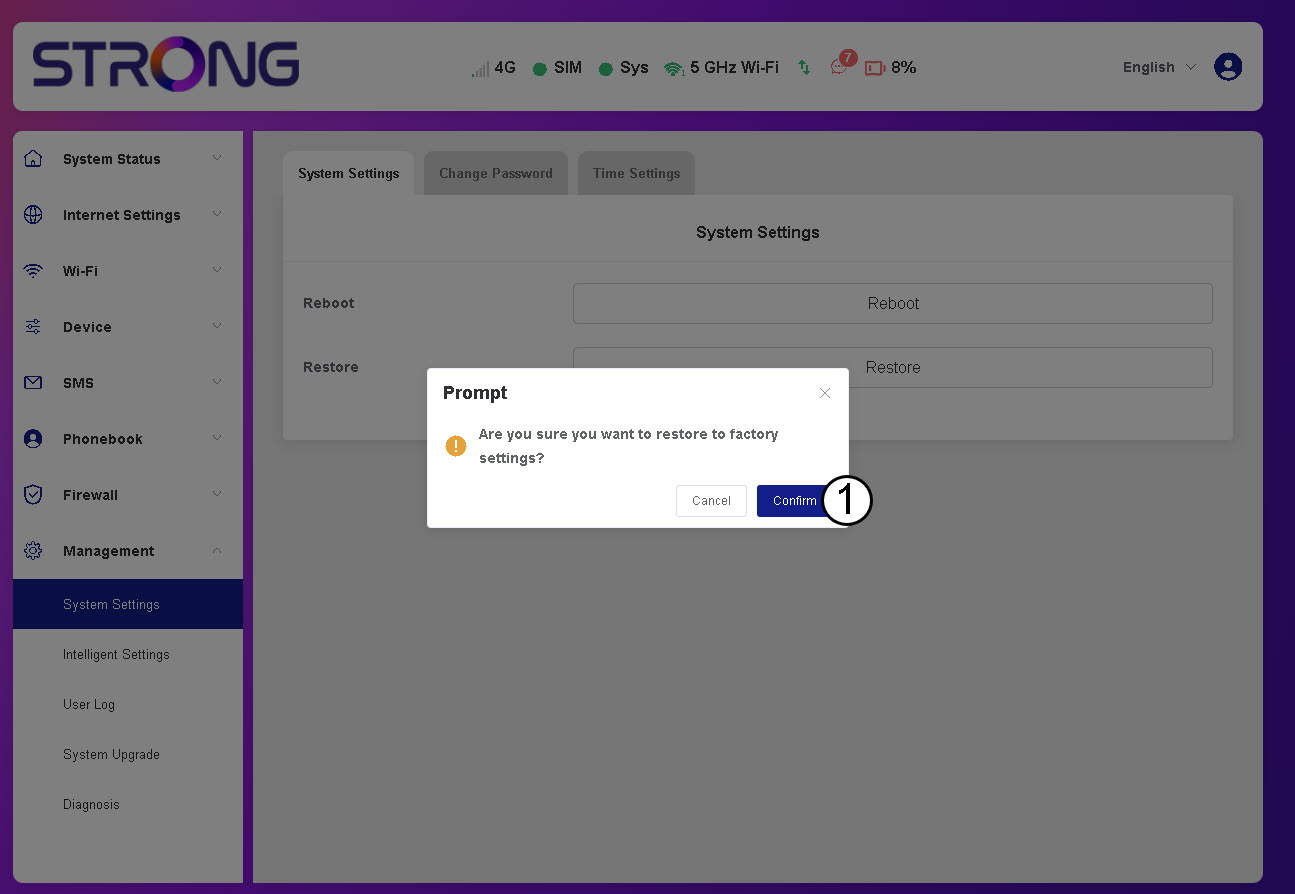
3. Clique em«Confirmar»
4. Aguardeaté que o router reinicie
Por favor, aguarde: o router vai desligar-se e voltar a ligar-se assim que o processo estiver concluído.
CASO 3: Botão de reinicialização