Powerline 1000 Duo Wi-Fi EU V2
Todas as perguntas
Powerline 1000 Duo Wi-Fi EU V2
Por que é que a minha rede Wi-Fi de 2,4 GHz está a sofrer interrupções e de que forma pode ajudar mudar o canal para o 1, o 6 ou o 11?

As interrupções na sua ligação Wi-Fi de 2,4 GHz devem-se frequentemente a interferências. Esta banda de frequência é habitualmente utilizada por vários dispositivos, tais como micro-ondas, telefones sem fios e monitores para bebés, bem como por muitas redes Wi-Fi. Quando vários dispositivos funcionam nos mesmos canais ou em canais sobrepostos, podem ocorrer interferências, o que leva a velocidades mais lentas, quedas de ligação e outros problemas de desempenho.
Para minimizar a interferência, recomendamos que altere o canal Wi-Fi para o 1, o 6 ou o 11. Estes canais estão suficientemente afastados uns dos outros para evitar sobreposições, o que reduz as hipóteses de interferência proveniente de outras redes e dispositivos que estejam a funcionar nas proximidades. Ao selecionar um destes canais, poderá melhorar a estabilidade e o desempenho da sua ligação Wi-Fi.
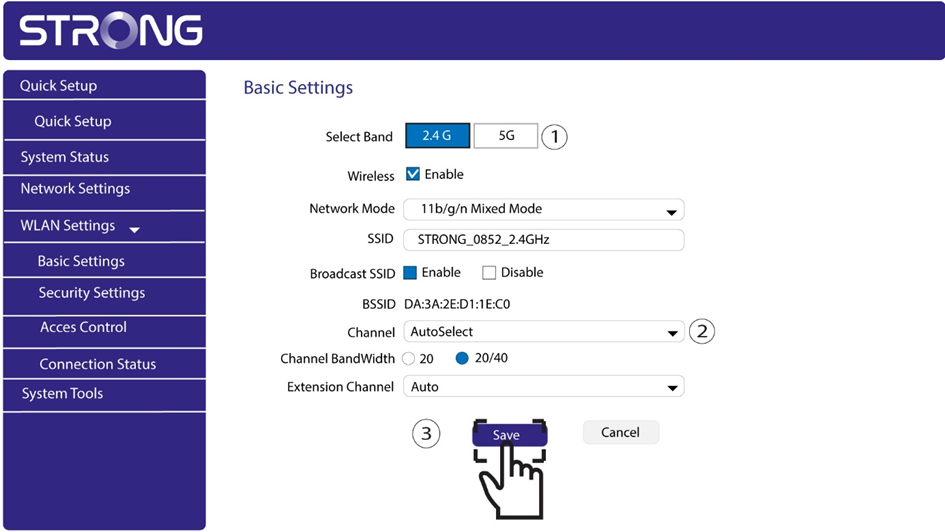
Para alterar o canal, aceda às definições do seu dispositivo Wi-Fi Powerline através da sua interface web. Procure a secção «Definições de WLAN > Definições básicas» e selecione o canal 1, 6 ou 11.
1Ligar-seà rede Wi-Fi
Para tal, introduza o SSID e a palavra-passe do router no seu dispositivo.
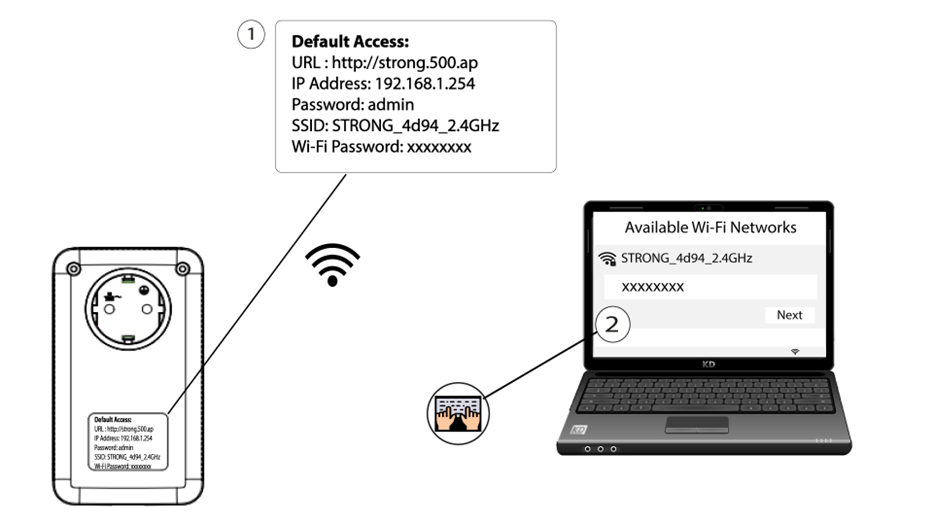
2Introduzao endereço IP da interface de utilizador web
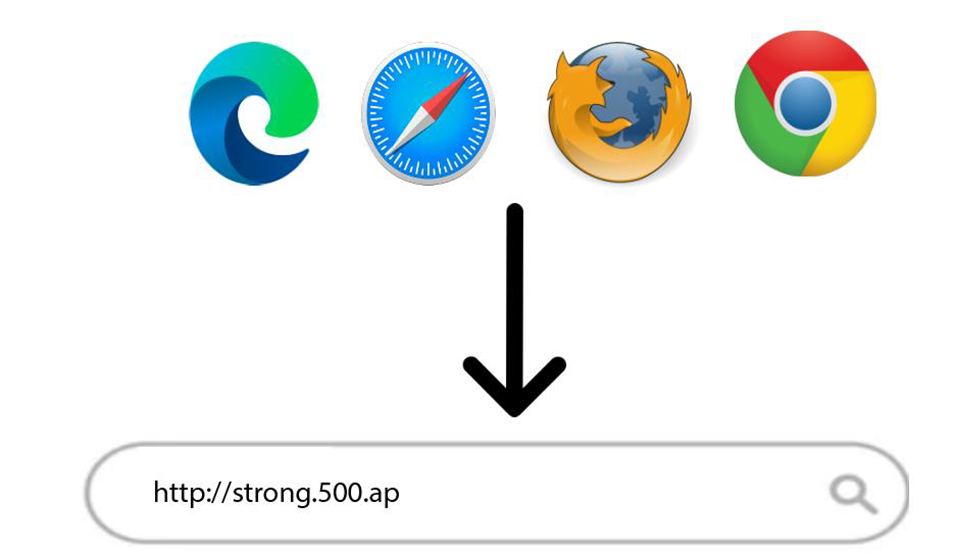
Em seguida, introduza o seguinte endereço IP no seu navegador: http://strong.500.ap
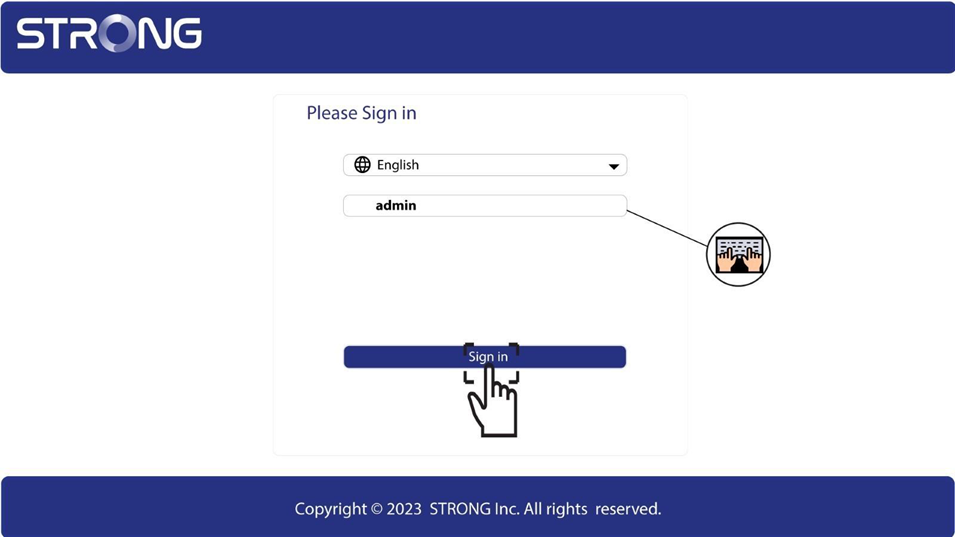
3 Página de início de sessão
Depois de aceder ao endereço IP, clique e introduza o nome de utilizador (admin). Em seguida, clique em «Iniciar sessão».
4. Configurações de WLAN
Clique em «Definições de WLAN» e em «Definições básicas».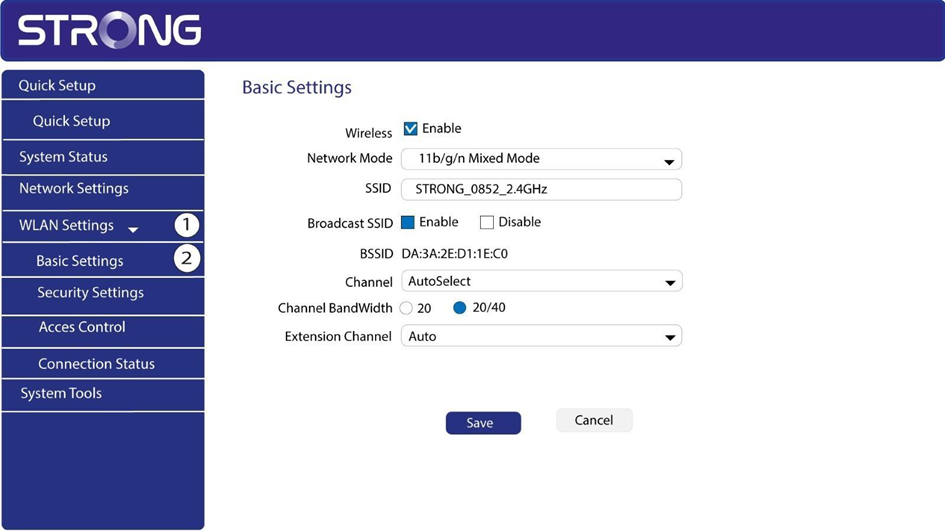
5Selecionea banda de rede
Selecione a banda de rede entre 2,4 G e 5 G. Em seguida, selecione o canal na lista suspensa (1, 6 ou 11) e clique em «Guardar».