
ATRIA Wi-Fi 5 Mesh 2100 (add-on)
Všetky otázky
ATRIA Wi-Fi 5 Mesh 2100 (add-on)
Môžem v sieti „ Mesh “ nakonfigurovať sieť pre hostí?
Áno, v sieti typu „ Mesh “ môžete nakonfigurovať sieť pre hostí. Existujú na to dva spôsoby:
1PRÍPAD1: Webové používateľské rozhranie:
Ak sa chcete pripojiť k webovému používateľskému rozhraniu, postupujte podľa nasledujúcich pokynov: Ako sa prihlásim do webového používateľského rozhrania?
2Sieť pre hostí
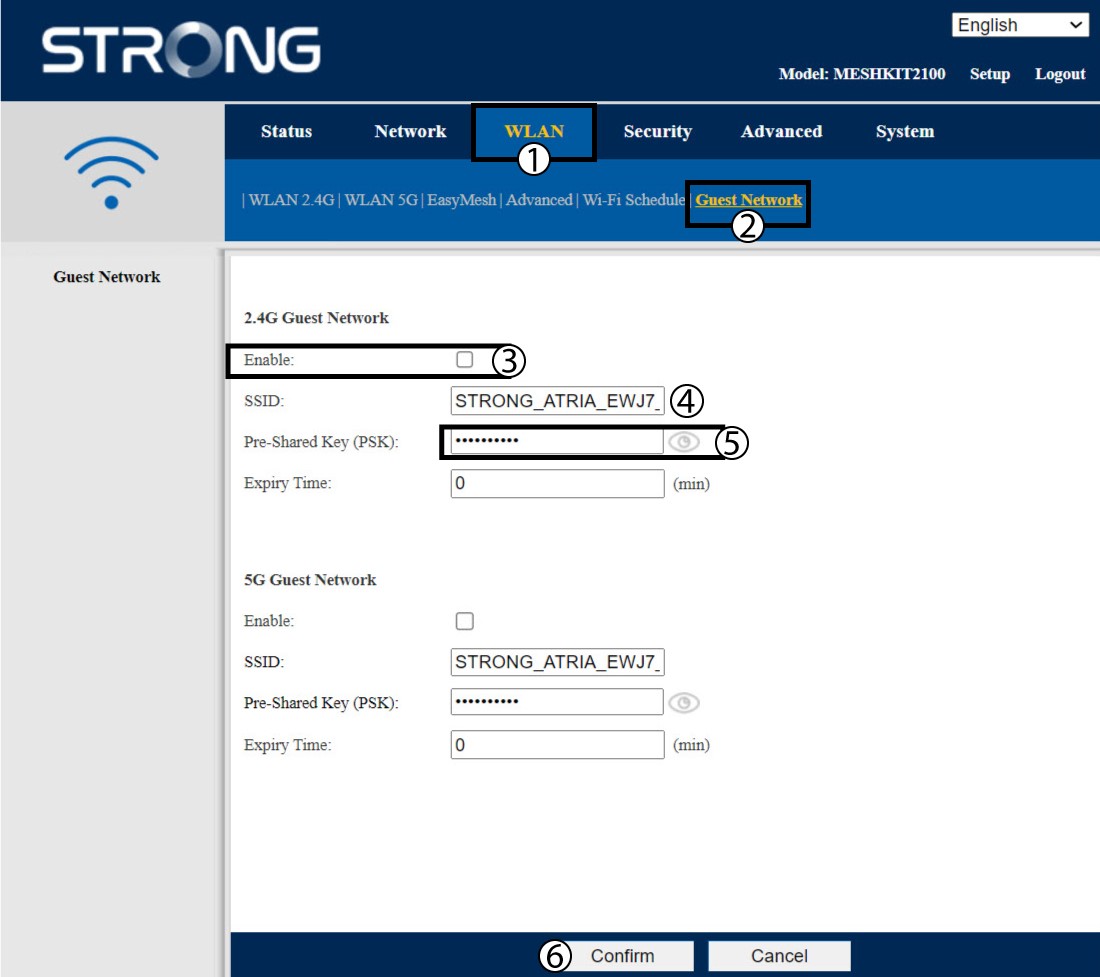
Kliknite na položku „WLAN“ a „Hosťovská sieť“. Ak chcete aktivovať hosťovské siete v pásmach 2,4 aj 5 GHz, zaškrtnite príslušné políčka a kliknite na „Potvrdiť“.
3Zapíštesi nové informácie
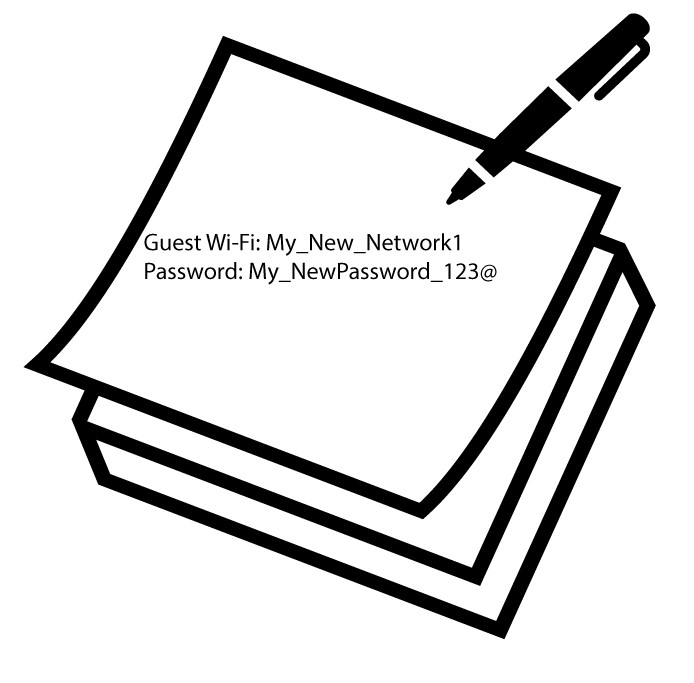
Zapíšte si názvy a heslá do hosťovských sietí na kúsok papiera.
1Prípad2: Aplikácia Atria „ Mesh “
Ak sa chcete pripojiť k aplikácii, postupujte podľa nasledujúcich pokynov: Ako používať aplikáciu Atria „ Mesh “?
2. Wi-Fi pre hostí
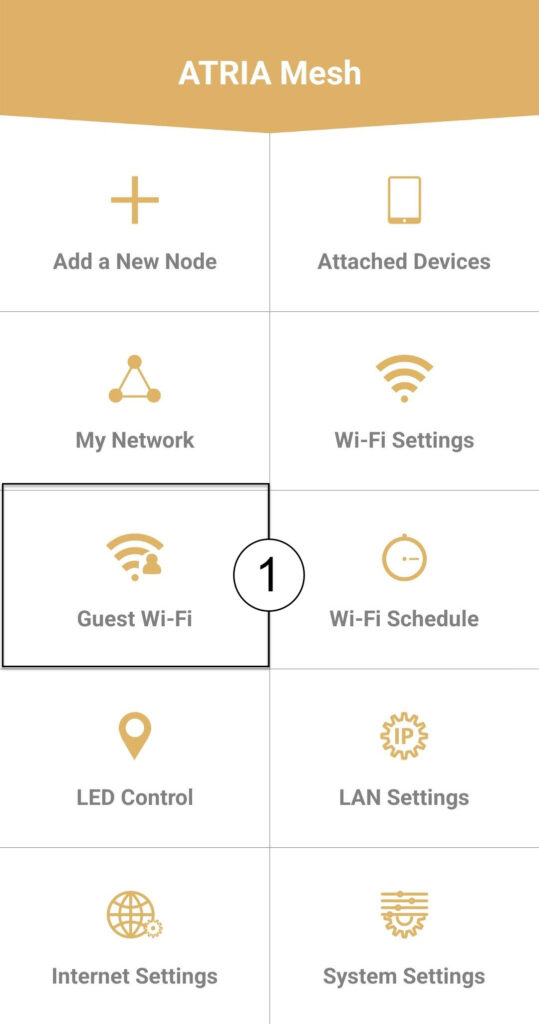
Kliknite na položku „Wi-Fi pre hostí“.
3 NOVÝKROK
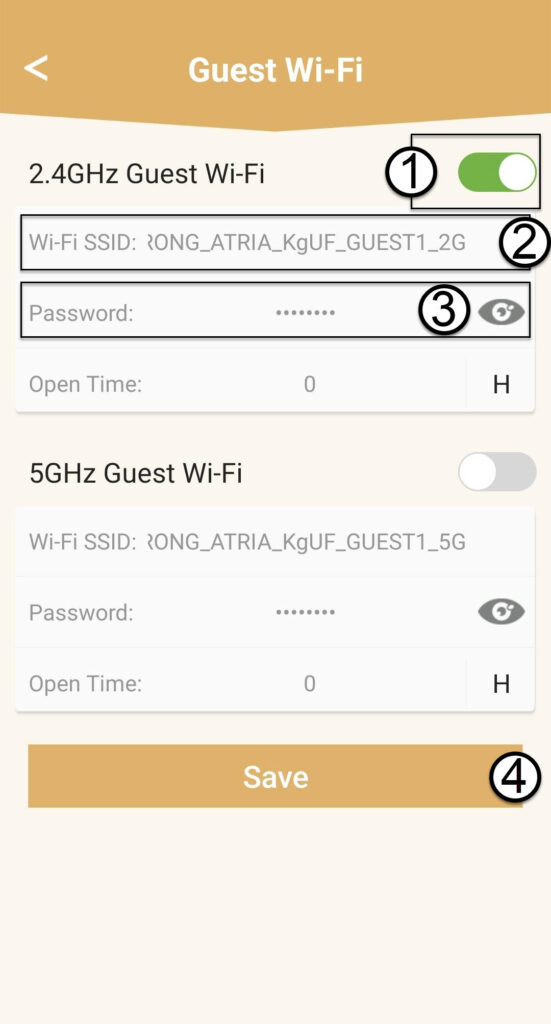
Stlačte prepínač siete Wi-Fi pre hostí, aby ste ju aktivovali. Následne kliknite na názov SSID siete Wi-Fi, ak ho chcete zmeniť, a kliknite na ikonu oka, aby sa zobrazilo heslo, ktoré môžete upraviť, a potom kliknite na Uložiť.
4Zapíštesi nové informácie
Zapíšte si nové SSID a heslo Wi-Fi na kúsok papiera.