ATRIA Wi-Fi 5 Mesh 2100 UK 2-balenie)
Nenašli sa žiadne položky.
Nenašli sa žiadne položky.
Všetky otázky
ATRIA Wi-Fi 5 Mesh 2100 UK 2-balenie)
Nenašli sa žiadne položky.
Nenašli sa žiadne položky.
Ako môžem pridať nové zariadenia Mesh do existujúcej siete, ktorú som práve nakonfiguroval?
Pridanie nových jednotiek mesh do vašej existujúcej siete Mesh je veľmi jednoduché.
1Prípad1: Tlačidlo WPS
Na to stlačte tlačidlo WPS na zariadení „ Mesh “, ktoré je pripojené k vášmu routeru/modemu „
“ prostredníctvom konektora RJ45, a podržte ho stlačené po dobu 5 sekúnd.
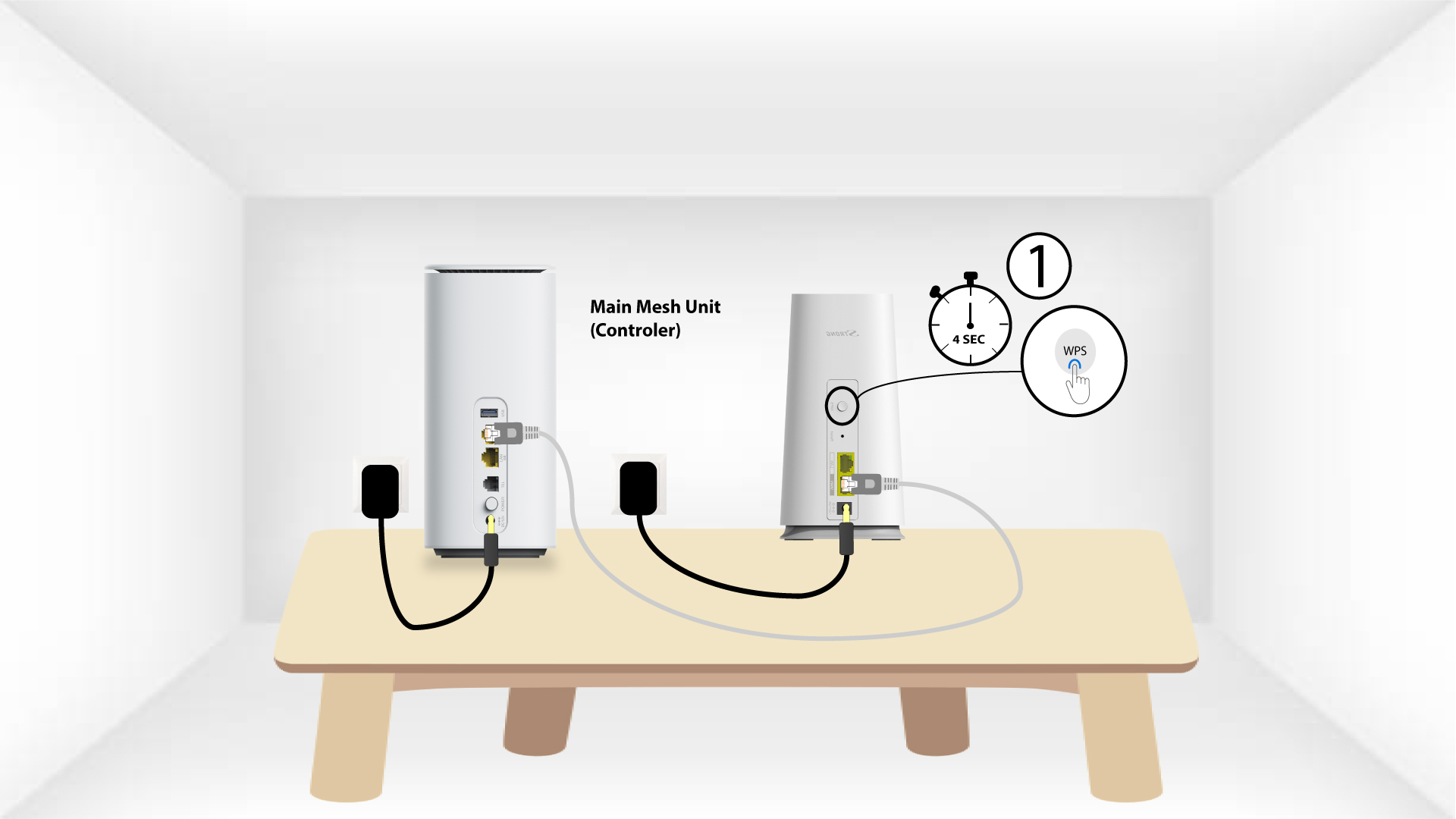
2WPSdruhého zariadenia
Potom stlačte tlačidlo WPS na novom zariadení a podržte ho stlačené 5 sekúnd.
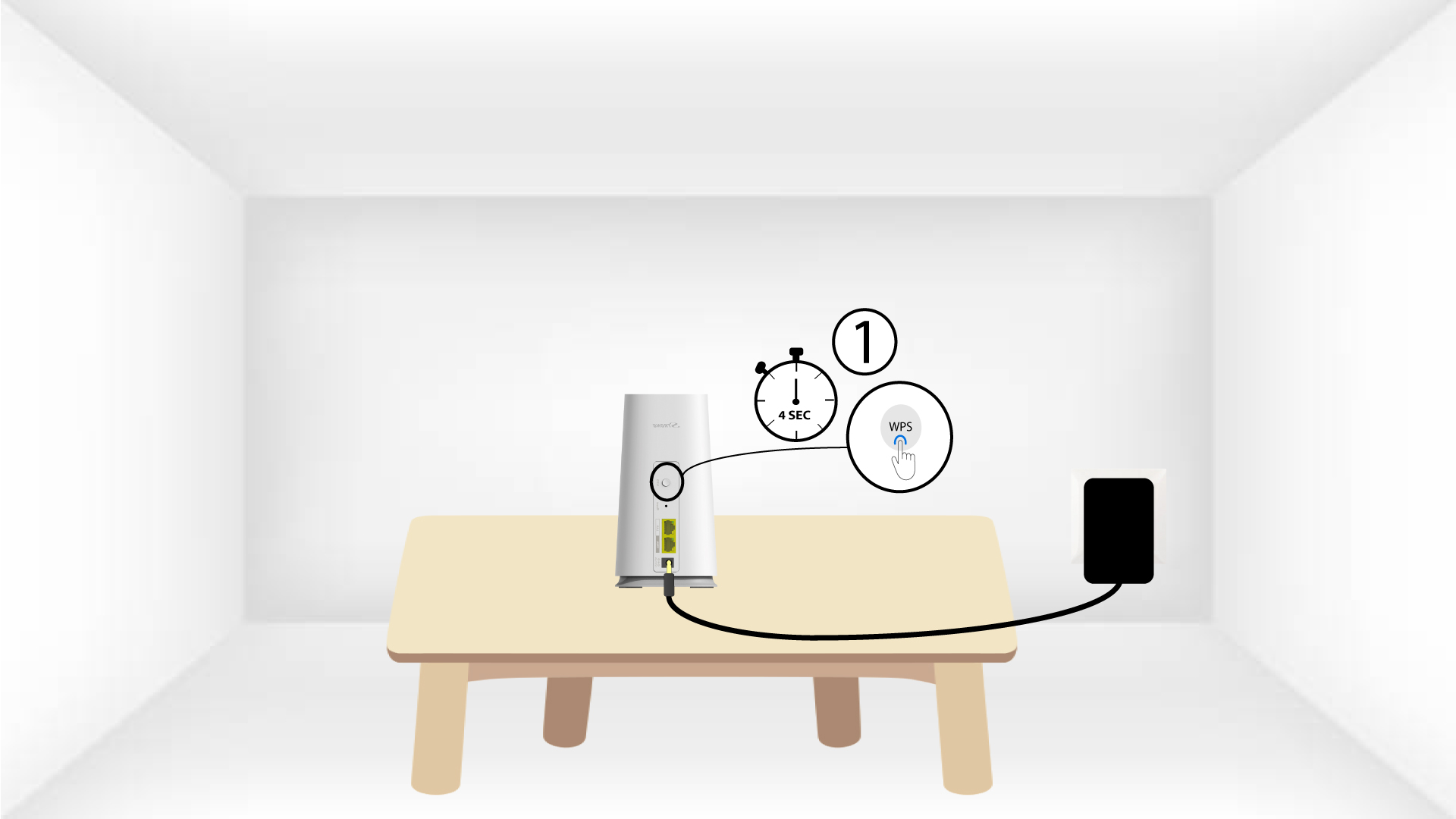
1Prípad2: Aplikácia Atria „ Mesh “
Uzol „ Mesh “ môžete pridať aj prostredníctvom aplikácie Atria „ Mesh “.
Na to sa pripojte k sieti Wi-Fi zariadenia Mesh , ktoré je pripojené k vášmu routeru/modemu.

2Atria– aplikácia „ Mesh “
Potom si stiahnite aplikáciu Atria „ Mesh “.

3. Kvalifikácia
Na prihlásenie zadajte používateľské meno a heslo (admin/admin).

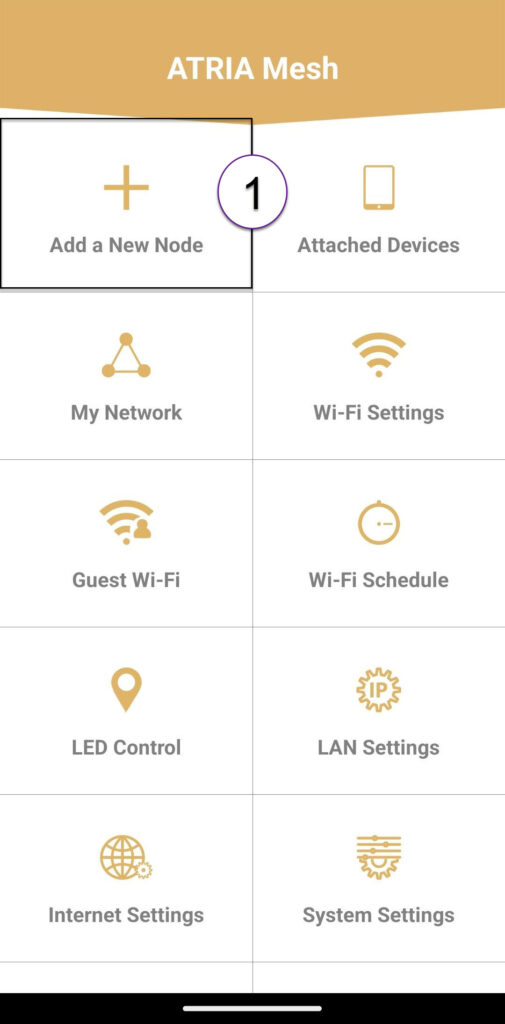
4Pridaťnový Mesh
Kliknite na položku „Pridať nový uzol typu Mesh “.
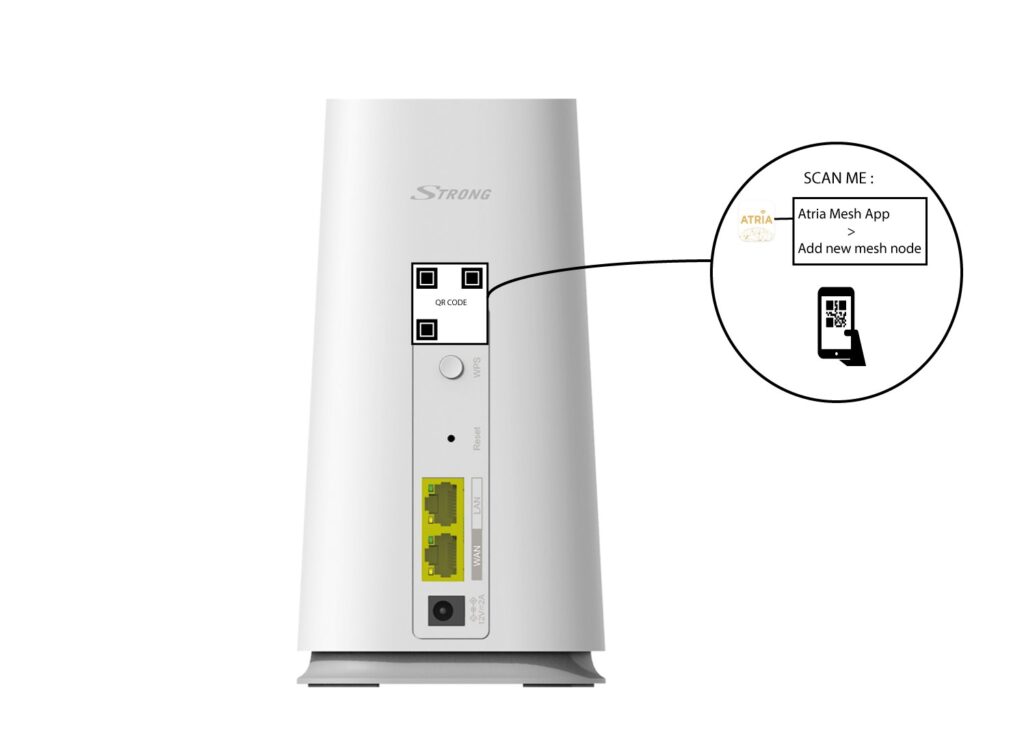
5QRkód
Naskenujte QR kód, ktorý sa nachádza na zadnej strane karty „ mesh “, ktorú chcete pridať.