Dvojpásmový opakovač 750 UK
Všetky otázky
Dvojpásmový opakovač 750 UK
Ako nastavím svoj opakovač?
Pred nastavením opakovača si prosím prečítajte nasledujúci postup, aby ste určili vhodné umiestnenie vášho opakovača: Aké je najlepšie umiestnenie pre môj opakovač?
1. Pripojte sak webovému používateľskému rozhraniu
Na pripojenie k webovému používateľskému rozhraniu postupujte podľa jedného z nasledujúcich postupov:
- Ako sa pripojím k webovému rozhraniu opakovača? (Kábel RJ45)
- Ako sa pripojím k webovému rozhraniu opakovača? (Wi-Fi)
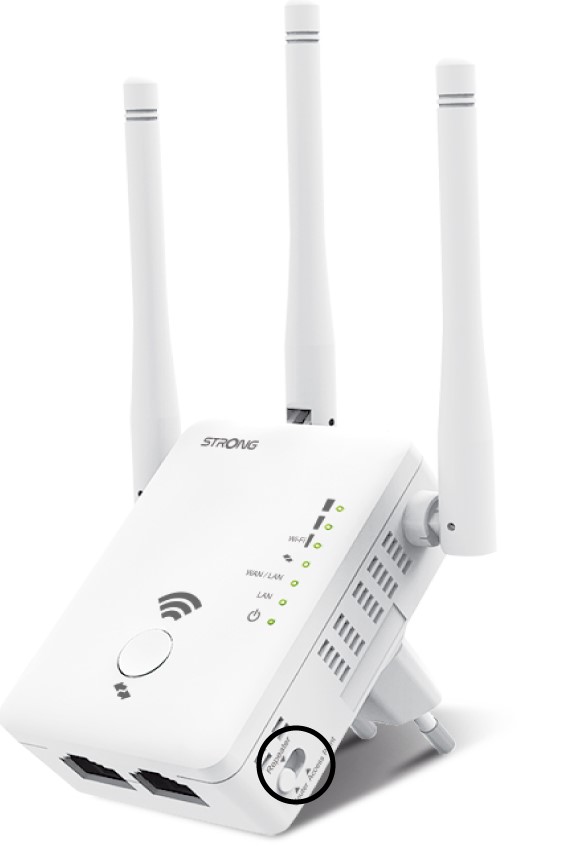
2. Vyberterežim opakovača
Na ovládači režimu ( switch ), ktorý sa nachádza na pravej strane vášho opakovača, vyberte polohu opakovača.
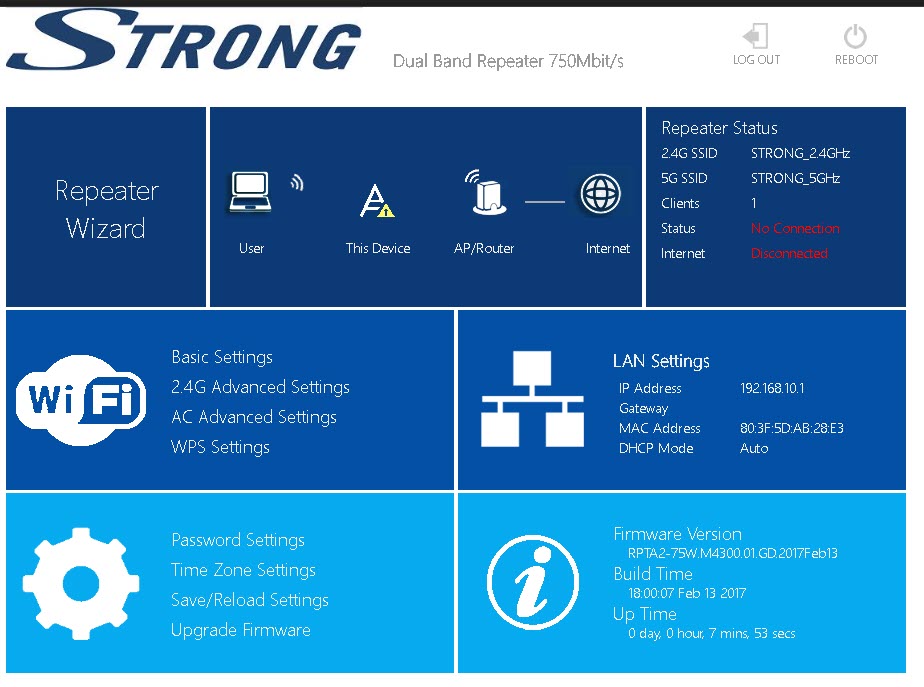
3Sprievodca opakovaním
Kliknite na Sprievodca opakovačom.
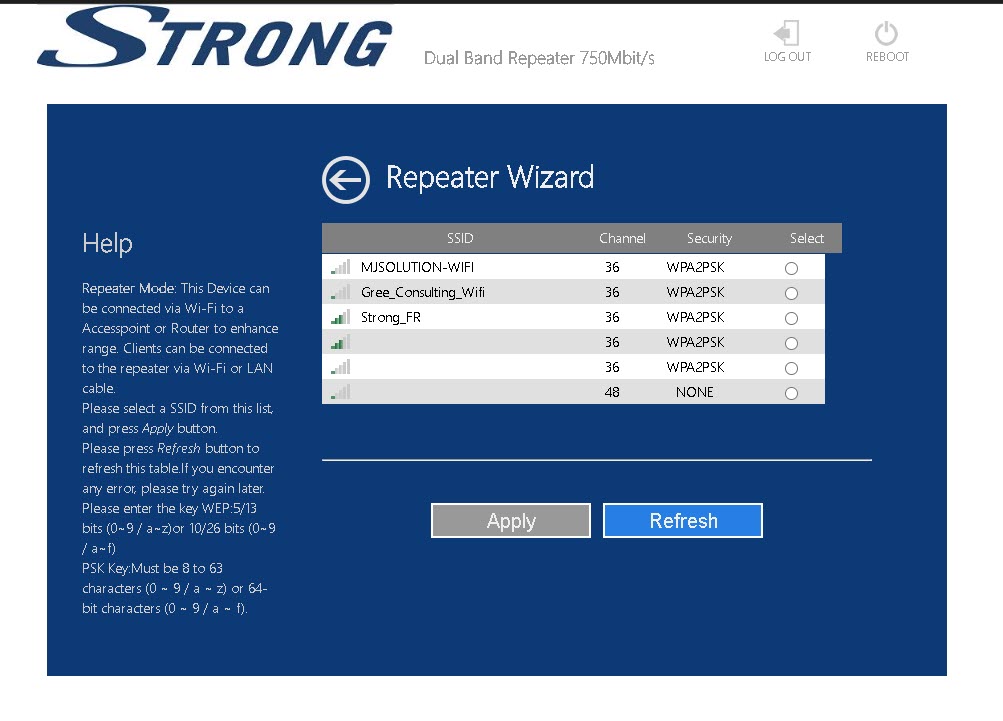
4. Skenovanie siete
Váš opakovač vykoná vyhľadávanie všetkých dostupných Wi-Fi sietí v pásmach 2,4 GHz a 5 GHz, aby určil hlavnú sieť. Vyberte názov Wi-Fi siete vášho routera. Potom kliknite na tlačidlo Použiť.
5Zadajteúdaje o sieťach hostiteľa a opakovača
Zadajte heslo Wi-Fi vášho routera, zadajte názvy Wi-Fi sietí vášho opakovača a kliknite na tlač idlo „Použiť“.
TIP: Na stránke box môžete skontrolovať nastavenie statickej IP adresy vášho opakovača.
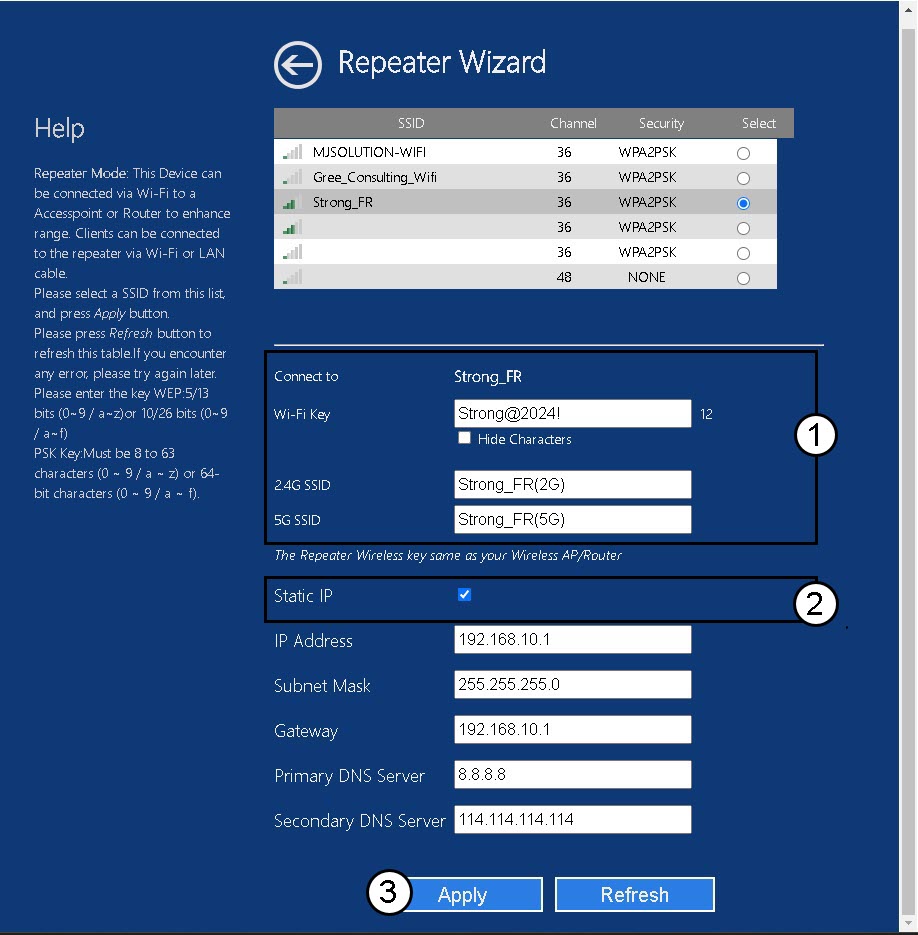
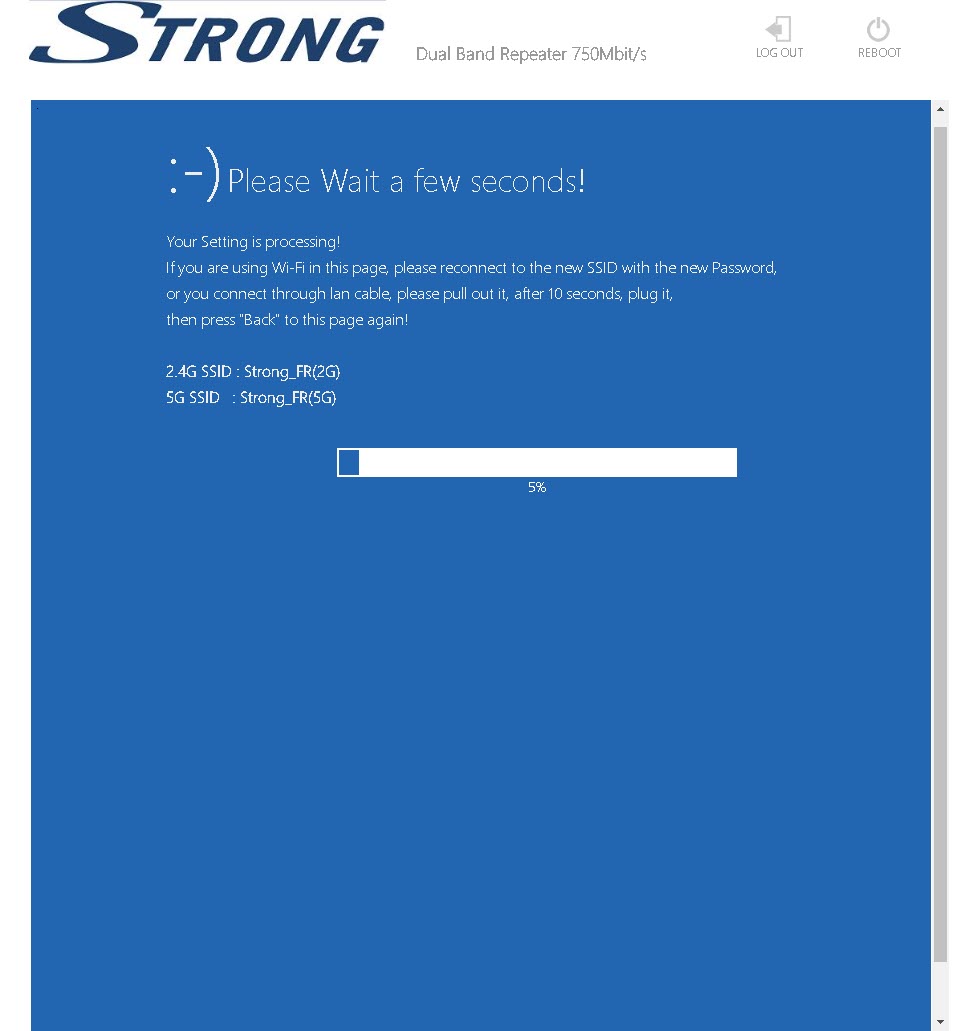
6Počkajtepočas konfigurácie
Počkajte, prosím, kým sa opakovač nakonfiguruje.