
4G AIRHOME 210 UK pevnými 4G anténami
Všetky otázky
4G AIRHOME 210 UK pevnými 4G anténami
Ako môžem obnoviť továrenské nastavenia svojho routera?
Niekedy sa môže stať, že vaše zariadenie nefunguje správne a nemáte prístup k internetu. V takom prípade odporúčame obnoviť továrenské nastavenia zariadenia a v prípade potreby následne znovu aktualizovať jeho firmvér.
Máte na to dve možnosti: zariadenie môžete obnoviť stlačením tlačidla na obnovenie alebo prostredníctvom webového rozhrania.
PRÍPAD 1: Tlačidlo resetovania
Na to stlačte tlačidlo Reset na pravej strane routera a podržte ho stlačené dve sekundy.

1PRÍPAD2: Obnovenie v webovom používateľskom rozhraní
Ak sa chcete pripojiť k webovému používateľskému rozhraniu, postupujte podľa pokynov uvedených v článku: Ako sa prihlásiť do webového používateľského rozhrania?
2. Aktualizácia firmvéru
Potom kliknite na položku „Aktualizácia firmvéru“.

3Obnovenietovárenských nastavení
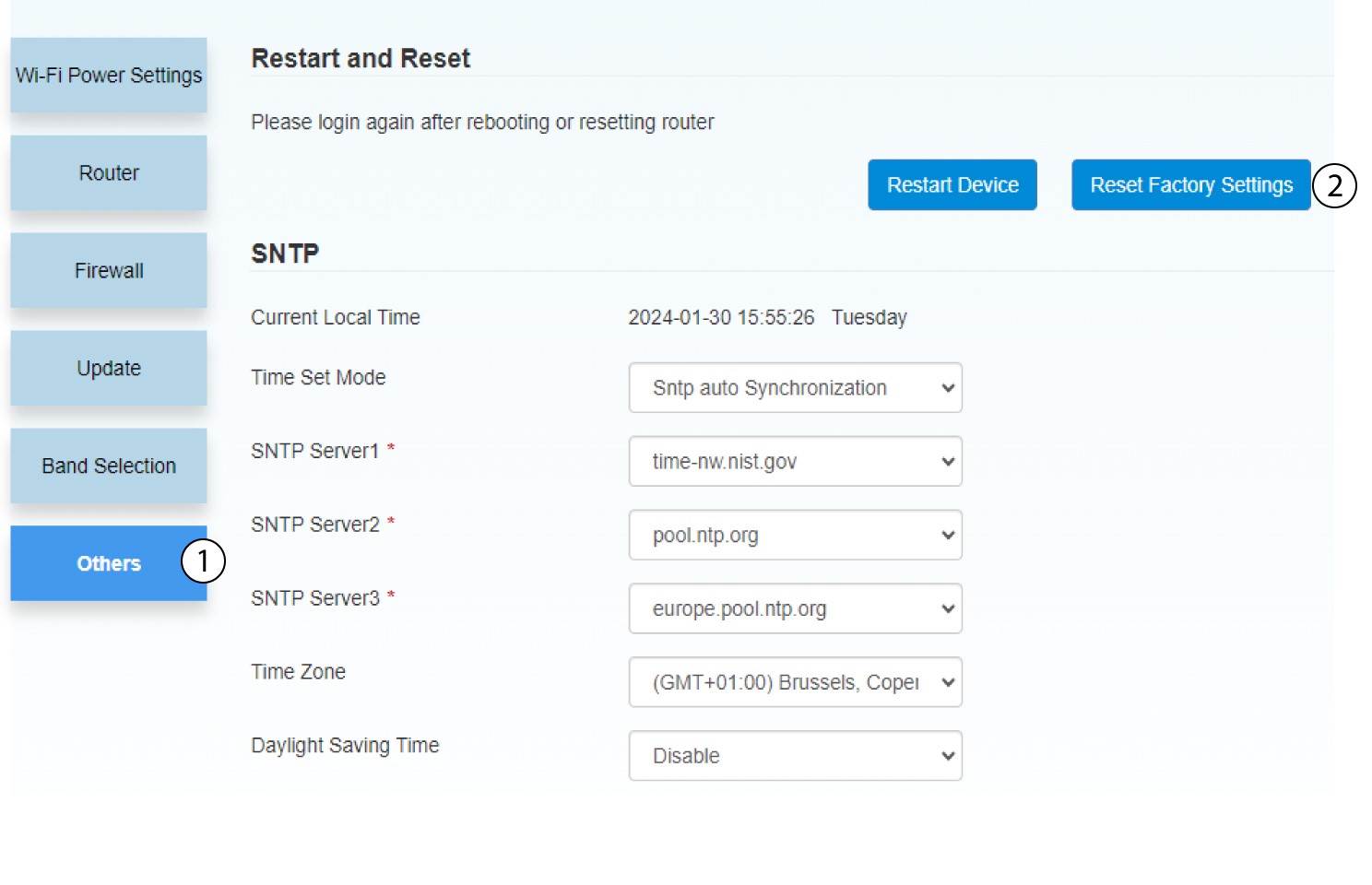
Kliknite na položku „Ostatné“. V časti „Reštartovanie a obnovenie “ kliknite na položku „Obnoviť továrenské nastavenia “.
4.Vyskakovacie upozornenie
V zobrazenom okienku kliknite na ÁNO .
