
Opakovač AX1800
Nenašli sa žiadne položky.
Nenašli sa žiadne položky.
Všetky otázky
Opakovač AX1800
Nenašli sa žiadne položky.
Nenašli sa žiadne položky.
Ako nastavím statickú IP adresu pre môj opakovač?
1. Pripojte sak webovému používateľskému rozhraniu
Pri pripájaní sa k webovému používateľskému rozhraniu postupujte podľa týchto pokynov.
2 Stav systému
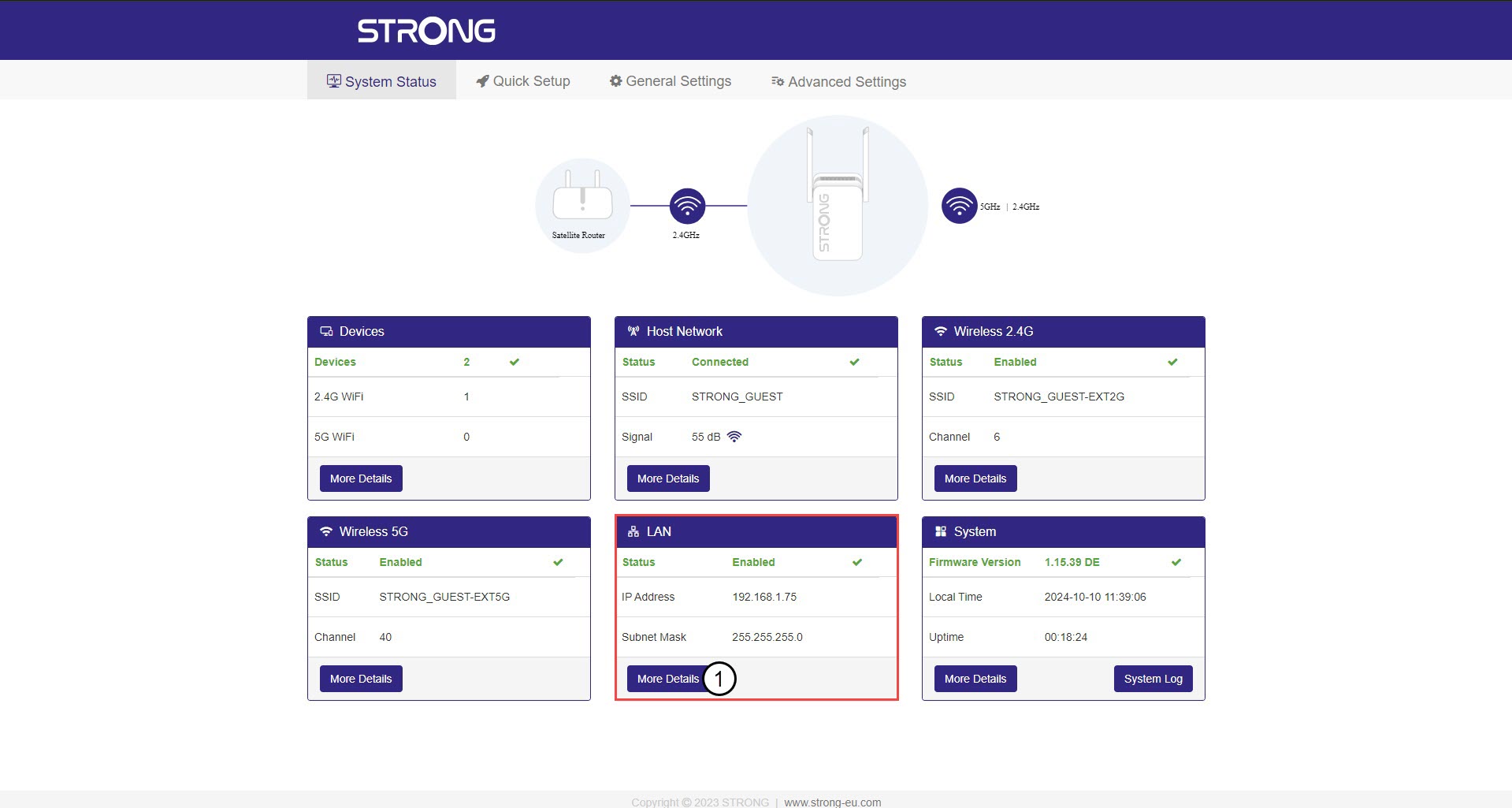
Na obrazovke „Stav systému“ kliknite na tlačidlo „Viac podrobností “ v časti „LAN“.
3. StatickáIP adresa
Kliknite na položku „Nastavenia“ a prepnite prepínač „Statická adresa “. Následne zadajte nasledujúce informácie a kliknite na tlačidlo „Uložiť a použiť“:
- IP adresa: Zadajte IP adresu opakovača.
- Maska podsiete: Vyberte masku podsiete zo zoznamu
- Predvolená brána: Zadajte IP adresu vášho opakovača
- Predvolený DNS: Môžete zadať rovnakú hodnotu ako v predchádzajúcom poli.
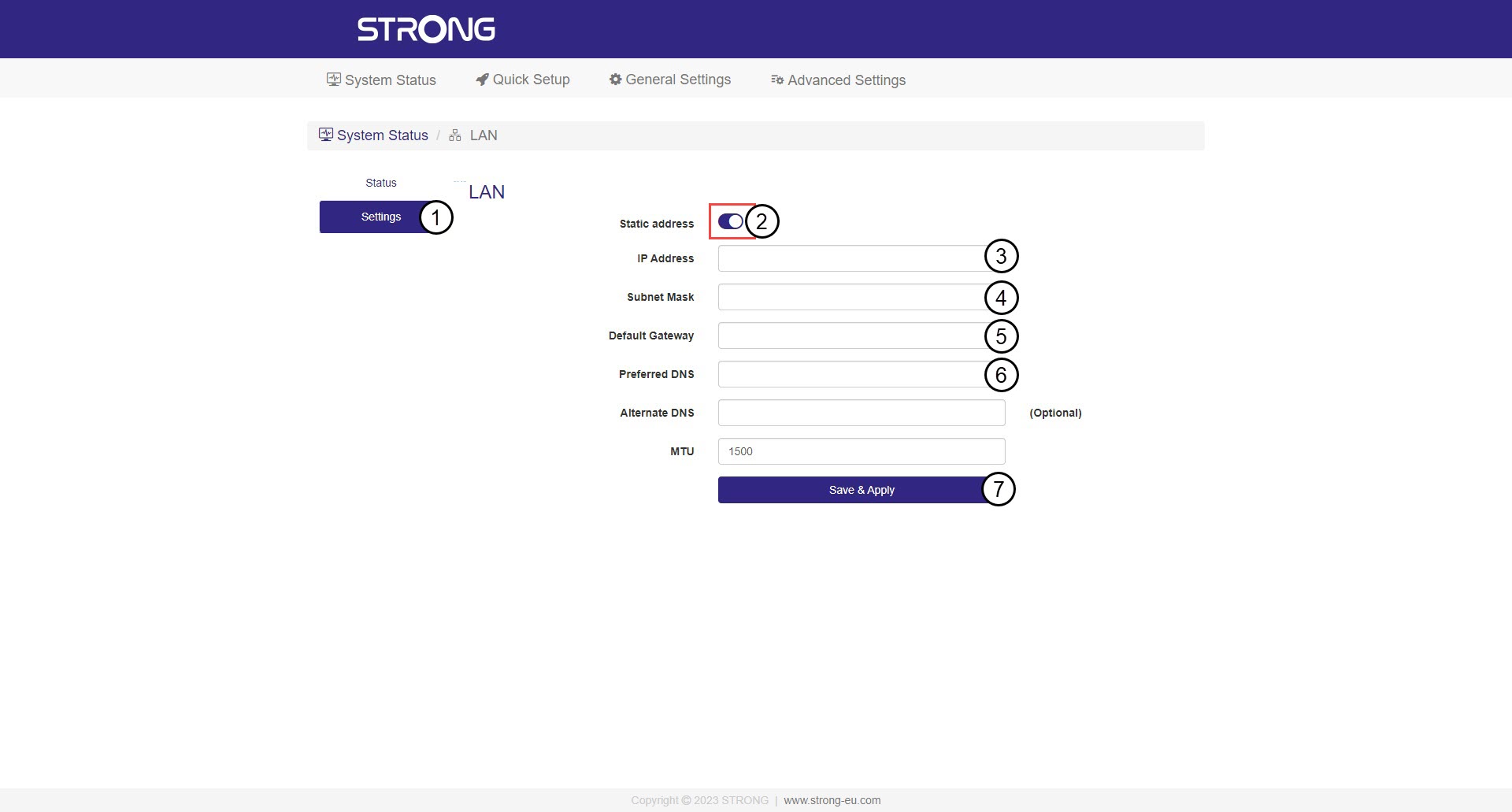

Upozornenie: Zapíšte si novú IP adresu vašej siete. Odteraz ju budete používať na pripojenie k webovému používateľskému rozhraniu.