Nenašli sa žiadne položky.
LEAP NEVE | 4K Google TV s technológiou Dolby Vision
Nenašli sa žiadne položky.
Všetky otázky
Nenašli sa žiadne položky.
LEAP NEVE | 4K Google TV s technológiou Dolby Vision
Nenašli sa žiadne položky.
Ako môžem aktualizovať svoje zariadenie?
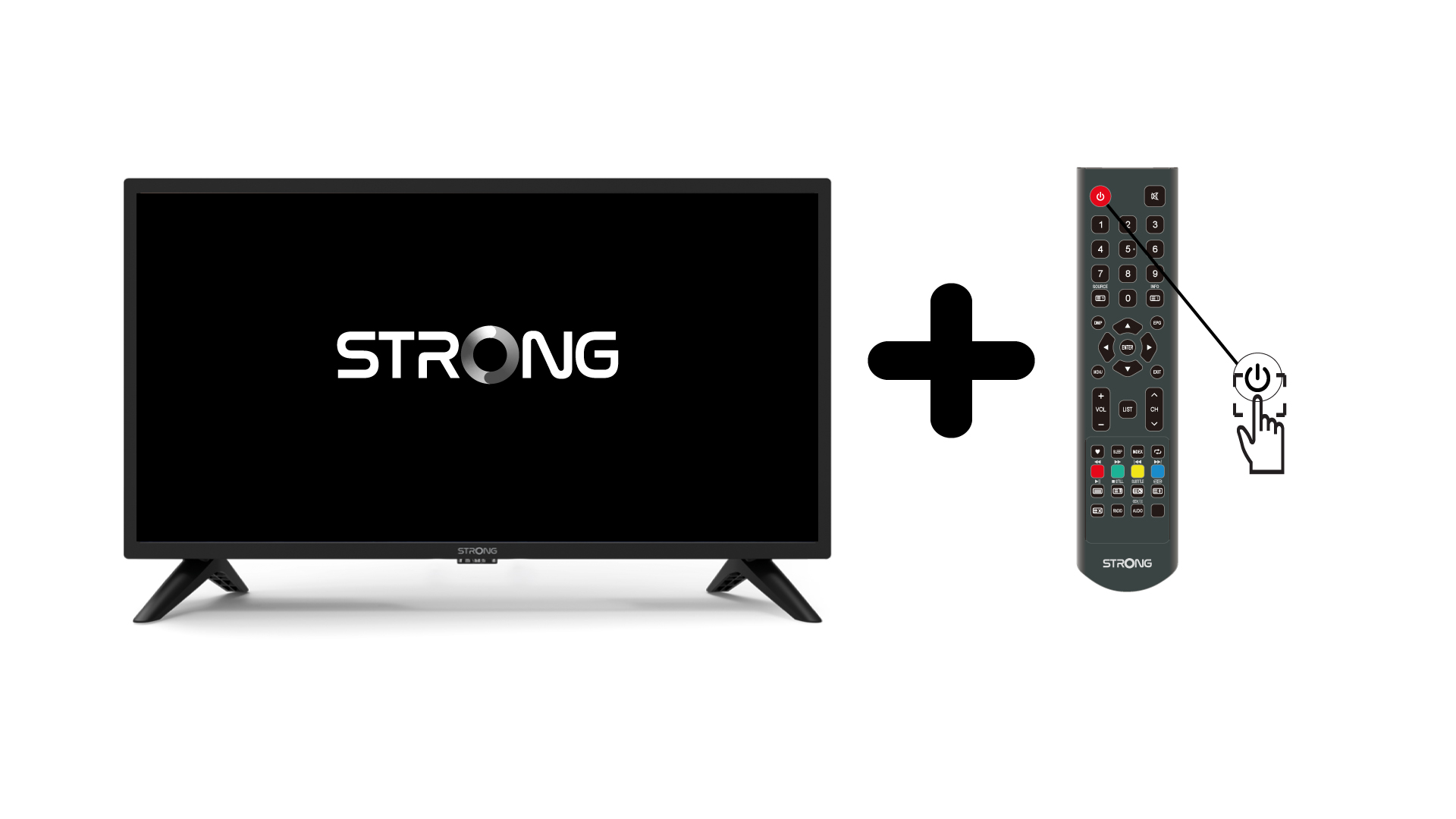
1Zapnitetelevízor a zariadenie
Zapnite televízor a svoje zariadenie.
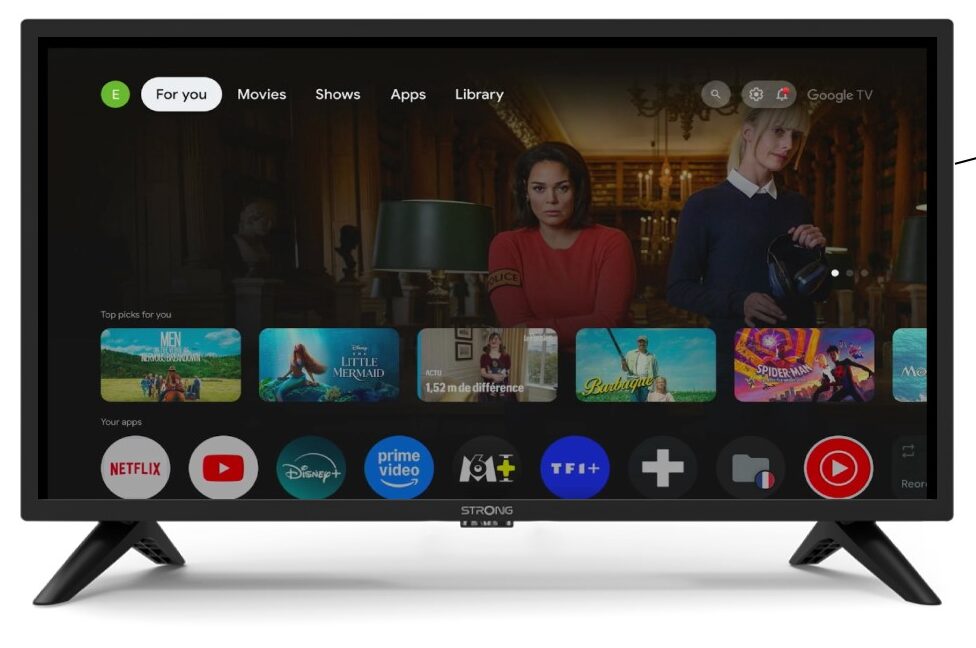
2 Nastavenia
Na úvodnej stránke vášho zariadenia prejdite do nastavení.
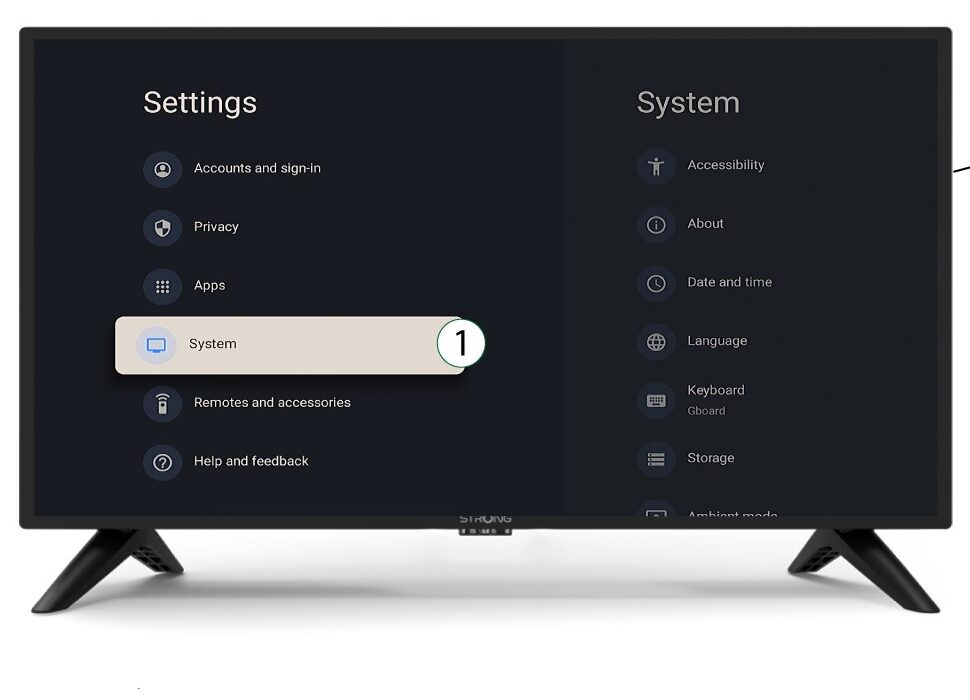
3System
V ponuke Nastavenia vyberte položku Systém a stlačte tlačidlo OK.
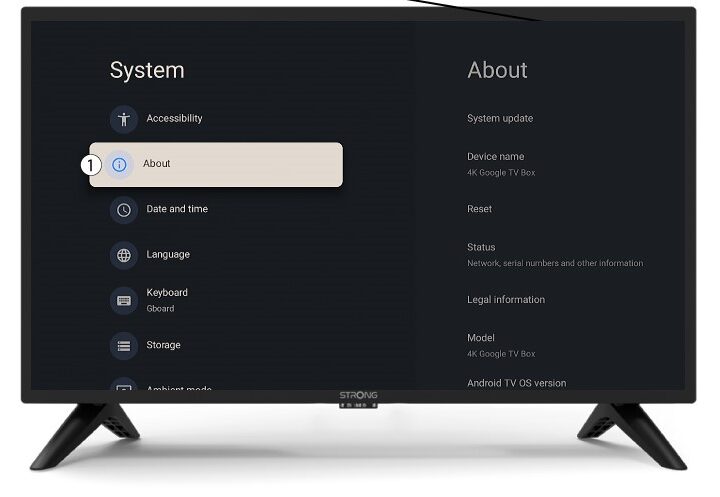
4Onás
V systémovom menu vyberte položku „O programe“ a stlačte tlačidlo OK.
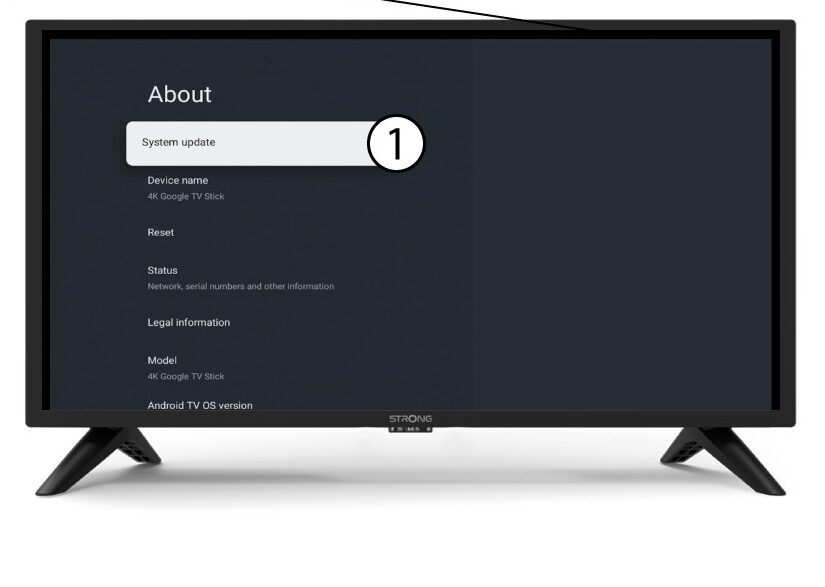
5Aktualizácia systému
Vyberte možnosť Aktualizácia systému.
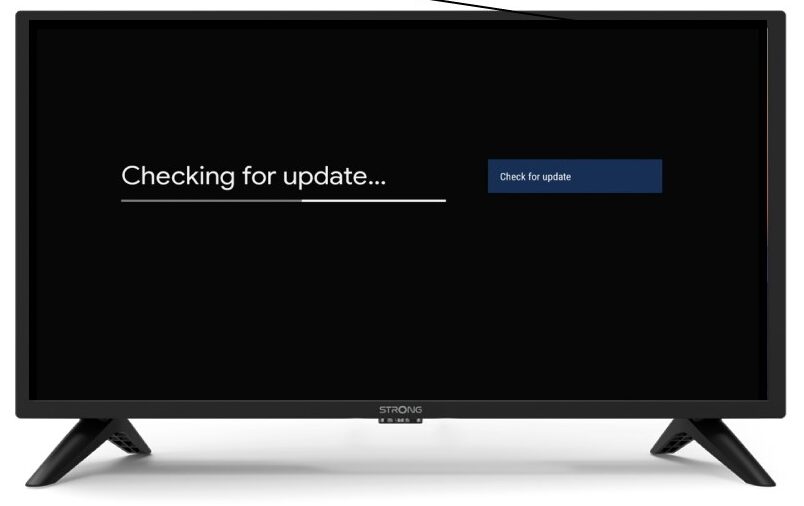
6Vyhľadávanienovej verzie softvéru
Spustí sa kontrola, či máte nainštalovanú najnovšiu aktualizáciu. Počkajte, prosím, kým sa kontrola vykoná. Nová verzia softvéru sa stiahne automaticky.