Univerzálny opakovač 300S
Všetky otázky
Univerzálny opakovač 300S
Ako môžem aktualizovať firmvér svojho opakovača?
1Prejditedo sekcie na stiahnutie na stránke https://www.strong-eu.com/
Pred aktualizáciou musíte navštíviť sekciu na stiahnutie na našej webovej stránke a skontrolovať, či je k dispozícii nová verzia softvéru.
2Stiahnuť
Ak chcete získať prístup k súborom na stiahnutie, kliknite na položku „Pomoc“ a „Stiahnuť“ v hornom paneli a v jeho podmenu.

3Zvoľtereferenčné číslo výrobku
Akonáhle prejdete na stránku „Súbory na stiahnutie“, kliknite na položku „Domáce siete a opakovače“ a potom na označenie produktu.
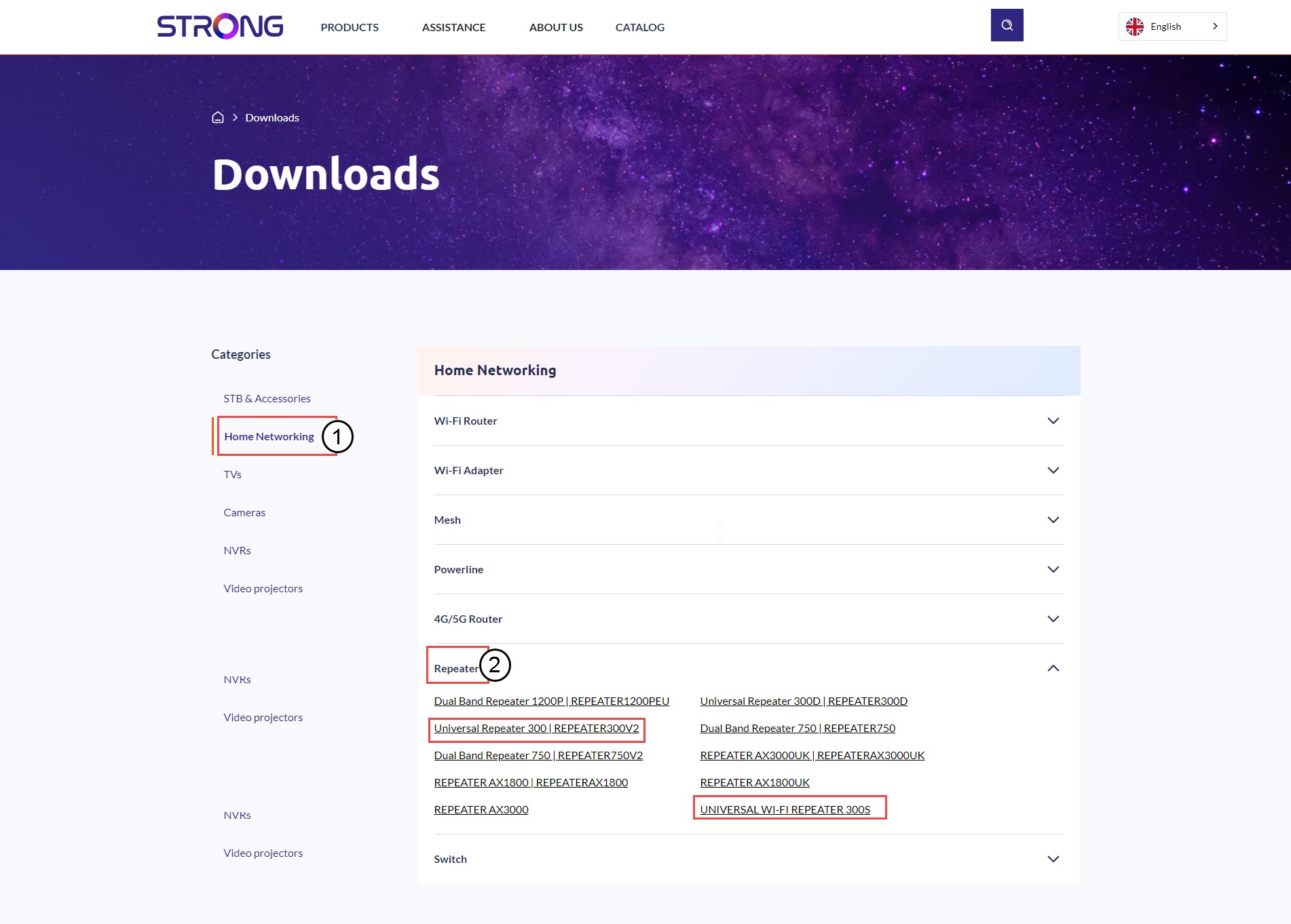
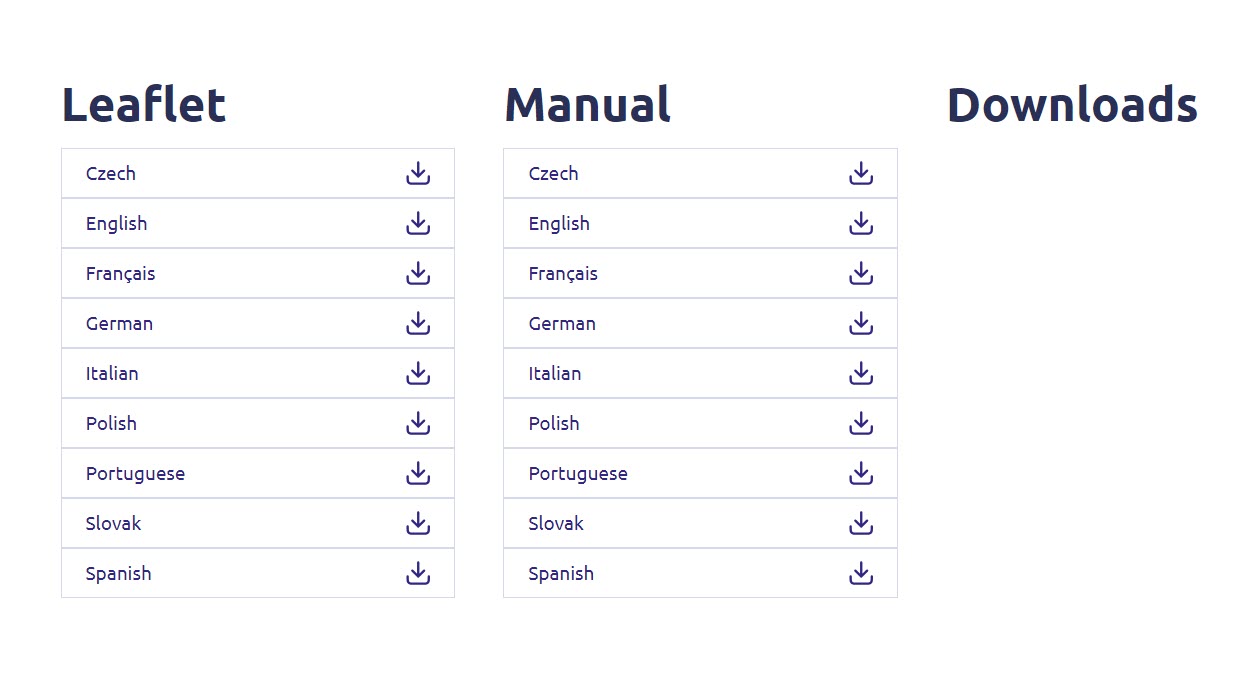
4. Časť venovaná firmvéru
Na nižšie uvedenej stránke nájdete novú verziu softvéru v sekcii „firmware“.
Ak na stránke na stiahnutie nevidíte sekciu venovanú firmvéru, znamená to, že nie je k dispozícii žiadna nová verzia softvéru.
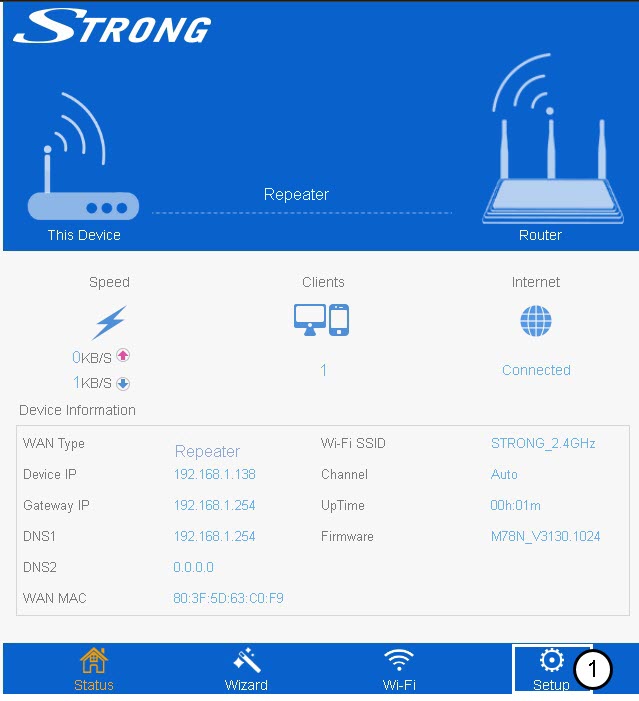
5. Pripojte sak webovému používateľskému rozhraniu
Pri pripájaní sa k webovému používateľskému rozhraniu postupujte podľa týchto pokynov.
6Nastavenie
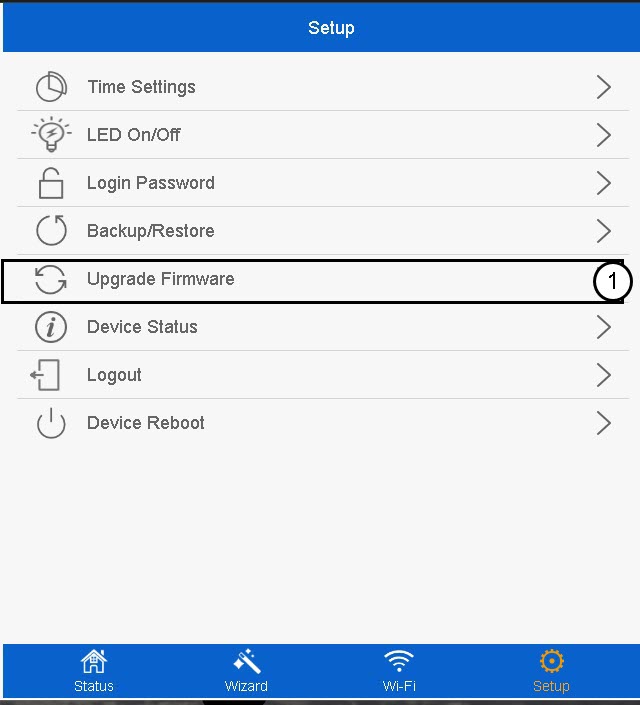
Kliknite na položku „Nastavenie“.
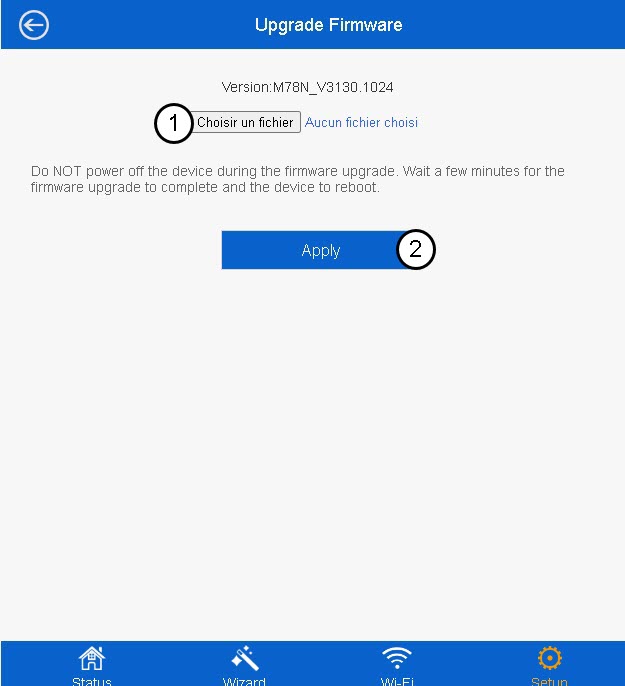
7Aktualizáciafirmvéru
Kliknite na možnosť „Aktualizovať firmvér“.
8Vybertesúbor s firmvérom
Vyberte súbor s firmvérom vo vašom zariadení a kliknite na „Použiť“.