Mini router 4G AIRHOME 300 s odnímateľnými 4G anténami
Všetky otázky
Mini router 4G AIRHOME 300 s odnímateľnými 4G anténami
Ako môžem aktualizovať firmvér zariadenia?
Keď ste prihlásení do webového rozhrania, musíte skontrolovať verziu firmvéru vášho zariadenia pomocou možnosti online aktualizácie v tomto rozhraní. Týmto spôsobom sa nainštaluje najnovšia verzia firmvéru.
Ak máte inú verziu, postupujte podľa nižšie uvedeného návodu na aktualizáciu firmvéru.
1. Pripojtesa k sieti Wi-Fi
Ak chcete aktualizovať firmvér zariadenia, musíte sa pripojiť k sieti Wi-Fi vášho zariadenia.

2Prejditena IP adresu webového rozhrania
Potom do prehliadača zadajte nasledujúcu IP adresu: 192.168.0.1.

3Stránka prihlásenia
Potom kliknite na „Prihlásiť sa“.

4Zadajtesvoje prihlasovacie údaje
Musíte zadať používateľské meno a heslo. Potom kliknite na „Prihlásiť sa“.

5. Pokročilénastavenia
Kliknite na položku „Nastavenia zariadenia “ a vyberte možnosť „Pokročilé nastavenia“.
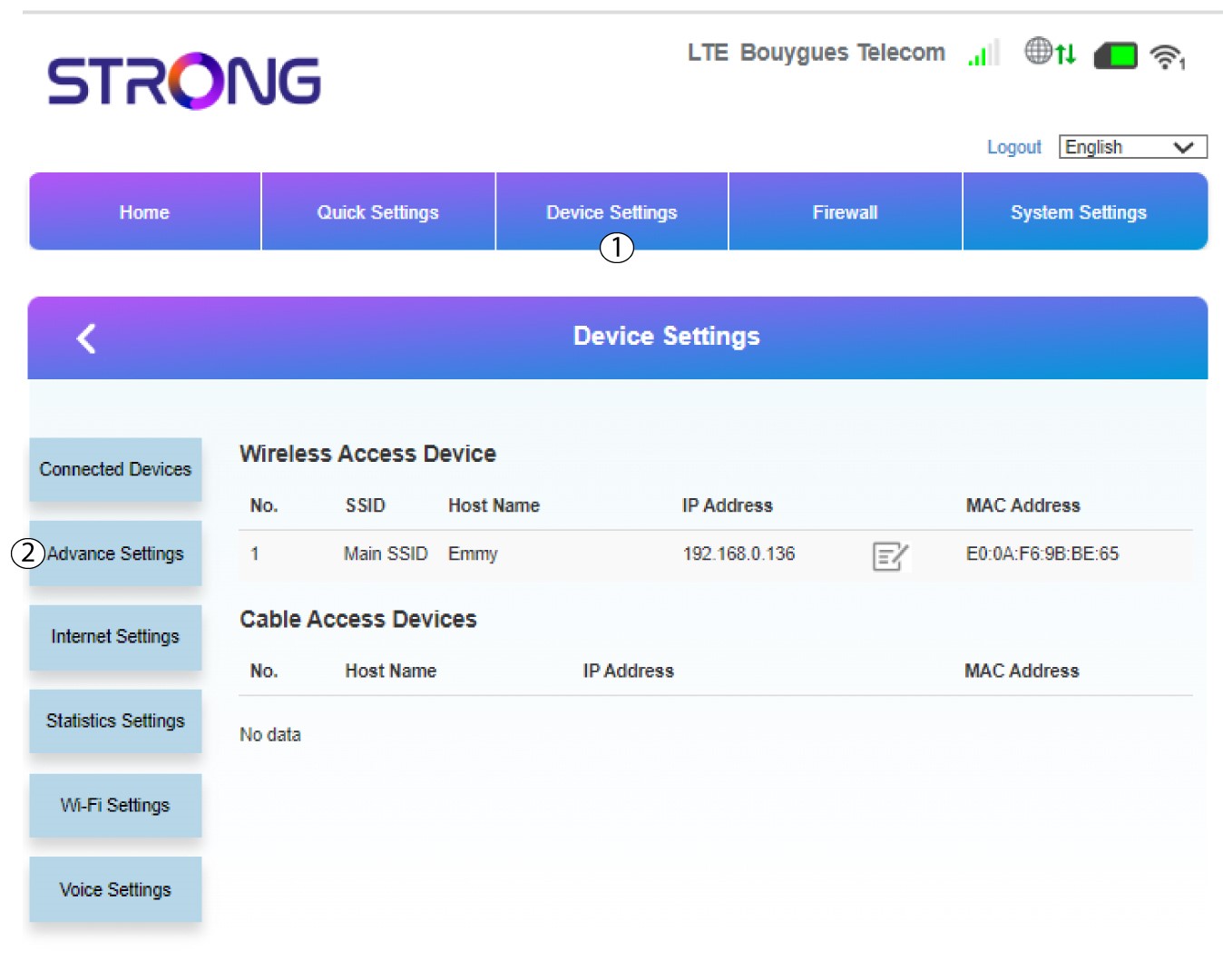
6. Aktualizácia cez internet
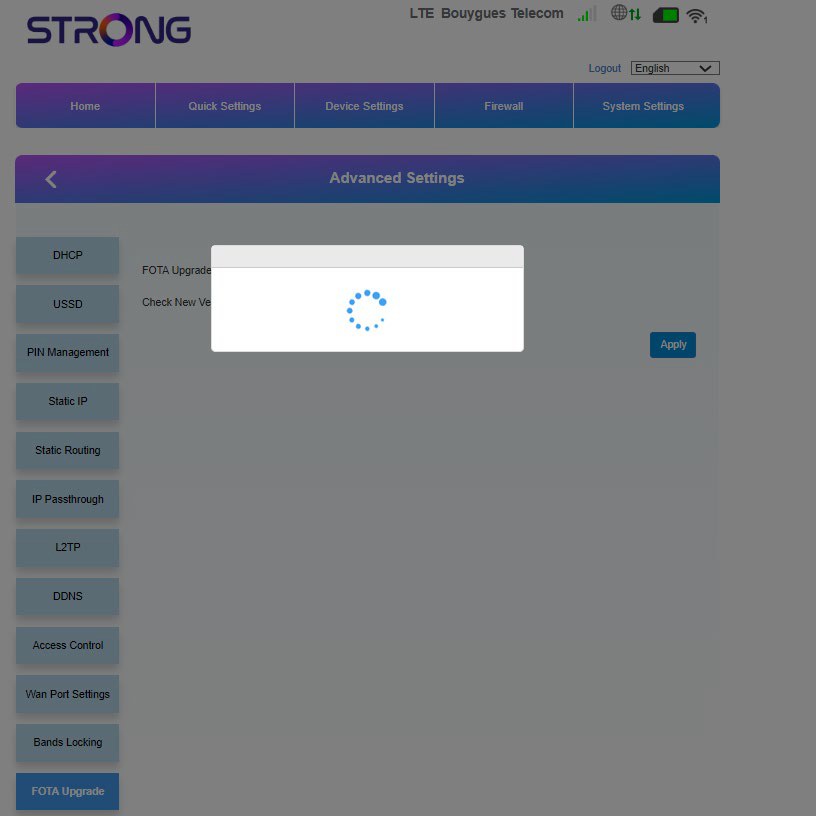
V časti „Pokročilé nastavenia“ kliknite na položku „Aktualizácia FOTA “ a vyberte možnosť „Povolené“. Potom kliknite na tlačidlo „Skontrolovať“.
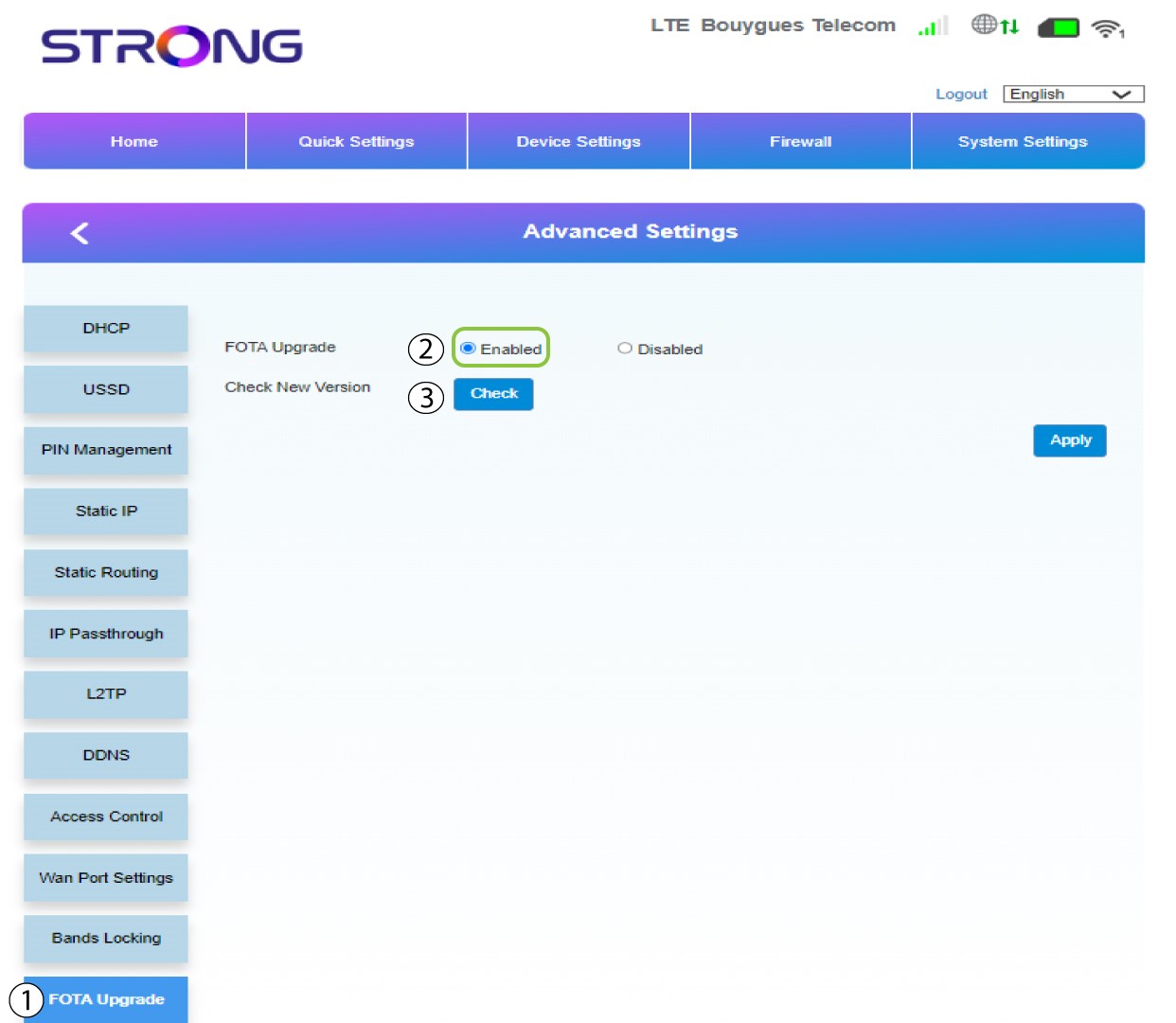
7Prípad1: varovná správa (firmware je aktuálny)
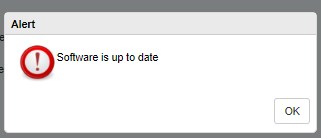
Ak je k dispozícii aktualizácia, zobrazí sa správa, ktorá vás na to upozorní. Ak je aktualizácia k dispozícii, kliknite na „Áno“, aby sa softvér stiahol a nainštaloval. Ak je softvér aktuálny, zobrazí sa táto správa:
8Prípad2: Je k dispozícii nová verzia firmvéru
V prípade aktualizácie musíte počkať, kým sa aktualizácia dokončí. Počas aktualizácie svietia LED diódy na zariadeniach modro a modré svetlo prechádza zľava doprava od jednej ikony k druhej. Po dokončení aktualizácie sa ikony vrátia do svojej pôvodnej farby. Aktualizácia môže trvať až 5 minút.