
add-on Mesh ATRIA Mesh 1200 UK
Všetky otázky
add-on Mesh ATRIA Mesh 1200 UK
Zabudol som heslo k Wi-Fi sieti „ Mesh “. Ako ho môžem zistiť?
Predvolené heslo pre Wi-Fi sa nachádza na spodnej strane vášho zariadenia; ak ste ho však už zmenili, možno bude potrebné obnoviť zariadenie Mesh 1200 na predvolené továrenské nastavenia.

1PRÍPAD1: Informácie o sieti v webovom používateľskom rozhraní
Ak sa chcete pripojiť k webovému používateľskému rozhraniu, postupujte podľa týchto pokynov: Ako sa prihlásim do webového používateľského rozhrania?
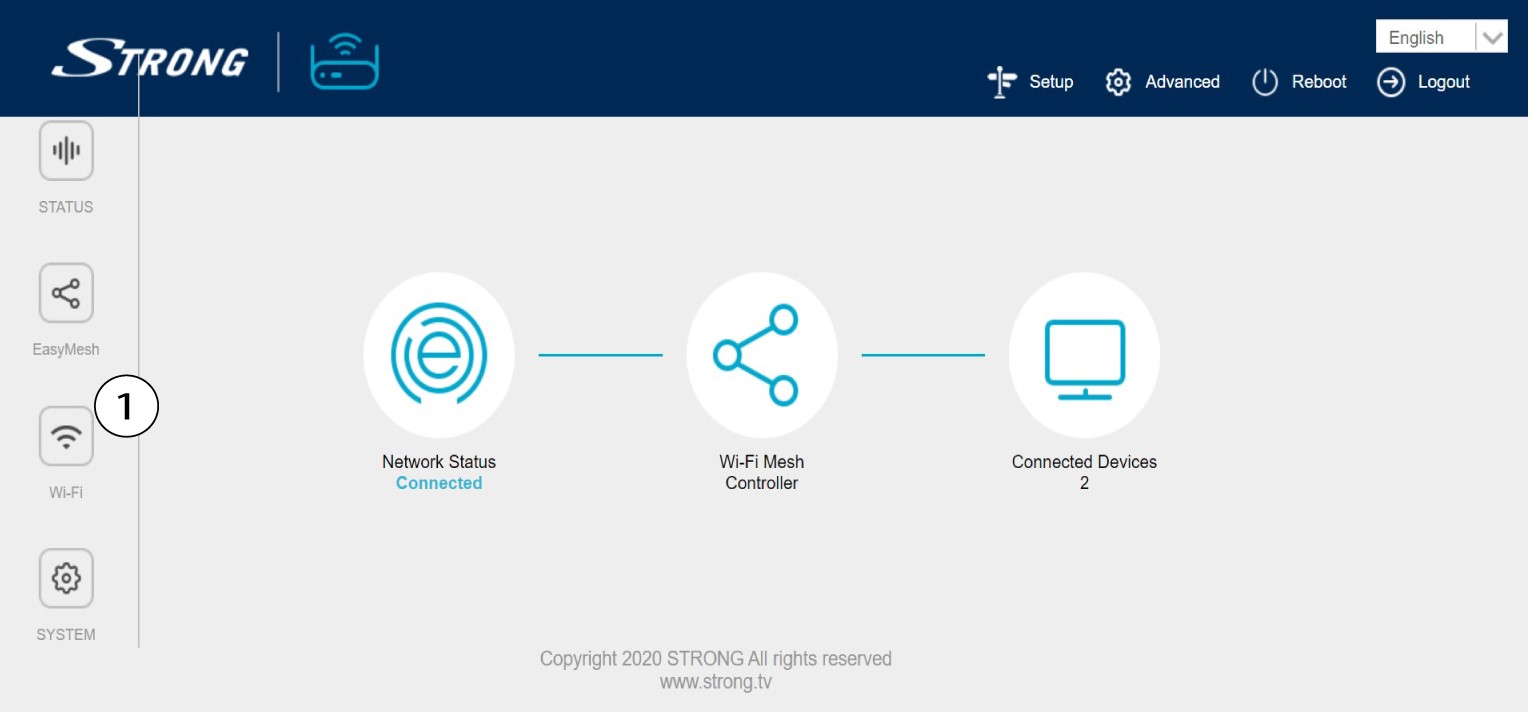
2. Nastavenia Wi-Fi
Kliknite na položku „Wi-Fi“ v ľavom paneli.
32,4 G WLAN
V sieti 5G WLAN alebo 2,4G WLAN sa názov vašej Wi-Fi siete zobrazuje v poli SSID a heslo k tejto Wi-Fi sieti si môžete pozrieť na stránke
tak, že zaškrtnete políčko „Zobraziť heslo“ ( box ) vpravo od poľa „Wi-Fi Key“.

4. Zapíštesi tieto informácie
Zapíšte si heslo na kúsok papiera.

1PRÍPAD2: Informácie o sieti v aplikácii
Ak sa chcete prihlásiť do webového používateľského rozhrania, postupujte podľa týchto pokynov: Ako používať aplikáciu Atria Mesh ?
2. Nastavenia Wi-Fi
Kliknite na položku „Wi-Fi“ v ľavom paneli.

3Zobraziťheslo
Kliknutím na ikonu oka zobrazíte heslo.

4. Zapíštesi tieto informácie
Zapíšte si heslo na kúsok papiera.