Powerline Wi-Fi – trojbalenie
Nenašli sa žiadne položky.
Nenašli sa žiadne položky.
Všetky otázky
Powerline Wi-Fi – trojbalenie
Nenašli sa žiadne položky.
Nenašli sa žiadne položky.
Na Wi-Fi adaptéri svieti LED s ikonou domu, ale nemôžem sa pripojiť k Wi-Fi sieti zariadenia „ Powerline 500“.
1. Pripojtesa k sieti Wi-Fi
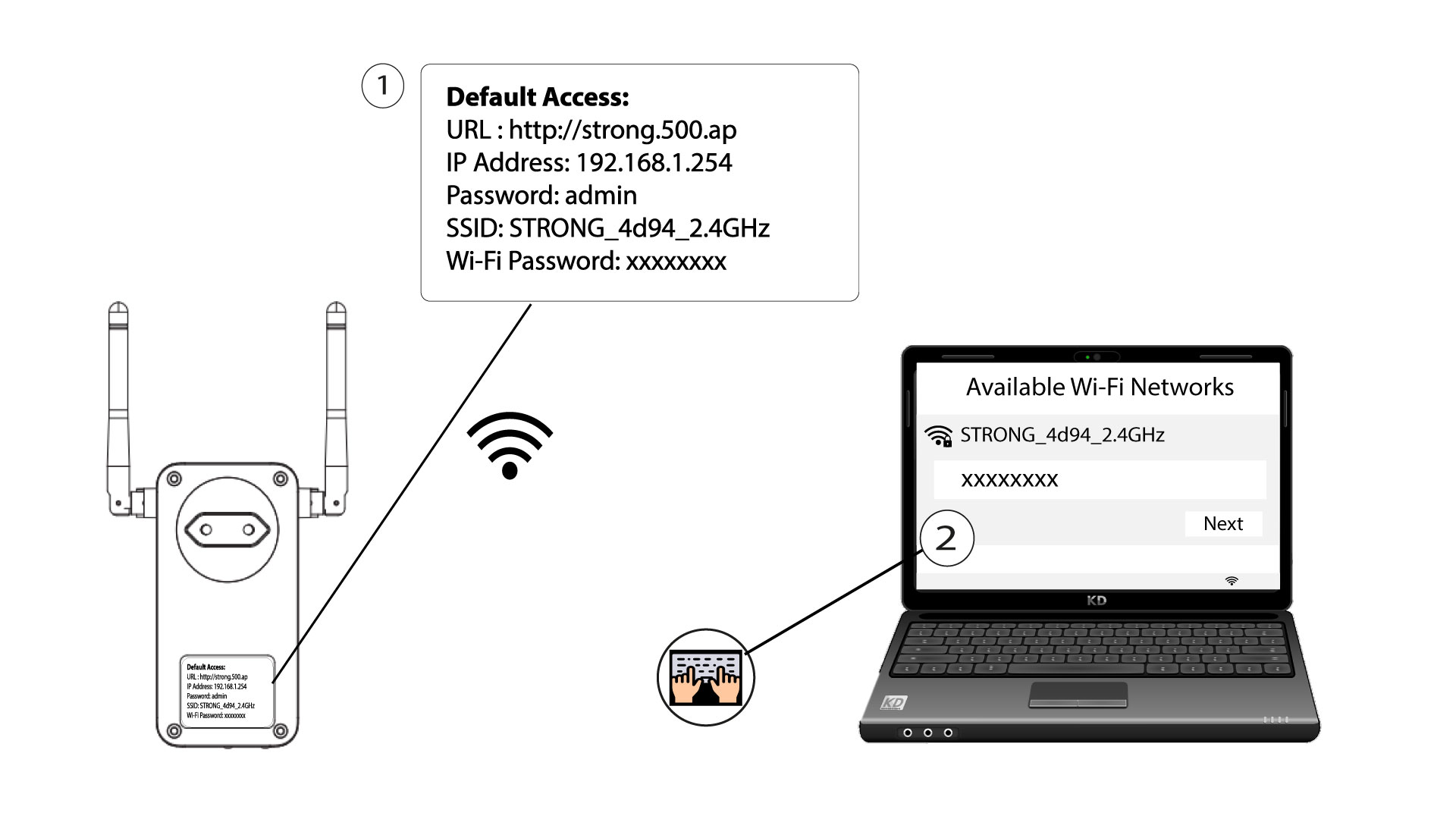
Ak sa chcete po prvýkrát pripojiť k sieti Wi-Fi vášho zariadenia Powerline , musíte sa pripojiť k SSID uvedenému na zadnej strane zariadenia a použiť tam uvedené heslo k sieti Wi-Fi.
Upozorňujeme, že malé písmeno L sa môže zameniť s veľkým písmenom i, preto prosím vyskúšajte rôzne možnosti
2. Obnovtenastavenia Wi-Fi adaptéra
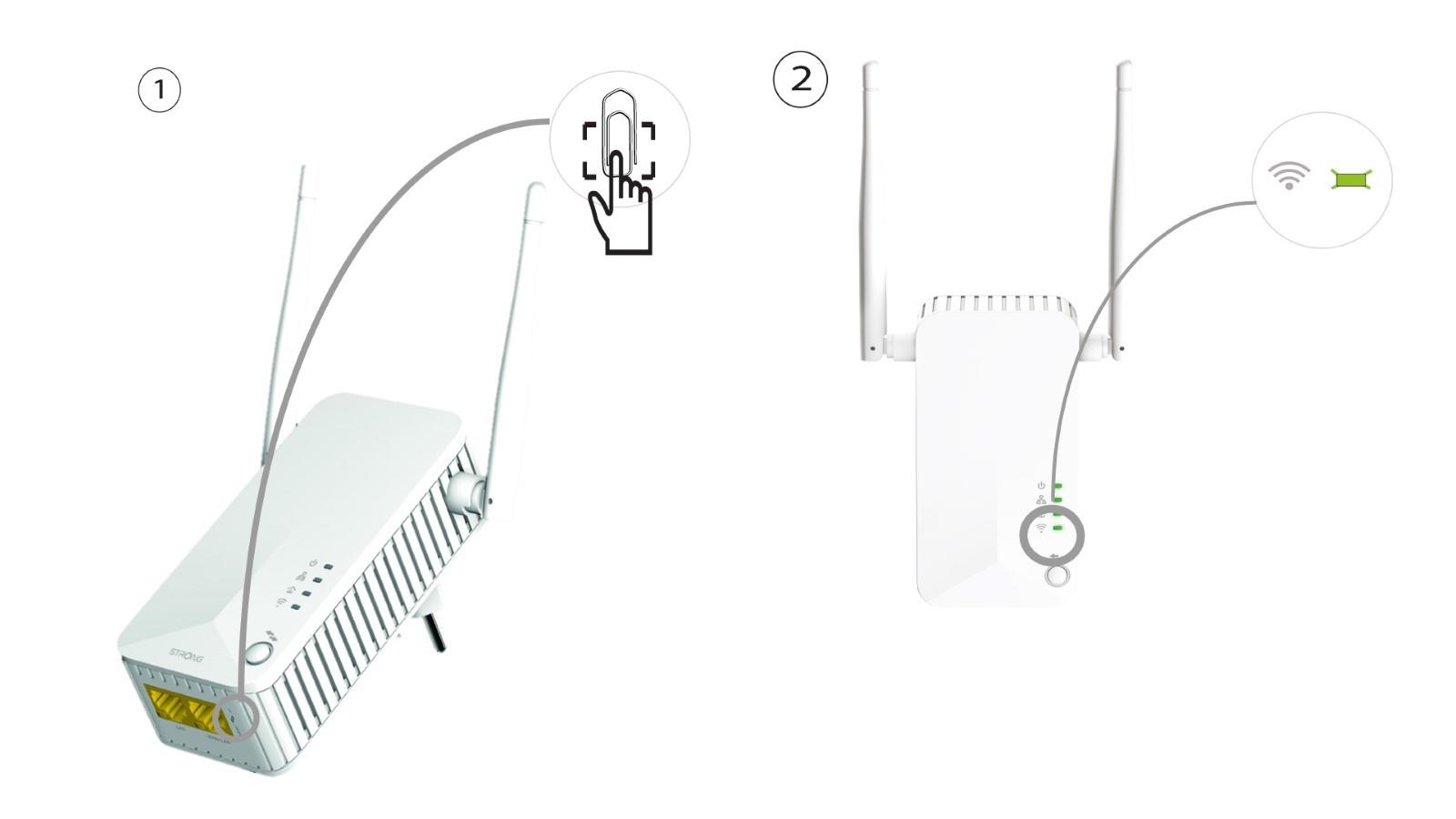
Ak sa vám stále nedarí pripojiť k Wi-Fi zariadeniu „ Powerline 500“, prosím, vykonajte reset Wi-Fi zariadenia „ Powerline “ tak, že do otvoru pod zariadením zatlačíte kancelársku spinku, až kým LED kontrolky nezačnú blikať.