
Поверлине 1000 Дуо Ви-Фи Мини
Нема пронађених ставки.
Нема пронађених ставки.
Сва питања
Поверлине 1000 Дуо Ви-Фи Мини
Нема пронађених ставки.
Нема пронађених ставки.
Могу ли да онемогућим Wi-Fi функцију Wi-Fi модула тако да ради као једноставан Powerline?
1 Повежите се на Wi-Fi адаптер
Повежите се на Wi-Fi мрежу Powerline-а.
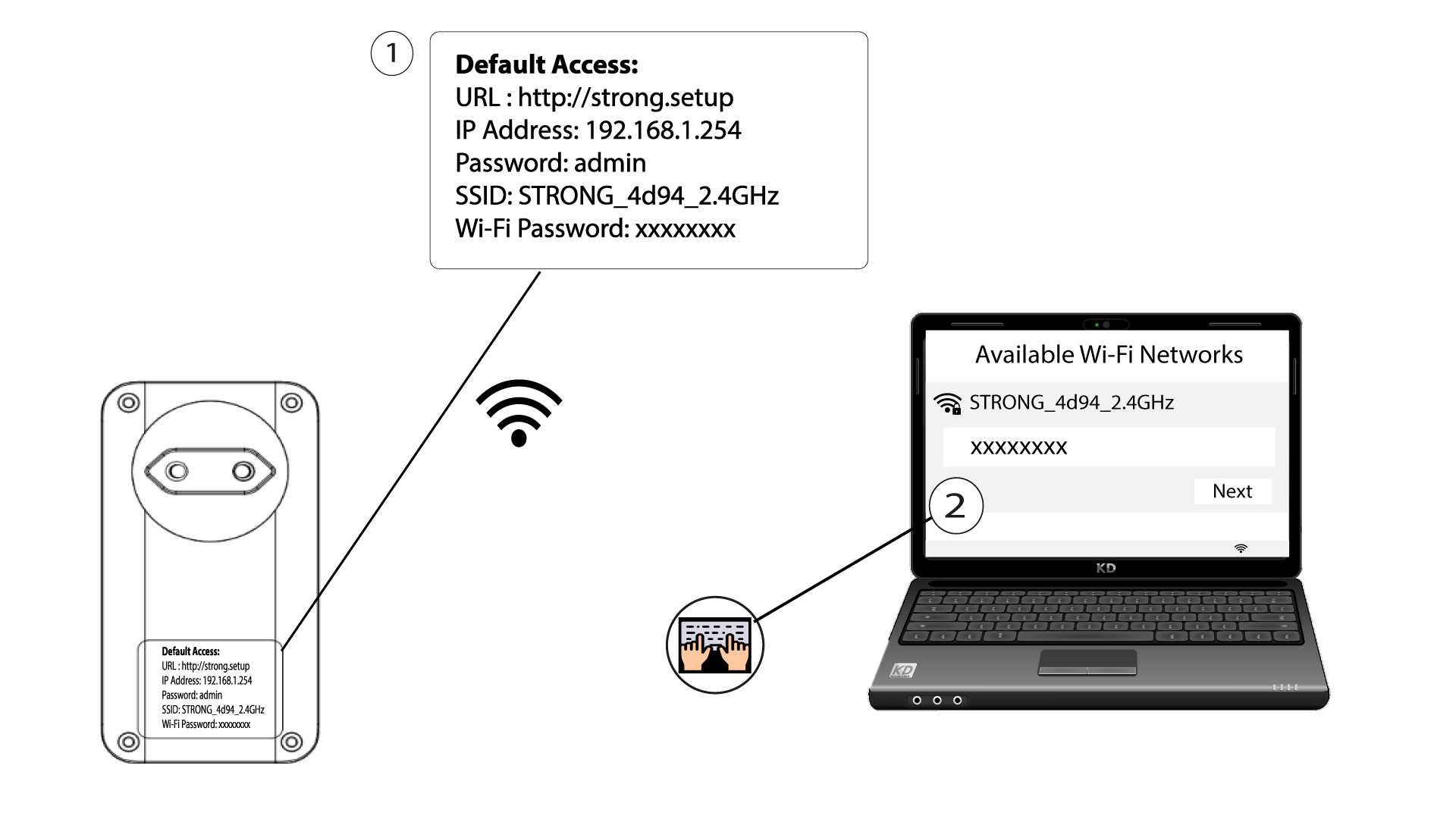
2. Прегледајте ИП адресу веб интерфејса
Повежите се са корисничким интерфејсом Powerline Wi-Fi модула путем Wi-Fi мреже или куцањем http://strong.setup у адресну траку вашег интернет прегледача, интерфејс би требало да се појави.

3 Унесите своје акредитиве
Када сте на почетној страници, унесите лозинку: admin

4 WLAN подешавања
Кликните на подешавања WLAN мреже , а затим изаберите Основна подешавања .

5 Деактивирајте Wi-Fi
Опозовите избор у пољу за потврду Омогући у линији Бежична веза, у складу са вашим потребама, и кликните на Сачувај .


Имајте у виду да ћете, да бисте поново активирали Wi-Fi преко корисничког интерфејса модула, морати да се повежете помоћу RJ45 кабла. Друго решење за реактивирање Wi-Fi-ја је ресетовање Powerline Wi-Fi-ја помоћу спајалице док ЛЕД диоде не почну да трепере.