
Поверлине 1000 Дуо Ви-Фи Мини
Сва питања
Поверлине 1000 Дуо Ви-Фи Мини
Како да променим SSID име и лозинку за Powerline 1000 Mini Wi-Fi мрежу?
1 Повежите се на Wi-Fi
Повежите се на Wi-Fi мрежу уређаја Powerline 1000 Wi-Fi Mini.
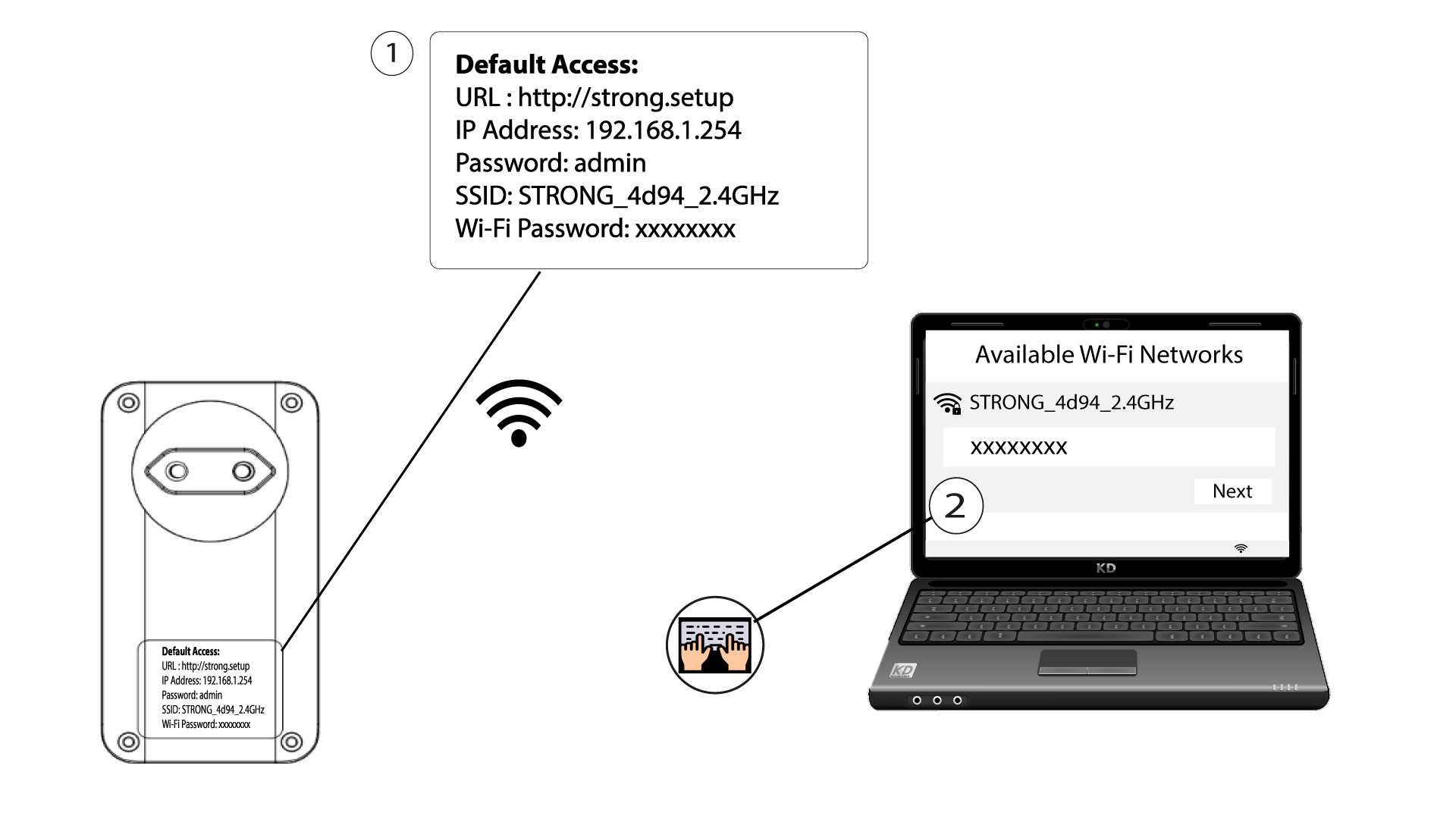
2. Прегледајте ИП адресу веб интерфејса
Приступите корисничком интерфејсу уносом URL адресе: http://strong.setup у адресну траку вашег интернет прегледача.

3 Унесите своје акредитиве
Затим унесите лозинку: admin

4 Брзо подешавање
Идите у мени, изаберите Брзо подешавање , затим кликните на Приступна тачка (АП ) и кликните на ДАЉЕ .

5 Унесите ново мрежно име и лозинку
Измените SSID и лозинку. Приликом дефинисања нове лозинке, избегавајте коришћење великог слова I и малог слова l јер се лако могу помешати. Такође вам саветујемо да креирате лозинку која се састоји од наизменичних великих слова, малих слова и бројева. Када завршите са изменама, кликните на ДАЉЕ да бисте сачували.

6 Запишите нове информације о мрежи
Молимо вас да запишете нови SSID и лозинку на папир, а затим поново повежете све своје уређаје са Powerline 1000 Wi-Fi Mini користећи нова подешавања.
