Нема пронађених ставки.
LEAP -С1
Нема пронађених ставки.
Сва питања
Нема пронађених ставки.
LEAP -С1
Нема пронађених ставки.
Како могу да додам или уклоним апликацију са почетног екрана?
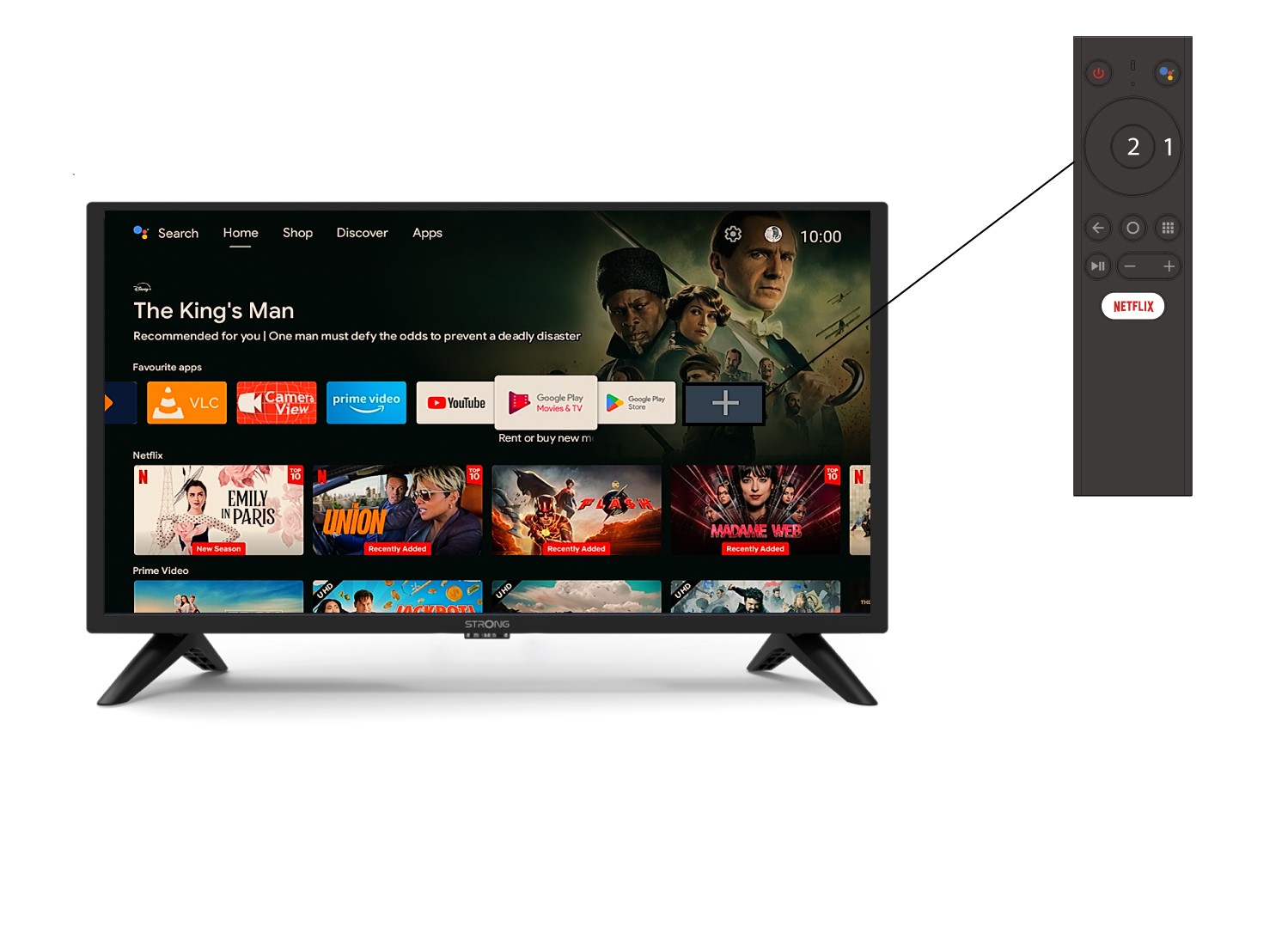
1 Случај 1: Додавање апликације
Да бисте додали апликацију на почетни екран, идите на икону + која се налази на крају листе апликација које се већ налазе на почетној страници, притисните «ОК».
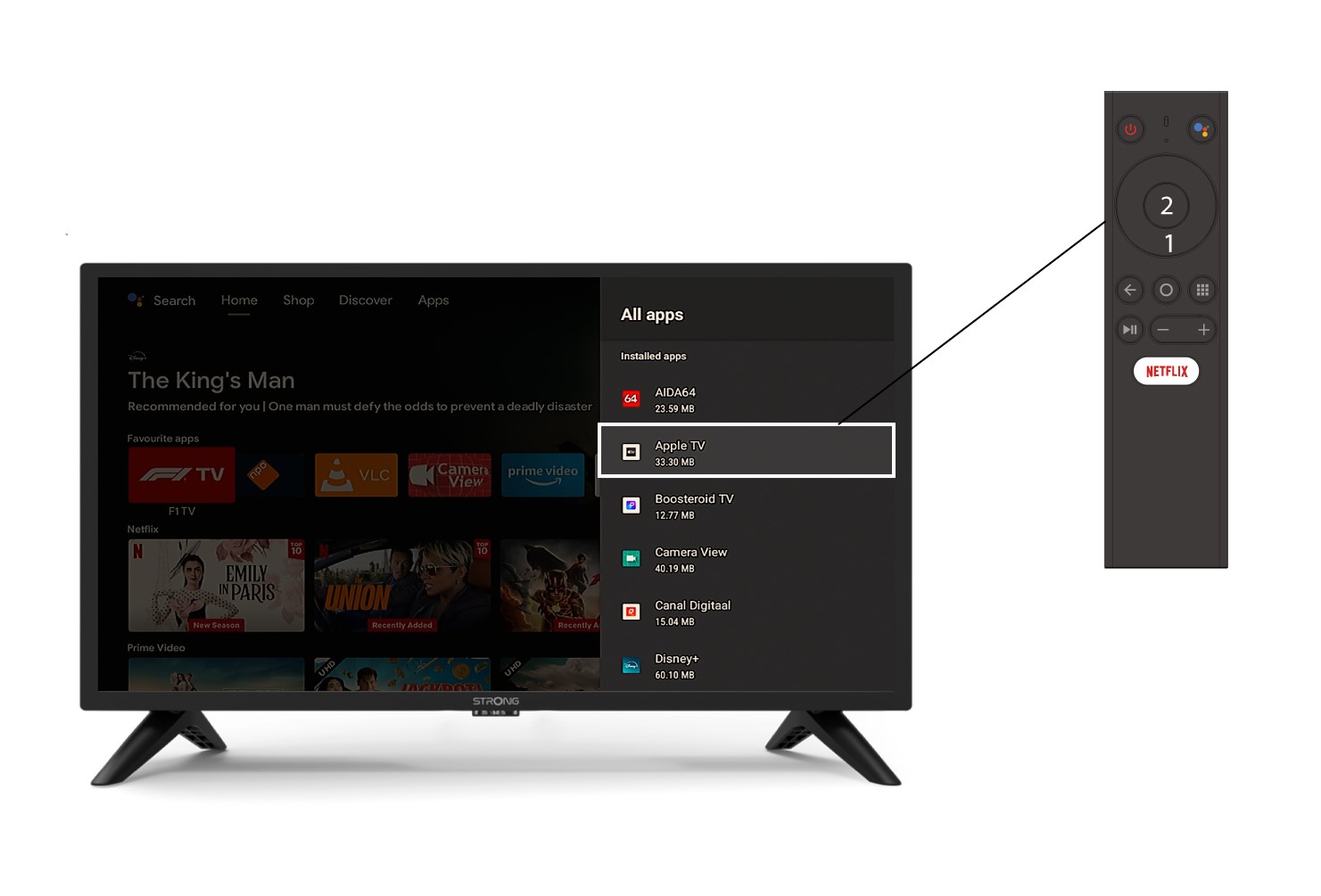
2 Листа апликација
Затим се отвара листа апликација, изаберите жељену апликацију и притисните дугме OK на даљинском управљачу.
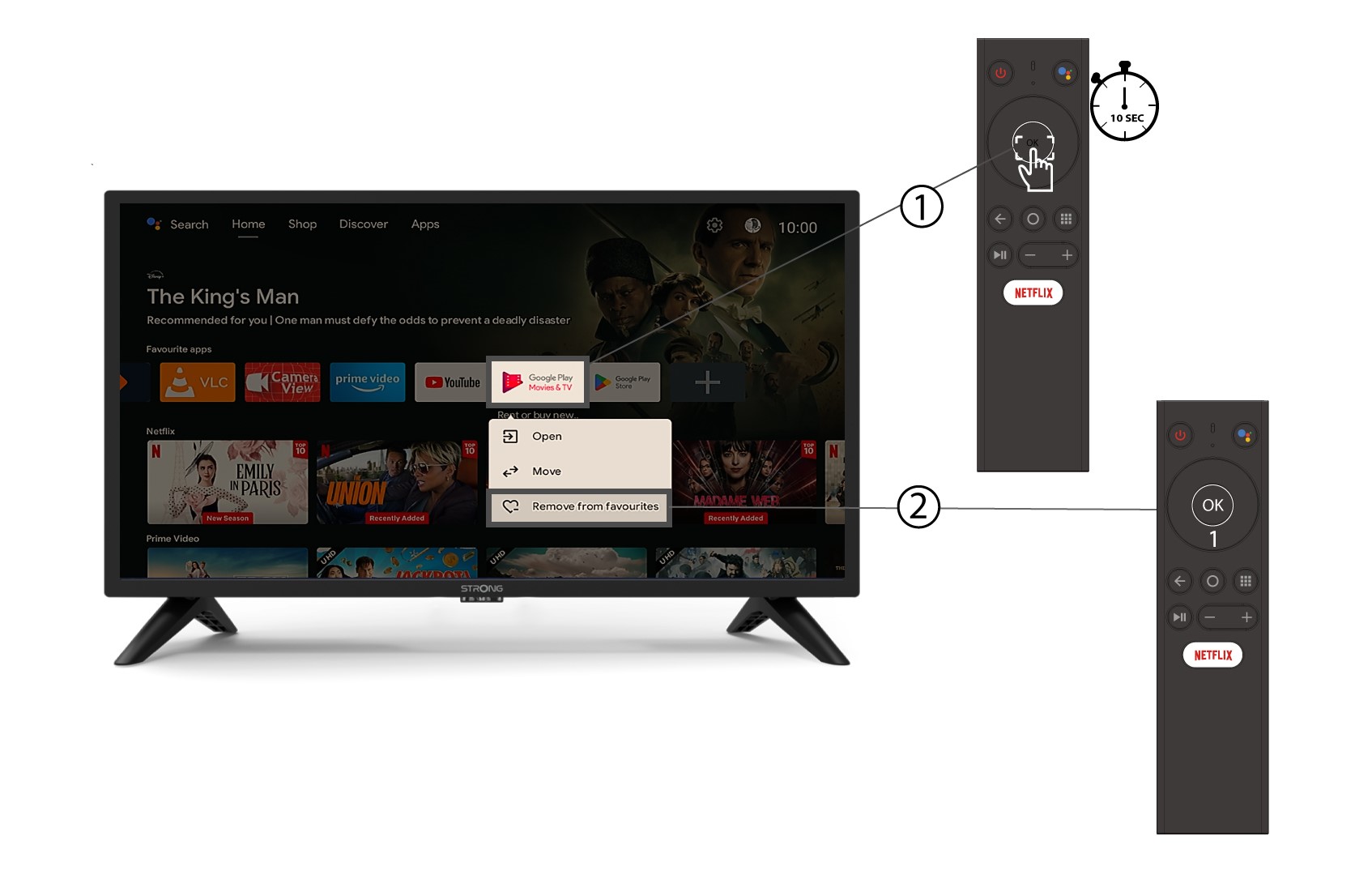
3 Случај 2: Уклањање апликације
Да бисте уклонили апликацију са почетног екрана, на листи апликација које се већ налазе на почетној страници, идите на апликацију коју желите да уклоните, дуго притисните дугме «ОК», појавиће се прозор, изаберите «Уклони из омиљених».