LEAP -С1
Сва питања
LEAP -С1
Повезао/ла сам AZERTY тастатуру преко USB-а, али је препозната као QWERTY тастатура, зашто?

Упозорење: Имајте у виду да распореде тастатуре за екстерне тастатуре дефинише Google. Стога, распоред ваше тастатуре можда није подржан. У том случају, препоручујемо вам да контактирате произвођача тастатуре да бисте видели да ли постоји апликација која би учинила вашу тастатуру компатибилном.
1 Укључите уређај
Укључите телевизор и LEAP S1.
2 Идите до менија Подешавања
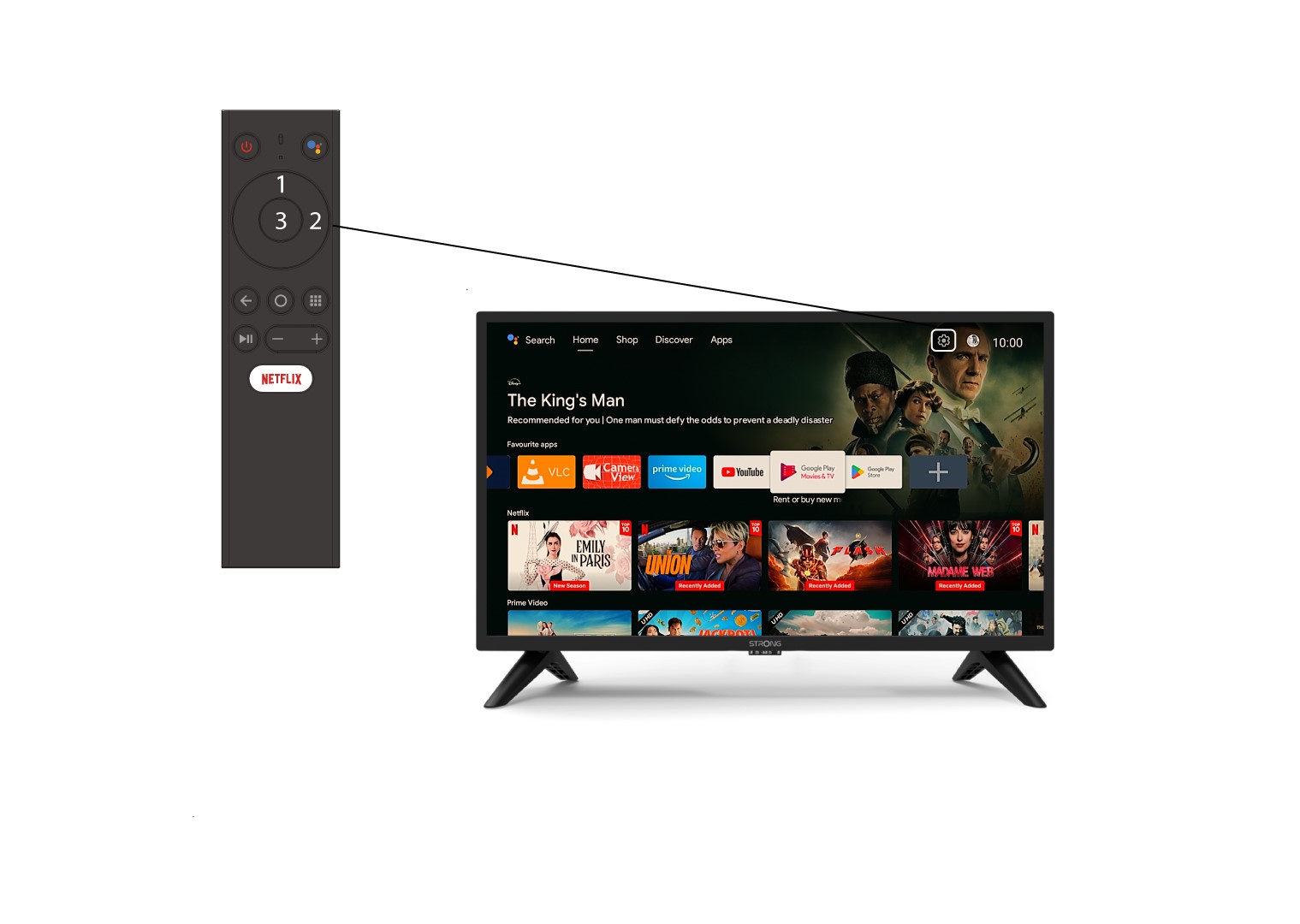
Пронађите икону зупчаника (Мени подешавања) у горњем десном углу екрана и изаберите је помоћу стрелица на рачунару. Затим притисните дугме OK на даљинском управљачу да бисте отворили Мени подешавања.
3 Подешавања уређаја
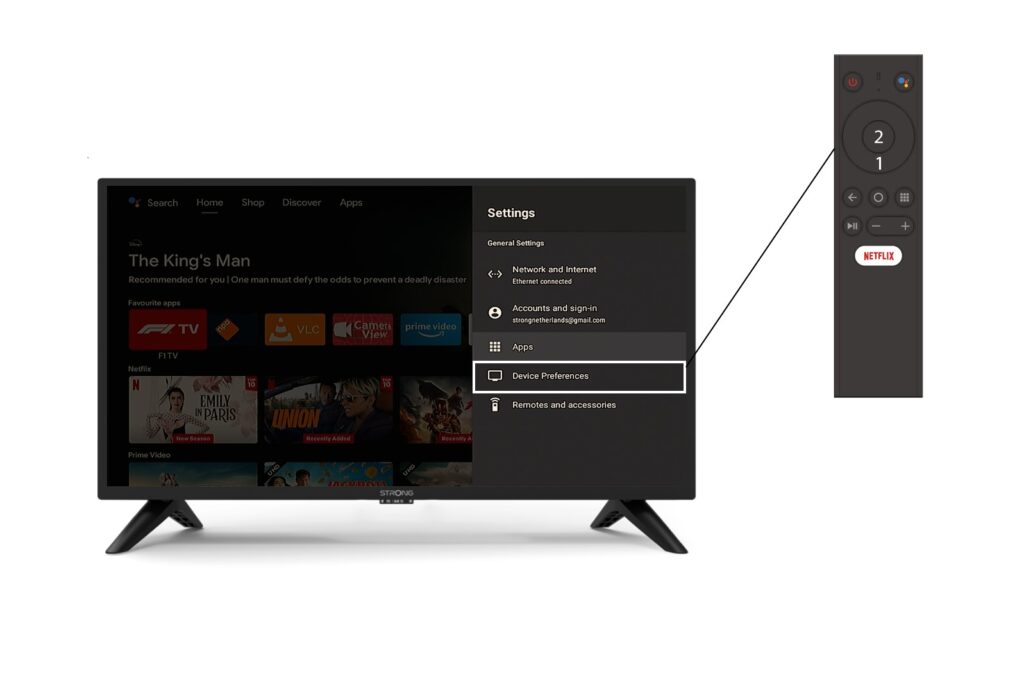
Изаберите Подешавања уређаја у менију Подешавања и притисните дугме OK на даљинском управљачу.
4 подешавања тастатуре
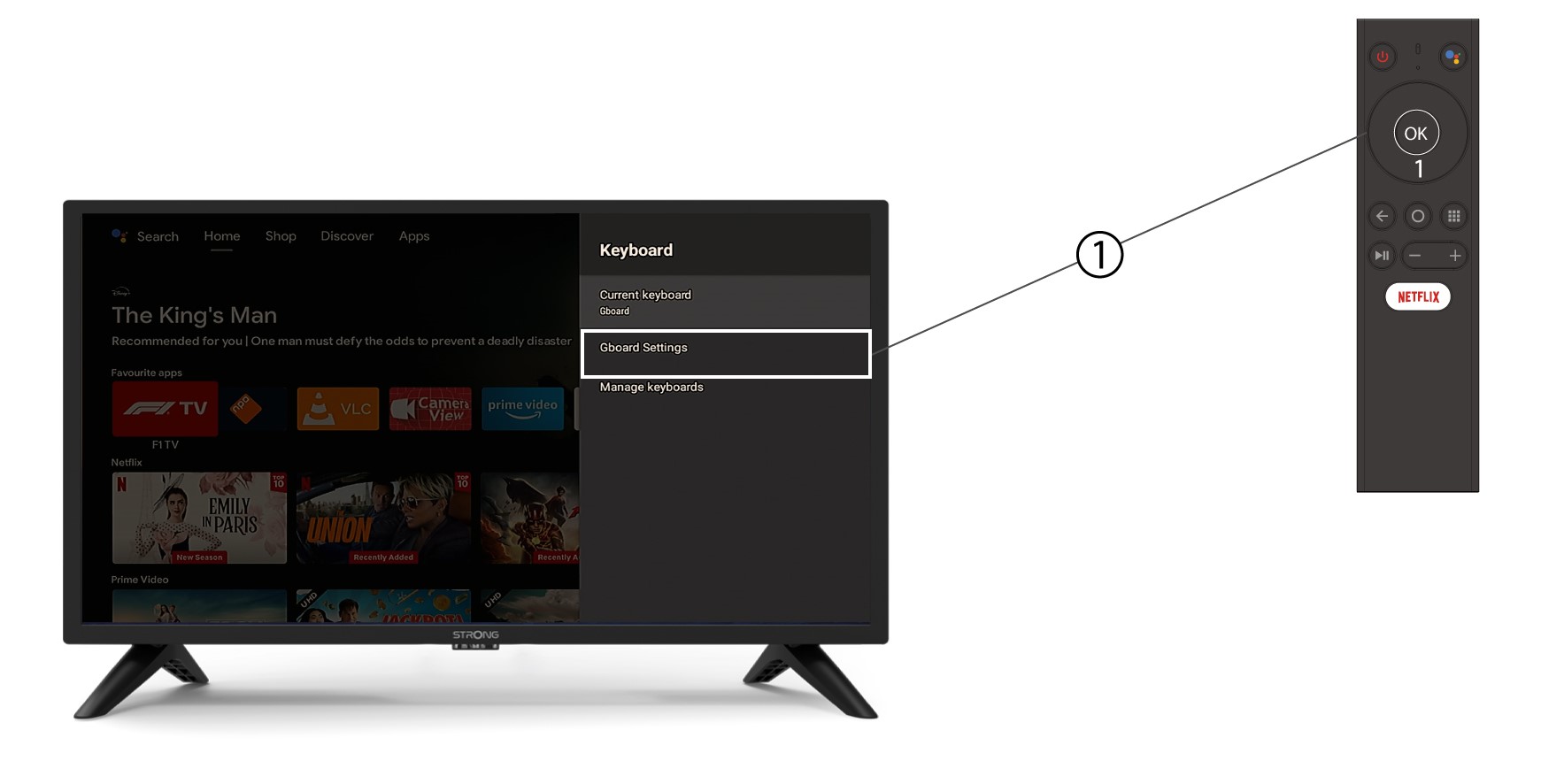
У менију тастатуре кликните на Подешавања Gboard- а и притисните OK .
5 Подешавања језика
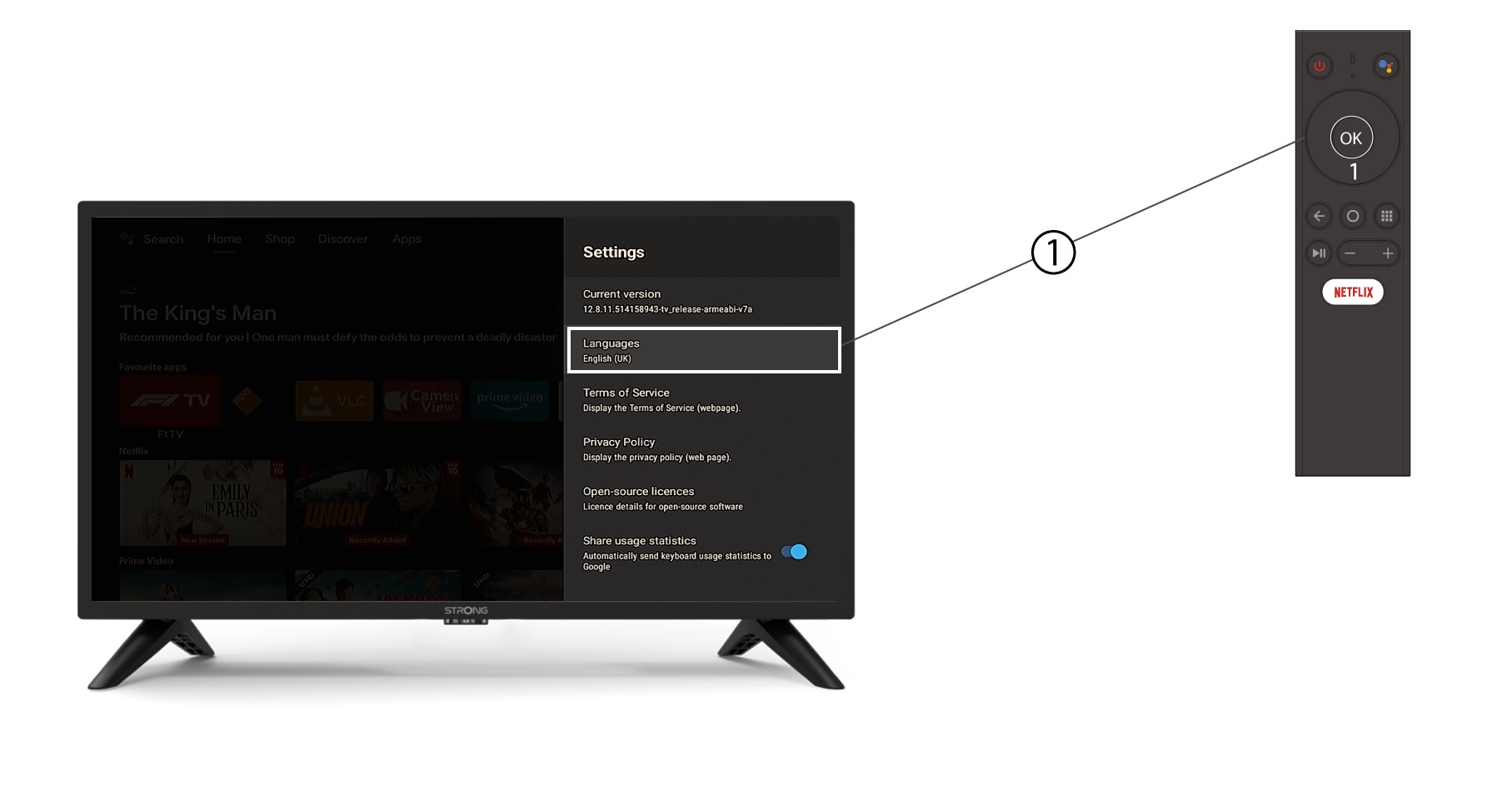
У менију Подешавања који се отвори кликните на Језик , а затим подесите вредност на енглески UK и притисните ОК .