4G AIRHOME 200 Мини рутер са одвојивим 4G антенама
Нема пронађених ставки.
Нема пронађених ставки.
Сва питања
4G AIRHOME 200 Мини рутер са одвојивим 4G антенама
Нема пронађених ставки.
Нема пронађених ставки.
Како да променим ИП адресу моје ЛАН мреже?
1 Повежите се са веб интерфејсом
Да бисте приступили веб интерфејсу, погледајте поступак у наставку:
2 Искључите интернет
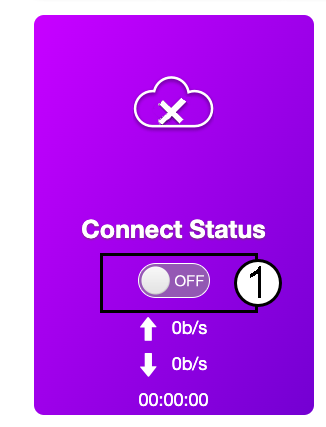
На почетној страници кликните на прекидач Статус везе да бисте деактивирали Интернет везу.
Није могуће променити ИП адресу ваше локалне мреже док је ваша интернет веза укључена.
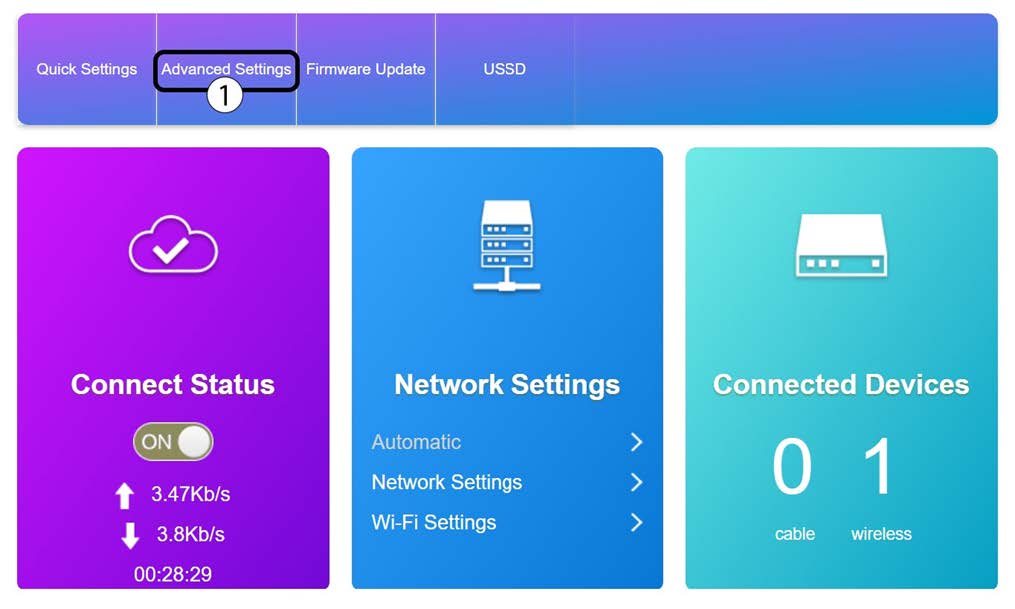
3 Напредна подешавања
Кликните на Напредна подешавања
4 Подешавања рутера
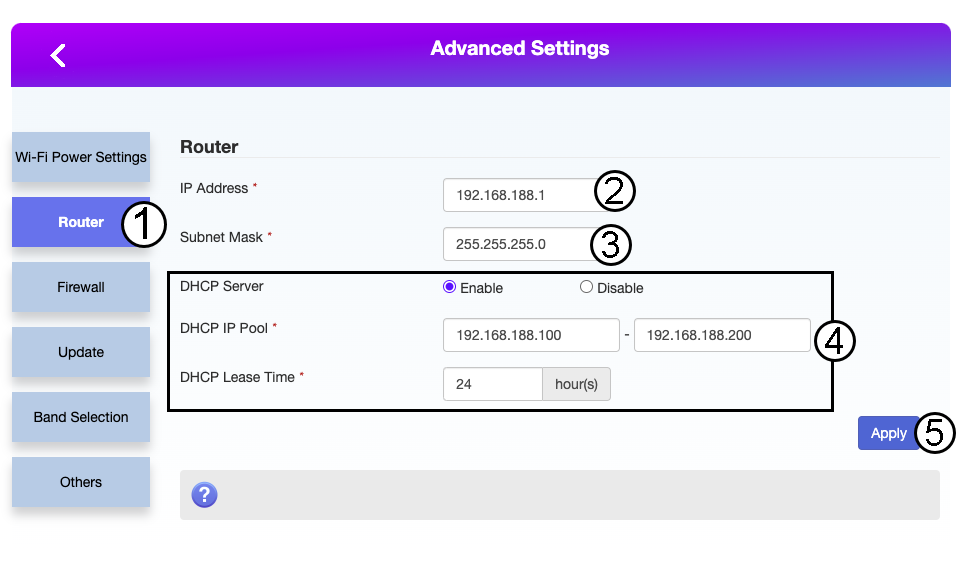
Кликните на Рутер. Затим унесите следеће информације пре него што кликнете на Примени:
- ИП адреса: Унесите нову ИП адресу вашег рутера.
- Маска подмреже: Унесите ИП адресу маске подмреже
- DHCP сервер: Омогућите DHCP сервер
- DHCP IP пул: Унесите почетну и крајњу IP адресу за ваш DHCP.
- DHCP време: Унесите максимално време закупа у сатима.