Двопојасни репетитор 750 В2
Сва питања
Двопојасни репетитор 750 В2
Како да конфигуришем свој репетитор?
Пре него што конфигуришете репетитор, проверите следећу процедуру да бисте одредили локацију репетитора: Која је најбоља локација за мој репетитор?
1 Повежите се са веб интерфејсом
Пратите једну од доле наведених процедура да бисте се повезали са веб интерфејсом:
- Како да се повежем са веб интерфејсом репетитора? (RJ45 кабл)
- Како да се повежем са веб интерфејсом репетитора? (Wi-Fi)
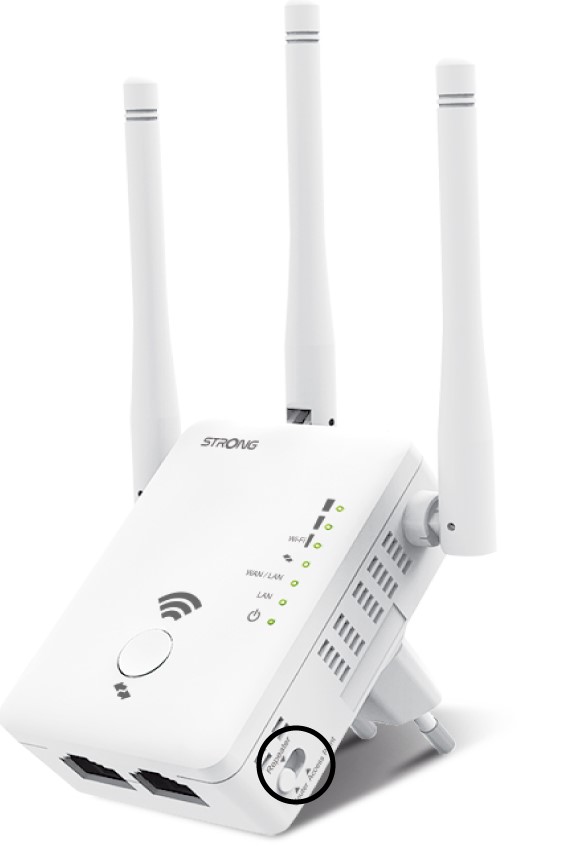
2 Изаберите режим репетитора
У режиму switch налази се са десне стране вашег репетитора, изаберите положај репетитора.
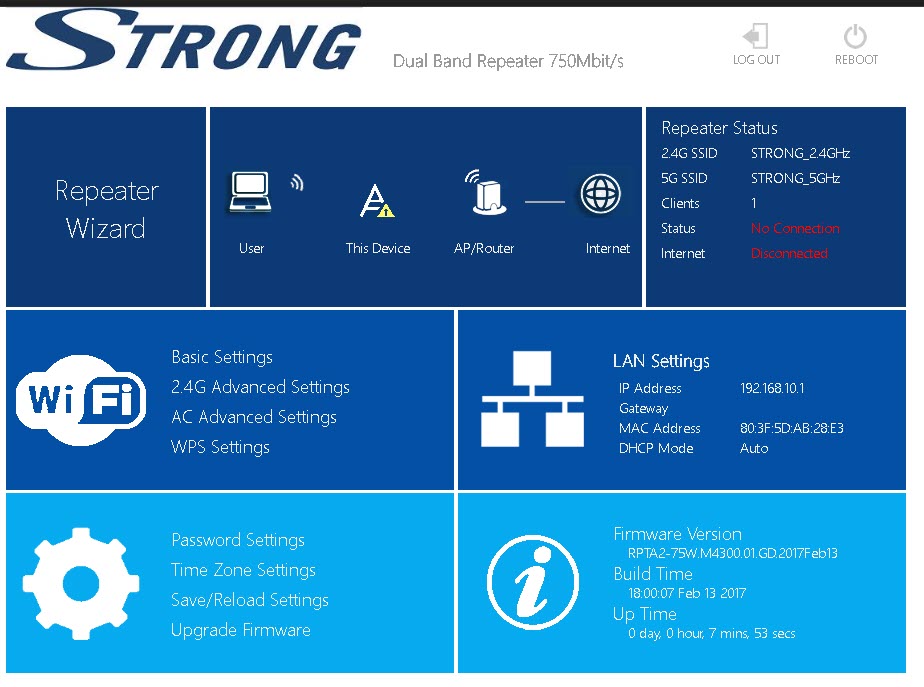
3 Чаробњак за репетиторе
Кликните на Чаробњак за репетитор.
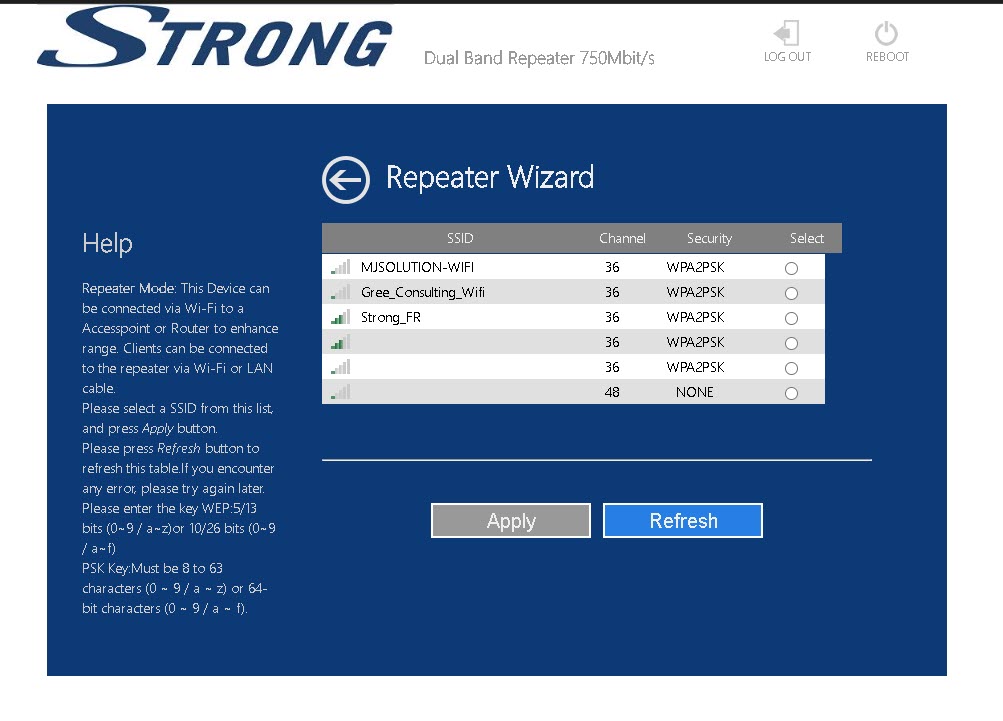
4 Скенирање мреже
Ваш репетитор ће скенирати све доступне 2.4G и 5G Wi-Fi мреже како би одредио мрежу домаћина. Изаберите назив Wi-Fi мреже вашег рутера. Затим кликните на Примени .
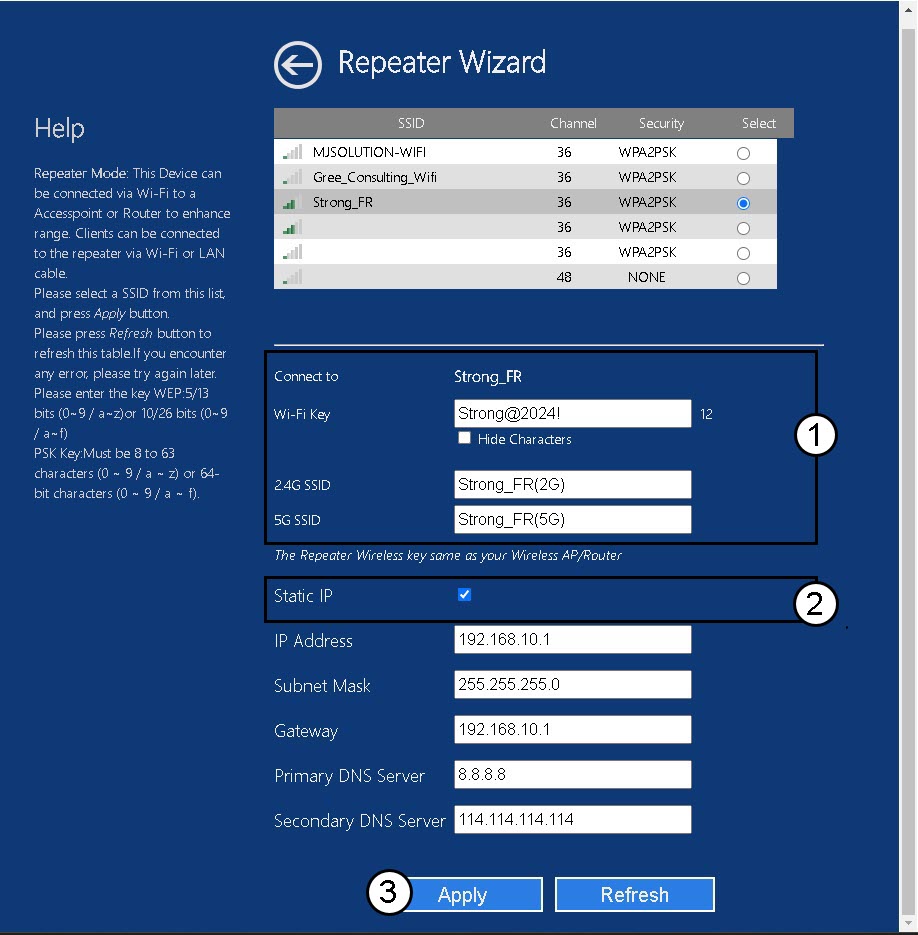
5 Унесите информације за мрежу хоста и репетитора
Унесите лозинку за Wi-Fi вашег рутера и дефинишите имена за Wi-Fi мреже вашег репетитора и кликните на Примени .
САВЕТ: Можете означити поље Статичка ИП адреса да бисте подесили статичку ИП адресу вашег репетитора.
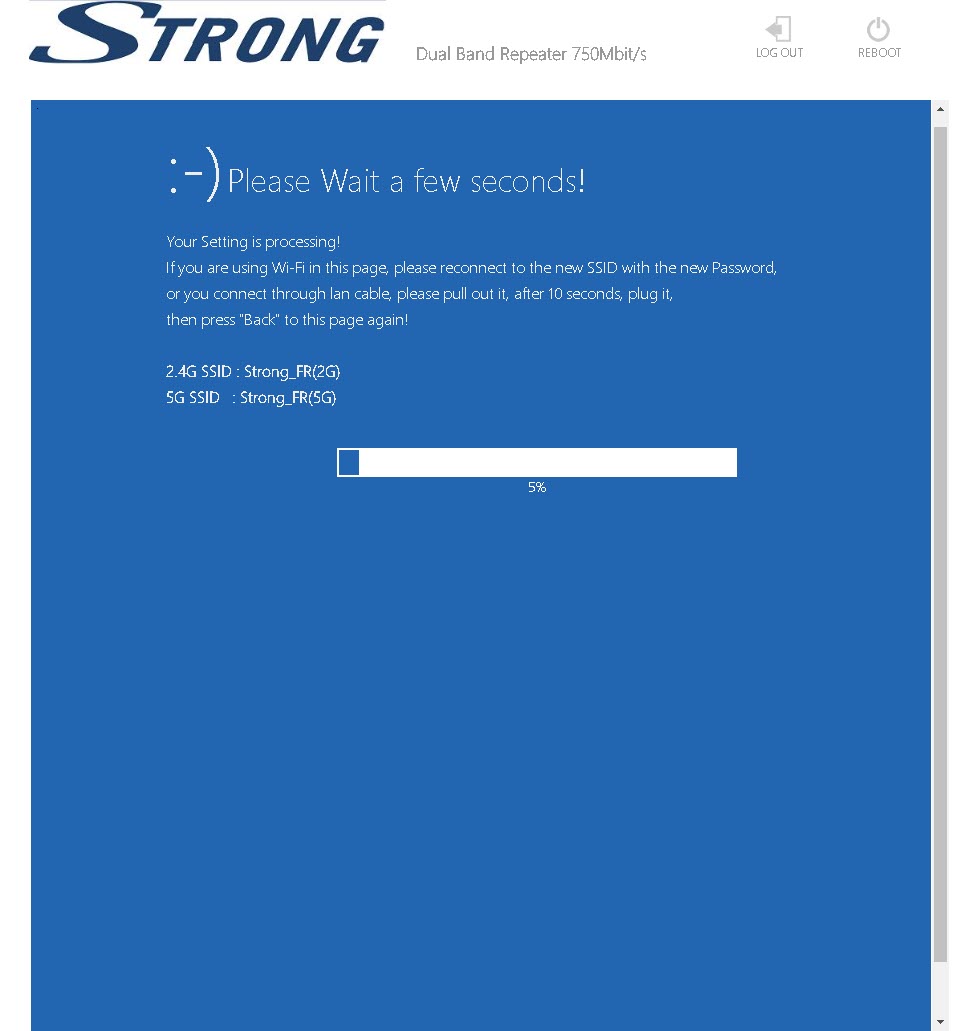
6 Сачекајте током конфигурације
Молимо сачекајте док се репетитор конфигурише.