
Двопојасни репетитор 1200
Нема пронађених ставки.
Нема пронађених ставки.
Сва питања
Двопојасни репетитор 1200
Нема пронађених ставки.
Нема пронађених ставки.
Како да конфигуришем свој репетитор као приступну тачку?
САВЕТИ: Пре конфигурисања репетитора, проверите следећу процедуру да бисте одредили локацију вашег репетитора:
Која је најбоља локација за мој репетитор?1 Повежите се са веб интерфејсом.
Пратите једну од доле наведених процедура да бисте се повезали са веб интерфејсом:
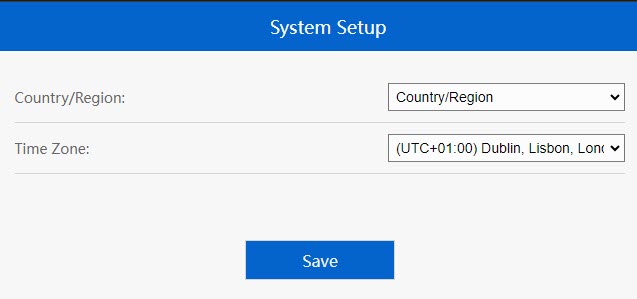
2. Подесите временску зону
Изаберите временску зону са листе ако је она која је аутоматски детектована погрешна и кликните на Сачувај .
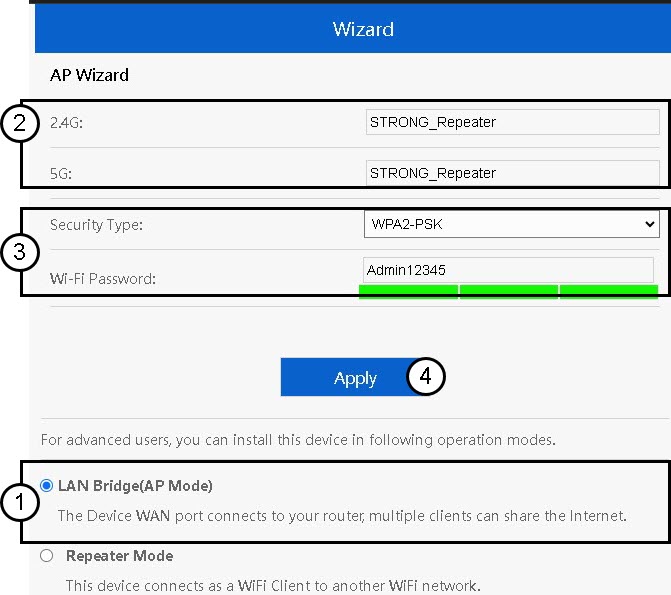
3 Конфигуришите подешавања приступне тачке
Отвориће се чаробњак за подешавање репетитора. Изаберите LAN Bridge (AP). Затим унесите име за приступне тачке. Изаберите тип безбедности и унесите лозинку за Wi-Fi пре него што кликнете на Apply (Примени).
4 Сачекајте конфигурацију репетитора
Молимо сачекајте неколико тренутака док репетитор заврши процес конфигурације.
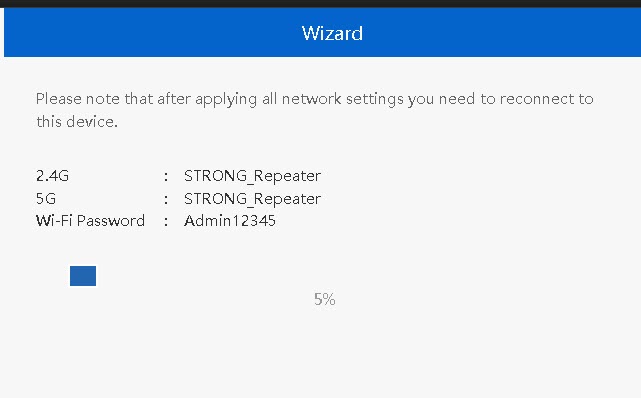

Упозорење: Молимо вас да запишете информације за две Wi-Fi мреже. Ове информације ће вам бити потребне да бисте се повезали са мрежом.