4G AIRHOME 310 са одвојивим 4G антенама
Нема пронађених ставки.
Нема пронађених ставки.
Сва питања
4G AIRHOME 310 са одвојивим 4G антенама
Нема пронађених ставки.
Нема пронађених ставки.
Како да повежем своје уређаје са WPS-ом?

Можете користити WPS функцију да бисте подесили Wi-Fi везу између вашег рутера и ваших рачунара (Linux/Windows), на пример. Није могуће повезати мобилни телефон помоћу WPS-а. Да бисте лако повезали телефон на Wi-Fi мрежу, скенирајте QR код који се налази на задњој страни вашег рутера, аутоматски ће вас повезати на мрежу без уноса Wi-Fi лозинке.
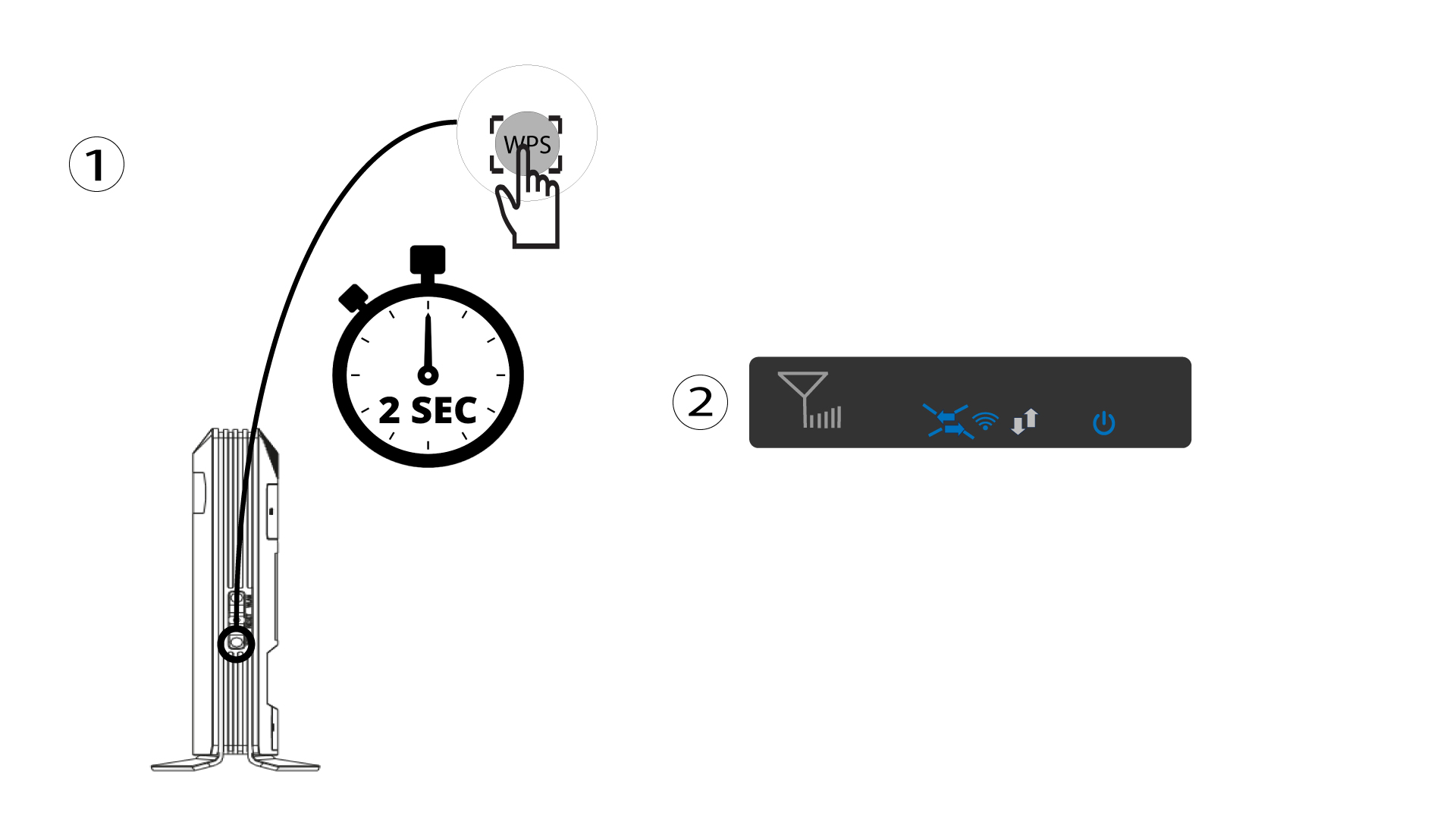
1 Притисните дугме WPS
Притисните WPS дугме 2 секунде да бисте омогућили било ком компатибилном уређају у вашем дому да се аутоматски повеже са Wi-Fi мрежом рутера. Када се активира, хоризонталне стрелице ће трептати плаво.
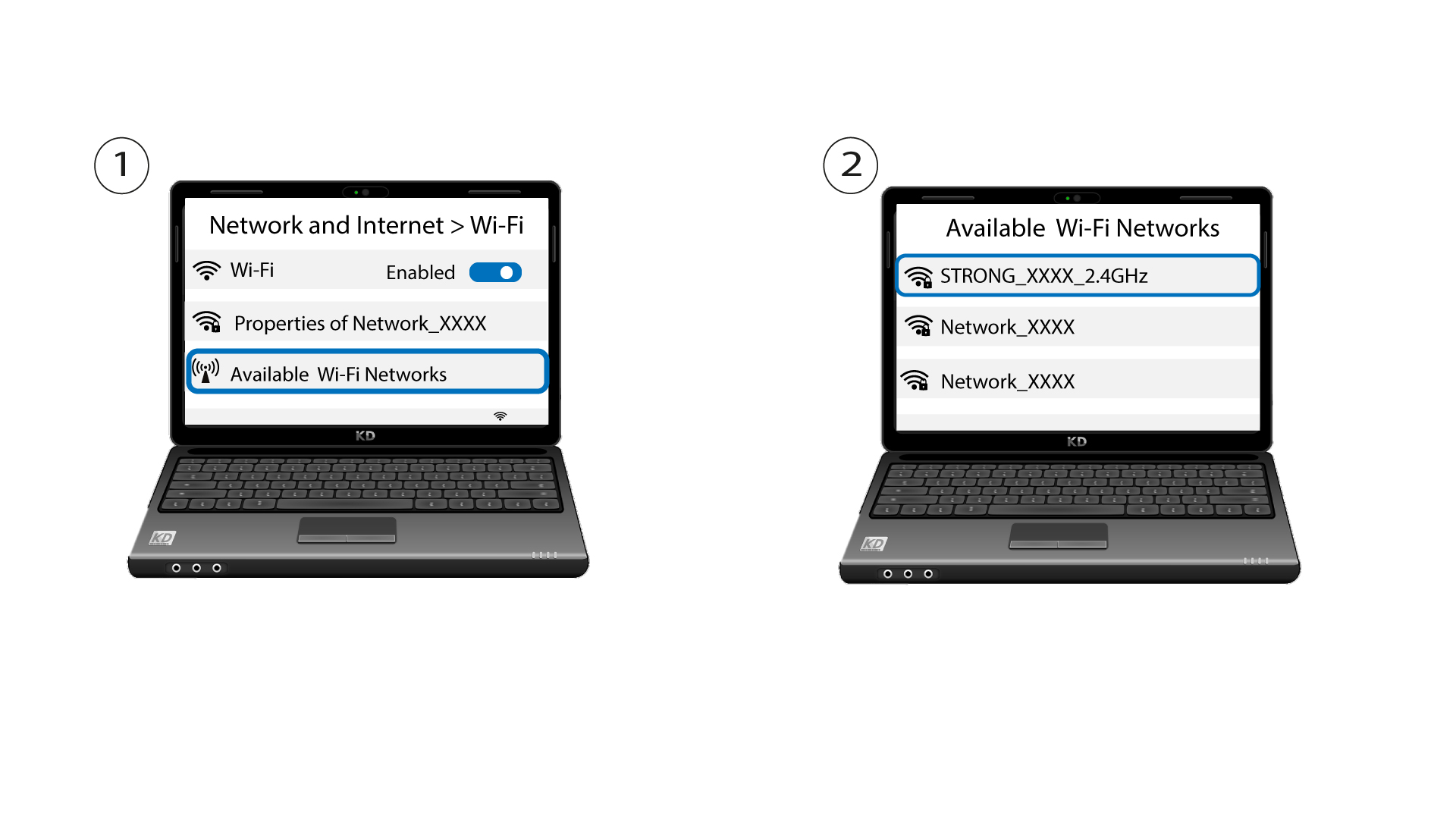
2 Изаберите Wi-Fi мрежу у доступним мрежама
Идите на подешавања Wi-Fi мреже на рачунару или телефону и кликните на назив рутера да бисте га изабрали.
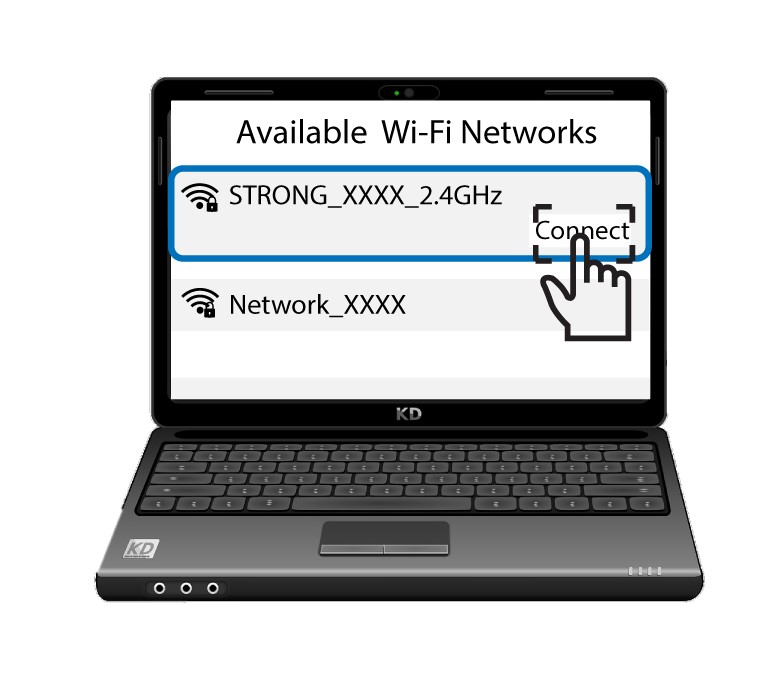
3 Повежите се на Wi-Fi
Затим кликните на дугме за повезивање .