
Универзални репетитор 300С
Нема пронађених ставки.
Нема пронађених ставки.
Сва питања
Универзални репетитор 300С
Нема пронађених ставки.
Нема пронађених ставки.
Како да ресетујем репетитор на фабричка подешавања? (Веб кориснички интерфејс)
1 Повежите се са веб интерфејсом
Молимо вас да пратите ову процедуру да бисте се повезали са корисничким интерфејсом након конфигурације.
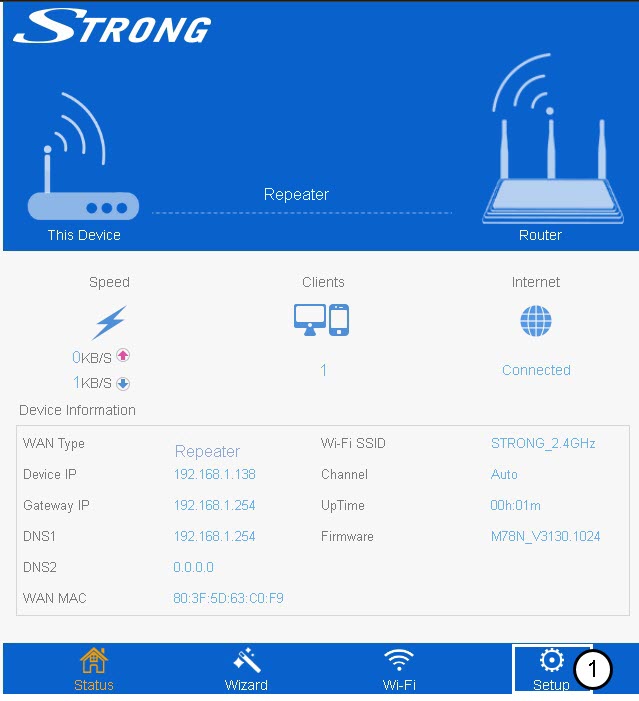
2 Подешавање
Кликните на Подешавање.
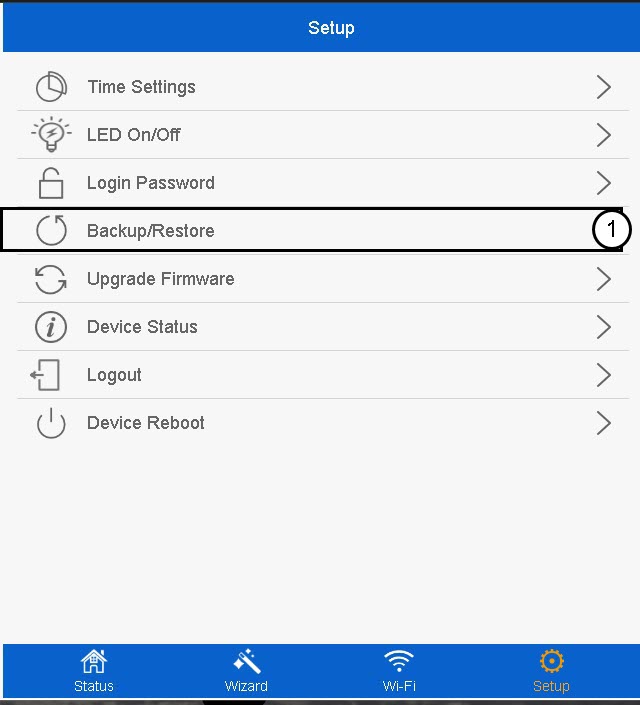
3 Резервна копија и враћање
Кликните на Резервна копија/Враћање .
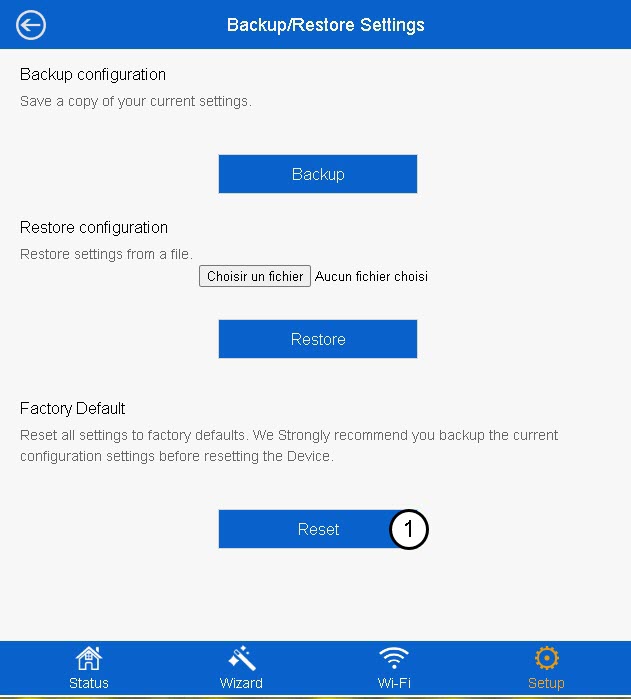
4 Ресетовање на подразумевана подешавања
Кликните на Ресетуј .
Молимо сачекајте да се ресетовање заврши.

Упозорење: Имајте у виду да ће сва прилагођена подешавања која су конфигурисана на вашој мрежи бити обрисана. Мораћете поново да конфигуришете вашу мрежу од нуле тако што ћете се повезати са подразумеваним акредитивима написаним испод етикете производа.