4G AIRSPOT 220 Мобилни Wi-Fi са екраном
Нема пронађених ставки.
Нема пронађених ставки.
Сва питања
4G AIRSPOT 220 Мобилни Wi-Fi са екраном
Нема пронађених ставки.
Нема пронађених ставки.
Како да ресетујем рутер на фабричка подешавања?
Понекад је могуће да ваш уређај не ради исправно и да немате приступ интернету. У том случају, предлажемо да ресетујете уређај на фабричка подешавања и поново ажурирате његов фирмвер након тога ако је потребно.
Имате два начина да то урадите, можете ресетовати уређај притиском на дугме за ресетовање или то учинити преко веб интерфејса.
СЛУЧАЈ 1: Дугме за ресетовање.
Да бисте то урадили, уклоните поклопац на задњој страни рутера и притисните дугме РЕСЕТ 2 секунде помоћу спајалице.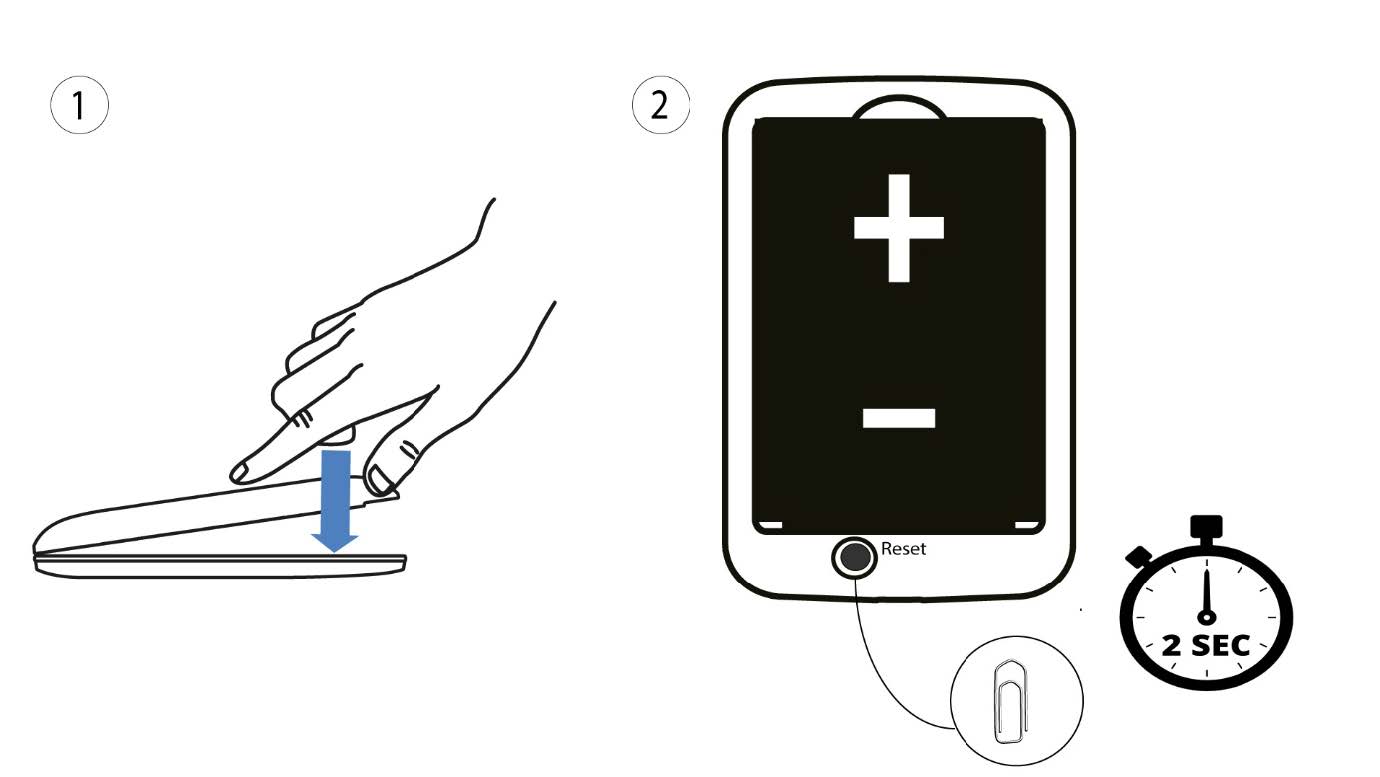
1 Случај 2: ресетовање у веб интерфејсу
1. Морате се повезати на Wi-Fi мрежу свог уређаја.

2 Прегледајте ИП адресу веб интерфејса
Затим унесите следећу ИП адресу: 192.168.188.1 у ваш прегледач.

3 Пријава
Морате унети лозинку.

4 подешавања
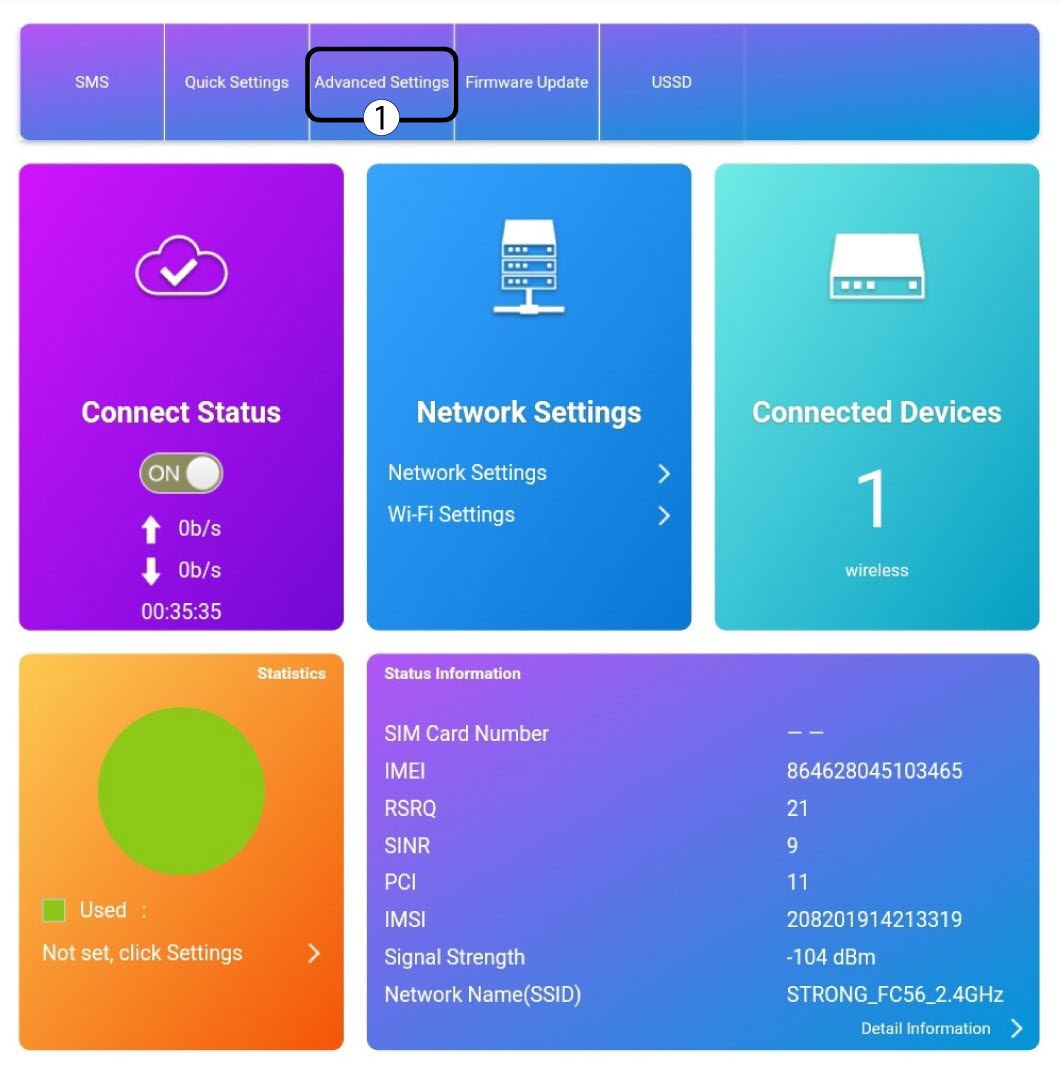
Затим кликните на Напредна подешавања .
5 Ресетовање на фабричка подешавања
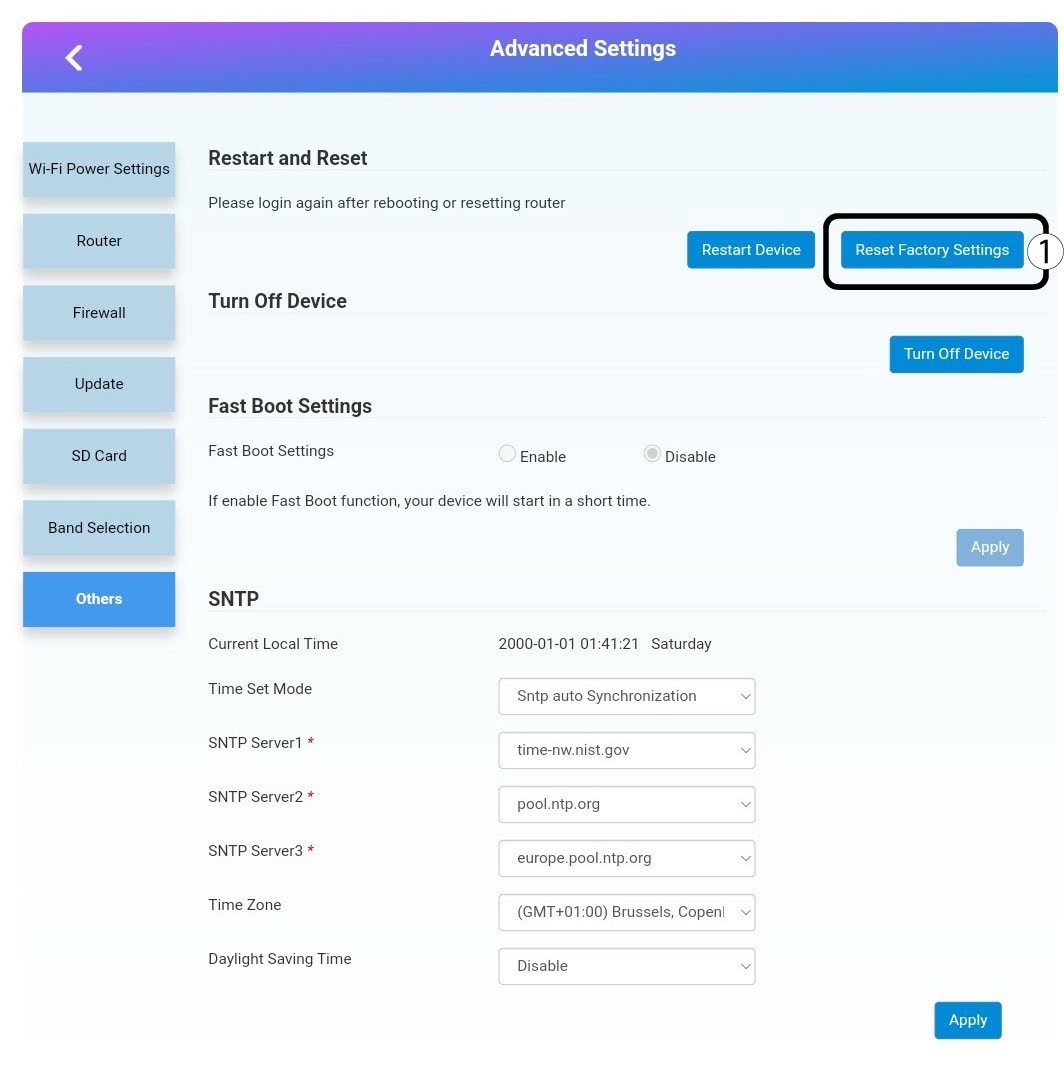
Кликните на Остало. У одељку Поновно покретање и ресетовање кликните на Ресетуј на фабричка подешавања.
6 Потврда
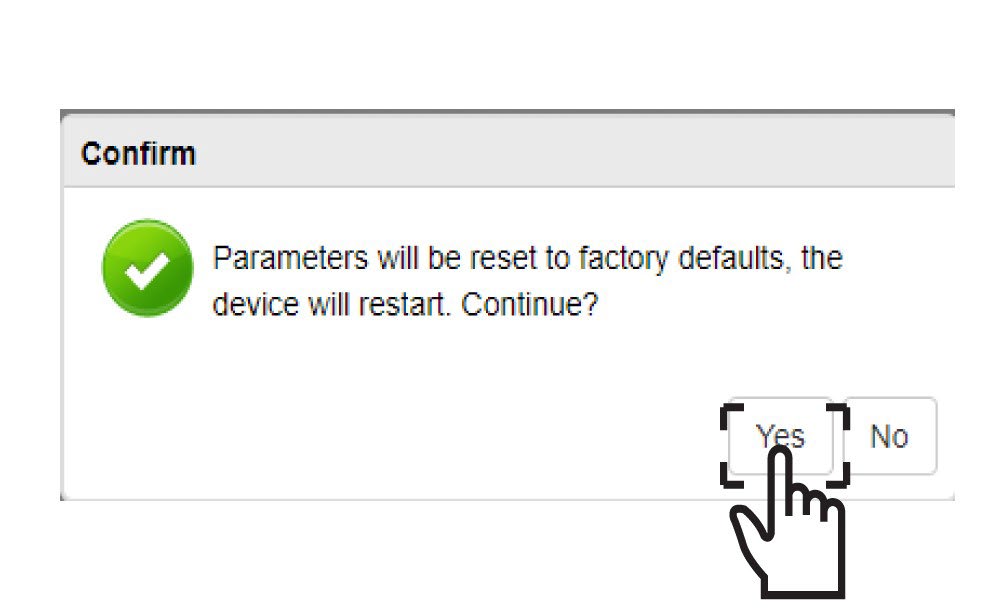
Кликните на ДА у искачућем прозору са поруком .